How to Buy Tron (TRX): A Complete Guide for Beginners in Indonesia
2025-11-26
Bittime - Tron (TRX) has become one of the most widely used cryptocurrencies for fast and low-cost transactions. The network supports various decentralized applications and processes millions of transactions every day.
For beginners in Indonesia, buying TRX is now easier thanks to local trading platforms like Bittime. This guide provides a complete and practical explanation to help you purchase Tron safely and quickly.
What Is Tron (TRX)?
Tron is a blockchain network designed to support high-performance smart contracts, digital entertainment platforms, and decentralized applications. Its native token, TRX, serves as the medium for transactions within the ecosystem.
Tron is recognized for its high transaction throughput and minimal fees, making it one of the most active blockchains globally.
The network is also widely used for stablecoin transfers, especially USDT-TRC20, due to its efficiency. With its broad ecosystem, Tron plays a significant role in digital asset utility and adoption.
Why Buy TRX on Bittime?
Bittime offers a straightforward and secure way for Indonesian users to purchase Tron directly with rupiah. The platform provides an intuitive interface, competitive trading fees, and reliable security features.
One of the advantages is the availability of the TRX/IDR pair, allowing users to buy TRX without needing to convert funds into stablecoins first.
Bittime also includes features such as identity verification and two-factor authentication, which help protect user accounts and transactions. This combination of convenience and security makes Bittime a suitable platform for beginners purchasing TRX.
How to Buy TRX in Indonesia (Step by Step)
Step 1: Choose an Official Platform
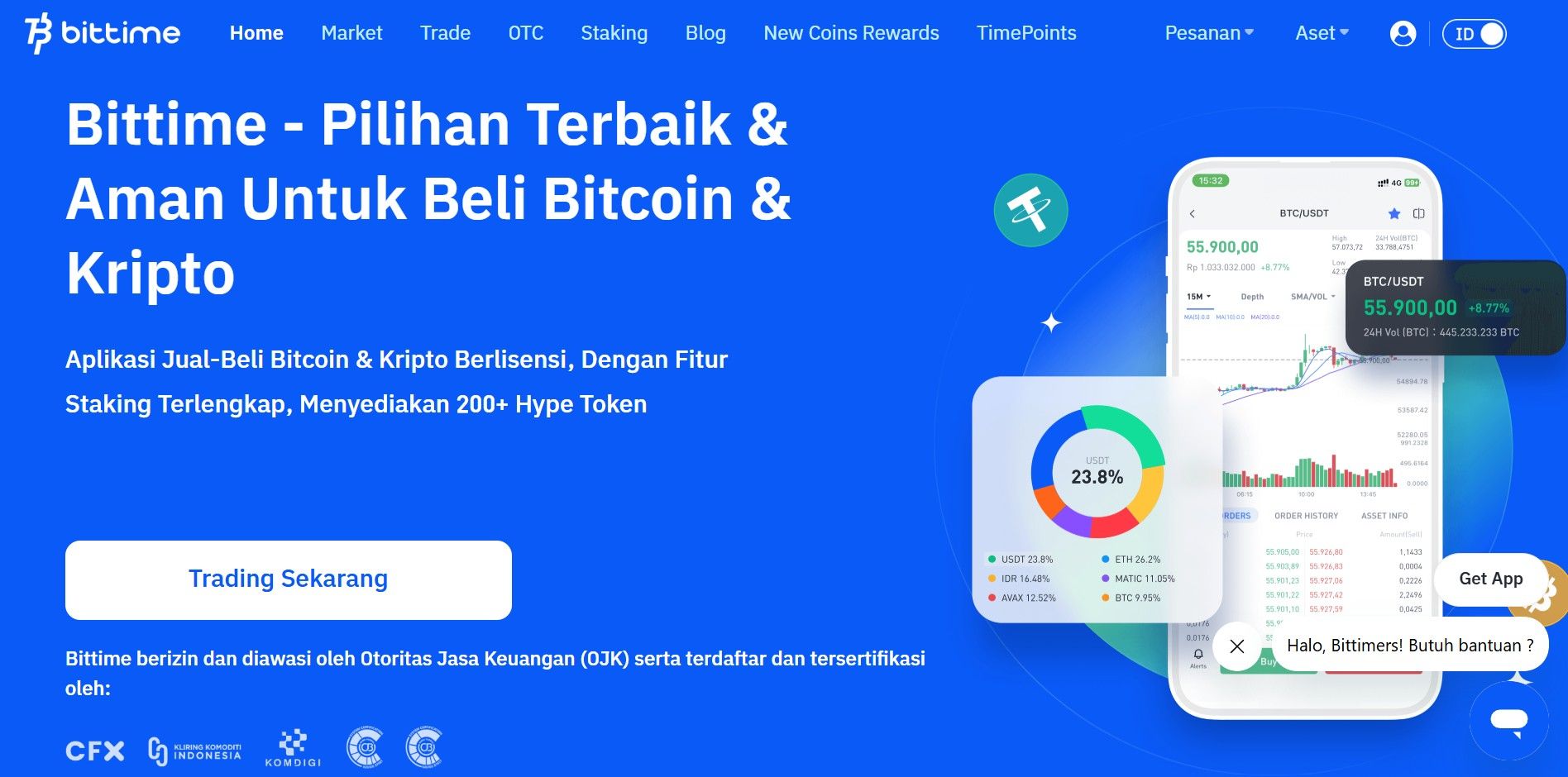
Before buying TRX, make sure you already have an account on a trusted crypto exchange platform, such as Bittime Exchange. Complete the registration and identity verification process to keep your account secure.
Step 2: Account Verification (KYC)
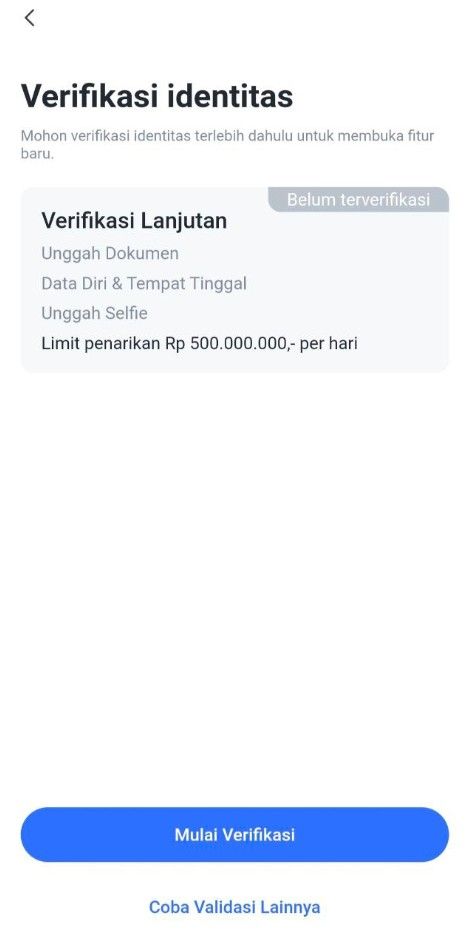
1. Access the Verification Page
Option 1: On the login page, select Step 2: "To KYC Verify".
Option 2: Click the "Me" menu, then select "ID Verification" and click the "Start Verification" button.
2. Verify Phone Number
The system will ask you to verify your phone number first.
Enter your phone number, then follow the instructions to receive an OTP (One-Time Password) code via SMS.
Enter the OTP code into the app to complete phone number verification.
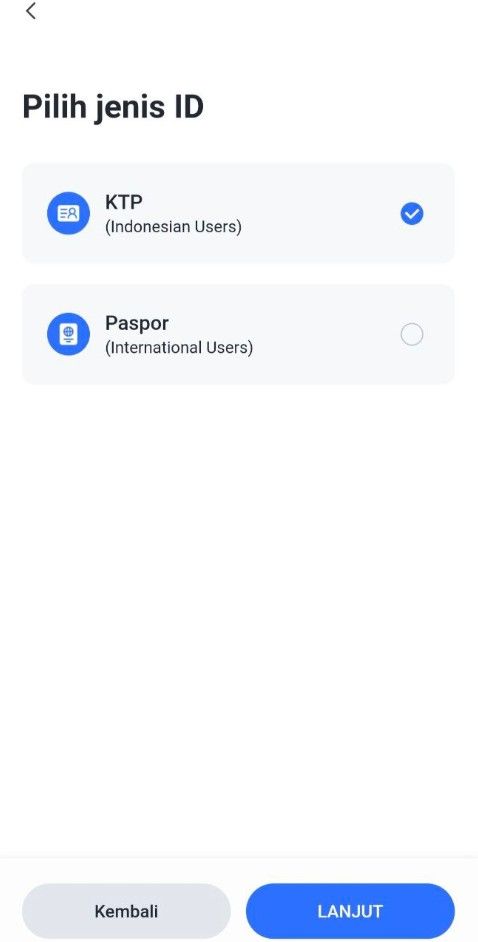
3. Select Identity Type
Select the type of identity document to be used:
KTP (Resident Identity Card) or
Passport / KITAS (For Foreign Citizens Only)
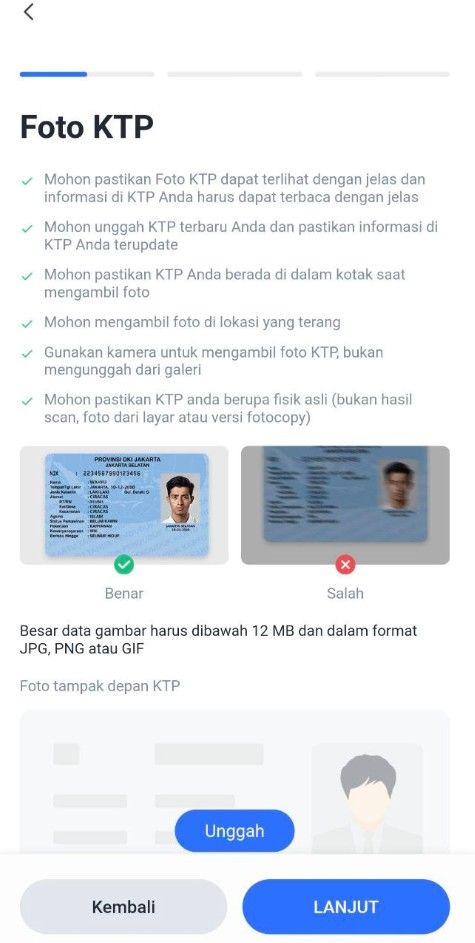
Upload a photo of your identity document:
Make sure the document photo is clear and complete.
There are no cut off or blurry parts.
4. Verify and Edit Personal Data
After the document is uploaded, the system will display your data.
Check and ensure the following data is correct:
Full name
ID card/passport number
Date of birth
Place of birth
Work
If there is any data that is not appropriate, edit it directly on that page.
If the data is correct, click the "Next" button to proceed to the next step.
5. Upload a Selfie Photo
Take a selfie using your device's camera:
Make sure the face is clearly visible.
Do not use accessories such as sunglasses or masks.
Once completed, click the "Submit" button to send your data and documents to the Verification Service.
6. Verification Process
Verification requests will be processed in a queue.
Estimated verification time is 1x24 hours.
You will receive a notification once the process is complete.
Step 3: Deposit Funds
Common payment methods:
Step 4: Buy TRX
You can buy TRX with Rupiah by following this tutorial:
Open your Bittime account.
Select menu Market or click the icon with a graphic image.
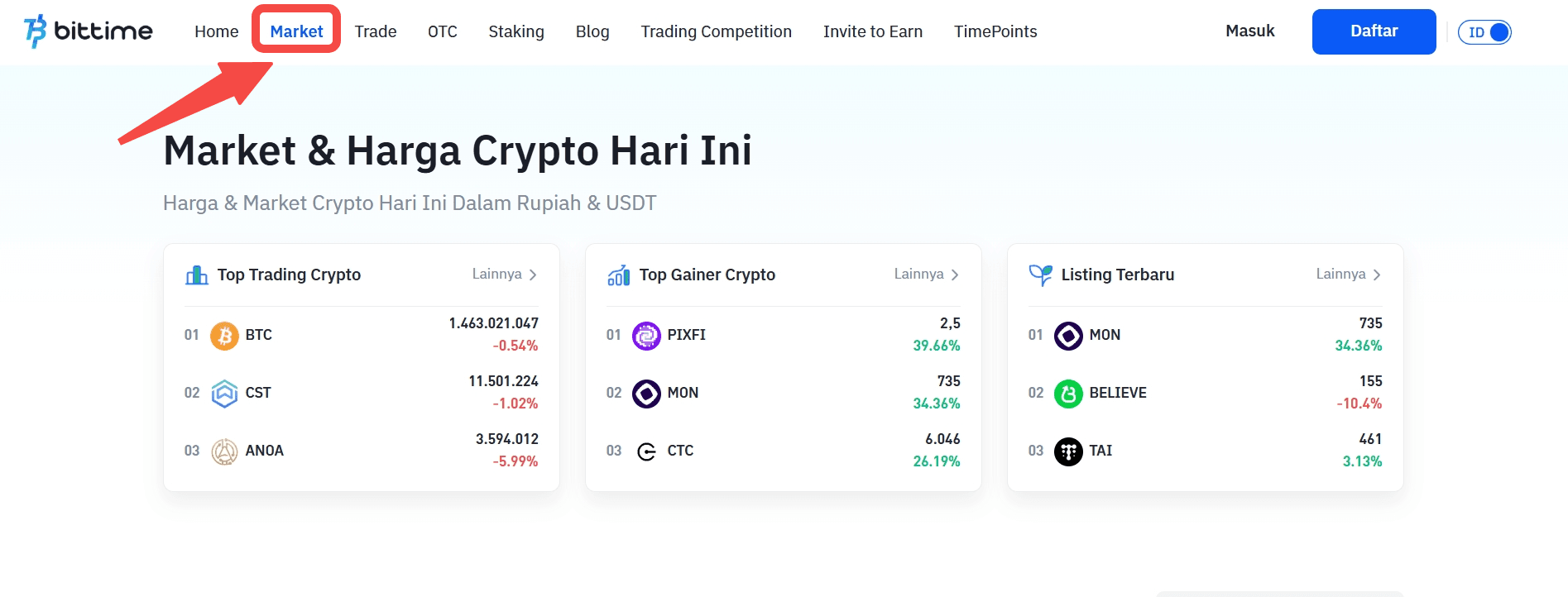
Select the currency pair you want to use. Select IDR if you want to buy TRX with Rupiah.
Scroll down and click ‘Buy’.
Select the order type you want to use. Limit orders, market orders, and stop orders are available.
Enter the rupiah amount you want to buy Tron (TRX). The minimum purchase of crypto assets on Bittime is IDR 10,000.
Click the 'Buy TRX' button.
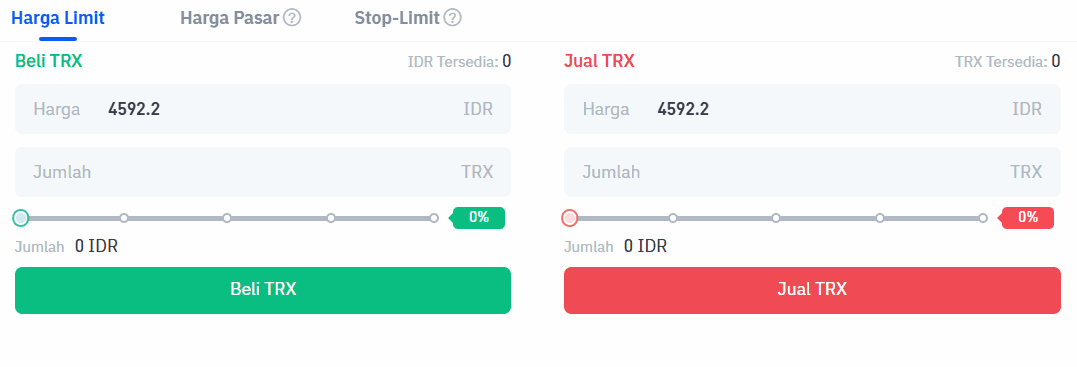
A pop-up notification will appear. Read it carefully and click 'Confirm'.
Enter the six-digit Transaction PIN.
The application will display a successful order notification.
Your order will appear in the open orders section if you select a limit order.
Then if the purchase is successful, you can check it in the order history.
As soon as the order is successfully executed, you can see Tron (TRX) coin available in the Assets menu or the wallet icon.
Step 5: Save Your TRX
You can:
Store in exchange wallet (easier for trading)
Transfer to personal wallet such as MetaMask, Trust Wallet, Ledger
Read also: Cardano (ADA) vs Ripple (XRP): A Comprehensive Comparison Before Investing
Safe Tips for Buying TRX
Use official Bittime Exchange & regulated
Never buy through unofficial Telegram/WhatsApp groups
Enable 2FA (Google Authenticator)
Beware of scams discount TRX
Where Can I Buy TRX?
Bittime is the best platform to buy and sell TRX with competitive prices and local payment methods.
Buy directly using IDR
Low transaction fees
Spot & Futures Trading Support
The application is available at iOS & Android
➡ Starting now: Buy TRX in seconds
Conclusion
Tron (TRX) is a practical choice for users who value fast transactions, low fees, and access to a growing blockchain ecosystem.
With Bittime, buying TRX becomes straightforward and accessible, even for beginners. By following the steps above, users in Indonesia can start investing in Tron within minutes.
FAQ
What is the main function of TRX on the Tron network?
TRX is used to pay transaction fees, perform staking, and operate applications within the Tron ecosystem.
Can I buy TRX without stablecoins?
Yes. Bittime provides the TRX/IDR pair, allowing users to purchase Tron directly using Indonesian rupiah.
How long does it take to buy TRX on Bittime?
The process is very fast. Once your IDR deposit is confirmed, buying TRX takes only a few seconds.
Is TRX suitable for beginners?
Yes. TRX is beginner-friendly due to its low transaction costs, stable network, and easy purchase options through local exchanges like Bittime.
How to Buy Crypto on Bittime

Want to trade sell buy Bitcoins and crypto investment easily? Bittime is here to help! As an Indonesian crypto exchange officially registered with Bappebti, Bittime ensures every transaction is safe and fast.
Start with registration and identity verification, then make a minimum deposit of IDR 10,000. After that, you can immediately buy your favorite digital assets!
Check the exchange rate BTC to IDR, ETH to IDR, SOL to IDR and other crypto assets to find out today's crypto market trends in real-time on Bittime.
Also, visit the Bittime Blog for interesting updates and educational information about the crypto world. Find reliable articles about Web3, blockchain technology, and digital asset investment tips designed to enrich your crypto knowledge.
Disclaimer: The views expressed belong exclusively to the author and do not reflect the views of this platform. This platform and its affiliates disclaim any responsibility for the accuracy or suitability of the information provided. It is for informational purposes only and not intended as financial or investment advice.

.png)