How to Mine Pearl Coin (PRL) in late March, Here's the Guide
2026-10-23
How to mine Pearl Coin on a Mac can be done using Pearly, a native macOS application that utilizes the GPU of Apple silicon.
To get started, users need a compatible device, a Pearl wallet address, and a connection to a mining pool.
However, mining Pearl Coin via Mac has special requirements.
Pearly is designed for the M5 generation because the PRL mining process utilizes the matrix hardware on those GPUs. This guide covers setup, setup, and reading mining results based on developer information.
Key Takeaways
Pearly requires macOS 26 or later and Apple silicon, Intel Macs are not supported.
Mining PRL requires a wallet address starting withprl1…and pool, Pearly's initial configuration uses Kryptex.
The app is free with a 2% developer fee. Tests of the M5 Max show that Low Power is more energy efficient, while High Power produces the highest hash rate.
Pearl Coin Mining Requirements on Mac
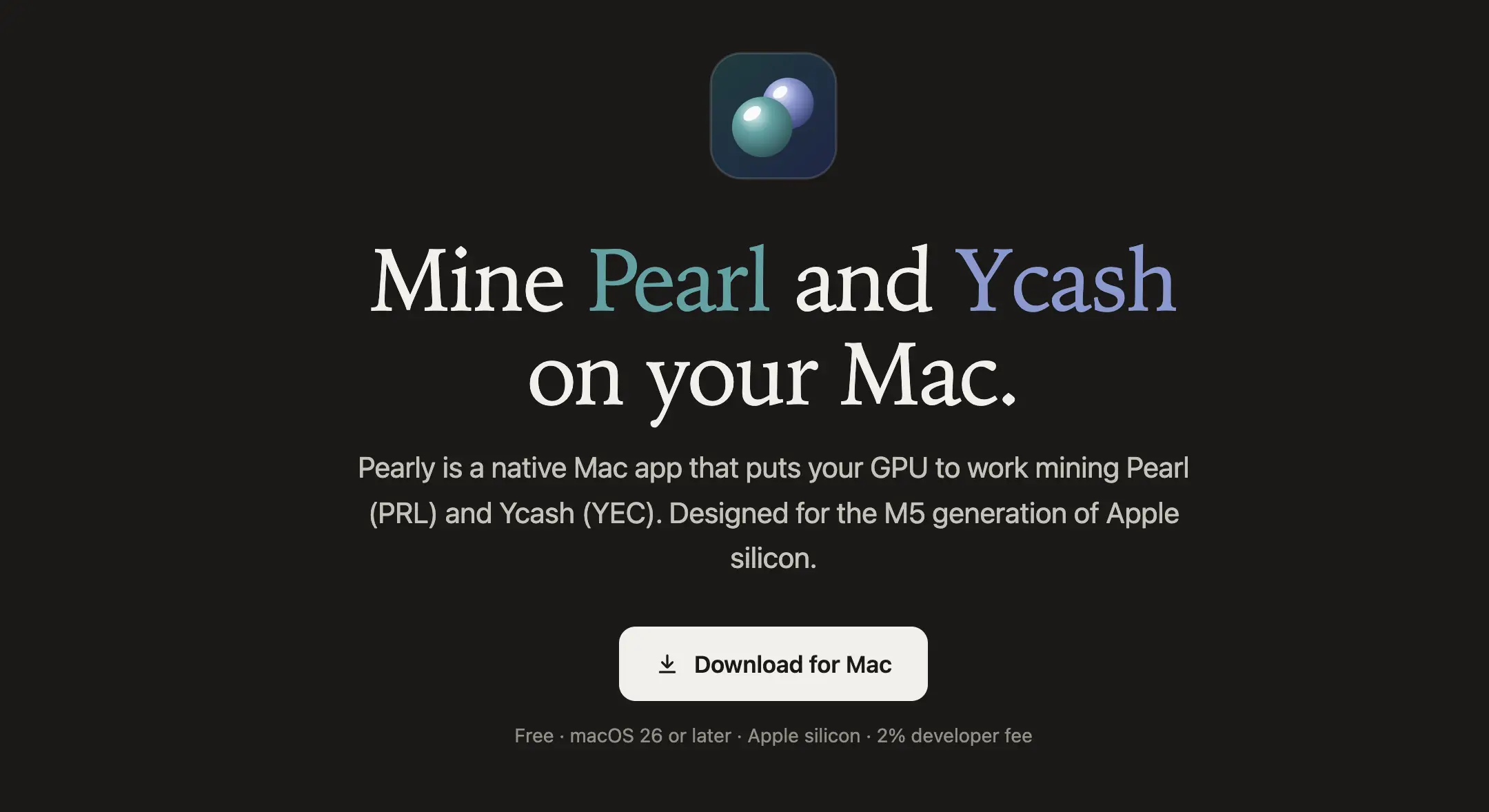
Source: pearly.dev
Before downloading Pearly Mac, check your macOS and chip version via the device information menu. Pearly uses Metal 4 tensor operations, so macOS 26 is the minimum requirement.
The developer tested the app on a MacBook Pro M5 Max.
Other M5 chips are expected to have performance that follows the number of GPU cores, but the results are not necessarily the same.
Mac M1 through M4 have not been tested by Pearl developers, if they can run, it is expected to be much slower because they do not have the M5 generation GPU matrix hardware.
Also prepare a wallet that supports the Pearl network.
PRL receipt address starts with prl1….
Do not use Ycash addresses or other asset addresses because each coin requires its own configuration.
Read Also:Thousands of Macs Bought for AI, Here's Why OpenAI andAnthropic
What is Pearly's Role in Pearl PRL Mining?
Pearly mining app runs mining computations through Mac GPU.
For Pearl, the work is a matrix multiplication processed as an int8 tensor operation on the neural accelerator on the M5 GPU.
Pearly app also supports Ycash with the Equihash algorithm.
Users can exchange coins, while wallet addresses, pools, and worker names are each stored separately.
According to the developer's website, each Pearl share is checked locally using the Pearl verifier before being sent to the pool.
This check ensures the evidence meets local verification, although the final acceptance status still needs to be monitored.
Read Also: Lumira Coin (LUM): Functions, Mining, and Listing Status
How to Mine Pearls on a MacBook Using Pearly
1. Download the application from the Pearly website
Open pearly.dev and use the link Download for Mac.
Complete the installation according to the downloaded package instructions, then run the application.
The source page does not detail the installer format nor the full setup view.
Therefore, follow the instructions of the available application version without assuming the name of a particular button.
2. Select Pearl and enter the wallet address
Select Pearl or PRL as the coin to mine.
Enter your Pearl receiving address, then match the first and last characters again.
This guide on how to use Pearly only requires a receiving address for mining configuration.
The seed phrase and private key are not payment addresses and do not need to be entered in those fields.
3. Check the pool and worker name
Pearly provides Kryptex as the default Pearl pool. You can change it, but make sure the server address and connection parameters follow the destination pool's documentation.
Enter the worker name to differentiate the devices, for examplemacbook-prl.
Also check the pool fees, minimum payout threshold, and payout schedule as this information is not explained in Pearly's available resources.
4. Start mining and monitor statistics
Once the configuration is complete, run mining through the application control.
Pay attention to the hashrate, accepted shares, power consumption, and daily estimate charts.
Hashrate indicates the computing speed, while accepted shares help indicate the contribution the pool receives.
Daily estimates are not the exact balance paid, check the income records and payout conditions on the pool.
Read Also:How to Mine Zcash (ZEC) on Zmine: Complete Guide 2026
Power Mode Comparison for PRL Mining on MacBook
Here are the developer's measurements on a MacBook Pro M5 Max connected to power.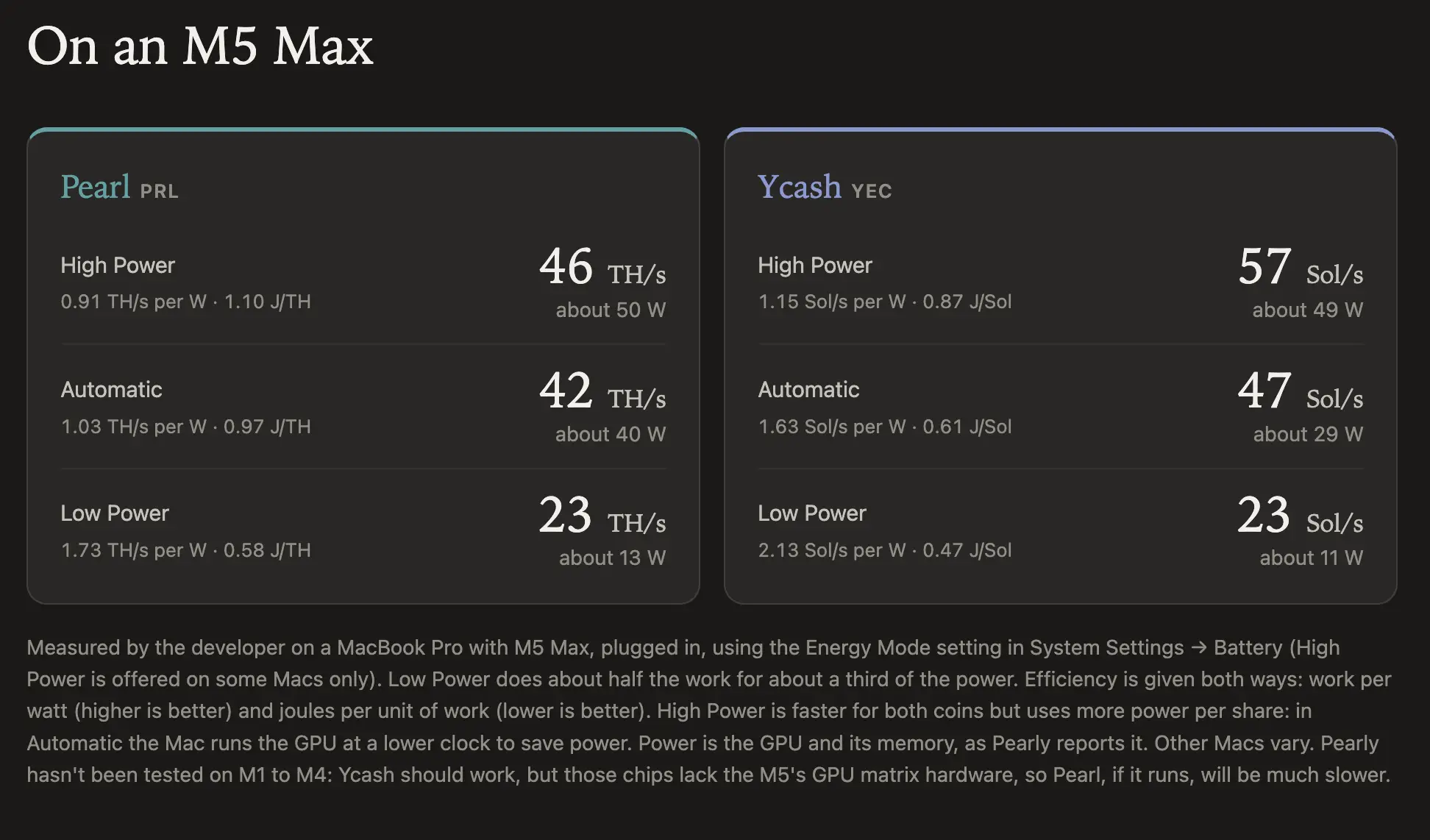
Source: pearly.dev
Settings are available throughSystem Settings → Battery → Energy Mode.
High Power is only available on certain Macs.
In those tests, Low Power produced about half the hashrate of High Power with about a quarter of the GPU's power.
This power figure is not the entire laptop's consumption, so it is not enough to calculate the total electricity bill.
Read Also:What Is Vearl (VRL)? Understanding Tokenomics and the Public Testnet
Evaluating Pearl Coin Mining Results Mac
How to get Pearl Coin through mining requires considering the results actually received.
Pearly charges a 2% developer fee, while pool and electricity fees need to be calculated separately.
Compare results at the same observation duration before selecting a power mode.
Ycash Foundation's claim of highest efficiency is a promotional statement, the data provided does not prove the comparison against all mining devices.
To get to know asset trading after understanding crypto mining on Mac, register on Bittime and check available assets. Ensure PRL support before planning to transfer mining results.

Bittime is a licensed and regulated Digital Financial Asset Trader (PAKD) supervised by Indonesia’s Financial Services Authority (OJK) — where you can buy Bitcoin in Indonesia and hundreds of other crypto assets starting from just Rp10,000. The registration process is fast, secure, and you can get started today.
Track USDT to IDR conversions and monitor your favorite crypto assets in real time. Everything is available in one crypto investment app that you can download for free on the Play Store
Ready to start? Register now on Bittime and execute your investment strategy with a platform trusted by millions of users in Indonesia.
FAQ: Frequently Asked Questions about Mining Pearl on Mac
Can Pearl mining be done on an Intel Mac?
No. Pearly requires Apple silicon and macOS 26 or later.
Can Pearly be used on a MacBook Air?
The Ycash Foundation reports on Ycash's use on an Apple silicon MacBook Air. It hasn't verified Pearl's performance on the same device.
Is Pearly free?
The app is free, but there's a 2% developer fee. Electricity and pool costs still need to be factored in.
Which power mode is the most efficient?
Low Power is the most efficient among the three M5 Max test modes published by the developer.
How much PRL can be earned per day?
The source doesn't provide a fixed daily PRL revenue figure. Use the app's estimates and actual pool results to evaluate it.
Disclaimer: The views expressed belong exclusively to the author and do not reflect the views of this platform. This platform and its affiliates disclaim any responsibility for the accuracy or suitability of the information provided. It is for informational purposes only and not intended as financial or investment advice.

.png)