Gamma AI vs Presentations.AI: Which is Best for Making PPT?
2026-07-09
Comparison Gamma AI vs Presentation AI is essential for users who want to create professional slides without spending a lot of time on design. Both use artificial intelligence to organize content, select visuals, and generate presentations based on prompts.
However, their product focuses differ. Gamma AI is a multi-format content creation platform, while Presentations.AI is geared more toward creating business presentation decks.
Key Takeaways
- Gamma AI is suitable for users who need presentations, visual documents, websites, and social media content in one platform.
- Presentations.AI focuses more on business presentations, narrative structure, brand consistency, and editable PowerPoint files.
- The best choice depends on the goal: Gamma excels in flexibility, while Presentations.AI is better suited to formal and professional presentation needs.
What's that Gamma AI?
Gamma AI is an artificial intelligence-based design platform that can transform ideas, text, or documents into visual content.
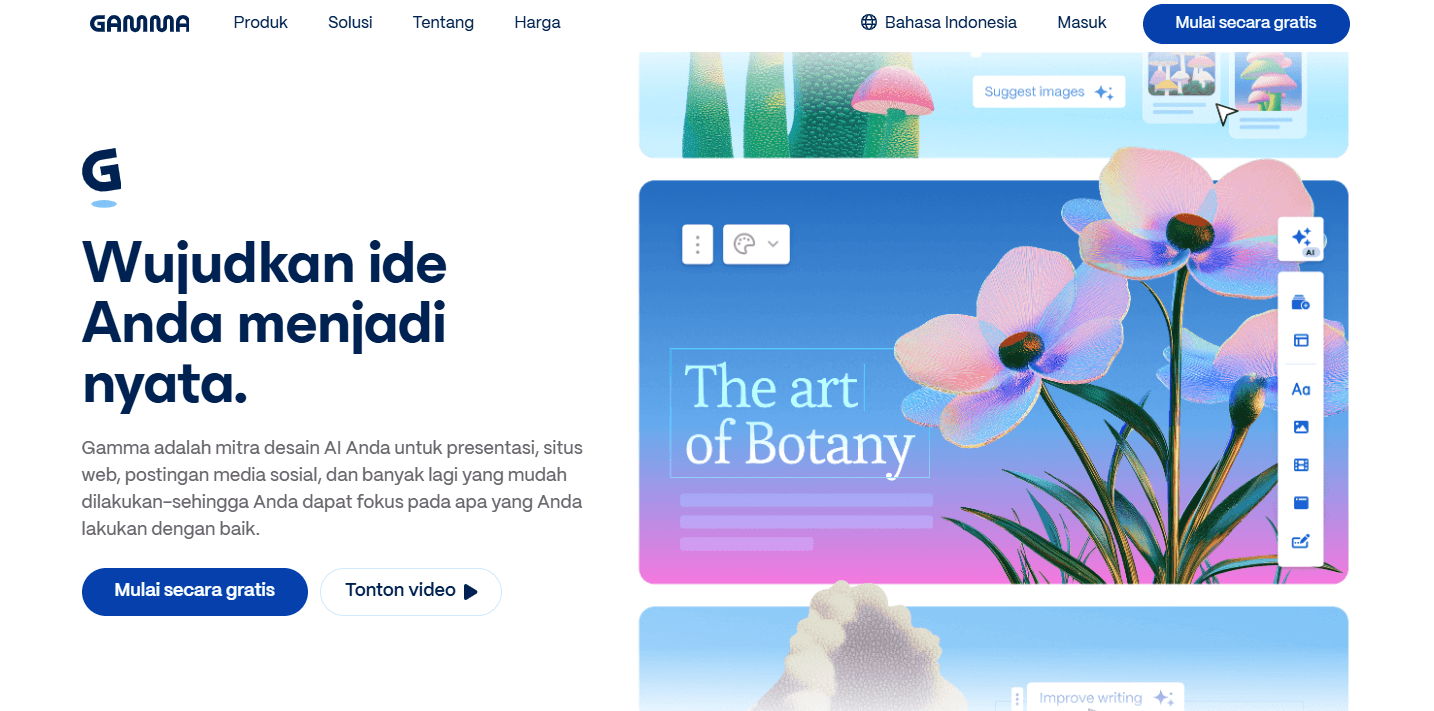
Sumber Gamma AI
This platform isn't just for creating presentations. Users can also produce:
- Visual documents.
- Simple website.
- Social media content.
- Infographics.
- Picture.
- Marketing materials.
- Information pages that can be shared via links.
In Gamma, presentations are structured using a card-based format. Each card can contain text, images, diagrams, videos, buttons, and interactive elements.
This approach makes Gamma's output feel more flexible than traditional slides. Users can share it as a web page, view it directly from a browser, or export it to a variety of formats.
Gamma AI presentations are perfect for users who want to quickly create content without having to manually arrange each text box. Users simply enter a topic, choose a style, and then let the AI create the initial structure.
Read also: SpaceXAI's New AI Model & Cursor Ready for Launch July 8th
What's that Presentations.AI?
Presentations.AI is AI platform focused on creating presentations. This tool is designed to transform prompts, documents, data, or outlines into presentation-ready decks.
Presentations.AI prioritizes narrative structure as a key part of the slide-creation process. The platform attempts to organize material in a logical order, rather than simply moving text into a template.
Sumber Presentations.AI
Users can use it to create:
- Sales presentation.
- Pitch deck investor.
- Business report.
- Project presentation.
- Marketing materials.
- Meeting presentation.
- Proposal.
- Document summary.
- Educational presentation.
- Performance report.
Presentations.AI also offers branding, analytics, collaboration, and export to PowerPoint or PDF. Its focus is narrower than Gamma, but it's more suited to the needs of users who actually want to create PPTs.
Read also: 10 Best AI Music Generators 2026 for Beginners
Gamma AI vs Presentation AI: What Are the Key Differences?
The biggest difference lies in the product focus.
Gamma was developed as a visual content workspace. Presentations are just one type of content that can be created. Users can use the same material to create documents, websites, or social posts.
Sumber Generated-AI Image
Presentations.AI prioritizes presentations as its core product. Its features focus on building slides, implementing brand identity, developing narratives, and exporting presentation files.
Simply:
- Choose Gamma if you need one tool for multiple types of content.
- Choose Presentations.AI if your primary end result is a formal presentation.
- Choose Gamma if the material is more frequently shared as a link.
- Select Presentations.AI if the file should continue in PowerPoint.
- Choose Gamma for quick visual experimentation.
- Choose Presentations.AI for your meetings, pitching, or business reports.
Read also: How to Create Thumbnail Photos with Gemini AI, Including Prompt Examples!
Gamma AI Comparison Based on Key Features
1. Ease of Making Presentations
Gamma offers a simple process. Users can start with a single sentence, paste an outline, or import existing material.
After that, AI will develop:
- Structure accounts.
- Title of each section.
- Layout.
- Supporting images.
- Him.
- Information hierarchy.
Presentations.AI also uses a prompt-based flow. Users can provide a topic, purpose, audience, and context. The system then creates an outline before generating slides.
The difference lies in the approach. Gamma feels like creating flowing visual pages. Presentations.AI is more like traditional slide deck creation with AI support.
For beginners, both are relatively easy to use. Gamma tends to feel more free-flowing, while Presentations.AI is more focused.
Be productive with AI, invest wisely! Sign up to Bittime and build your portfolio now.
2. Quality of Content Structure
Gamma can put together presentations quickly, but initial results still need to be checked. The AI can produce overly general explanations if the prompt doesn't provide enough context.
Presentations.AI positions its product as a tool for building business presentation flows. This makes it more relevant for materials like pitch decks, management reports, or sales presentations.
However, no AI can completely replace user knowledge. Data, arguments, and recommendations must still be verified.
To improve the quality of the results, enter the following information:
- Purpose of presentation.
- Profile audience.
- Issues discussed.
- Key data.
- Core message.
- Number of slides.
- Communication tone.
- The expected action from the audience.
The more detailed the context, the less risk there is of the results being generic.
3. Design and Layout
Gamma features a modern design with a card system. Its layout is responsive and adjusts content automatically.
This approach is suitable for:
- Creative presentation.
- Educational materials.
- Proposal visual.
- Portfolio.
- Content shared via browser.
- Interactive summary.
Presentations.AI is more closely aligned with a business deck format. Its design is geared towards each slide serving a specific function, such as an introduction, problem, solution, graph, recommendation, and conclusion.
For presentations that will be displayed directly from a browser, Gamma feels practical. For documents that will be opened, edited, and delivered via PowerPoint, Presentations.AI may feel more familiar.
4. Content Format Options
Gamma excels in format variety. A single platform can be used to create presentations, documents, websites, social content, and graphics.
This flexibility is beneficial for creators, marketers, teachers, consultants, or small business owners. They don't need to switch platforms to create derivative content.
Presentations.AI is more specialized. Its focus is on transforming ideas or documents into presentations. This specialization can be an advantage if users don't need website or social content creation features.
5. Import and Export
Gamma supports importing materials from PDF and PPTX. Results can be exported to PPTX, PDF, PNG, and Google Slides.
Presentations.AI also supports export to PowerPoint and PDF. This platform provides features for converting documents into presentations while preserving the slide structure for further editing.
Even with an export feature, users still need to check the final results. Shifts in fonts, element sizes, images, or layouts may occur when the file is opened using different devices and applications.
Before an important presentation, do the following checks:
- Open the file on the device you want to use.
- Check the font.
- Make sure the graph is readable.
- Test videos and links.
- Check the slide ratio.
- Make sure no text is cut off.
- Keep a copy of the PDF as a backup.
6. Branding
Gamma provides themes, colors, and branding customization. With certain plans, users can add custom fonts and branding.
Presentations.AI also offers features for managing colors, fonts, logos, brand assets, and templates. This feature is relevant for companies that need to maintain visual consistency across multiple presentations.
For personal use, a built-in theme is usually sufficient. For organizations, the ability to store assets and brand standards becomes more important.
7. Collaboration and Analytics
Gamma supports real-time team collaboration. Users can share results via links and monitor audience engagement.
Presentations.AI provides collaboration features, presentation sharing, view analytics, and engagement on slides.
Analytics are useful for sales presentations, proposals, and pitch decks. Users can see whether recipients opened the material and which sections received the most attention.
This feature is less important for simple tasks, but quite valuable for marketing and sales teams.
Read also: Meigen AI Prompt: How to Create Accurate AI Prompts
How to Use Gamma AI to Create Presentations
Here's how to use Gamma AI in general.
1. Create an Account
Log in to Gamma and create an account using your email or any of the available login methods.
2. Select Content Type
Choose presentations if you want to create a deck. Gamma also offers a selection of documents, web pages, and other content.
3. Determine How to Start
Users can:
- Writing prompts.
- Attaching the outline.
- Importing documents.
- Using templates.
- Editing old material.
4. Enter Clear Instructions
Contoh prompt:
Create a 10-card presentation on digital marketing strategies for local businesses. The audience is MSME owners. Use simple Indonesian and include the main problem, three strategies, implementation examples, and a 30-day action plan.
5. Check the Outline
Don't rush into creating a design before checking the flow. Add missing parts and remove irrelevant material.
6. Select a Theme
Choose a theme that suits your audience. Academic presentations require a different style than product promotions.
7. Edit AI Results
Check facts, figures, spelling, and images. Shorten text that is too long.
8. Share or Export
Presentations can be viewed from Gamma, shared via link, or exported as needed.
Read also: What Is Dola AI? An AI Assistant for Everyday Productivity
How to Use Presentations.AI
The flow of using Presentations.AI is also relatively simple.
1. Login and Select New Creation
Create a new project, then choose whether the presentation will be created from a prompt, outline, document, or template.
2. Explain the Purpose
Provide context, not just topics.
Example:
Create a 12-slide pitch deck for a waste management startup. The presentation is aimed at early-stage investors. Emphasize the size of the problem, solution, business model, traction, market, advantages, and funding needs.
3. Review the Structure
Check the slide order before creating the design. Ensure there's a flow from problem to solution and action.
4. Implement Brand Identity
Set colors, fonts, logos, and visual styles to suit your organization.
5. Correct Text and Data
Replace general claims with your own data. AI can't know the internal state of a business without the information it provides.
6. Export and Test
Download as PowerPoint or PDF. Review all slides before use.
Read also:What is Abacus AI? An Enterprise AI Platform with AI Agent and ChatLLM
Gamma AI Advantages
Gamma has several key advantages:
- Easy to use for beginners.
- Quickly generate initial structures.
- Supports many types of content.
- The card-based design looks modern.
- Can be shared as a link.
- Supports visual and interactive elements.
- Suitable for educational and creative materials.
- Provides free packages.
- Can export to multiple formats.
- Useful for turning one idea into multiple pieces of content.
Gamma AI's Drawbacks
Some disadvantages to consider:
- The card format is not always the same as a traditional slide.
- The resulting text can feel generic.
- Formal presentations still require editing.
- Exports must be re-examined.
- Detailed control isn't always as flexible as PowerPoint.
- The best features are in the paid plans.
- Complex material may require a lot of revision.
- Users can become overly reliant on automatic design.
Advantages of Presentations.AI
The advantages include:
- Special focus on presentation.
- Suitable for business needs.
- Supports creation from prompts and documents.
- Provides a narrative structure for the slides.
- Has branding features.
- Supports PowerPoint and PDF export.
- Offers presentation analytics.
- Can be used for pitch decks and reports.
- Support collaboration.
- Makes it easier to reorganize long material.
Disadvantages of Presentations.AI
Disadvantages to note:
- Not as flexible as Gamma for other types of content.
- AI results still require fact-checking.
- Advanced customization may require a paid plan.
- Some designs can feel too corporate.
- Creative users may find the format more focused.
- The quality of the results depends heavily on the prompt and input documents.
- Available features may vary by plan.
- Prices and usage quotas are subject to change.
Read also:Get to Know the Claude Sonnet 5: Features, Price, and Latest Improvements from Anthropic
Gamma AI vs Presentations.AI: Which is Better?
Gamma is better for:
- Teachers and lecturers.
- Content creator.
- Small business owner.
- Consultant.
- Marketer.
- Users who want to share a presentation as a link.
- Users who also create visual websites or documents.
- A presentation that prioritizes a modern and flexible appearance.
Presentations.AI is better for:
- Sales team.
- Startup founder.
- Analyst.
- Manager.
- The company's marketing team.
- Pitch deck investor.
- Management report.
- The presentation will continue in PowerPoint.
- Organizations that require brand consistency.
For college assignments or quick presentations, Gamma is perfectly adequate. For business proposals, board meetings, and sales presentations, Presentations.AI may be a more targeted option.
The best choice isn't the tool with the most features. It's the tool that produces the presentation that best suits your goals and requires the least amount of tweaking.
Tips for Choosing AI to Create PPT
Before deciding on a platform, answer the following questions:
- Will the results be displayed from the browser or PowerPoint?
- Does the presentation need a brand identity?
- Do you need to edit each element manually?
- Is the material creative or formal?
- Will the results be shared via a link?
- Do you also want to create websites and social content?
- Does the presentation contain confidential data?
- Does the team need collaboration and analytics?
- How many presentations are made each month?
- What is the budget for AI devices?
Use the free plan to test a single project. Don't commit to a subscription until you've checked the quality of the export results and the need for revisions.
Can AI Replace PowerPoint?
AI for presentations hasn't completely replaced PowerPoint. Tools like Gamma and Presentations.AI are more accurately described as accelerators.
AI can help:
- Compose an outline.
- Summarize documents.
- Create initial design.
- Selecting visuals.
- Generate title variations.
- Speed up slide creation.
- Rearranging information.
PowerPoint remains useful for:
- Set up complex animations.
- Edit elements in detail.
- Adjust the diagram.
- Manage corporate presentations.
- Adding special features.
- Ensures device compatibility.
An effective approach is to use AI to create a first draft, then finalize it in a presentation app.
Conclusion
A comparison of Gamma AI vs Presentation AI shows that both serve different needs.
Gamma AI excels in flexibility. Users can create presentations, documents, websites, social content, and visual materials all from a single platform. The card format is modern and easy to share via link.
Presentations.AI focuses more on deck creation. This platform is better suited for pitch decks, reports, sales pitches, and business presentations that require structure and brand identity.
Choose Gamma for speed, creativity, and multi-format content. Choose Presentations.AI for more targeted business presentations. Before subscribing, test both using the same prompt and check the export results.

Now that you’ve learnt about the latest AI developments, it’s time to explore AI-based cryptocurrencies on Bittime, such as the digital assets AI, AGI, RENDER, TAO and many more AI coins.
Bittime is a licensed and regulated Digital Financial Asset Trader (PAKD) supervised by Indonesia’s Financial Services Authority (OJK) — where you can buy Bitcoin in Indonesia and hundreds of other crypto assets starting from just Rp10,000. The registration process is fast, secure, and you can get started today.
Track USDT to IDR conversions and monitor your favorite crypto assets in real time. Everything is available in one crypto investment app that you can download for free on the Play Store
Ready to start? Register now on Bittime and execute your investment strategy with a platform trusted by millions of users in Indonesia.
FAQ
What is Gamma AI?
Gamma AI is an AI-powered design platform for creating presentations, documents, websites, social content, and graphics. Users can start from a prompt, outline, or document.
Can Gamma AI create PPT?
Yes, Gamma can generate presentations and export them to PPTX. Exports should still be reviewed before being used in important presentations.
What is the difference between Gamma AI and Presentations.AI?
Gamma is a multi-format content platform, while Presentations.AI focuses on presentation creation. Gamma is more flexible, while Presentations.AI is more geared towards business decks.
Is Gamma AI free?
Gamma offers a free plan with limited features and usage. Paid plans offer greater capacity, removal of branding, and additional AI and branding features.
Which one is suitable for business presentations?
Presentations.AI is more geared towards pitch decks, reports, and business presentations. Gamma remains usable, especially for quick drafts and visual presentations shared via links.
Disclaimer: The views expressed belong exclusively to the author and do not reflect the views of this platform. This platform and its affiliates disclaim any responsibility for the accuracy or suitability of the information provided. It is for informational purposes only and not intended as financial or investment advice.

.png)