Claude Voice Mode Updated, Now Supports Opus and Sonnet Modes
2026-07-24
Anthropic released a significant update to Claude Voice Mode, allowing paying users to use Opus and Sonnet models, no longer limited to Haiku, which had been the default choice to keep latency low.
This update addresses a major user complaint that the previous voice mode was inadequate for complex questions.
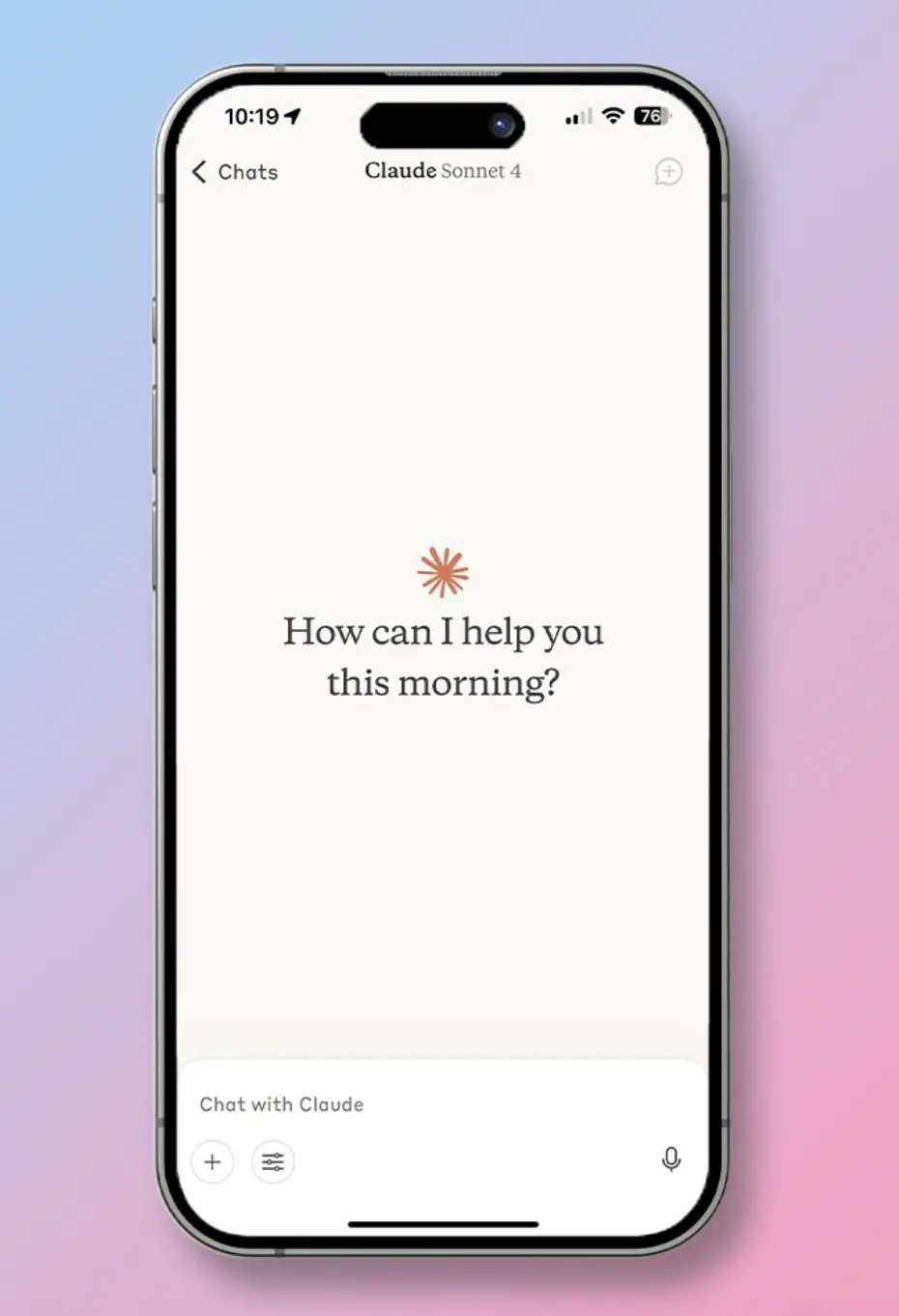
Now, voice mode defaults to the last model used in text chat, and users can switch between models (Haiku, Sonnet, or Opus) mid-conversation via the model picker.
More importantly, voice mode can now access connected apps like Gmail, Google Calendar, Slack, Canva, and Notion, allowing users to complete work tasks with just voice commands.
Key Points
Claude Voice Mode can now use Opus and Sonnet models, not just Haiku, so it can handle complex questions better.
Voice mode now connects with apps like Gmail, Google Calendar, Slack, Canva, and Notion.
Claude supports 11 languages including Indonesian, but users must manually tell Claude if they want to change languages in the middle of a conversation.
What's New in Claude Voice Mode?
Source: Threads/@itsthebmac
Before this update, every Claude voice request was routed through Haiku 4.5, Anthropic's smallest and fastest model, which was sufficient for simple queries but struggled with more complex tasks.
Now, paying users can choose Opus or Sonnet for voice mode, defaulting to the latter model used in text chat.
The model picker allows switching between models without leaving the conversation.
Additionally, voice mode can now access context from connected apps, including:
- Gmail and Google Calendar
- Slack
- Canva
- Notion
Users simply grant permission, then can ask Claude to update meeting schedules, write email drafts, or create documents in Notion with just a voice command.
Read Also: Getting to Know Claude Sonnet 5: Features, Pricing and the Latest Updates from Anthropic
Supported Languages
Claude Voice Mode now supports 11 languages:
- English, French, German, Hindi, Indonesian, Italian, Japanese, Korean, Portuguese (Brazilian), Spanish (Latin America/Spain).
However, unlike OpenAI's GPT-Live, which can detect languages automatically, Claude requires users to manually tell it if they want to change languages mid-conversation, either through voice commands or settings in the voice menu.
Leverage AI technology for productivity and manage your digital portfolio. Register at Bittime, a trusted crypto trading platform in Indonesia.
Differences with OpenAI's GPT-Live
Claude and OpenAI take a different approach to voice technology:
Anthropic states that the focus of this update is "intelligence and tool access."
While OpenAI excels in conversational naturalness, Claude excels in its ability to complete real-world tasks through app integration.
Read Also: Claude AI Predicts Bitcoin Price Could Reach $110,000 If the CLARITY Act Passes
How to Use Claude Voice Mode
The new Voice mode is available in beta for all users on desktop, mobile, and web platforms. Here's how to use it:
1. For Paid Users
Voice mode defaults to the last model used in text chat. Use the model picker to switch between Haiku, Sonnet, or Opus mid-conversation.
2. For Free Users
Limited to Haiku and only one app connection, but can speak in all supported languages.
3. Enable Application Integration
Grant access permissions to Gmail, Calendar, Slack, Canva, or Notion through Claude's settings.
4. Change Language
Say verbally that you want to change languages, or select a language from the voice settings menu.
Read Also: Grok in Excel: How to Use AI xAI for Data Analysis and Formula Creation
Impact on AI Users and Markets
This update comes a few weeks after OpenAI released GPT-Live on July 8, 2026, which it called "the primary interface to computing."
With strong app integration, Claude Voice Mode becomes even more relevant for enterprise users, especially considering Anthropic has over 300,000 business and enterprise customers, and a valuation of ~$350 billion (November 2025).
Anthropic said it will continue to invest in voice and plans to share more later this year.
Read Also: Claude AI and Claude Code pricing: A guide to subscriptions and how to subscribe to Claude
Conclusion
The Claude Voice Mode update brings significant improvements: Opus and Sonnet models for complex tasks, integration with productivity apps, and support for 11 languages including Indonesian.
While the turn-based architecture still lags behind GPT-Live in terms of naturalness, Claude's advantage lies in its ability to solve real-world tasks through Gmail, Slack, and Notion integration.
For enterprise and professional users looking to leverage voice AI for productivity, Claude Voice Mode is now a more attractive option.

Now that you’ve learnt about the latest AI developments, it’s time to explore AI-based cryptocurrencies on Bittime, such as the digital assets AI, AGI, RENDER, TAO and many more AI coins.
Bittime is a licensed and regulated Digital Financial Asset Trader (PAKD) supervised by Indonesia’s Financial Services Authority (OJK) — where you can buy Bitcoin in Indonesia and hundreds of other crypto assets starting from just Rp10,000. The registration process is fast, secure, and you can get started today.
Track USDT to IDR conversions and monitor your favorite crypto assets in real time. Everything is available in one crypto investment app that you can download for free on the Play Store
Ready to start? Register now on Bittime and execute your investment strategy with a platform trusted by millions of users in Indonesia.
FAQ
What's new in Claude Voice Mode?
Paid users can now use Opus and Sonnet voice modes, not just Haiku, as well as access apps like Gmail, Slack, and Notion.
How is Claude Voice Mode different from OpenAI's GPT-Live?
Claude uses a turn-based architecture and excels in tool access, while GPT-Live uses full duplex for more natural conversations.
What languages does Claude Voice Mode support?
11 bahasa: English, French, German, Hindi, Indonesian, Italian, Japanese, Korean, Portuguese (Brazilian), Spanish (Latin America/Spain).
Is Claude Voice Mode free?
Free users can still use voice mode but are limited to Haiku and only one app connection.
How to switch models in Claude Voice Mode?
Use the model picker within the voice interface to switch between Haiku, Sonnet, or Opus mid-conversation.
Disclaimer: The views expressed belong exclusively to the author and do not reflect the views of this platform. This platform and its affiliates disclaim any responsibility for the accuracy or suitability of the information provided. It is for informational purposes only and not intended as financial or investment advice.

.png)