How to Buy Bitcoin Through BCA Bank: Easy and Safe
2026-02-23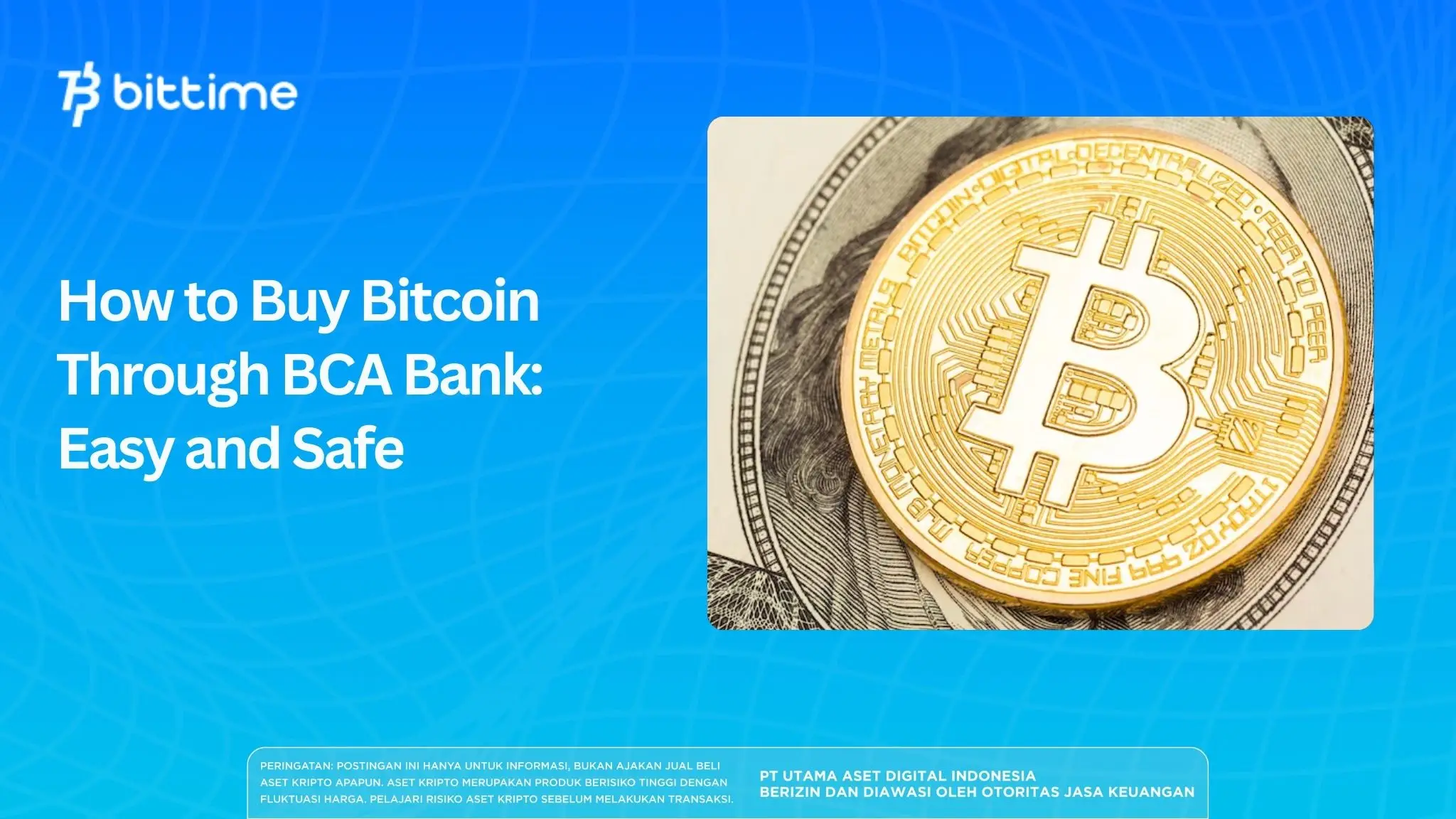
Bittime, the official crypto exchange platform registered with Bappebti, now makes it easier for BCA Bank customers to buy Bitcoin directly from the app without additional deposit fees.
The process is simple and consists of two steps: first deposit Rupiah via BCA transfer, then exchange it for Bitcoin at Bittime.
This guide will take you from the beginning until Bitcoin is in your Bittime asset wallet.
Key Takeaways
- Rupiah deposits via BCA Bank to Bittime are free of administration fees, making it one of the most cost-effective deposit methods available on the platform.
- Bittime is an official crypto exchange supervised by Bappebti, so all user funds and transactions are protected by regulations.
- Make sure your KYC verification at Bittime is complete before starting the deposit process to avoid any obstacles during the transaction.
Register at Bittimenow and start trading crypto with a fast, safe, and easy process in the app.
Before You Start: Make Sure Your Bittime Account is Active
If you don't have a Bittime account yet, download the Bittime app on the App Store or Google Play and register using an active mobile number.
Complete the KYC process by preparing your ID card and a selfie, the verification process is usually completed within a few minutes.
Once your account is active and KYC is approved, you are ready to make a Rupiah deposit.
Read also:How to Buy Bitcoin (BTC) with QRIS: A Practical Guide for Beginners
Step 1: Deposit Rupiah via BCA Transfer on Bittime
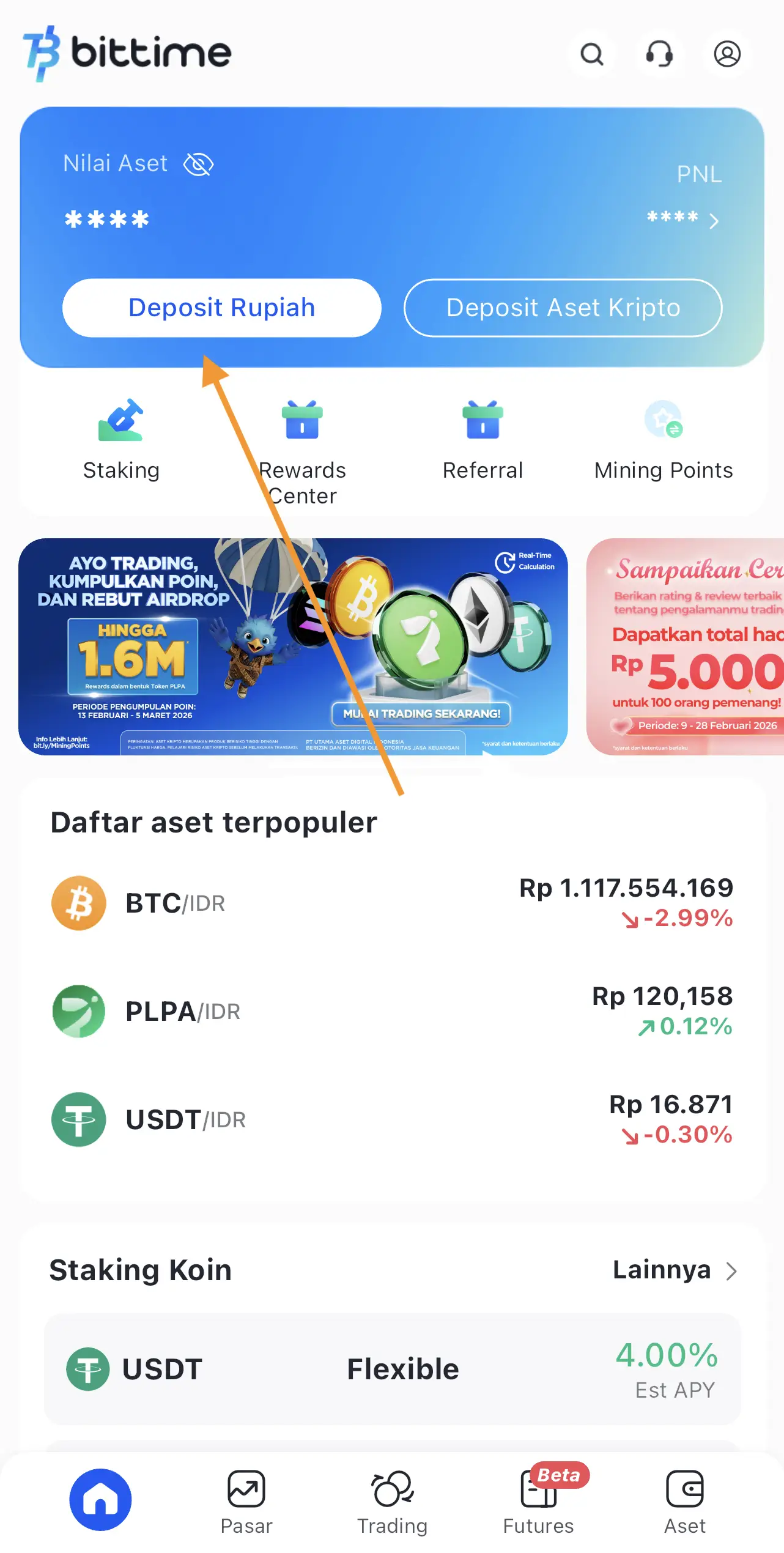
- Open the Bittime app and go to the Wallet or Rupiah Deposit menu on the homepage.
- Select Bank BCA as the payment method
- Enter the Rupiah amount you want to deposit, the minimum deposit at Bittime is Rp10,000.
- Bittime will display a transaction summary containing the nominal amount to be transferred and the name of the destination BCA account. Make sure you note these details or leave the screen open while continuing with the transfer process.
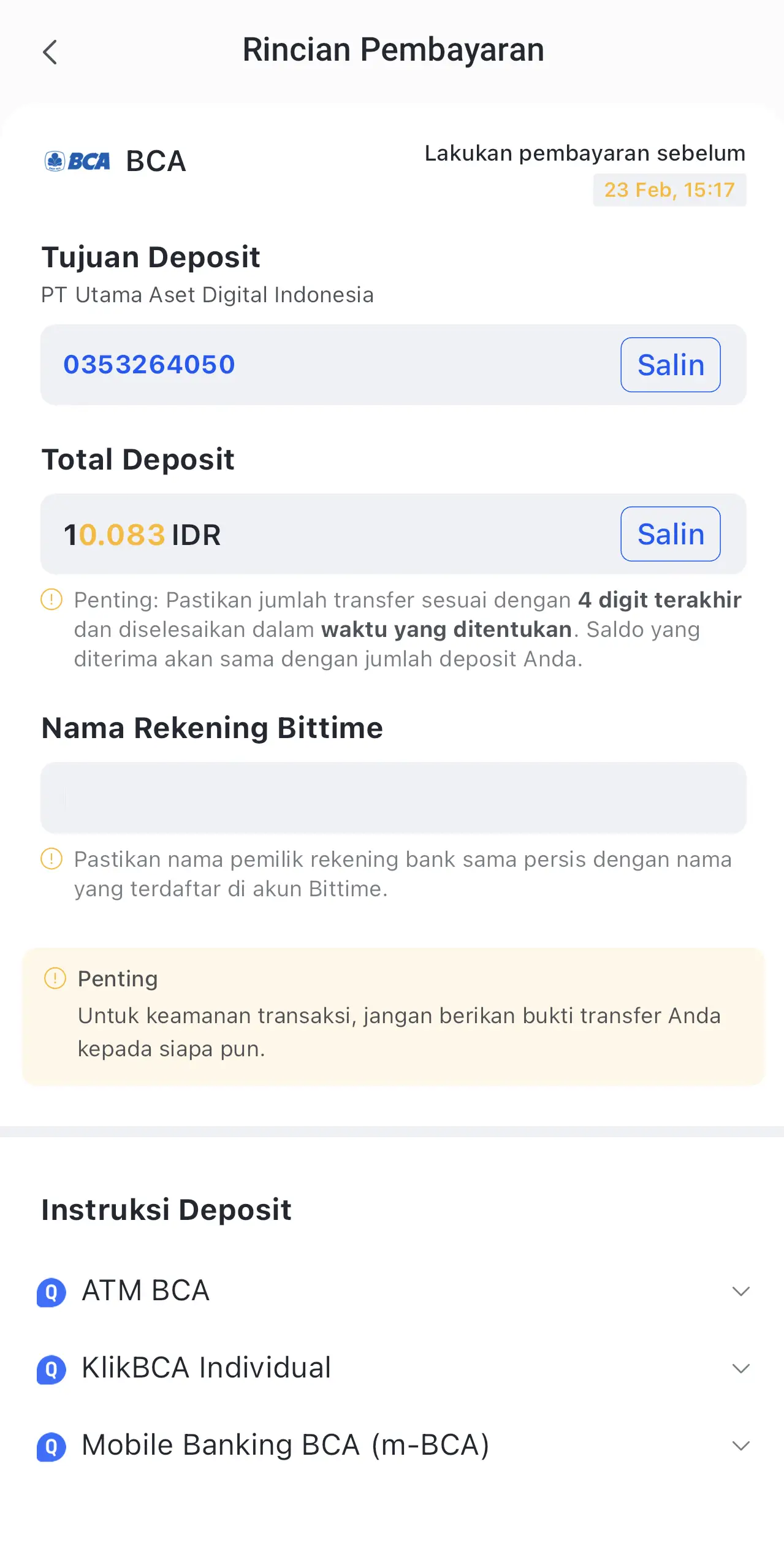
Bittime uses the official PT BCA account number 0353264050.
Bittime will display the nominal amount to be transferred and the destination account name for you to confirm before proceeding.
- Open the myBCA or BCA Mobile application on your cellphone.
- Select the Transfer menu then select Between BCA Accounts
- Enter the destination account number 0353264050, make sure the account name that appears matches the one listed in the Bittime application.
- Enter the exact amount displayed by Bittime, do not round or change it because the system uses a unique amount to automatically match your transaction.
- Confirm the transaction and save proof of transfer
- Back to the Bittime app, your Rupiah balance will be automatically entered after the system matches your transfer.
Read also:Guide on How to Buy USDT with IDR Balance on the Bittime App
Step 3: Buy Bitcoin on Bittime
Once your Rupiah balance is active, you can immediately buy Bitcoin on Bittime.
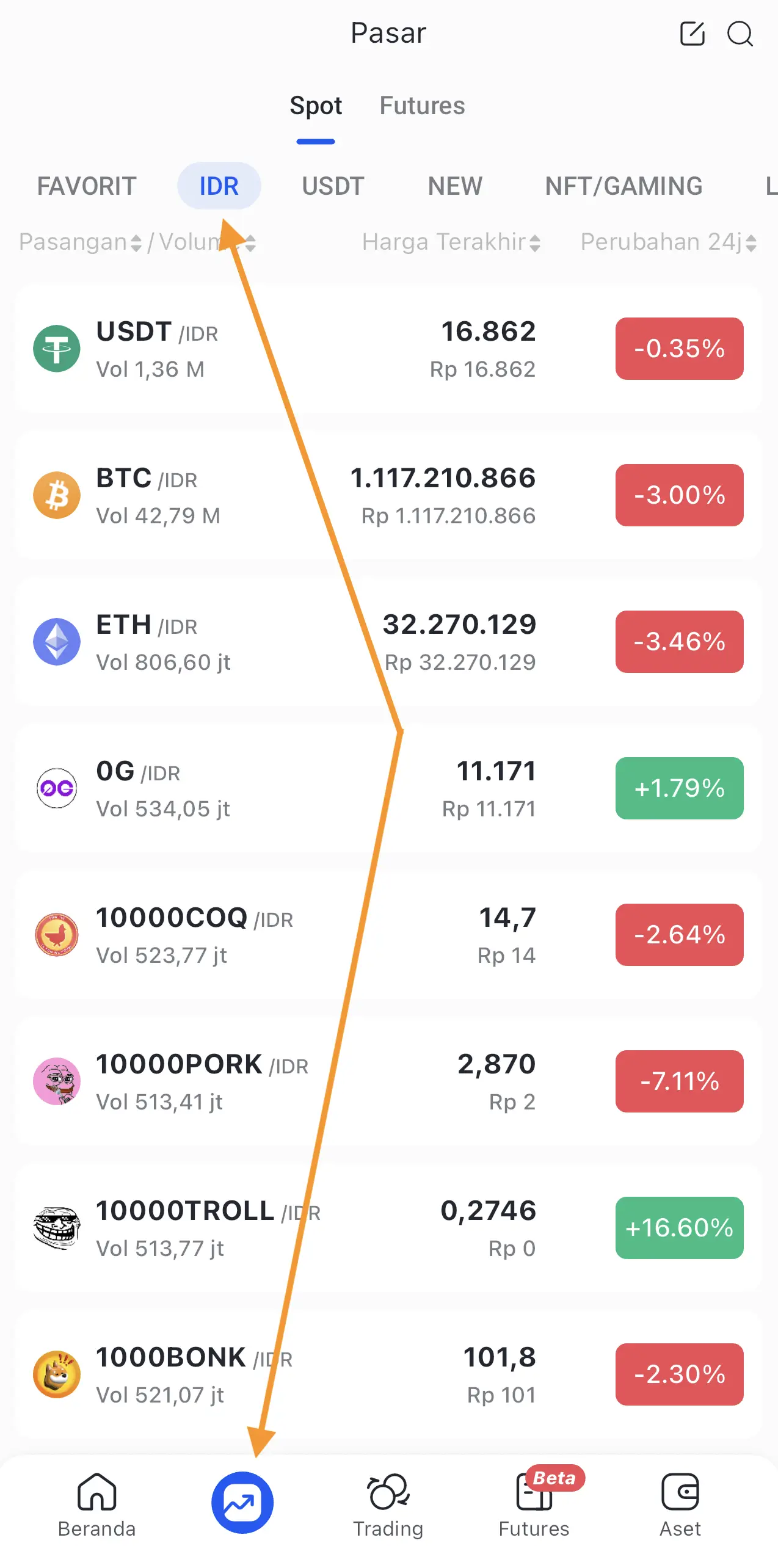
- Go to the Market menu on Bittime and type BTC in the search field.
- Choose BTC/IDR trading pair
- Choose a purchase method, use market price for instant execution or limit price to buy at a specific price.
- Enter the nominal Rupiah you wish to convert, Bittime will display the estimated BTC you will receive.
- Press the Buy button and enter the six-digit security PIN to confirm.
- Check your portfolio or asset wallet to verify the Bitcoin has been received.
Read also:How to Buy Bitcoin with DANA on Bittime
Vital Records
Bitcoin is a highly volatile asset, and its value can fluctuate significantly at any time. Bittime offers a limit price feature to help you buy at a more targeted price.
Invest only the funds you have prepared for this purpose and take advantage of the educational features available in the Bittime app to better understand the crypto market before making investment decisions.
How to Buy Crypto on Bittime?
Want to trade sell buy Bitcoins and crypto investment easily? Bittime is here to help! As an Indonesian crypto exchange officially registered with Bappebti, Bittime ensures every transaction is safe and fast.
Start with registration and identity verification, then make a minimum deposit of IDR 10,000. After that, you can immediately buy your favorite digital assets!
Check the exchange rate BTC to IDR, ETH to IDR, SOL to IDR and other crypto assets to find out today's crypto market trends in real-time on Bittime.
Also, visit the Bittime Blog for interesting updates and educational information about the crypto world. Find reliable articles about Web3, blockchain technology, and digital asset investment tips designed to enrich your crypto knowledge.
FAQ
Are there any admin fees for BCA deposits to Bittime?
No, Rupiah deposits via BCA Bank to Bittime are free of administration fees.
What is the minimum Rupiah deposit at Bittime?
The minimum deposit at Bittime is IDR 10,000.
How long does it take for the balance to be credited after a BCA transfer?
Rupiah balance is usually entered automatically within minutes after a successful transfer.
Is Bittime safe and legal in Indonesia?
Yes, Bittime is officially registered and supervised by Bappebti as a legal crypto exchange in Indonesia.
What is required before you can buy Bitcoin on Bittime?
The Bittime account is active, KYC is complete, and the Rupiah balance has been deposited on the platform.
Disclaimer: The views expressed belong exclusively to the author and do not reflect the views of this platform. This platform and its affiliates disclaim any responsibility for the accuracy or suitability of the information provided. It is for informational purposes only and not intended as financial or investment advice.

.png)