What is Duino-Coin (DUCO)? How it Works and Mining for Beginners
2026-11-02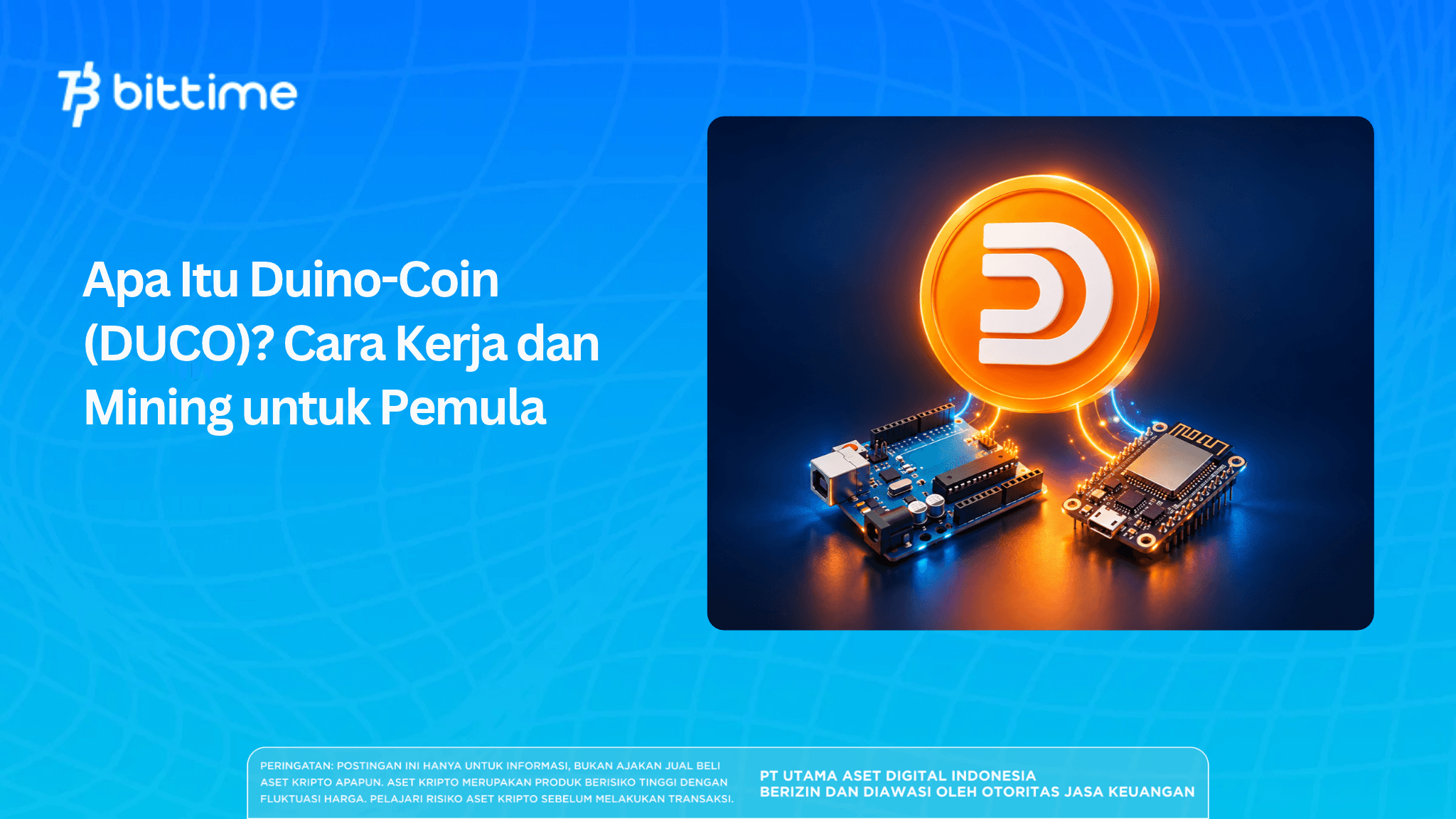
What is Duino-Coin? Duino-Coin is a crypto project that allows you to mine DUCO coins using a laptop, Arduino, or ESP32. It gives beginners an opportunity to try mining with devices they already own, including low-power hardware.
You can start learning with a few simple steps: connect a device, run the miner, and then check whether the results appear in your wallet. Before getting started, there are several things to understand, particularly how rewards are distributed and how much it costs to run the device. These factors will help you decide whether continuing the mining experiment is worthwhile.
Key Takeaways
- Duino-Coin uses a centralized system and supports mining on various low-power devices.
- The DUCO-S1 algorithm handles mining tasks, while the Kolka system manages reward calculations.
- Mining results should be assessed alongside operating costs and the ease of exchanging coins, not simply by looking at balance growth.
What Is Duino-Coin and What Is DUCO Used For?
Duino-Coin began development in 2019 with the goal of making cryptocurrency more accessible to beginners. Its source code is open for anyone to study, including users who want to try developing their own software.
DUCO is the coin’s ticker or symbol. You can receive DUCO as a mining mining, send it to other users, or exchange it through services that support the asset.
The native Duino-Coin asset is called DUCO. A wrapped version is also available, representing DUCO as a token on another network. Therefore, you should check the destination network before making a transfer.
The native DUCO balance is managed through the project’s servers. This means that when you use the Duino-Coin wallet, access to and management of your balance depend on that service; you do not hold private keys as you would with a self-custody wallet.
Read also: What Is the National Oil Trust Fund (NOTF)? Tokenomics and Risks
How Does Duino-Coin Work?
The DUCO-S1 Algorithm
Duino-Coin’s mining system uses DUCO-S1, an algorithm based on SHA-1. A device receives a task from a node, searches for a number that meets the calculation target, and then submits the result for verification.
If the result is valid and accepted, the miner will display an “accepted share” status. You earn rewards from the tasks that are accepted.
The Kolka System and Reward Distribution
Reward distribution is managed by Duino-Coin’s Kolka system. It adjusts difficulty and rewards according to device characteristics and mining activity, allowing smaller devices to participate.
Adding more miners to one account can also affect reward efficiency: additional miners may receive smaller rewards. Therefore, estimating earnings is not as simple as multiplying the income from one device by the number of devices connected.
Hashrate indicates a miner’s computing speed, but it is not enough to assess its final results. You also need to monitor the number of accepted shares, the amount of DUCO received, and the electricity consumed.
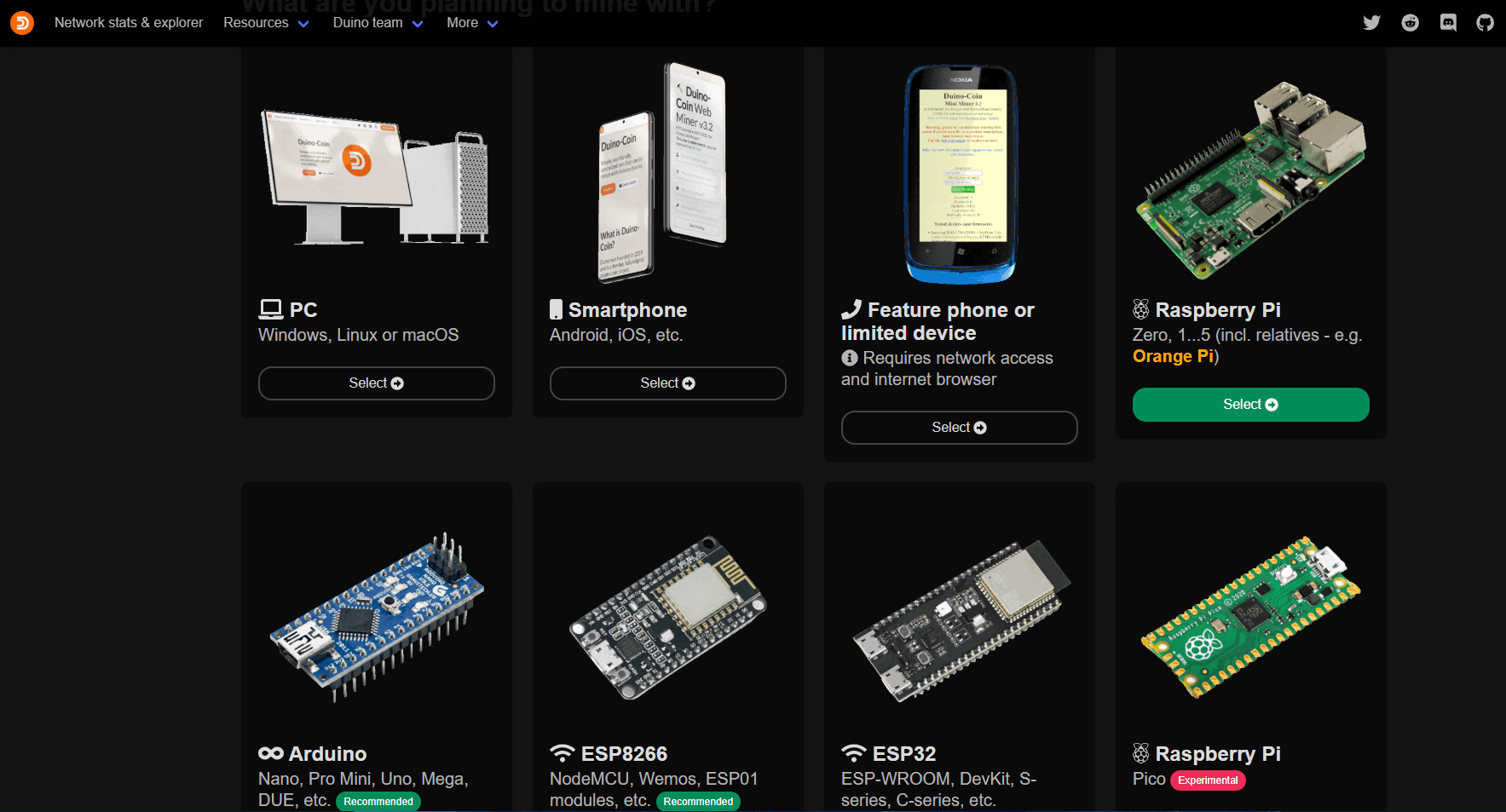
Preparing to Mine Duino-Coin: A Beginner’s Guide
Choose a Device You Already Have
Start with a device you already have at home. A laptop can help you become familiar with miner settings, while an Arduino or ESP32 is suitable if you are also interested in learning how to program electronic boards.
Prepare the following:
- A device compatible with your chosen miner.
- A stable internet connection.
- A suitable power supply and cables.
- A space with adequate ventilation.
- Time to monitor your initial test.
Make sure you have permission to use the device and network. Avoid mining on an office computer or shared device without the owner’s consent.
How to Create a DUCO Account and Wallet
To create a DUCO wallet, start by registering an account on the web wallet. Open it through the Duino-Coin website, complete the registration form, and try logging in once your account is active.
Use a unique password that you do not use for other accounts. Store your account information securely and check the page address before entering your credentials.
Understand the Purpose of a Mining Key
A mining key is a special key used when configuring a miner. It is different from your login password, so make sure you do not confuse the two when entering your settings.
Do not share configuration screenshots that reveal your password, mining key, or Wi-Fi access details. If you need help, show only the relevant error message.
Read also: What Is Cambria (RSGP)? TGE Schedule, Tokenomics, and Utility
How to Mine Duino-Coin on a Laptop or PC
If you are using a laptop or desktop computer, you can start with PC Miner. Here is how beginners can mine Duino-Coin, although the interface and available settings may vary between versions.
- Download the miner package. Choose a release from the project repository, then extract all files before running it.
- Run PC Miner. If you are using the source-code version, install Python and the required dependencies according to the installation instructions.
- Enter your account settings. Enter your username, mining key if required, and a device identifier if available.
- Adjust the workload. Start with light settings; do not immediately maximize the number of threads or the mining intensity.
- Check miner activity. Monitor the connection, hashrate, and whether shares are accepted or rejected.
- Check your wallet. Make sure the device is recognized and monitor balance changes during the test.
During your first test, pay attention to how the computer performs when used for other tasks. If it becomes sluggish, reduce the miner’s workload and review its settings.
If the miner is running but the device does not appear in your wallet, check your username, mining key, and connection. Read the error messages in the log first to identify what needs to be fixed.
Read also: What Is Papertrade (PAPER)? Token Utility, How It Works, and Risks
Mining DUCO with Arduino, ESP32, and Other Devices
Arduino
To mine Duino-Coin with an Arduino, you need to upload the miner code through the Arduino IDE. Boards without their own network connection require a host, such as a computer, to run AVR Miner and communicate with the server.
Select the correct board model and port when uploading the code. Also include the host computer’s electricity consumption in your cost calculations if it needs to remain on while mining.
ESP32 and ESP8266
ESP32 and ESP8266 boards can communicate over Wi-Fi, so they do not need a computer as a host once configuration is complete. The initial steps include installing board support, preparing the miner code, entering credentials, and uploading the program.
When setting up DUCO mining with an ESP32, make sure the settings match your board variant. If it fails to connect, check the Wi-Fi network and the messages in the serial log to identify the cause.
Raspberry Pi, Mobile Phones, and Browsers
You can also try mining with a Raspberry Pi. Before installing the software, check whether the miner is compatible with your board model and operating system.
For mobile phones, options are available through Android and web miners. When using a browser, mining may slow down or stop when the tab is inactive; keep this in mind if you want it to run while you use other apps.
Read also: What Is GenLayer (GEN)? TGE, Tokenomics, and Use Cases
Factors That Affect DUCO Mining Results
Daily DUCO mining results can vary even when two users operate the same type of device. Settings, connectivity, and device uptime all affect the outcome.
Pay attention to the following factors:
- Device category and difficulty: These affect the tasks assigned and how rewards are calculated.
- Number of miners: This can affect reward efficiency within an account.
- Connection quality: Network disruptions can interfere with receiving and submitting tasks.
- Uptime: A device that disconnects or enters sleep mode will no longer contribute continuously.
- Changes to the reward system: Past test results may no longer be applicable under the current system.
Record your starting and ending balances, how long the miner was active, and the energy consumed during the test. Compare several sessions of similar duration so that one short trial is not the sole basis for your assessment.
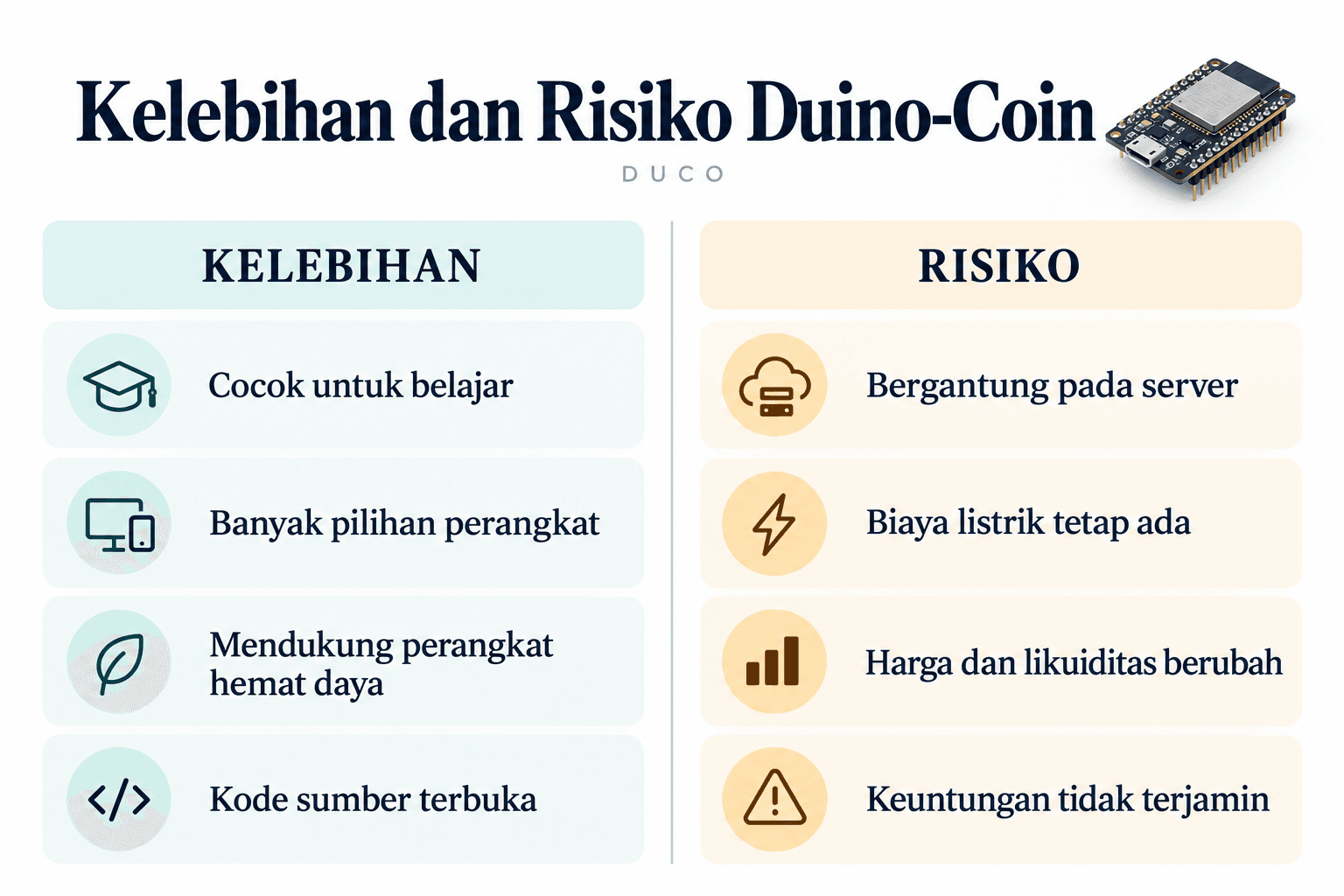
Advantages and Risks of Duino-Coin
Duino-Coin offers a hands-on learning experience. You can follow the process from configuring a miner to reading its results while learning how a device communicates with a server.
Before running it for an extended period, consider the following risks:
- Server dependency: Infrastructure disruptions may affect access to the service.
- Software risks: Downloads from unknown sources may put your account or device at risk.
- Operating costs: Electricity consumption, heat, and component wear still need to be taken into account.
- Exchange risks: Your coin balance may not be sellable at the price or in the quantity you want.
- Rule changes: Configurations and use of the service must comply with the project’s terms.
DUCO has no fixed maximum supply and includes a coin-burning mechanism. However, token burns do not automatically guarantee scarcity or an increase in value.
Read also: What Is Xtended (XTEN)? Tokenomics and Utility
Is Mining Duino-Coin Profitable?
The answer depends on your expenses and the value of DUCO when you sell it. To assess profitability, calculate how much money you actually receive after operating and exchange costs have been deducted.
For illustration, a device with an average power consumption of 10 watts running for 24 hours uses approximately 0.24 kWh of electricity. Multiply this figure by the applicable electricity rate, then add the cost of a host or supporting device if it is not already included in the measurement.
If you purchase dedicated hardware, also include its purchase price when estimating how long it will take to recover your investment. Update the estimate whenever rewards, electricity rates, or selling prices change.
When checking the DUCO price in rupiah, note when the price was last updated and whether there are buyers for the amount of coins you want to sell. The displayed price may differ from the actual transaction price, especially when there are few buyers.
Set a spending limit from the beginning so that the experiment does not gradually consume your budget. Screenshots of other users’ earnings can serve as a comparison, but they may not reflect your device conditions or local costs.
Want to explore crypto services beyond mining? You can learn about Bittime’s features and fees before deciding to register with Bittime.
Conclusion
Now that you understand what Duino-Coin is, you can start experimenting with a clear goal: learning how to run a miner, measuring its results, or exploring hardware. Choose a device and spending limit that align with that goal.
Use just one device for your initial test. Add more equipment only when the test results provide a sound reason to do so.
Bittime is a licensed Digital Financial Asset Trader (PAKD) platform supervised by the Financial Services Authority (OJK) — where you can buy Bitcoin in Indonesia and hundreds of other crypto assets starting from IDR 10,000. Registration is quick and secure, and you can get started today.
Track the USDT to IDR conversion rate and real-time price movements of your favorite crypto assets. Everything is available in one crypto investment app that you can download for free from the Play Store.
Ready to get started? Sign up on Bittime today and put your investment strategy into action with a platform trusted by millions of users in Indonesia.
FAQ
What is Duino-Coin, and what is the DUCO coin used for?
Duino-Coin is a centralized crypto project that supports mining on various types of devices. DUCO coins are used as mining rewards, for transfers between users, and for exchange through supporting services.
How can beginners mine Duino-Coin?
Create an account, choose a miner compatible with your device, and enter your username and mining key if required. Run a test with a light workload, then check accepted shares and device activity in your wallet.
Can Duino-Coin be mined on a laptop or mobile phone?
Laptops can use PC Miner, while Android devices and browsers have their own miner options. Monitor temperature, device workload, and restrictions on background app activity.
How do I create a DUCO wallet?
Access the web wallet through the Duino-Coin website and complete the account registration process. Use a unique password and make sure you can access the account before connecting it to a miner.
Is Duino-Coin mining profitable?
Results depend on actual rewards, operating costs, and the amount you can earn from selling the coins. Direct measurements are more useful than relying on fixed income estimates.
Disclaimer: The views expressed belong exclusively to the author and do not reflect the views of this platform. This platform and its affiliates disclaim any responsibility for the accuracy or suitability of the information provided. It is for informational purposes only and not intended as financial or investment advice.
.png)