Meta AI Video Generator 2026: Features, Pros, Cons, and How to Use It
2026-08-13
The race among tech giants to embed artificial intelligence into everyday products is now extending to apps used by millions of people: Meta AI. The automated video creation feature within it is making big claims—turning plain text ideas into visual clips in minutes, with zero editing skills required.
This Meta AI review thoroughly breaks down what the Meta AI Video Generator 2026 offers, from how it works, its pros and cons, to step-by-step usage from start to finish.
The trend of AI video makers is indeed on the rise along with the growing need for short-form content for social media. Instead of hiring an editing team or mastering complex software, many creators now simply rely on text prompts to generate videos ready for upload.
Key Takeaways
- Meta AI Video Generator turns text prompts into automated video clips complete with music options in four simple steps.
- Its main advantage lies in processing speed and ease of use, making it suitable for beginners who have never edited video before.
- Drawbacks to note: visual consistency across scenes can still vary, and initial results often require repeated prompt revisions.
What Is Meta AI Video Generator?
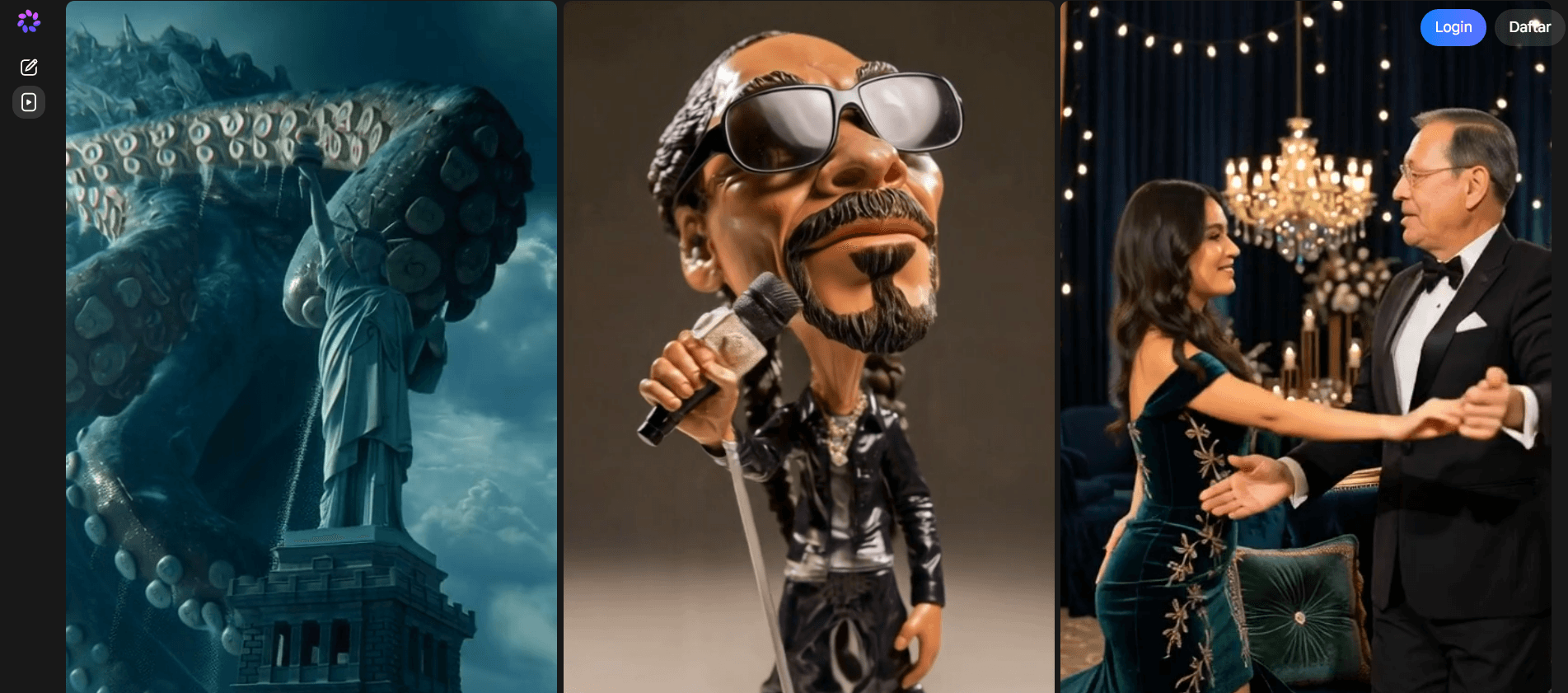
Meta AI Video Generator is a video creation feature within the Meta AI app that turns text prompts into short visual clips automatically. Users simply type in their video idea or concept, and the system composes the visuals and motion without manual editing.
This feature has become a hot topic because it represents a new direction in content creation: shifting from requiring editing software and technical skills to being doable through simple conversations with AI.
For creators, marketers, and educators alike, this ease of use speeds up content production without sacrificing engaging visuals.
Interestingly, the spirit of "democratizing access" that AI video makers bring is also the foundation of many digital investment platforms today, including the crypto asset space.
If you're curious to explore other investment instruments beyond creative content, you can create an account at Bittime and start learning about digital asset trading that is legal and supervised by the OJK.
Source: Meta AI
Key Features of Meta AI Video Generator 2026
There are several core features that make Meta AI Video Generator worth considering as an AI video maker for daily needs.
Video creation from text prompts is the flagship feature—users simply type in their idea, and the system automatically designs visuals and story flow. In addition, there is an integrated music panel that displays trending tracks and recommendations matching the video's mood, so users don't need to source music from elsewhere.
After the generation process is complete, a lightweight editing panel is available to review the results before downloading.
Users can change the music track, review the visuals again, and then directly export the video in a ready-to-upload format. The combination of these features makes the entire workflow feel streamlined from start to finish.
Read Also: AI Image Generators 2026: Comparing GPT Image 1.5, Flux 2 Max & Gemini 3 Pro
Pros and Cons of Meta AI Video Generator
Before deciding to use it for content needs, it's worth weighing the pros and cons of this feature.
Meta AI Video Generator's advantages that stand out the most, according to a review published by Magiclight.AI Academy, lie in its speed—perfect for quickly testing content ideas in the early stages.
The workflow is also relatively simple, so new users can go straight from inputting a prompt to previewing results without needing to learn complex editing controls. Its creative flexibility is also quite broad, supporting various visual styles for exploring different concepts.
On the other hand, Meta AI video's drawbacks that are often highlighted concern visual consistency. The appearance of characters or visual elements across scenes can sometimes shift slightly, which affects the level of realism if the project requires consistent visuals throughout the video.
Additionally, the first generation result is usually not perfect right away—many users need to revise the prompt several times before getting a satisfactory final version.
Read Also: Free AI Passport Photo Recommendations: Turn Your Selfie Into a Formal Photo in Seconds
How to Make Videos with Meta AI Video Generator, Step by Step
The process is relatively concise and can be followed without any prior editing experience.
- Open the video creation menu. Go to the Meta AI app, then select the "Create video" option from the main creation bar.
- Enter your idea and generate the first clip. Type your video concept into the prompt field, then click "Animate" to start the creation process.
- Add music through the editing panel. After the clip appears, open the "Music" section, select "Add music," then browse trending track options or recommendations that match the video's mood.
- Apply your chosen music. Once you find a suitable track, click "Apply" to attach it to the video.
- Download the final result. After reviewing the final clip, go to the upper-right corner of the editor panel and select "Download" to save or share the video.
This entire process is designed to be completed in just a few minutes, making it suitable for quick content needs such as promotions, social media posts, or light storytelling experiments.
Also Read: 10+ Best AI Coins 2026: This Is the List of Artificial Intelligence-Themed Crypto!
Conclusion
Meta AI Video Generator 2026 offers a quick way to turn text ideas into short videos with no editing experience required whatsoever.
Processing speed and ease of use are its main selling points, though visual consistency and the need for repeated prompt revisions remain caveats to consider before fully relying on it for projects that require precise results.
For creators just starting to explore AI video makers, this feature is definitely worth trying as a starting point before moving on to more specialized tools that fit specific production needs.

After learning about AI developments, now is the time to find AI-based crypto at Bittime such as digital assets AI, AGI, RENDER, TAO, VVV, and many more AI coins.
Bittime is a licensed and OJK-supervised Digital Financial Asset Trading Platform (PAKD) — where you can buy Bitcoin in Indonesia and hundreds of other crypto assets starting from Rp10,000. Registration is fast, secure, and can be started today.
Monitor USDT to IDR conversions and the price movements of your favorite crypto assets in real-time. All available in one crypto investment app that can be downloaded for free on the Play Store.
Ready to start? Sign up now at Bittime and execute your investment strategy with a platform trusted by millions of users in Indonesia.
FAQ
What is Meta AI Video Generator?
Meta AI Video Generator is a feature in the Meta AI app that turns text prompts into automated video clips, complete with background music options.
Is Meta AI Video Generator free to use?
The basic features can be accessed directly through the Meta AI app at no additional cost, though feature availability may vary depending on region and app updates.
What are the main advantages of Meta AI Video Generator?
Its main advantages are the generation speed and the straightforward workflow, making it suitable for beginners who want to quickly test content ideas.
What are the drawbacks of Meta AI Video Generator?
The drawbacks lie in visual consistency across scenes which can sometimes shift, as well as the need for repeated prompt revisions before the final result feels optimal.
How do I make a video with Meta AI Video Generator?
Simply open the "Create video" menu in the Meta AI app, enter your prompt, generate the clip, add music through the editing panel, then download the final result.
Disclaimer: The views expressed belong exclusively to the author and do not reflect the views of this platform. This platform and its affiliates disclaim any responsibility for the accuracy or suitability of the information provided. It is for informational purposes only and not intended as financial or investment advice.

.png)