How to Use Pelajarinai I: Learn Fast with AI (Complete Tutorial)
2026-09-24
Bittime - Do you feel overwhelmed by thick stacks of study materials? Or struggle to understand complex concepts because of tight deadlines? Pelajarin AI comes as the solution.
This Indonesian-made AI platform can turn hundreds-of-pages documents, YouTube videos, or audio recordings into summaries, flashcards, and quizzes in seconds.
This article is a complete guide on how to use Pelajarin AI to help you study faster and more effectively.
Key Takeaways
Pelajarin AI is free and designed specifically for Indonesian students. It supports various formats such as PDF, Word, Video, and YouTube links.
How to use it is very easy: Upload material, and the AI will summarize, create flashcards, and generate quizzes automatically.
The AI Tutor feature can be asked anytime to explain difficult concepts you don't understand.
Register on Bittime now and start trading crypto with a fast, secure, and easy process in the app.
What Is Pelajarin AI?
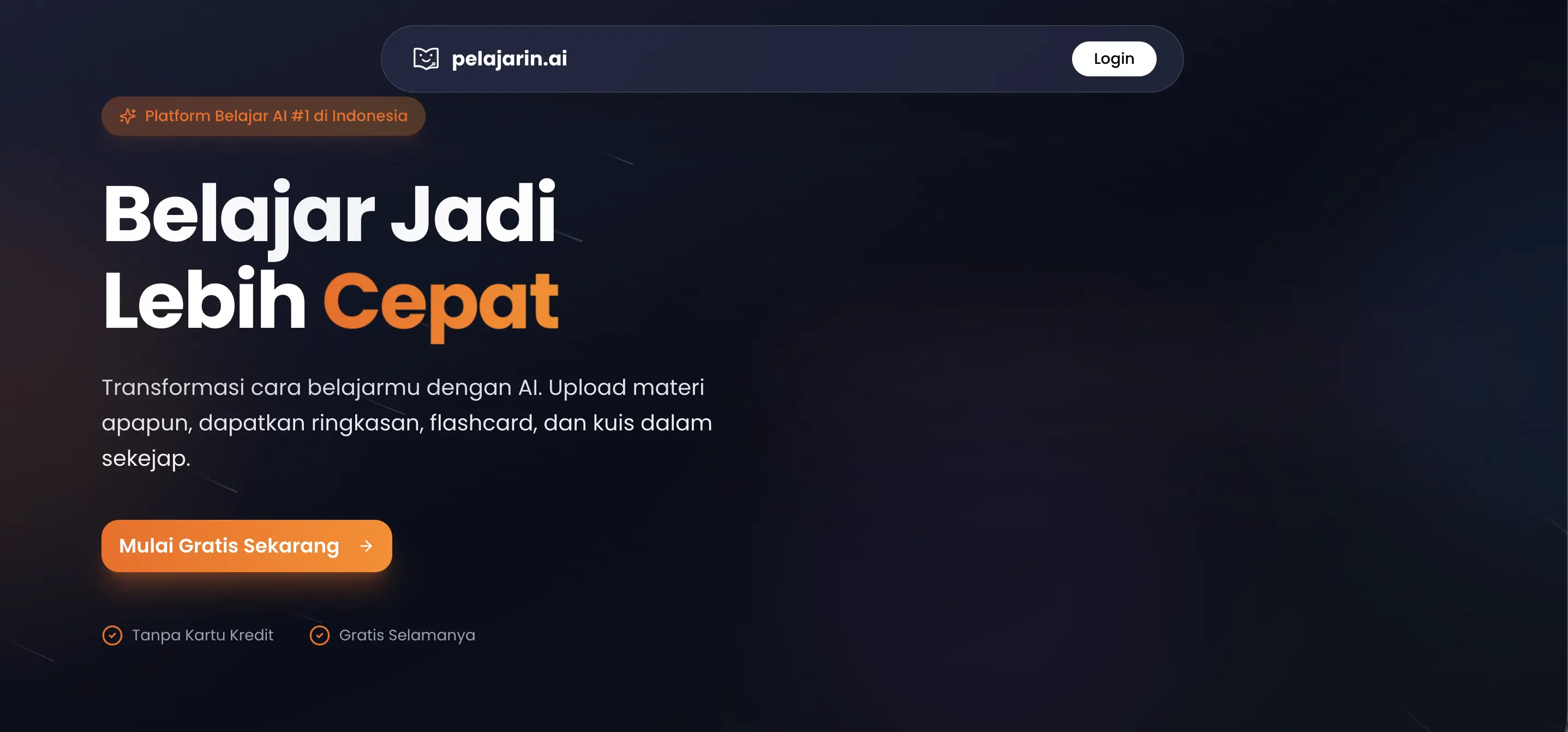
Pelajarin AI is the number 1 artificial intelligence (AI)-based learning platform in Indonesia. This platform is specifically designed to help school students and university students understand subject matter more quickly.
Unlike ordinary search engines, Pelajarin AI uses advanced AI technology to analyze the material you upload, then presents it in the most easily digestible form.
The fast learning method with Pelajarin AI has been trusted by more than 200,000 students across Indonesia.
Also check the price movements of popular AI coins such as Bittensor (TAO) which are available to trade directly on Bittime.
Pelajarin AI Tutorial: Main Features
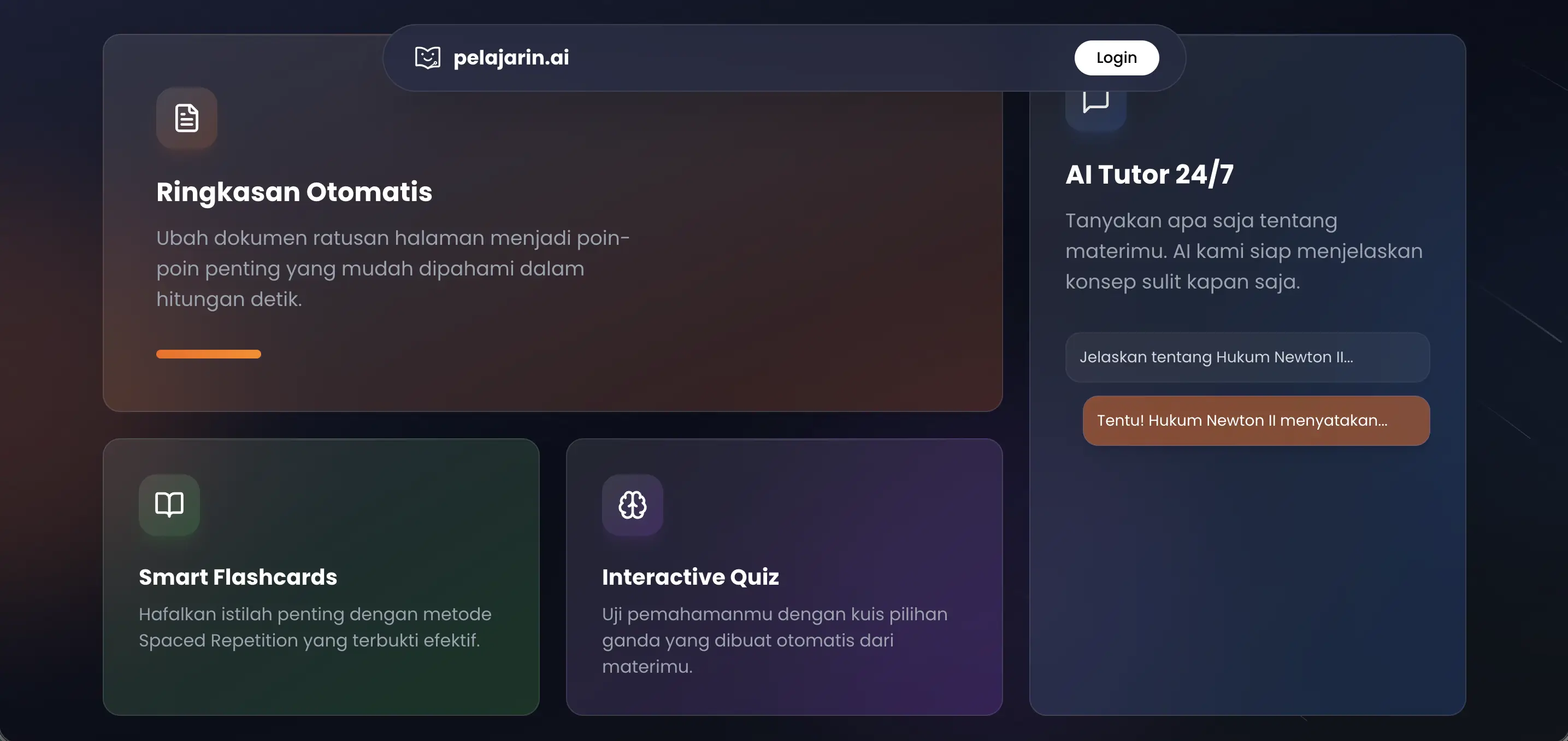
This platform has 4 main features that will change the way you study.
1. Automatic Summary
This feature is Pelajarin AI's flagship. You can upload PDF, Word, audio, or video files. The AI will read the entire contents and produce concise key points. You can understand 100 pages of material in just 5 minutes.
2. Smart Flashcards
After the material is summarized, the AI will automatically create flashcards based on important terms. This method is very effective for memorizing definitions, formulas, or historical dates.
3. Interactive Quiz
Reading alone is not enough. You can test your understanding with multiple-choice quizzes created directly by the AI from the material you upload. This is a very helpful exam simulation.
4. AI Tutor 24/7
This is what distinguishes Pelajarin AI from ordinary summarization tools. You can ask the AI directly about difficult material.
For example, "Explain Newton's Second Law with a ball-playing analogy." The AI will answer in an easy-to-understand language.
Read also: Looking at Future Technology in 2030: What Will Boom?
Preparation Before Using Pelajarin AI
Before you start using Pelajarin AI, there are a few things you need to prepare so that your learning results are maximized:
- Prepare the material you want to study.
- Make sure the text in the document is clearly readable.
- Use a stable internet connection.
- Set a learning goal, for example, understanding concepts or practicing questions.
These simple preparations make your learning process with Pelajarin AI run smoothly right away without obstacles.
Pelajarin AI Guide: How to Use It Step by Step
Here is the Pelajarin AI tutorial to get started:
Step 1: Open the Website
Visit pelajarin.ai in your laptop or phone browser. This platform is free and does not require a credit card.
Step 2: Upload Material
You have 4 upload options: Upload PDF or Office files (Word, PPT), Upload Audio files (MP3, WAV), Upload Video files (MP4, MOV), or Paste a YouTube Video link. Pelajarin AI supports all popular formats.
Step 3: Wait for the AI to Work
This process only takes a few seconds to minutes, depending on the length of the material. The AI will automatically generate a Summary, Flashcards, and Quiz.
Step 4: Study and Test Yourself
Read the simplified summary. Memorize using flashcards. Do the quiz to see how well you understand it.
Step 5: Ask the AI Tutor
If you are still confused, use the Chat with AI Tutor feature. Ask about concepts you don't yet understand. The AI will explain them patiently.
Read also: AI Agents Crypto: How to Find Tokens with an Artificial Intelligence Theme
Tips to Maximize Pelajarin AI So Studying Becomes More Effective
Just knowing how to use it is not enough. Here are some tips so your study results with Pelajarin AI are maximized.
1. Upload Material per Chapter, Not All at Once
The summary generated by the AI will be more focused and detailed if you upload material per chapter or per topic, rather than piling all chapters at once into one large file. Material that is too long risks making the summary too general.
2. Apply Spaced Repetition to Flashcards
Don't just read them once and leave them. Review flashcards at intervals of 1 day, 3 days, then 7 days after they are created so the material sticks in long-term memory, not just last-minute cramming before an exam.
3. Try Active Recall Before Reading the Summary
Before opening the AI summary results, first try to answer the key questions from the material from your own memory. Only after that check the summary for correction. This method is proven to be more effective than simply rereading.
4. Dig Deeper Through the AI Tutor with "Why" and "How" Questions
Don't just ask "what is X" to the AI Tutor, but try asking "why can X happen" or "how does X work". Questions like this force your understanding to go deeper, not just memorizing definitions.
5. Cut Long Videos or Recordings into Segments per Topic
If your material is a lecture video or long recording, cut it first into segments per topic before uploading. This helps the AI capture important details that are sometimes missed if the video is too long and discusses many things at once.
6. Save Results per Subject in Separate Folders
To make it easy to review before exams, group summaries and flashcards by subject or course, rather than mixing everything in one place. This also makes it easier for you to see study progress per topic.
Who Is Suitable for Using Pelajarin AI?
Pelajarin AI is very useful for various needs. Students who have tight study deadlines (the day before an exam). University students who struggle to understand journals or thick reading materials.
Quiz bowl competition participants who must memorize a lot of material in a short time.
Anyone who wants to study smarter, not harder. User testimonials on the website show their grades improved and the learning process felt like playing a game.
Learn how to buy NEAR Protocol (NEAR) tokens, an AI coin available on Bittime!
Conclusion
The fast learning method with Pelajarin AI is very easy. You only need to upload material, and the AI will do the rest: summarize, create flashcards, and provide quizzes.
The Pelajarin AI guide above shows that this platform is a complete solution for Indonesian students who want to save time and understand material more deeply.
Read also: Top 10 AI Crypto Coins That Attracted Attention in 2026

After learning about AI developments, now is the time to find out about AI-based crypto on Bittime such as the digital assets AI, AGI, RENDER, TAO and many more AI coins.
Bittime is a licensed Digital Financial Asset Trader (PAKD) platform supervised by the Financial Services Authority — where you can buy Bitcoin in Indonesia and hundreds of other crypto assets starting from Rp10,000. The registration process is fast, secure, and can be started today.
Monitor the conversion of USDT to IDR and the price movements of your favorite crypto assets in real time. All available in one crypto investment app that can be downloaded for free on the Play Store.
Ready to start? Register now on Bittime and execute your investment strategy with a platform trusted by millions of users in Indonesia.
FAQ
Is Pelajarin AI free?
Yes. This platform has a free forever plan without a credit card. There is also a paid option for additional features.
What file formats are supported? PDF, Office (Word, PPT), Audio (MP3, WAV), Video (MP4, MOV), and YouTube links.
How do I create an automatic summary?
Upload a file or paste a YouTube link, click process. The AI will instantly generate a summary of key points.
What is the AI Tutor feature?
A chat feature where you can ask about the material you are studying. The AI will explain difficult concepts in simple language.
Can it be used for quiz bowl competition preparation?
Very suitable. Many users use the flashcard and quiz features to memorize material in a short time.
Is Pelajarin AI only for Indonesian students?
The interface is in Indonesian, making it very suitable for the Indonesian curriculum. But anyone can use it.
Disclaimer: The views expressed belong exclusively to the author and do not reflect the views of this platform. This platform and its affiliates disclaim any responsibility for the accuracy or suitability of the information provided. It is for informational purposes only and not intended as financial or investment advice.

.png)