How to Buy Ondo Finance (ONDO): Complete Guide for Beginners in Indonesia
2025-11-28
Bittime - How to Buy Ondo Finance (ONDO): Complete Guide for Beginners in Indonesia is becoming a popular search as interest in ONDO continues to rise.
Many Indonesian users want a simple and practical way to purchase ONDO, especially through local exchanges such as Bittime that allow direct transactions in rupiah.
This guide provides a clear overview of the process so beginners can start buying ONDO with confidence.
What Is Ondo Finance (ONDO)?
Ondo Finance is the governance token developed by the Ondo Foundation, with an initial fixed supply of ten billion tokens. The project’s official documentation notes that no additional inflation is planned, making the total supply stable over time.
ONDO plays a central role in the governance of the ecosystem and supports the development of Ondo’s financial products.
Market data shows that circulating supply follows a scheduled distribution and token unlock plan, which often attracts interest from investors tracking liquidity and market activity. Technical details such as the official contract address and distribution structure are outlined in the project’s documentation.
Why Buy ONDO on Bittime?
Bittime is a popular choice among Indonesian users because it supports the ONDO/IDR trading pair, allowing buyers to use rupiah directly without converting to another asset first.
The platform offers fast deposits through local banks and commonly used digital payment methods. Its user-friendly interface is suitable for first-time buyers who want a simple process.
Bittime also provides real-time price charts, conversion tools, and transaction history for better monitoring of ONDO’s market movements. Security features such as two-factor authentication and mandatory KYC verification help ensure account safety during trading activities.
How to Buy ONDO in Indonesia (Step by Step)
Step 1: Choose an Official Platform
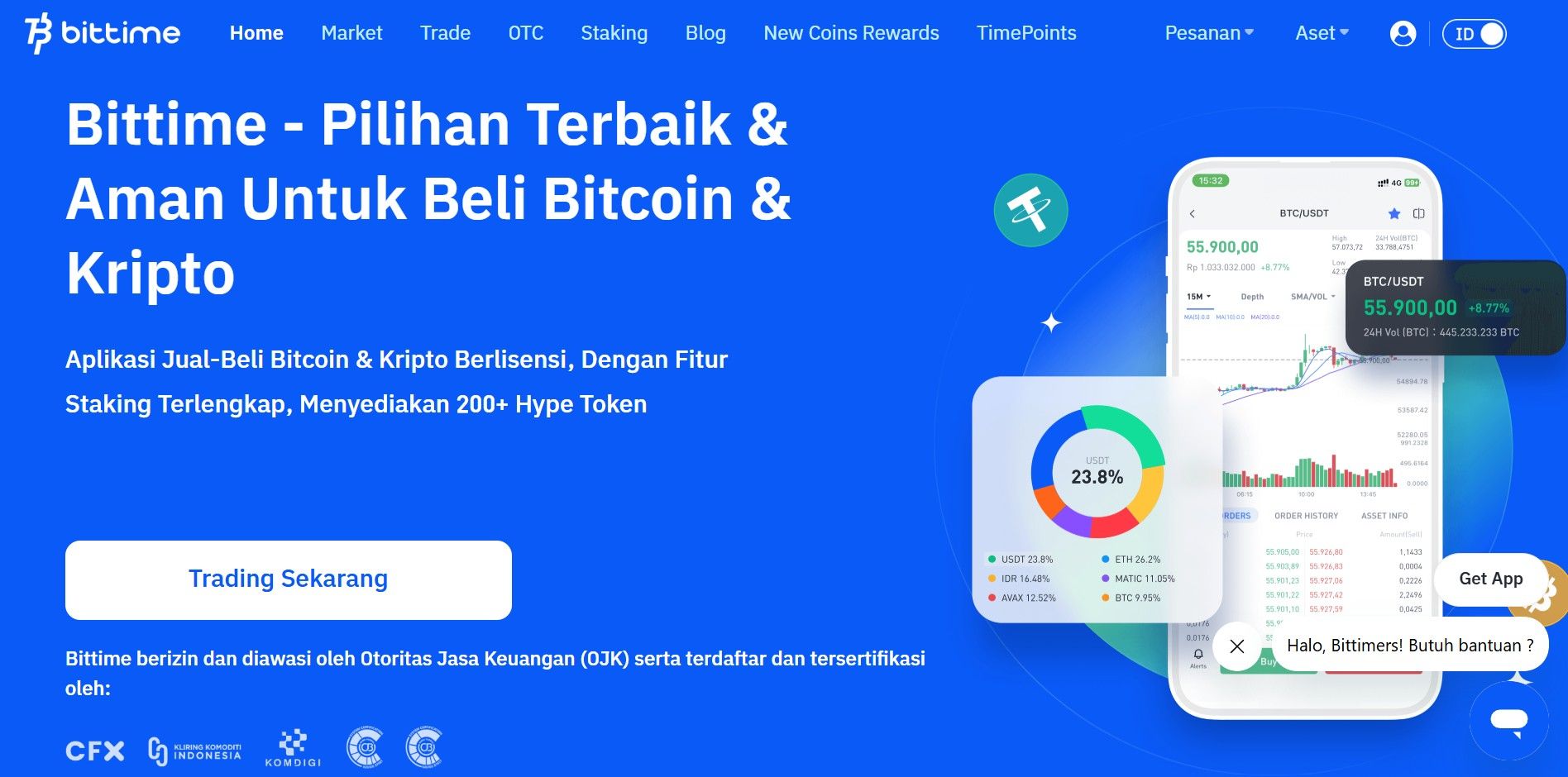
Before buying ONDO, make sure you already have an account on a trusted crypto exchange platform, such as Bittime Exchange. Complete the registration and identity verification process to keep your account secure.
Step 2: Account Verification (KYC)
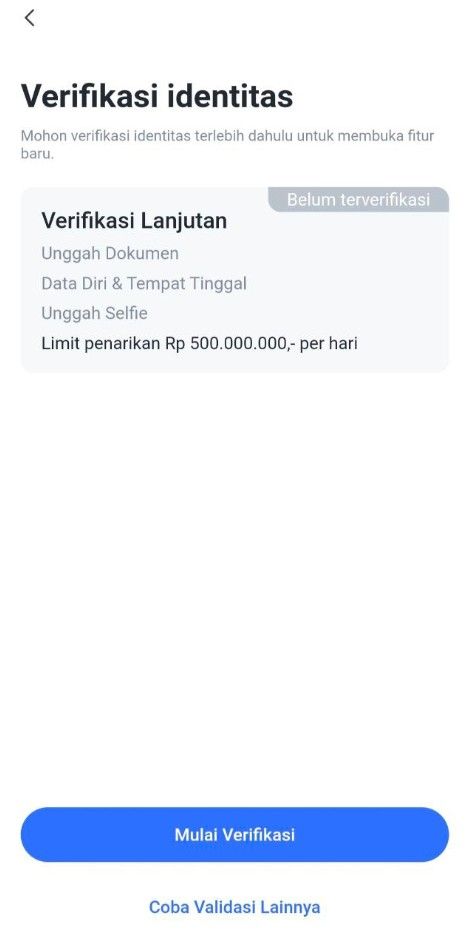
1. Access the Verification Page
Option 1: On the login page, select Step 2: "To KYC Verify".
Option 2: Click the "Me" menu, then select "ID Verification" and click the "Start Verification" button.
2. Verify Phone Number
The system will ask you to verify your phone number first.
Enter your phone number, then follow the instructions to receive an OTP (One-Time Password) code via SMS.
Enter the OTP code into the app to complete phone number verification.
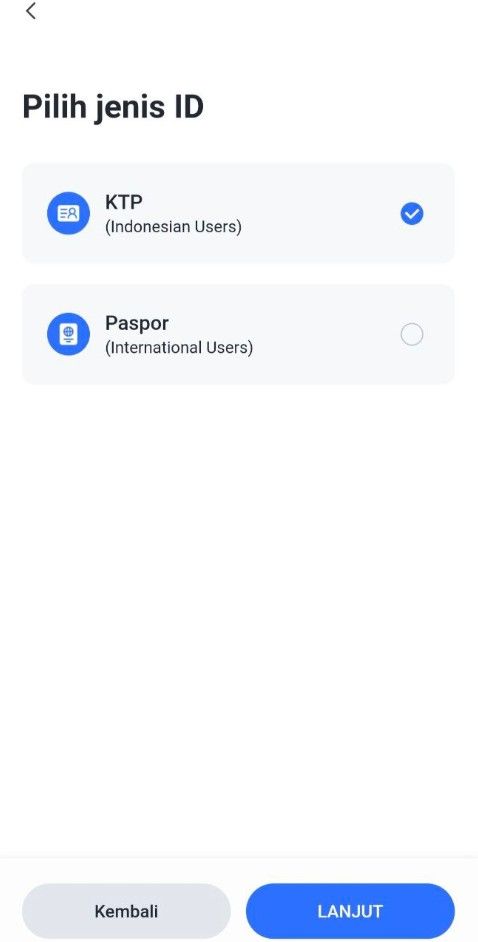
3. Select Identity Type
Select the type of identity document to be used:
KTP (Resident Identity Card) or
Passport / KITAS (For Foreign Citizens Only)
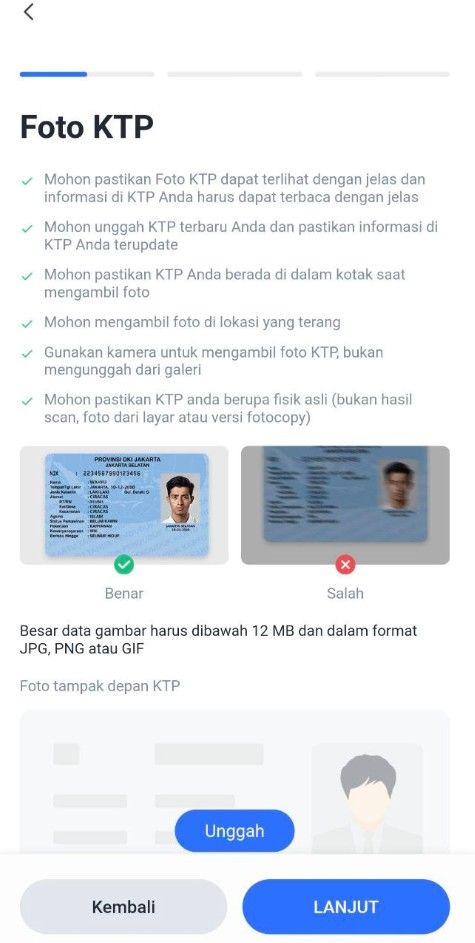
Upload a photo of your identity document:
Make sure the document photo is clear and complete.
There are no cut off or blurry parts.
4. Verify and Edit Personal Data
After the document is uploaded, the system will display your data.
Check and ensure the following data is correct:
Full name
ID card/passport number
Date of birth
Place of birth
Work
If there is any data that is not appropriate, edit it directly on that page.
If the data is correct, click the "Next" button to proceed to the next step.
5. Upload a Selfie Photo
Take a selfie using your device's camera:
Make sure the face is clearly visible.
Do not use accessories such as sunglasses or masks.
Once completed, click the "Submit" button to send your data and documents to the Verification Service.
6. Verification Process
Verification requests will be processed in a queue.
Estimated verification time is 1x24 hours.
You will receive a notification once the process is complete.
Step 3: Deposit Funds
Common payment methods:
Step 4: Buy ONDO
You can buy ONDO with Rupiah by following this tutorial:
Open your Bittime account.
Select menu Market or click the icon with a graphic image.
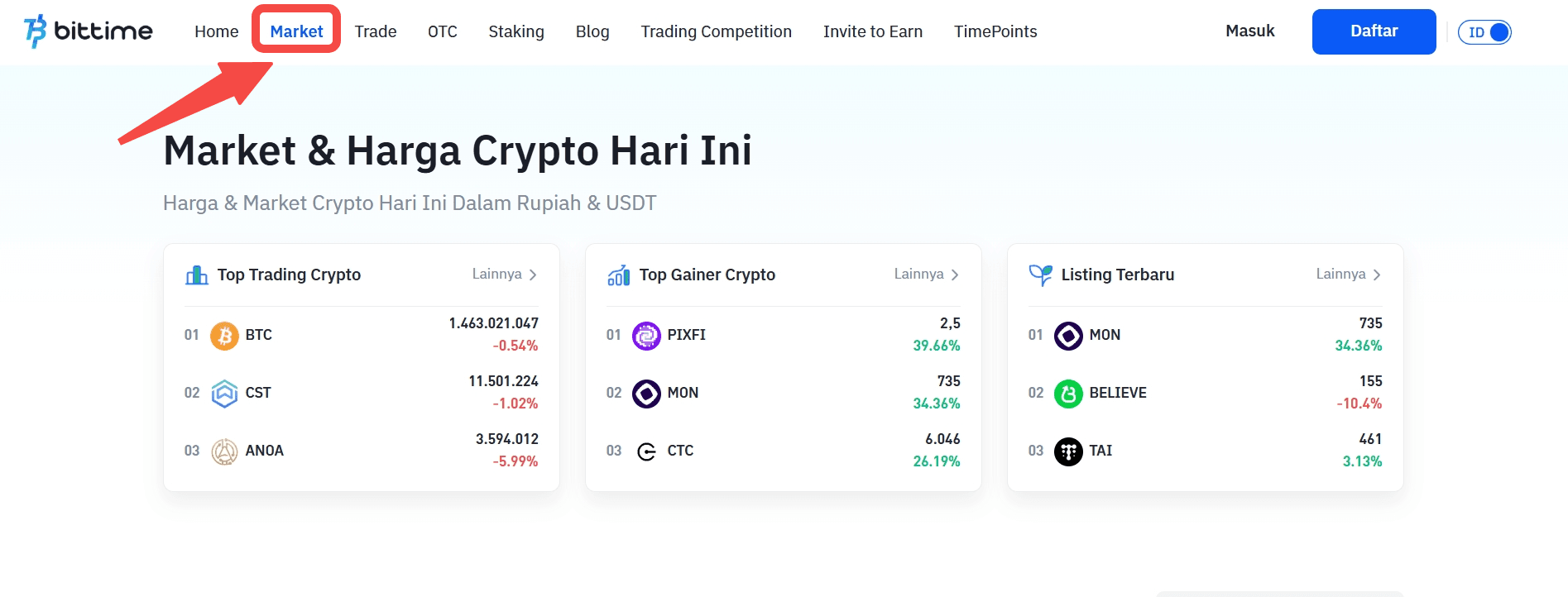
Select the currency pair you want to use. Select IDR if you want to buy ONDO with Rupiah.
Scroll down and click ‘Buy’.
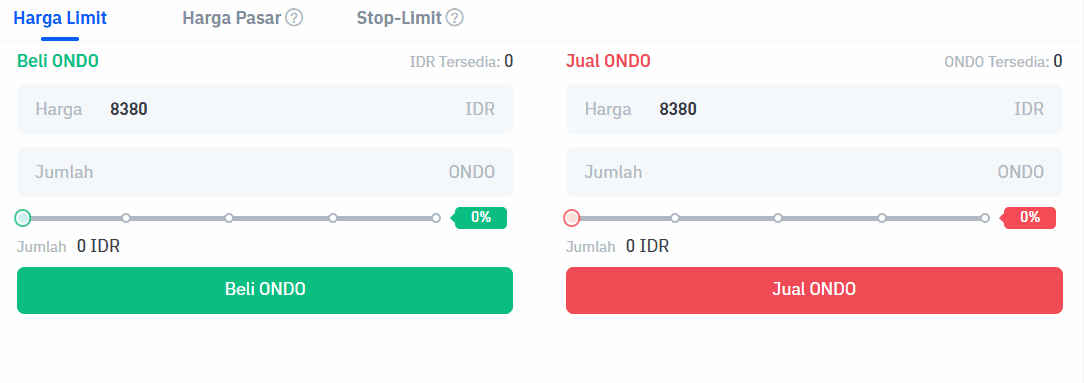
Select the order type you want to use. Limit orders, market orders, and stop orders are available.
Enter the rupiah amount you want to buy ONDO. The minimum purchase of crypto assets on Bittime is IDR 10,000.
Click the 'Buy ONDO' button.
A pop-up notification will appear. Read it carefully and click 'Confirm'.
Enter the six-digit Transaction PIN.
The application will display a successful order notification.
Your order will appear in the open orders section if you select a limit order.
Then if the purchase is successful, you can check it in the order history.
As soon as the order is successfully executed, you can see ONDO available in the Assets menu or the wallet icon.
Step 5: Save Your ONDO
You can:
Store in exchange wallet (easier for trading)
Transfer to personal wallet such as MetaMask, Trust Wallet, Ledger
Read also: Cardano (ADA) vs Ripple (XRP): A Comprehensive Comparison Before Investing
Safe Tips for Buying ONDO
Use official Bittime Exchange & regulated
Never buy through unofficial Telegram/WhatsApp groups
Enable 2FA (Google Authenticator)
Beware of scams discount ONDO
Where Can I Buy ONDO?
Bittime is the best platform to buy and sell ONDO with competitive prices and local payment methods.
Buy directly using IDR
Low transaction fees
Spot & Futures Trading Support
The application is available at iOS & Android
➡ Starting now: Buy ONDO in seconds
Conclusion
Buying Ondo Finance (ONDO) through Bittime provides a convenient way for users in Indonesia to access the token using rupiah. Understanding the token’s supply, distribution schedule, and governance role helps investors make informed decisions.
Bittime offers a simple and secure buying experience, suitable for both new and experienced users. Always double-check wallet addresses before transferring or withdrawing your assets.
FAQ
What is ONDO and how many tokens exist?
ONDO is the governance token of the Ondo Foundation, with a fixed initial supply of ten billion tokens and no planned inflation.
Does Bittime support ONDO trading with Indonesian rupiah?
Yes, ONDO is available with the ONDO/IDR pair, allowing users to purchase it directly with rupiah.
What are the requirements to buy ONDO on Bittime?
Users must register an account and complete KYC identity verification before making deposits or purchases.
How can I store ONDO after buying it?
ONDO can be stored in your Bittime wallet or transferred to a personal wallet for full control. Ensure that the destination address is correct.
Does the ONDO token unlock schedule affect its price?
Token unlock events can influence circulating supply, which may impact price movements. Investors are encouraged to review the token’s distribution schedule before making decisions.
How to Buy Crypto on Bittime

Want to trade sell buy Bitcoins and crypto investment easily? Bittime is here to help! As an Indonesian crypto exchange officially registered with Bappebti, Bittime ensures every transaction is safe and fast.
Start with registration and identity verification, then make a minimum deposit of IDR 10,000. After that, you can immediately buy your favorite digital assets!
Check the exchange rate BTC to IDR, ETH to IDR, SOL to IDR and other crypto assets to find out today's crypto market trends in real-time on Bittime.
Also, visit the Bittime Blog for interesting updates and educational information about the crypto world. Find reliable articles about Web3, blockchain technology, and digital asset investment tips designed to enrich your crypto knowledge.
Disclaimer: The views expressed belong exclusively to the author and do not reflect the views of this platform. This platform and its affiliates disclaim any responsibility for the accuracy or suitability of the information provided. It is for informational purposes only and not intended as financial or investment advice.

.png)