Guide on How to Buy USDT with IDR Balance on the Bittime App
2026-02-16
After your Rupiah deposit process is successful, the balance will be deposited in your main wallet.
To convert it to USDT, you need to enter the trading market (Market) to make real-time exchange transactions.
This process is very instant and your USDT balance will appear immediately after the order is fulfilled by the system.
Key Takeaways
Transactions are made through the USDT/IDR trading pair.
Users can choose between the current market price or set their own buy price.
The USDT balance you have purchased will be automatically saved in your digital asset wallet.
Read also:How to Deposit Rupiah and Crypto Assets on Bittime: It's So Easy!
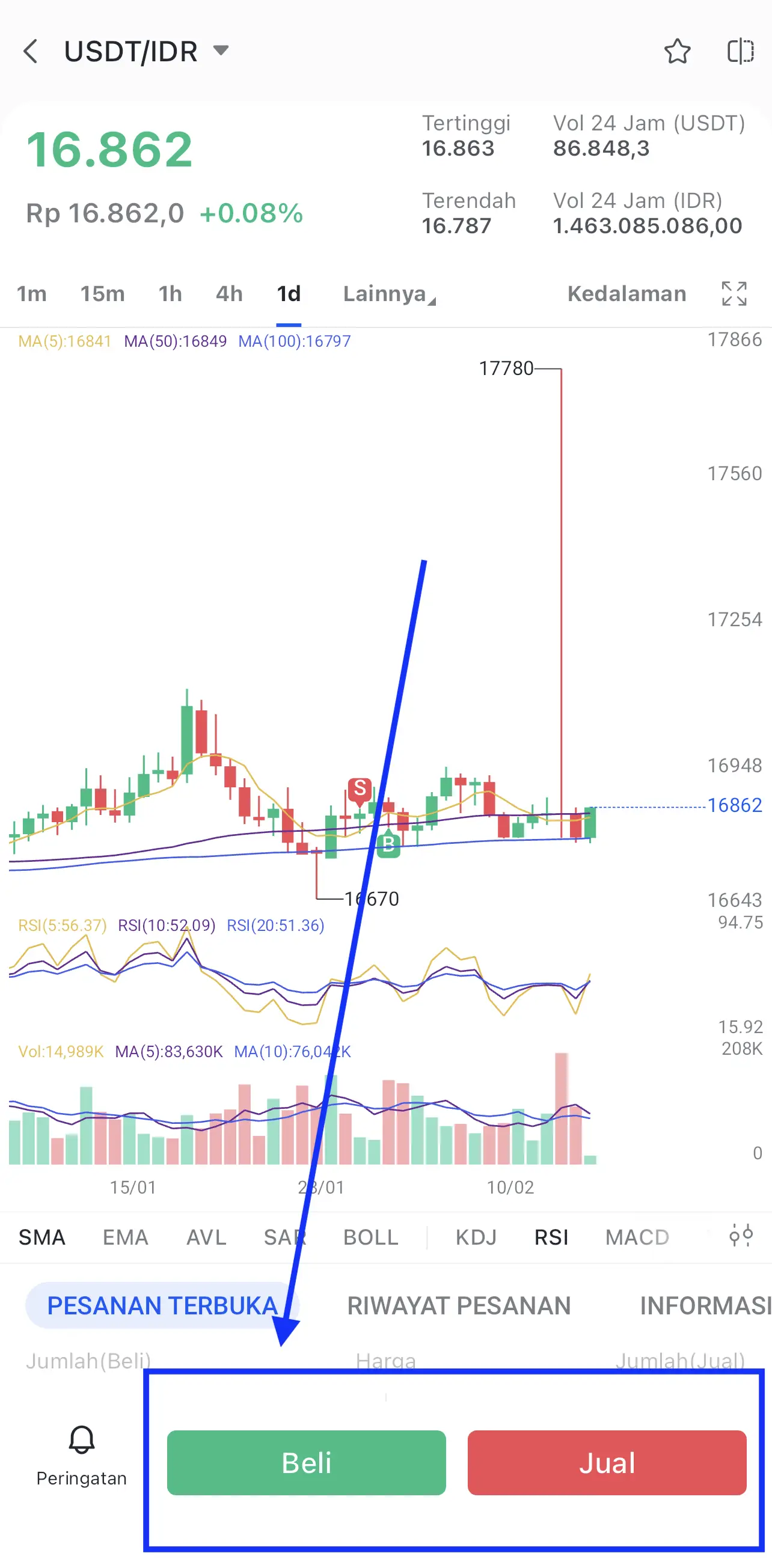
Step 1: Go to the Market Menu and Search for the USDT/IDR Pair
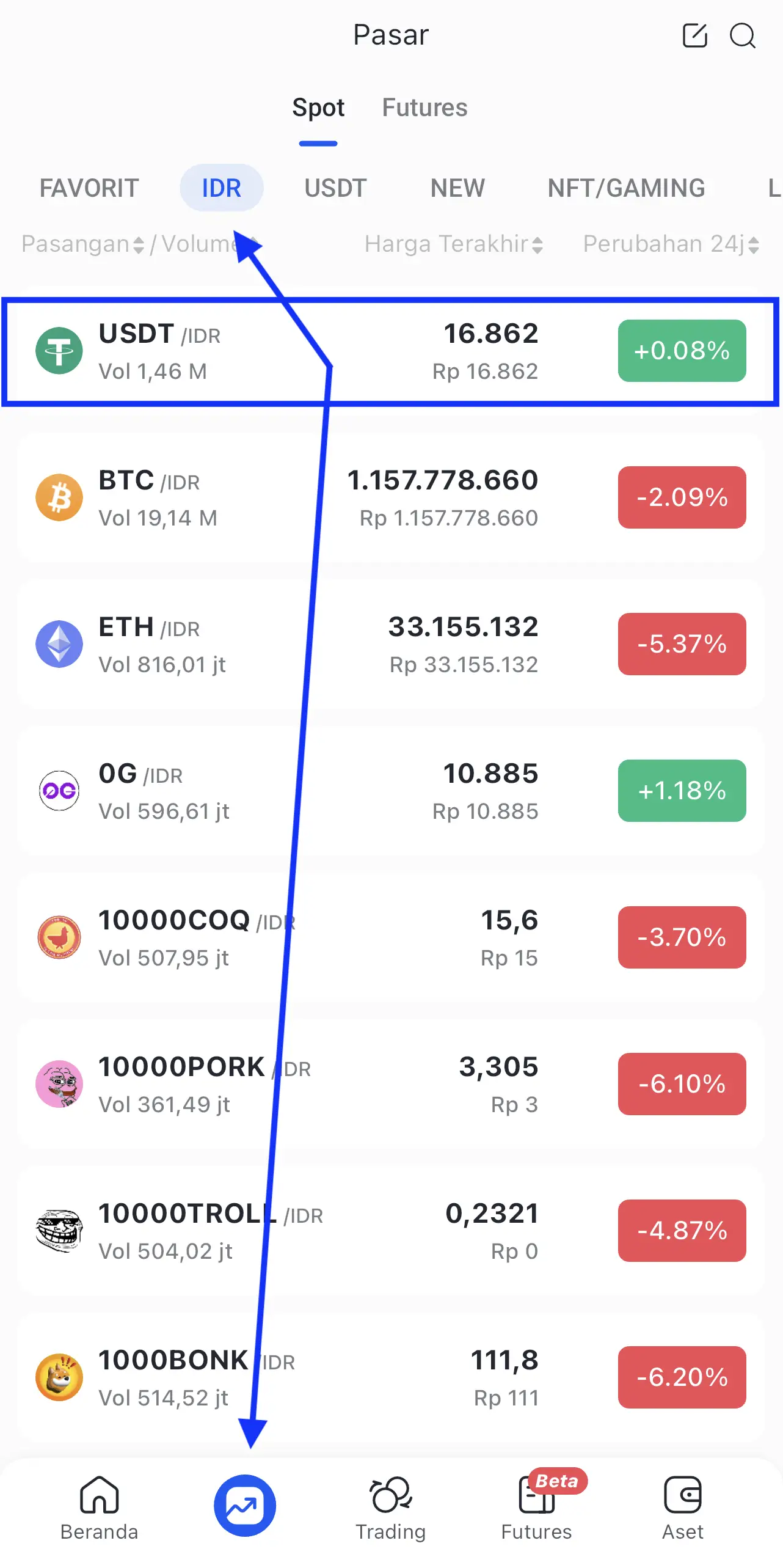
The first step is to open the app and head to the market menu which displays a list of all available crypto assets.
You have to find the search bar and type "USDT" to find pairs that are paired with the Rupiah.
Make sure you choose a partnerUSDT to IDRso that your Rupiah balance can be used as the main payment method in these transactions.
Read also:1 USDT to IDR
Step 2: Choose the Order Type that Suits Your Strategy
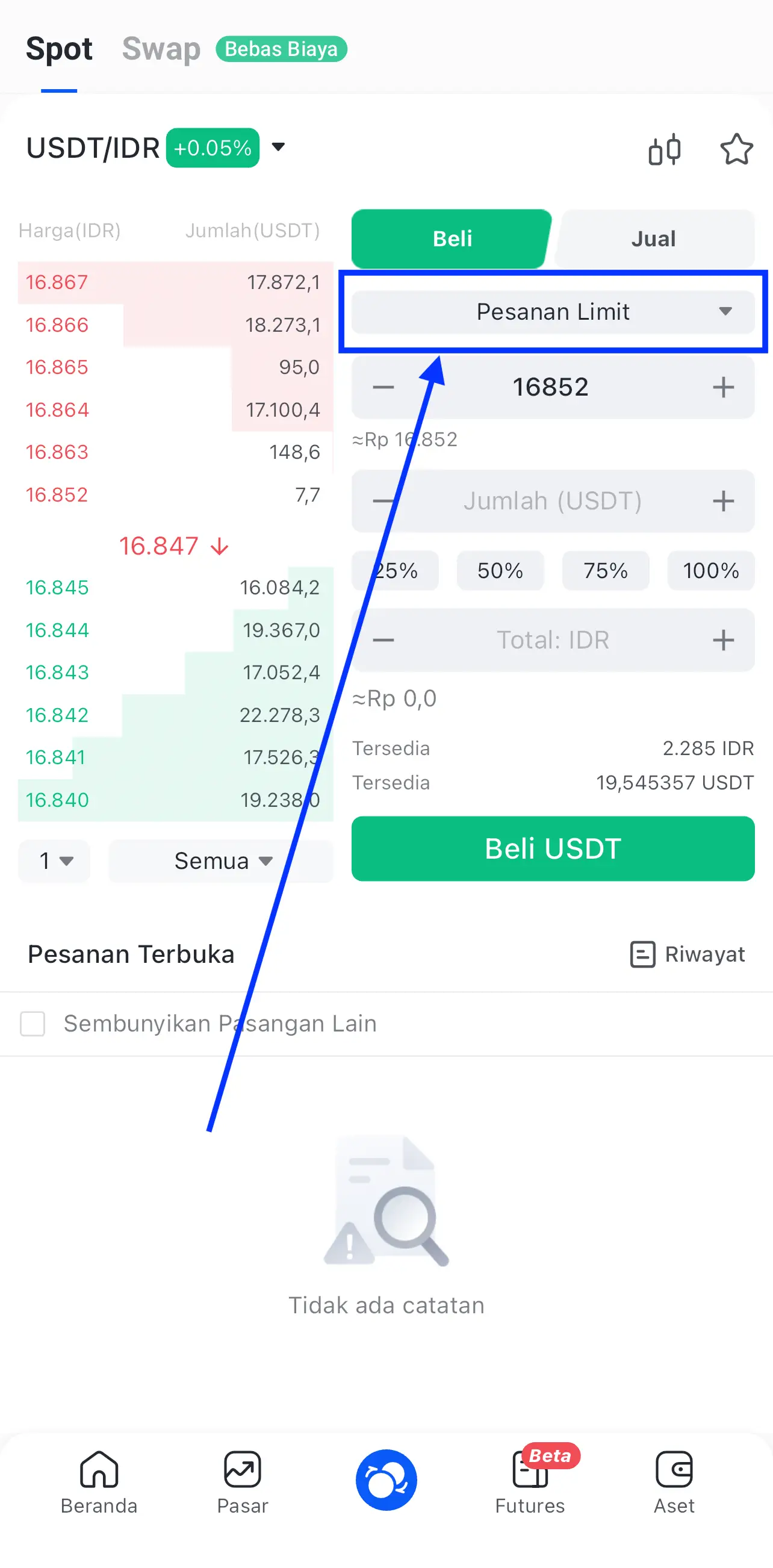
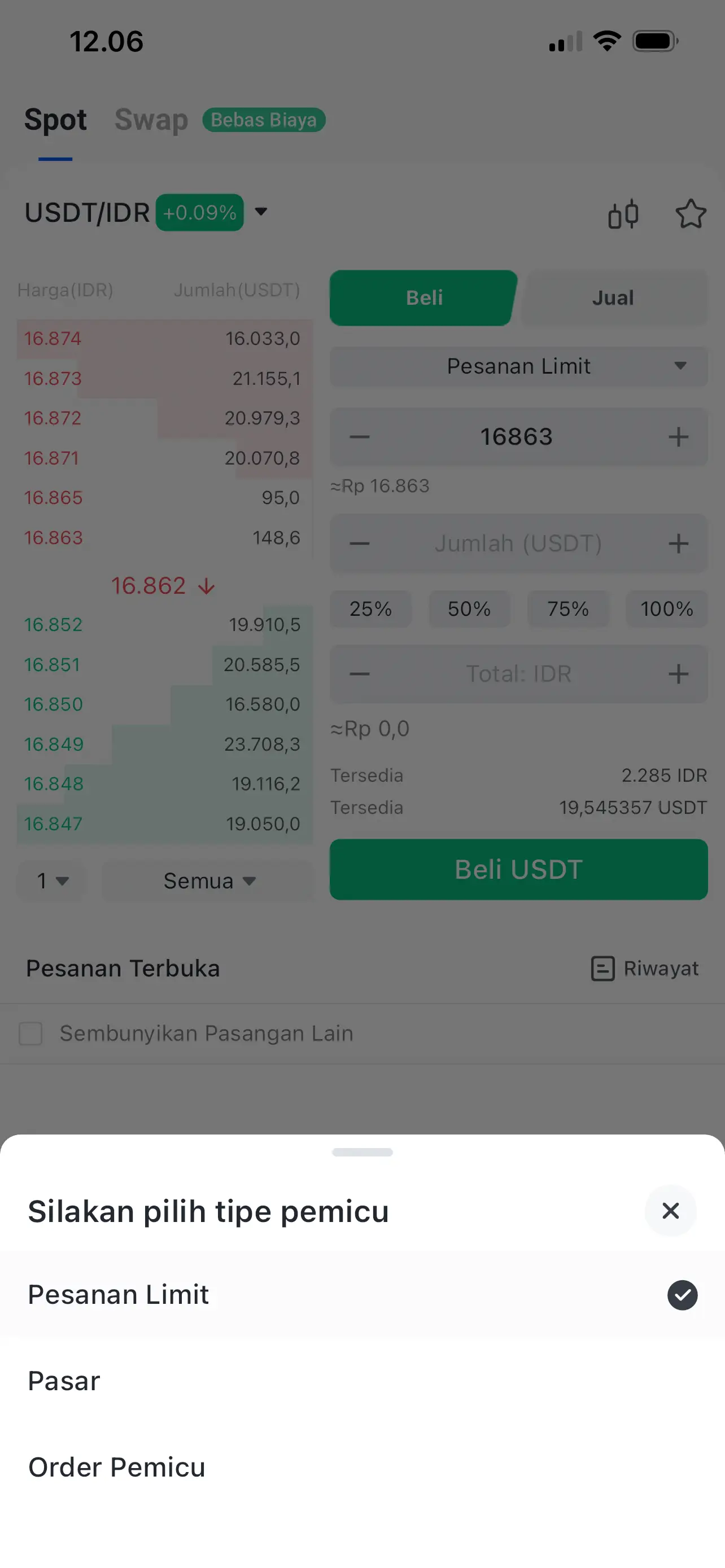
In the buy menu, you will be presented with two main options: "Limit Order" or "Market Order".
Limit Orderallows you to buy USDT at a price you set yourself, whileMarket Orderwill execute the purchase instantly at the best price available at that time.
For beginners who want to own assets immediately without waiting in line for prices, Market Orders are the most practical option.
Read also:How to Buy Tether USDT (USDT)
Step 3: Confirm Purchase and Verify USDT Balance
After determining the amount of Rupiah you wish to convert, press the buy button to send instructions to the exchange system.
There will be instructions to enter 6 verification pins, if you have never created them, you will be asked to create them first.
Wait a few seconds until a successful transaction notification appears on your device screen.
The final step is to check your wallet menu to ensure your USDT balance has increased to match the amount you purchased after deducting the platform's admin fees.
USDT Purchase Technical Tutorial Step by Step
Here is a summary of the instructions that you can follow directly within the app:
Select Asset Pair: Click the Market menu at the bottom of the application, find and select a trading pairUSDT/IDR.
Input Nominal: Enter the amount of Rupiah you wish to convert to USDT in the buy panel, or use a percentage of your available balance.
Buy Execution: Press the buttonBelly USDTto send transaction instructions into the exchange trading system.
Security PIN Verification: Enter6 digit PINyour security to provide final authorization for the purchase transaction.
New PIN Configuration: If you have never created a PIN, the system will automatically display a confirmation to create a new PIN to secure your account.
Finished: Once the PIN is verified, the USDT balance will immediately be transferred to your digital wallet and can be seen in the assets menu.
Read also:How to Save USDT and Get High Interest? Try Bittime?
Conclusion: Starting Investing by Buying USDT with Bank Transfer
By following the flow above, you have successfully completed the investment cycle from deposit to ownership of your first digital asset.
Purchasing USDT is an important foundation before you decide to diversify into other assets such as Bitcoin or Ethereum.
Make sure you always keep your account secure by not sharing the verification code with anyone to protect your digital assets.
How to Buy Crypto on Bittime?

Want to trade sell buy Bitcoins and crypto investment easily? Bittime is here to help! As an Indonesian crypto exchange officially registered with Bappebti, Bittime ensures every transaction is safe and fast.
Start with registration and identity verification, then make a minimum deposit of IDR 10,000. After that, you can immediately buy your favorite digital assets!
Check the exchange rate BTC to IDR, ETH to IDR, SOL to IDR and other crypto assets to find out today's crypto market trends in real-time on Bittime.
Also, visit the Bittime Blog for interesting updates and educational information about the crypto world. Find reliable articles about Web3, blockchain technology, and digital asset investment tips designed to enrich your crypto knowledge.
FAQ
Can I buy USDT directly using bank transfer?
Yes, at Bittime you can deposit Rupiah via bank transfer (Virtual Account) first, then use that balance to buy USDT in the Market menu instantly.
What is the minimum deposit to start buying USDT?
The minimum deposit at Bittime is very affordable, starting from IDR 10,000, making it easy for novice investors to try buying USDT or other crypto assets.
How long does it take for a bank transfer to receive the balance?
Deposits via bank virtual accounts (such as BRI, Mandiri, Permata, etc.) are usually processed automatically and the balance will be credited to your Bittime account within minutes.
Why is the USDT price in the app slightly different from the Dollar exchange rate?
The USDT/IDR price on exchanges is determined by local market supply and demand, as well as liquidity costs, so it may differ slightly from the US Dollar mid-rate at conventional banks.
Is buying USDT on Bittime safe?
Very secure. Bittime is an official crypto asset exchange platform registered and supervised by Bappebti, so your funds and transactions are protected by Indonesian law.
Disclaimer: The views expressed belong exclusively to the author and do not reflect the views of this platform. This platform and its affiliates disclaim any responsibility for the accuracy or suitability of the information provided. It is for informational purposes only and not intended as financial or investment advice.

.png)