How to Buy LYX on Bittime: A Complete Mobile-Friendly Guide
2025-12-05
Bittime - LYX has gained strong attention among users exploring the LUKSO digital ecosystem. Many traders in Indonesia now prefer buying LYX directly from their smartphones for better convenience and speed.
Bittime supports the LYX/IDR trading pair, allowing users to purchase LYX instantly without converting funds into stablecoins first. The entire process is designed to work smoothly on mobile devices, making it ideal for users who rely on their phones for daily crypto activities.
Creating Account on Bittime App
Getting started begins by downloading the Bittime app from the Play Store or App Store. After opening the app, users simply register using their email and a secure password. The next step is identity verification (KYC), which can be completed directly from the smartphone.
Using the phone’s camera, users can scan their ID card and capture a verification selfie. The mobile interface guides the process with clear prompts, ensuring the images are properly aligned and meet compliance standards.
KYC is required before accessing full trading features, including deposits and withdrawals. Once approved, users gain complete access to deposit funds, execute trades, and manage their assets from their mobile device without switching to another platform.
How to Buy LYX on Bittime
Here are the steps to easily buy LYX on a platform such as Bittime Exchange:
Register and Verify Your Account
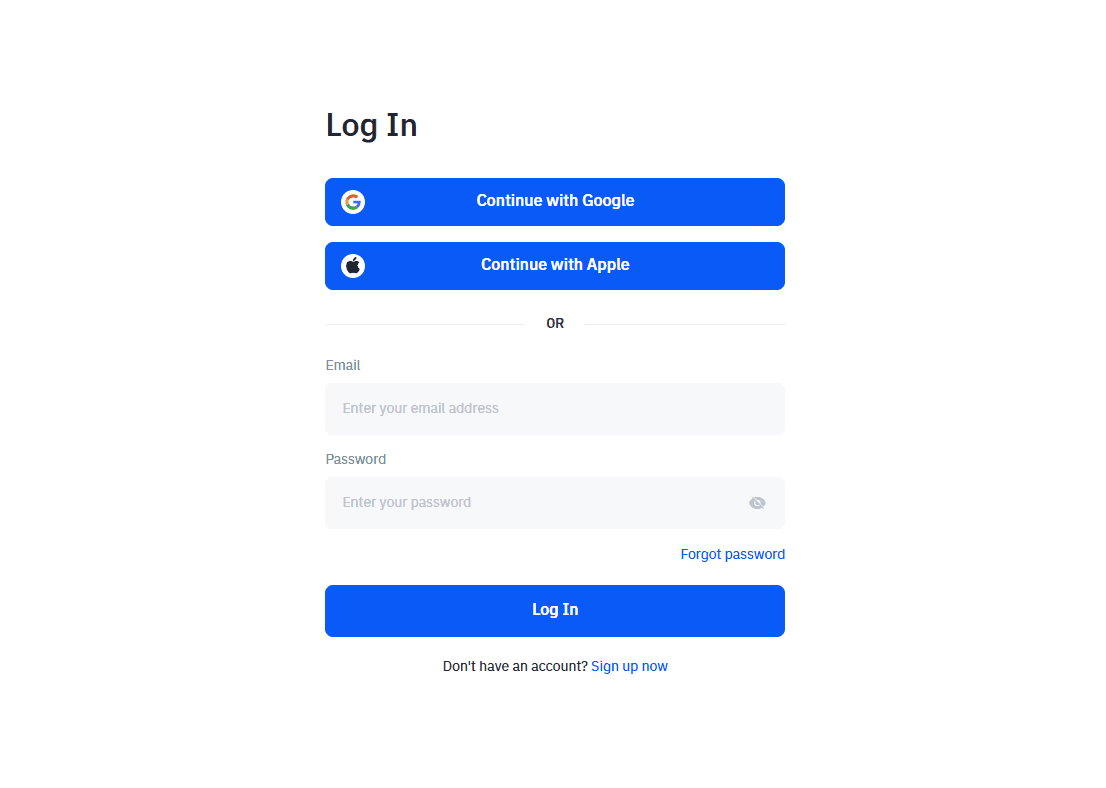
Before buying LYX, make sure you already have an account on a trusted crypto exchange platform, such as Bittime Exchange. Complete the registration and identity verification process to keep your account secure.
Deposit Funds
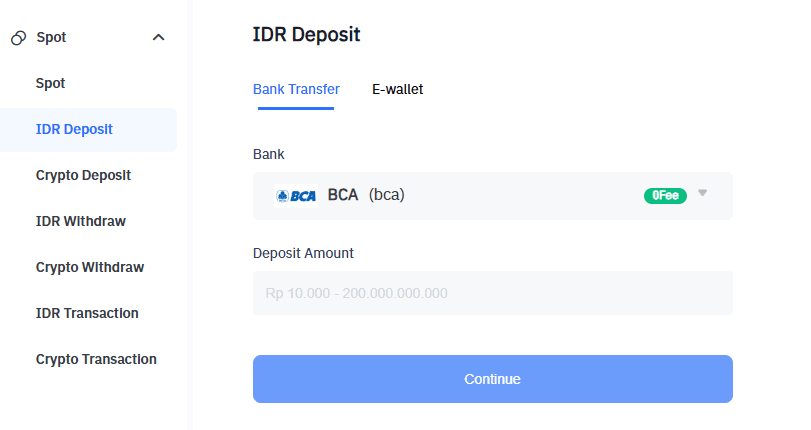
Once your account has been verified, deposit funds into your Bittime account. You can choose from various deposit methods such as bank transfer, e-wallet payments, or using other cryptocurrencies.
Select LYX as the Asset to Buy
After your funds have been deposited successfully, open the crypto asset purchase menu on the platform and select LYX as the asset you want to buy. Specify the amount of LYX you want to purchase and execute the transaction.
Confirm the Purchase
After choosing the amount of LYX, confirm your purchase. Make sure your balance is sufficient to cover the transaction fees.
Done.
Once the transaction is complete, the LYX you purchased will be credited directly to your wallet on Bittime Exchange.
Security, Fees, and Mobile Usage Tips
Security remains a priority when trading via mobile. Bittime provides multiple protective layers such as transaction PINs and two-factor authentication. The platform uses certified security systems and continuous monitoring to ensure account safety.
Trading fees on the LYX/IDR pair are competitive and can be reviewed anytime from the Fee menu. For better trading efficiency, users can add LYX to their watchlist and enable price alerts directly on their phones.
For long-term storage, transferring LYX to an external LUKSO-compatible wallet may be preferred. However, for users who want simplicity, Bittime’s internal spot wallet provides encrypted and monitored asset storage.
Conclusion
Buying LYX on Bittime is highly convenient for mobile users. The process involves creating an account, completing KYC, depositing IDR, and purchasing LYX directly through the LYX/IDR pair—all from a smartphone.
The app’s mobile-friendly layout ensures smooth navigation, fast execution, and easy access to essential features. For users seeking a practical and reliable way to buy LYX, Bittime provides one of the most straightforward mobile trading experiences available.
FAQ
Can I buy LYX directly from my phone?
Yes. All steps—from registration to trading—can be performed through the Bittime mobile app.
Do I need to buy stablecoins first?
No. Bittime supports the LYX/IDR pair, allowing direct purchases using Indonesian Rupiah.
Can KYC be completed through the mobile app?
Yes. You can scan your ID card and take a verification selfie directly with your smartphone.
Is the Bittime app secure?
Yes. It features certified security systems, encryption, PIN protection, and multi-layer authentication.
Where is my LYX stored after purchase?
LYX is stored in your Bittime spot wallet, and you can transfer it to an external wallet that supports the LUKSO network if needed.
How to Buy Crypto on Bittime

Want to trade sell buy Bitcoins and crypto investment easily? Bittime is here to help! As an Indonesian crypto exchange officially registered with Bappebti, Bittime ensures every transaction is safe and fast.
Start with registration and identity verification, then make a minimum deposit of IDR 10,000. After that, you can immediately buy your favorite digital assets!
Check the exchange rate BTC to IDR, ETH to IDR, SOL to IDR and other crypto assets to find out today's crypto market trends in real-time on Bittime.
Also, visit the Bittime Blog for interesting updates and educational information about the crypto world. Find reliable articles about Web3, blockchain technology, and digital asset investment tips designed to enrich your crypto knowledge.
Disclaimer: The views expressed belong exclusively to the author and do not reflect the views of this platform. This platform and its affiliates disclaim any responsibility for the accuracy or suitability of the information provided. It is for informational purposes only and not intended as financial or investment advice.

.png)