What is Veed AI, How to Edit Videos Using Veed AI?
2025-09-17
Veed AI is an online platform that allows users to edit videos easily with the help of technology.artificial intelligence (AI). No need to be a video editing expert, because Veed AI simplifies the editing process with sophisticated automated tools.
This platform is used by a wide range of people, from beginners to professionals, who need practical tools to create engaging and high-quality videos.
Veed AI offers a variety of features, including automatic video cropping, captioning, transcription, and more. Through the use of artificial intelligence, Veed AI enables faster, more efficient video editing, and delivers satisfying results.
Simply upload the video you want to edit, and the platform will provide automatic suggestions and easy-to-use tools to enhance your video. With its user-friendly interface, you can create engaging videos without requiring in-depth technical skills.
Read Also: Understanding Crypto Lending: Interest, Collateral & the Right Way to Borrow
How to Edit Videos Using Veed AI
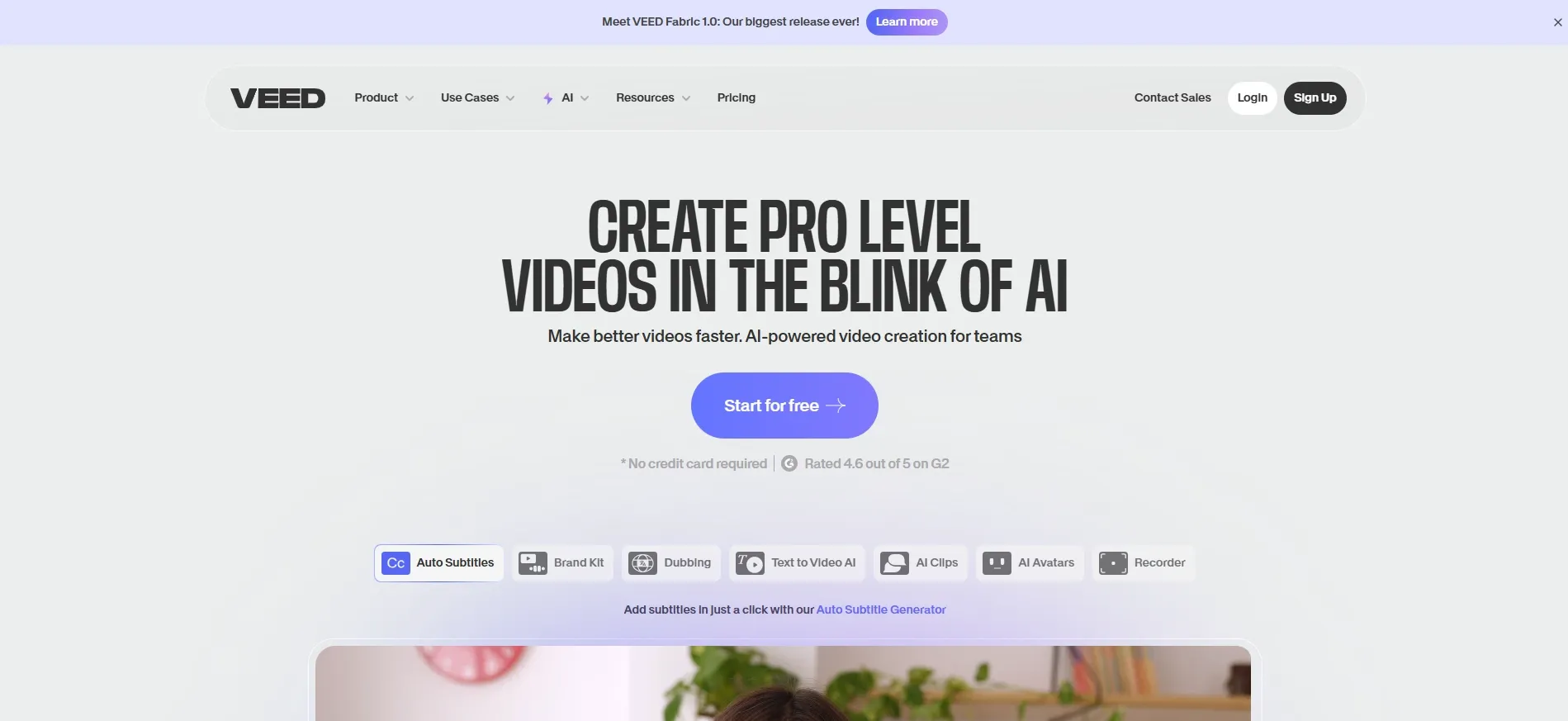
1. Create an Account and Login to the Platform
The first step to start editing videos with Veed AI is to create an account on the official Veed.io platform. You can register using your email address or social media account. Once registered, log in to the platform to start editing videos.
2. Upload the Video You Want to Edit
Once logged in, upload the video you want to edit. Veed AI supports a wide range of video formats, so you don't need to worry about file compatibility. Simply drag the video file into the upload area and wait a few moments for the upload to complete.
3. Use the Automatic Editing Feature
Veed AI offers features like automatic cropping, text insertion, and even object recognition in videos. You can choose the feature that best suits your needs. For example, if you want to add captions or subtitles automatically, simply select that option and let the AI do the rest.
4. Customize the Video as You Wish
After the automatic feature is used, you can still make manual improvements such as cropping.video section, add transition effects, or change the video color. This provides more flexibility to ensure the final video matches your vision.
5. Export the Edited Video
Once the editing process is complete, you can immediately export the video in various formats according to your needs. Veed AI allows you to download the video in high quality or share a direct link to other platforms.
Read Also: 7 Effective Crypto Trading Methods for Beginners, Complete with Tips and Tricks
Advantages of Using Veed AI for Video Editing
Veed AI offers several advantages that set it apart from other video editing platforms. Here are some of those advantages:
Ease of Use
Veed AI is designed to be easy to use. Users don't need any previous video editing experience to produce quality videos. With its intuitive interface and supporting automated features, anyone can edit videos in just a few minutes.
Advanced AI Features
The artificial intelligence used by Veed AI makes video editing faster and more efficient. Features like auto-cropping, adding text, and voice recognition work brilliantly, saving you time and effort.
Multifunctional
In addition to video editing, Veed AI also supports a variety of features, such as GIF creation, voice transcription, and automatic subtitle generation. These features are especially useful for those who need more than just basic video editing.
Easy and Affordable Access
VVeed AI is available as a web-based platform, meaning you can access it from anywhere, anytime, without the need to download any heavy software. Furthermore, Veed AI offers an affordable subscription model, providing flexibility for users from all walks of life.

Conclusion
Veed AI is the ideal solution for anyone looking to edit videos quickly and easily. With artificial intelligence streamlining many editing processes, this platform makes it easy for both beginners and professionals to produce high-quality videos.
If you'd like to try Veed AI, visit their official website and create an account to get started. For more on the crypto world, you can read the latest news at Bittime Blogsor start trading on Bittime Exchange.
FAQ
What is Veed AI?
Veed AI is an online video editing platform that uses artificial intelligence to simplify the editing process, from automatic video cropping to subtitle creation.
How to use Veed AI?
Simply create an account on Veed.io, upload your video, and use features like auto-trimming, adding captions, or voice transcription. Then, export your edited video.
Is Veed AI free?
Veed AI offers a free version with basic features, but for access to premium features, you need to subscribe to a paid service.
Is Veed AI suitable for beginners?
Yes, Veed AI is perfect for beginners because of its simple interface and automatic features that make video editing easy without technical experience.
Can I add automatic captions using Veed AI?
Yes, Veed AI has an auto-add text feature that allows you to easily insert text or subtitles into videos.
Disclaimer: The views expressed belong exclusively to the author and do not reflect the views of this platform. This platform and its affiliates disclaim any responsibility for the accuracy or suitability of the information provided. It is for informational purposes only and not intended as financial or investment advice.

.png)