What Is Akool AI? An AI Platform for Avatars, Videos, and Face Swaps
2026-07-27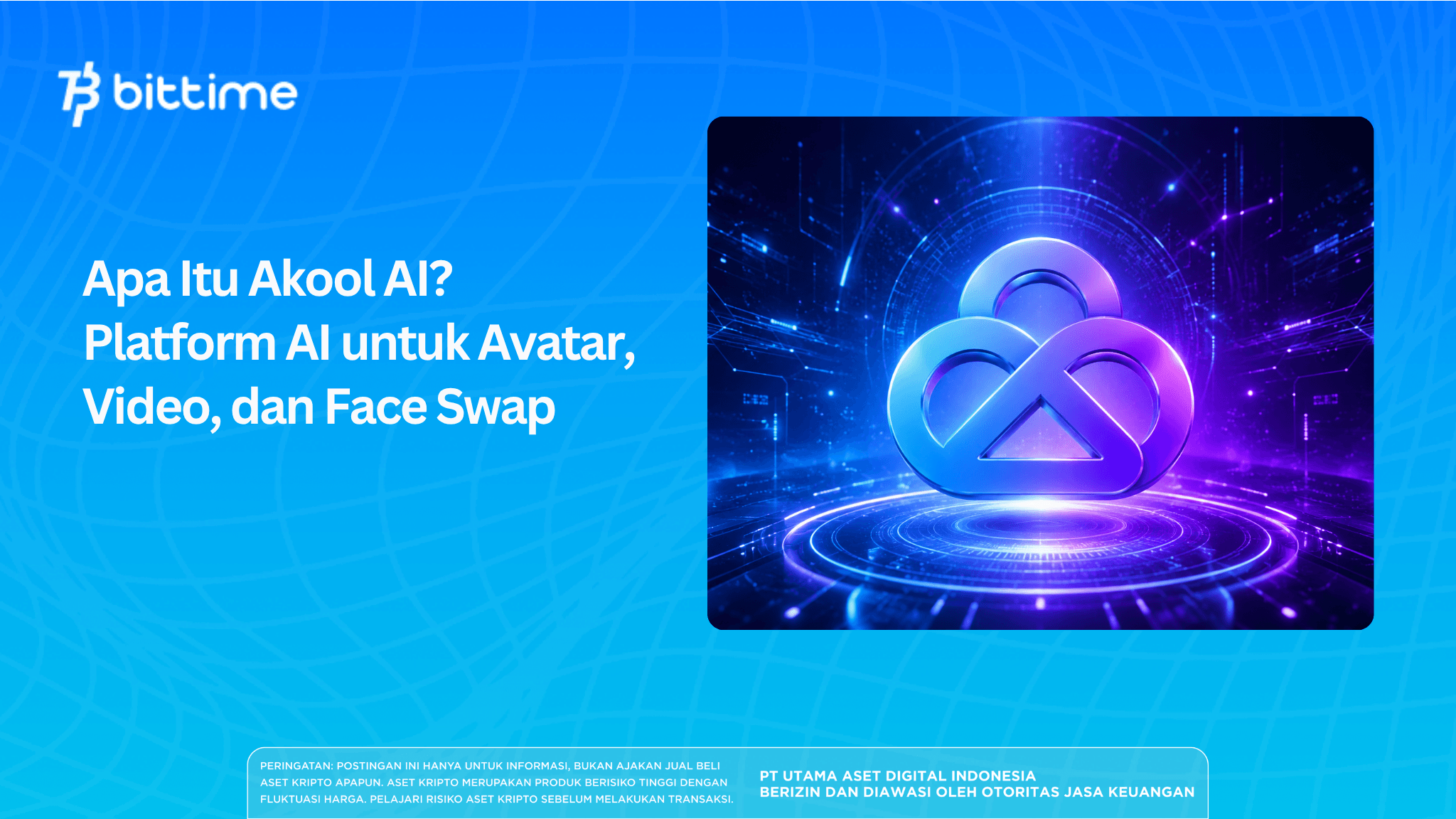
Akool AI is an artificial intelligence-based content creation platform that combines a video generator, digital avatars, video translation, face swap, voice processing, and a visual editor into a single ecosystem.
The platform is designed for creators, marketing teams, companies, educators, and users who want to produce content without always having to rely on conventional filming methods.
Key Takeaways
- Akool AI provides video avatars, video translation, face swap, image generator, talking photo, voice cloning, and various content production tools.
- This platform is suitable for marketing, training, video localization, social media, e-commerce, and multilingual business communications.
- Users should still check the quality of the results, credit costs, copyright, face owner consent, and data security before publishing content.
What Is Akool AI and How Does It Work?
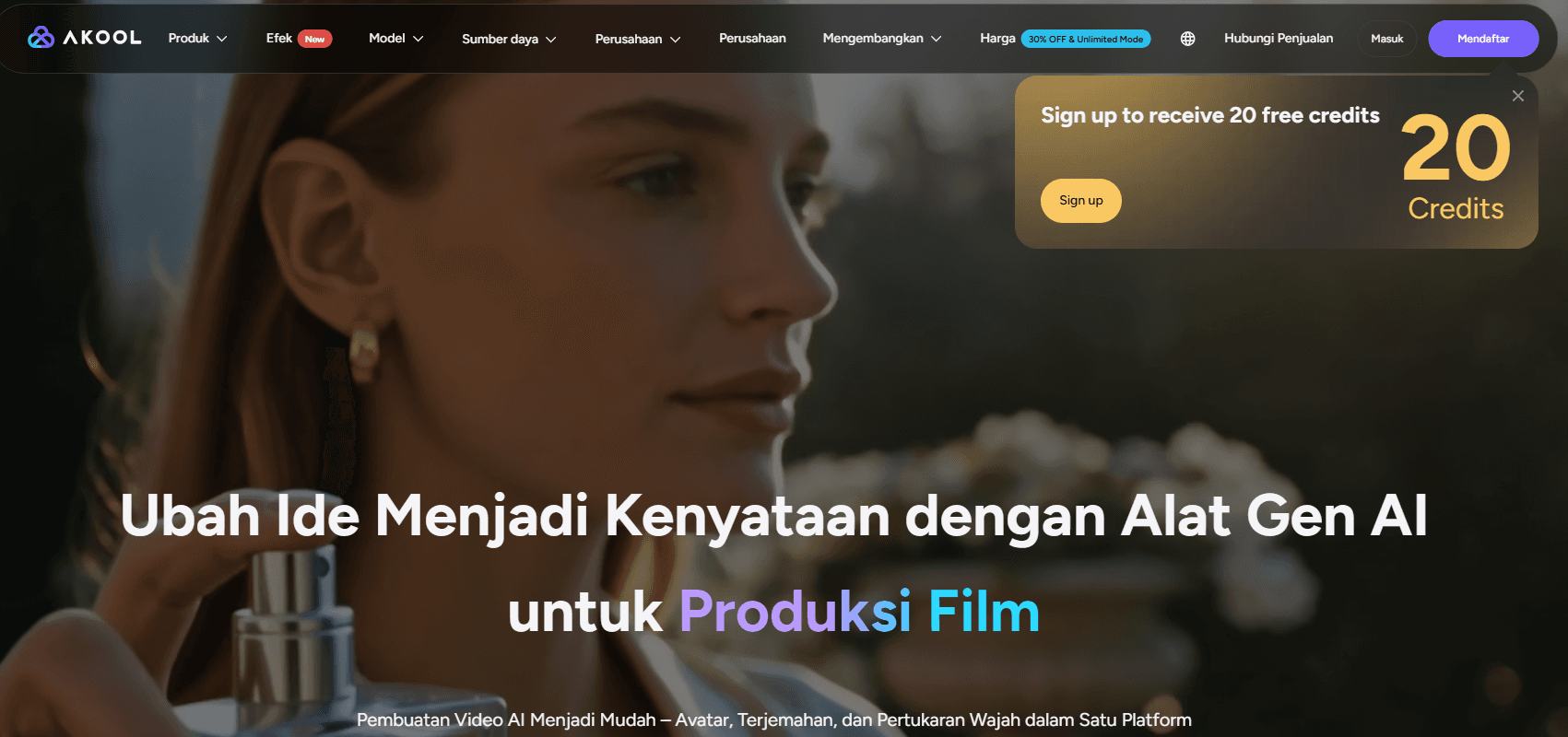
Akool AI is a generative AI platform that can create or modify image, video, facial, voice, and avatar content. Users can start from existing text, images, voice recordings, documents, or videos.
Source akool.com
In general, the way it works follows the following process:
- The user selects the required tool.
- Source materials such as images, videos, scripts, or audio are uploaded.
- Users define avatars, languages, voices, faces, or visual styles.
- The AI system processes the material according to instructions.
- Results can be reviewed, corrected, and then exported.
Unlike traditional video editors that require users to manually adjust each cut, Akool uses AI models to automate tasks such as lip syncing, face replacement, voiceover creation, background changes, and avatar animation.
This platform can be used through a browser. An Indonesian-language interface is also available, making it easier for Indonesian users to navigate the menus and tools offered.
Read also:What Is XSolut AI (XST)? An Infrastructure Project for America's AI Future
Akool AI's Most Prominent Features
1. Akool AI Avatar
Feature Akool AI avatar allows users to create videos with a virtual presenter. Users can choose from available avatars or create custom avatars based on their own photos or recorded material.
To produce a video, users enter a script, choose an avatar, define a voice, and then let the system synchronize mouth movements with the audio. The platform also provides a storyboard that can divide the video into sections based on the script's lines.
Available avatar types include:
- Ready to use public avatar.
- Photo avatar based on image.
- Instant avatar created from user recording.
- Avatar studio with higher quality and personalization.
- Streaming avatars for live interaction.
This feature can be used for presentation videos, training materials, product tutorials, social media content, service explanations, and virtual spokespersons.
However, AI avatars still have limitations. Body movements, expressions, and intonation can sometimes appear unnatural, especially when using long scripts or overly complex sentences. Final results should always be reviewed before publication.
2. Akool AI Video Translation
Akool AI video translation used to translate videos into other languages while adjusting the speaker's voice, subtitles, and lip movements.
The platform supports over 155 languages. Its translation features include transcription, AI dubbing, lip-syncing, subtitles, voice selection, and an editor to refine translations.
The usage flow is relatively simple:
- Upload a video or enter a video link.
- Select the output language.
- Enable AI lip-sync if needed.
- Check and correct translated text.
- Process and export video results.
This feature is attractive to businesses looking to localize ads, webinars, learning materials, or product videos without re-recording speakers in each language.
The best quality tends to come from videos with a single speaker, clear audio, good lighting, and minimal background noise. Videos with multiple speakers or overlapping voices can result in less precise translation and synchronization.
3. Akool AI Face Swap
Feature Akool AI face swap can replace faces in photos or videos. Users upload a source face, select a target image or video, and then choose which face to replace.
Besides the regular face swap, this platform provides several variations of tools, such as:
- Character swap.
- Head swap.
- Hair swap.
- Motion swap.
- Group face swap.
- Batch face swap.
- Live face swap.
- ReAge to change the age display.
Supported formats include several common image and video formats, including JPG, PNG, WebP, MP4, MOV, AVI, MKV, and WebM.
The results of a face swap are influenced by the quality of the source material. A sharp photo of the face, even lighting, a good angle, and uncovered facial features usually produce better visuals.
Face swapping can be used for interactive campaigns, entertainment content, advertising personalization, product modeling simulations, or creative production. However, this technology should not be used to impersonate someone without permission, spread false information, or create content that is harmful to others.
4. AI Video Generator
Akool also functions asAI video generator. Users can convert text, images, visual references, or existing materials into new videos.
Some of the production options include:
- Text-to-video.
- Image-to-video.
- Video-to-video.
- Reference-to-video.
- Talking photo.
- Avatar video.
- Convert PPT or PDF to video.
- AI-based video editor.
The platform also provides access to several video and image creation models. The availability of each model may vary depending on the plan, credits, region, and service updates.
This feature provides flexibility for creators who want to try out multiple visual styles without switching between apps. However, generative results still require human selection and editing to align with brand identity.
Read also:Lacak.AI Is: Definition, How It Works, and AI Features for Digital Investigations
5. Talking Photo
Talking Photo turns still images into talking characters. Users simply upload a photo, enter a script or audio, and then choose a voice.
This feature can be used to:
- Short educational content.
- Speech video.
- Storytelling.
- Virtual characters.
- Historical content.
- Social media presentation.
For more natural results, use photos with a clearly visible face, a relatively straight head position, and balanced lighting.
6. Voice Cloning dan Text-to-Speech
Akool offers voice tools that include text-to-speech, a voice generator, a voice changer, and voice cloning. These features allow users to create narrations without manually recording each sentence.
Voice cloning can help maintain sound consistency in multilingual videos or large-scale productions. However, users must have permission to record and imitate another person's voice.
Misuse of synthetic voices can pose risks of fraud, identity theft, and privacy violations. Clearly label any content that uses artificial or significantly modified voices.
7. Streaming Avatar
Streaming avatars are AI avatars that can interact in real time. This feature can be used for virtual events, customer service, presentations, digital companions, or interactive experiences.
Unlike traditional video avatars that generate recorded files, streaming avatars are designed to respond in real time. The platform also provides API integration for use in websites, applications, and enterprise systems.
8. Image Generator and Background Change
Users can generate images from text, modify existing images, and remove or replace backgrounds.
This tool is useful for:
- Product photos.
- Advertising content.
- Thumbnail.
- Social media material.
- Campaign mockup.
- Visual e-commerce.
- Initial design concept.
While the process is fast, AI results can produce inconsistent details, incorrect text, or unrealistic-looking objects. Manual review is still necessary.
Read also:What Is RapidAI? A Medical AI Platform for Stroke Detection and Modern Imaging Analysis
How to Use Akool AI for Beginners
1. Create an Account
Go to the Akool AI page and register using the available methods. Users can try the starter package before deciding whether to purchase credits or upgrade.
2. Select Tools
Determine the purpose of your content creation. Choose Avatar Video for a virtual presenter, Video Translation for localization, or Face Swap for a face swap.
Don't choose a feature solely based on its popularity. Each tool has different input and credit consumption requirements.
3. Prepare Quality Materials
Use images and videos with adequate resolution. Ensure the audio is clear and faces are not obscured by objects.
The quality of the source material significantly impacts the results. AI can't always fix videos that are too blurry, dark, clipped, or full of background noise.
4. Enter Instructions
Write a script, choose a language, define a voice, and customize an avatar or visual elements.
For marketing videos, use short sentences and conversational language. Long, complex scripts can make the AI's intonation sound less natural.
5. Use Preview
Check pronunciation, lip sync, expressions, lighting, subtitles, and image composition before final export.
If there are brand names, technical terms, or people's names, make sure they are pronounced correctly.
6. Create a Trial Version
Before processing a long video, create a short version first. This method can reduce credit waste if the initial settings are not appropriate.
7. Export and Save Backup
Download the finished result and save a copy elsewhere. The platform states that the service is not a permanent storage location and recommends that users archive important files independently.
Read also:What Is Oreate AI? An All-in-One AI Platform for Writing, Presenting, and Design
Akool AI Review: What It Offers
Source akool.com
Many Tools in One Platform
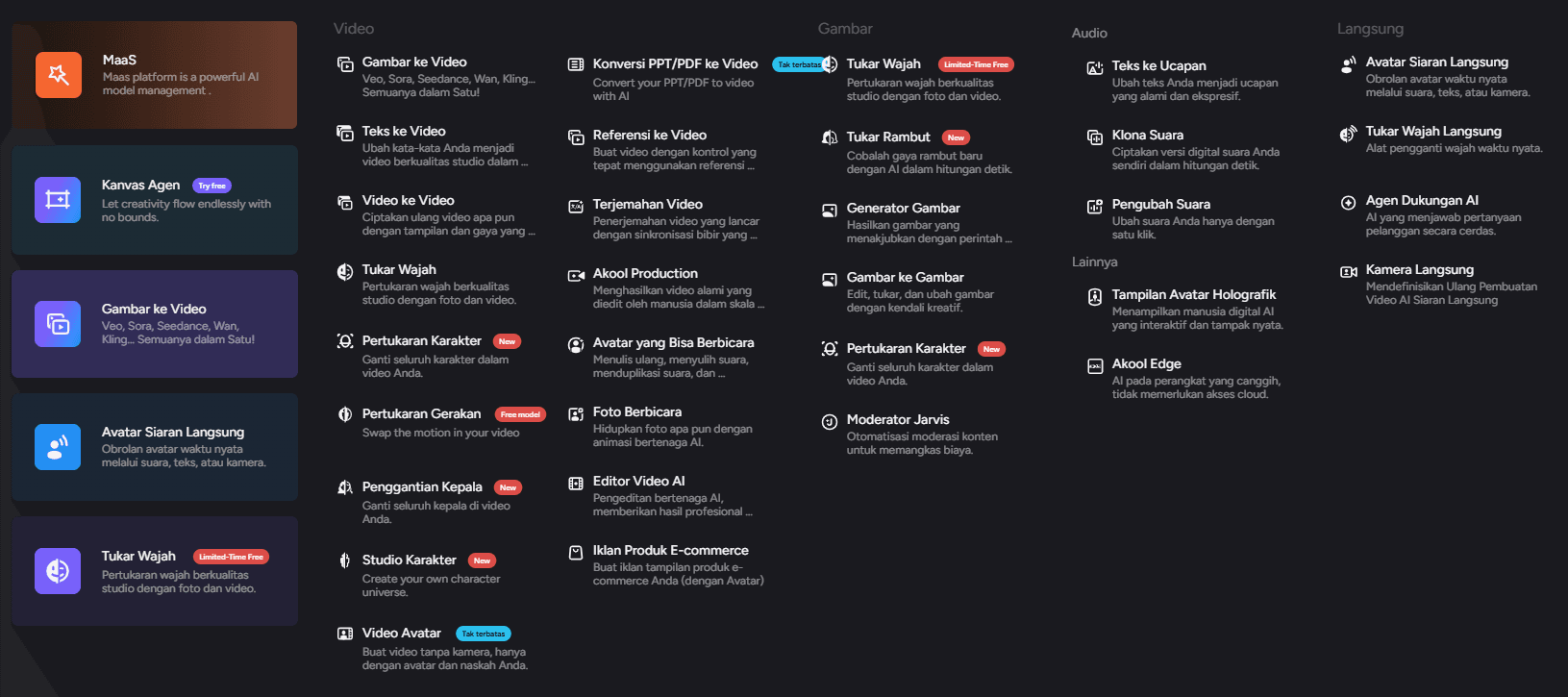
Akool's main advantage is the wide range of features available from a single account. Creators don't always need to use different apps to create avatars, translate videos, replace faces, and generate voices.
Suitable for Multilingual Content
Support for over 155 languages makes this platform relevant for businesses targeting international audiences. Videos can be translated without re-recording the entire content.
Speed Up Video Production
Avatars, templates, storyboards, and AI voices can streamline the production process. Teams can create initial material without a studio, cameras, or a dedicated speaker.
Support API
The API allows companies to integrate avatar creation, video, face swap, and other tools into internal applications or workflows.
Can be used for various needs
Akool can be utilized in marketing, education, customer service, virtual events, corporate training, e-commerce, and social media production.
Starter Package Available
The platform offers a trial version before upgrading to a paid plan. Resolution limits, video duration, number of avatars, processing speed, and licensing vary across tiers.
Read also:What Is Claudia AI? A Learning Coach for More Consistent Learning
Disadvantages and Limitations of Akool AI
Credit System Needs to be Understood
Some features use credits based on model type, duration, resolution, and processing complexity. Active users should calculate production costs to avoid running out of credits before the project is complete.
Package prices and limits are subject to change. Check the pricing page directly before subscribing or purchasing additional credits.
Results Are Not Always Consistent
Faces, hands, movements, lighting, and lip sync may change in some parts of the video. Errors are more likely to occur with fast movements, obscured faces, and low-quality input.
Still Need Human Editing
AI can speed up production, but it hasn't completely replaced human editors. Commercial content still needs to be checked for accuracy, branding, copyright, grammar, pronunciation, and visual quality.
Ethical Risks of Face Swap
Face swaps can be used creatively, but they also have the potential to become impersonation tools or deepfakes. Content that impersonates individuals, celebrities, or brands without permission may violate platform policies and applicable laws.
Depends on Cloud Connection and Processing
Most of the process is done online. The speed of results can be affected by file size, server queues, account packages, and model complexity.
Less Ideal for Highly Detailed Manual Editing
Akool excels at automation, but users who need frame-by-frame control, in-depth color grading, complex audio mixing, or professional compositing may still need additional editing software.
Read also:What Is Slidesgo? AI for Fast, Free PPT Creation
Akool AI Indonesia: Who Is It Suitable For?
Akool AI can be considered by several user groups in Indonesia.
Content Creator
Creators can create short videos, talking avatars, parodies, educational content, or social media materials without a large studio production.
MSMEs and Marketing Team
Businesses can create a variety of ads, product videos, virtual spokespersons, and content for multiple audience segments.
Teachers and Educational Institutions
Avatars and video translation can help turn learning materials into easier-to-follow videos.
Company
Company teams can create onboarding videos, training, multilingual webinars, and internal communication materials.
Agency
Agencies can use batch production, APIs, and visual variations to handle multiple clients' content.
Developer
APIs can be used to incorporate avatars and generative capabilities into websites, apps, or digital services.
For readers who also follow developments in AI, Web3, and digital assets, you can register at Bittime and read the latest technology and crypto updates on the Bittime Blog. Ensure any decisions regarding digital assets are based on research and your personal risk profile.
Read also:What Is Dola AI? An AI Assistant for Everyday Productivity
Is Akool AI Safe to Use?
The platform certifies several security and compliance standards, including SOC 2 Type II, ISO/IEC 27001, ISO/IEC 42001, and GDPR. It also states it uses encryption, access control, security monitoring, and content moderation.
However, platform security doesn't eliminate user responsibility. Before uploading your face, voice, or video, consider:
- Has everyone in the video given permission?
- Does the material contain personal information?
- Do you have the rights to use the image?
- Does content need to be labeled AI-generated?
- Do files need to be deleted after the project is completed?
- Can the results mislead the audience?
The usage policy prohibits non-consensual sexual content, malicious impersonation, copyright infringement, misinformation, fraud, and identity theft. Users are also responsible for providing appropriate disclosures when faces, voices, or videos are significantly modified using AI.
There are sections of the policy that should be carefully read regarding storage, content licensing, and data usage. Keep copies of important files and do not upload sensitive material until you understand the terms and conditions.
Tips for Getting Better Akool AI Results
Use some of the following practices:
- Choose a video with stable lighting.
- Use audio without excessively loud background music.
- Make sure the face is clearly visible and not covered.
- Use short, easy-to-pronounce scripts.
- Break long sentences into parts.
- Test the pronunciation of foreign names and terms.
- Create short samples before processing long videos.
- Check the lip sync on each part.
- Avoid using your face or voice without permission.
- Add labels for synthetic content if needed.
- Save the resulting file independently.
- Compare credit consumption before choosing a model.
Is Akool AI Worth Using?
Akool AI is worth considering if you need a single platform for creating avatars, translating videos, replacing faces, and producing visual content. Its greatest value lies in its comprehensive features and ability to speed up production.
This platform is more attractive to creators and teams who:
- Need a lot of videos in a short time.
- Targeting multilingual audiences.
- Don't always have access to a studio.
- Requires a virtual avatar.
- Want to automate part of the production flow.
- Requires API for integration.
On the other hand, Akool may be less ideal if you need manual cinematic editing, complete control over every frame, or only use one simple feature occasionally.
Before choosing a paid plan, use the starter version to test the output quality with your own materials. Pay attention to credit consumption, processing speed, export resolution, duration limits, usage licenses, and collaboration requirements.
Conclusion
Acool AIis a generative content creation platform that combines avatars, video translation, face swapping, a video generator, talking photos, voice cloning, and a visual editor. This comprehensiveness makes it useful for creators, marketers, educators, agencies, and companies.
Its main advantages are faster production, multilingual support, a wide selection of avatars, and API integration. Its limitations include the credit system, inconsistent results, and the need for manual verification.
Use quality materials, start small, and review every result before publishing. For face swaps and voice cloning, always obtain approval and provide a statement that the content has been modified using AI if the context requires transparency.
Now that you’ve learned about the latest developments in AI, it’s time to explore AI-based cryptocurrencies on Bittime, such as AI digital assets, AI, AGI, RENDER, TAO, VVV, and many more AI coins.

Bittime is a licensed and regulated Digital Financial Asset Trader (PAKD) supervised by Indonesia’s Financial Services Authority (OJK) — where you can buy Bitcoin in Indonesia and hundreds of other crypto assets starting from just Rp10,000. The registration process is fast, secure, and you can get started today.
Track USDT to IDR conversions and monitor your favorite crypto assets in real time. Everything is available in one crypto investment app that you can download for free on the Play Store
Ready to start? Register now on Bittime and execute your investment strategy with a platform trusted by millions of users in Indonesia.
FAQ
What is Akool AI?
Akool AI is a generative AI platform for creating and editing videos, images, avatars, faces, and voices. Its key features include video avatars, face swapping, video translation, and an AI video generator.
Is Akool AI free?
A starter plan is available to try out some features. Duration, resolution, processing speed, credits, and licensing limits depend on the plan selected.
Does Akool AI support Indonesian?
Akool offers an Indonesian-language interface and video translation features, supporting over 155 languages. The quality of Indonesian translation should be tested directly, as it can be affected by audio, accent, and sentence structure.
How to use Akool AI face swap?
Select the swap type, upload the target image or video, add the source face, and then specify the face to be replaced. After processing, review the results and ensure you have permission to use the face.
Can Akool AI results be used for business?
The platform offers different licensing levels for personal, business, and enterprise use. Check the package, input rights, and commercial terms before using the results in a client campaign.
Disclaimer: The views expressed belong exclusively to the author and do not reflect the views of this platform. This platform and its affiliates disclaim any responsibility for the accuracy or suitability of the information provided. It is for informational purposes only and not intended as financial or investment advice.

.png)