5 Gemini AI Prompts for Cool and Creative Photos, Here's How!
2025-09-15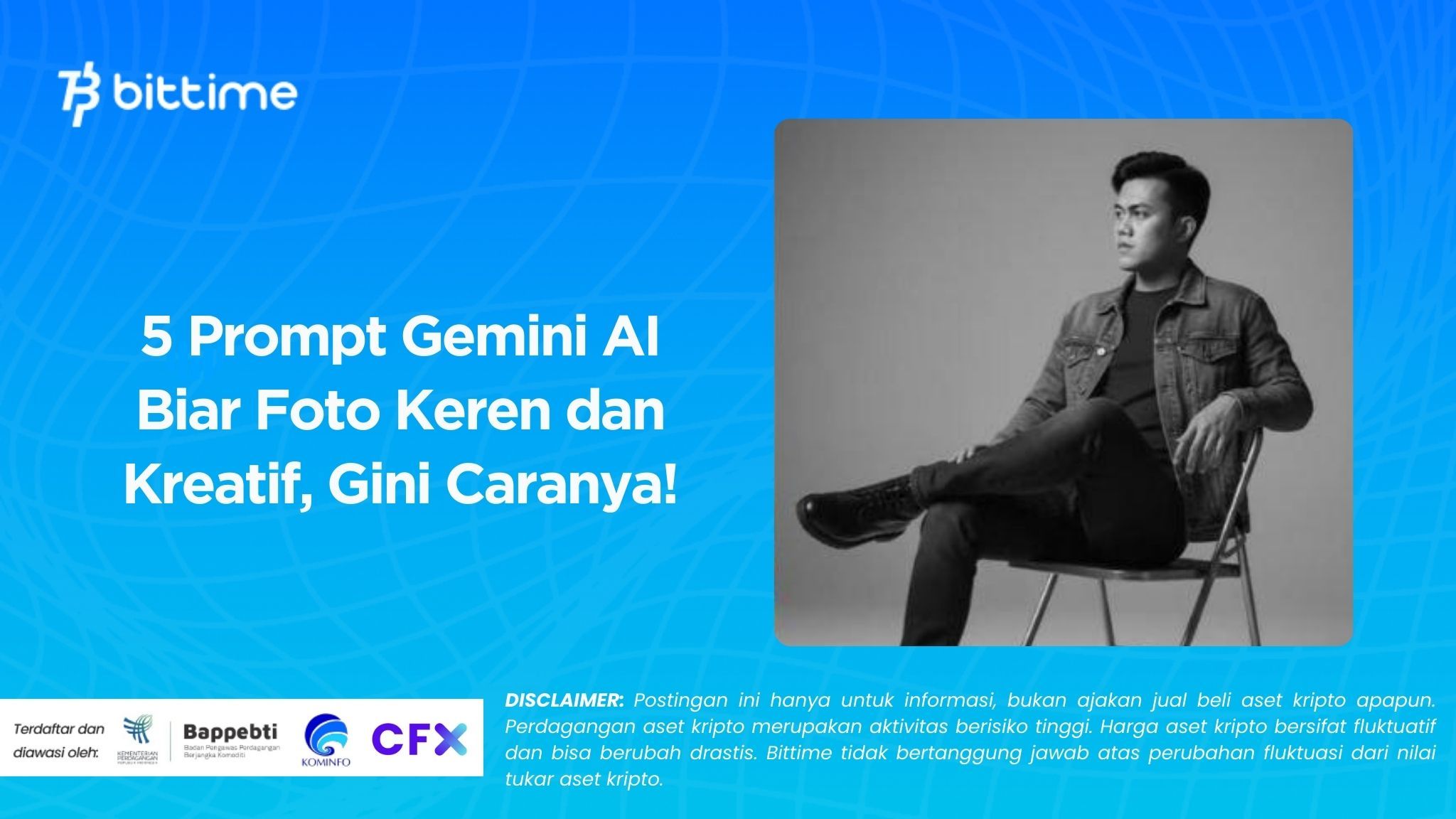
Recently, social media has been abuzz with the trend of artificial intelligence-edited photos. One of the most talked-about features is the Gemini AI prompt. By typing specific text commands, users can transform ordinary photos into unique creations, from action figures and miniature motorcycles to aesthetically pleasing couples' photos.
This trend is not only fun to share, but it also adds a personal touch that makes photos look professional. In this article, we'll discuss five popular Gemini AI prompts you can try right away. Check out the full review below.
Read Also: 7 Effective Crypto Trading Methods for Beginners, Complete with Tips and Tricks
What is Gemini AI Prompt?
Gemini AI prompts are descriptive text entered into the Gemini AI app to generate photos tailored to the user's preferences. The app reads the prompt details and then adds visual elements such as lighting, background, or additional objects.
With the right prompts, the resulting photos can appear incredibly realistic, even like the work of a professional photographer or sculptor. For example, a family photo can be transformed into a miniature action figure with precisely the same facial expressions and clothing.
Not only that, Gemini AI can also be used to transform photos of motorcycles, cars, and even couple photos into miniatures or digital works of art. This is what makes Gemini AI prompts so sought after, as the results are both unique and easy to use.
5 Popular Gemini AI Prompts to Try
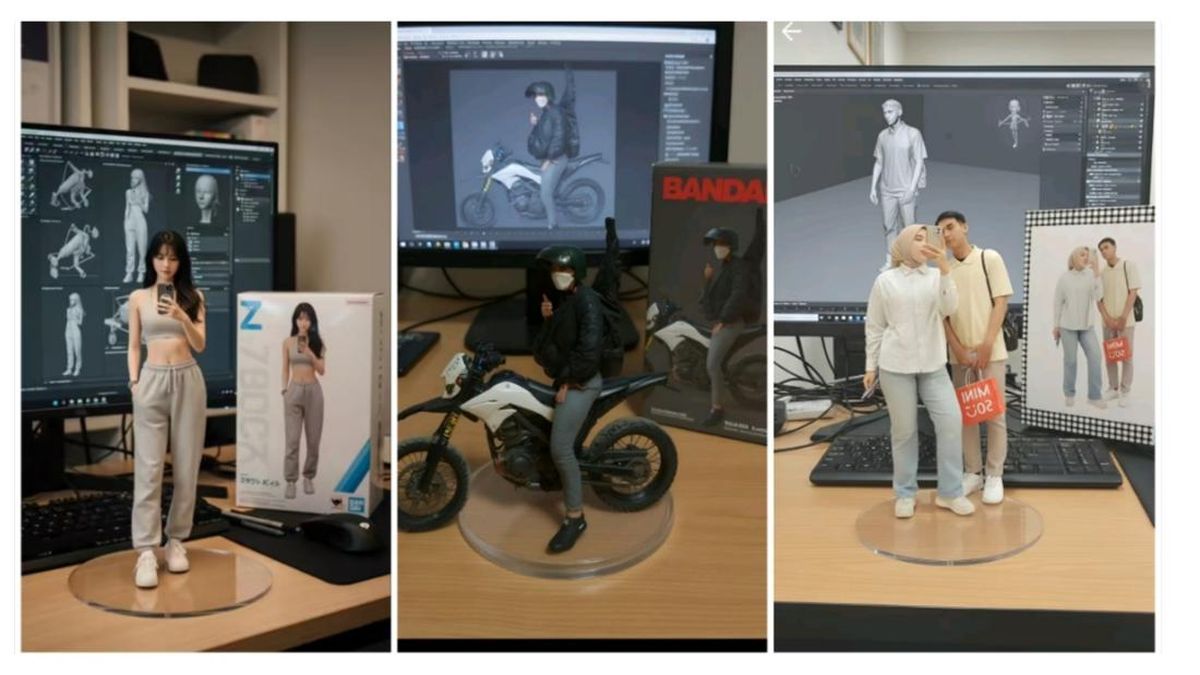
1. Prompt Action Figure
"Create the person in this photo into an action figure toy that should be packaged. The action figure toy equipped with accessories. The packaging box should have a colorful background in a simple design. On the top of the packaging box, include text “Ambar”.
“Turn this photo into a character figure. Behind it, place a box with the character’s image printed on it, and a computer showing the Blender modeling process on its screen. In front of the box, add a round plastic base with the character figure standing on it. Make the PVC material look clear, and set the scene indoors if possible.”
“Create a highly detailed 3:4 photorealistic miniature image of a man sitting in a large, transparent glass box with an elegant black base. Near the glass box are a pack of cigarettes, a lighter, a cup of coffee, and a cell phone with the same screen wallpaper as the man. In the background is a computer monitor displaying a 3D design of the man, in wireframe view in a 3D modeling application such as Blender. To the right of the monitor, a plastic model packaging box is visible with the same image with the words ‘Your Name’ and Japanese writing.”
“Turn this photo into a character figure. Behind it, place a box with the character’s image printed on it, and a computer showing the Blender modeling process on its screen. In front of the box, add a round plastic base with the character figure standing on it. Make the PVC material look clear, and set the scene indoors if possible.”
"Using the model, create a 1/7 scale commercialized figurine of the characters in the picture, in a realistic style, in a real environment. The figurine is placed on a computer desk. The figurine has a round transparent acrylic base, with no text on the base. The content on the computer screen is the Zbrush modeling process of this figurine. Next to the computer screen is a BANDAl-style toy packaging box printed with the original artwork. The packaging features two-dimensional flat illustrations.
"Use the nano-banana model to create a 1/7 scale commercialized figure of the character in the illustration, in a realistic style and environment. Place the figure on a computer desk, using a circular transparent acrylic base without any text. On the computer screen, display the Blender modeling process of the figure. Next to the computer screen, place a (TAKARA-TOMY)-style toy packaging box printed with the original artwork."
"Using the model, create a 1/7 scale commercialized figurine of the characters in the picture, in a realistic style, in a real environment. The figurine is placed on a computer desk. The figurine has a round transparent acrylic base, with no text on the base. The content on the computer screen is the Zbrush modeling process of this figurine. Next to the computer screen is a BANDAI-style toy packaging box printed with the original artwork. The packaging features two-dimensional flat illustrations.
"Create a highly detailed 3:4 photorealistic miniature image of a man sitting displayed in a large, transparent glass box with an elegant black base. Near the glass box are a pack of cigarettes, a lighter, a cup of coffee, and a cell phone with the same screen wallpaper as the man. In the background is a computer monitor displaying a 3D design of the man, in wireframe view in a 3D modeling application such as Blender. To the right of the monitor, a plastic model packaging box is visible with the same image with the words 'Your Name' and Japanese writing."
2. Miniature Motor Prompt
“Create a realistic 1/7 scale figurine of the motorcycle in the picture. Place it on a computer desk with a transparent acrylic base, no text. On the screen, show a ZBrush modeling process of the figurine, and add a Bandai-style toy packaging box with original artwork beside the monitor.”
"A work desk with a realistic atmosphere in the room. On the desk is a highly detailed and realistic PCX motorcycle miniature. Behind it is a large computer monitor displaying 3D modeling software with the same motorcycle being designed. Next to the monitor is a toy box (model kit) with a picture of the motorcycle and the words 2025 in Bandai style written in Japanese. Natural lighting, the main focus is on the miniature motorcycle on the desk."
3. Miniature Car Prompt
“Create a 1/18 scale commercialized figurine of the car in the picture, in a realistic style, in a real environment. The figurine is placed on a computer desk. The figurine has a transparent acrylic base, with no text on the base. The content on the computer screen is the ZBrush modeling process of the figure. Next to the computer screen is a TAMIYA style toy packaging box printed with the original artwork.”
4. Miniature Prompt for Couple Photos
“Generate a 1/7 scale realistic miniature of the couple in the photo. Place them on a wooden desk with small props such as books, coffee cups, and toy packaging. Use soft, cinematic lighting for an Instagram-worthy look.”
5. Other Miniature Prompts
“Create a hyperrealistic portrait photo of a work desk with a realistic atmosphere in the room. On the desk is a miniature of a character as in the attached photo, visible full body from head to toe in high detail and looks real. Behind him is a large computer monitor displaying 3D modeling software with the same object. Beside the monitor is a diecast box with an image of the character and Japanese writing. The miniature object is on a thick black metal plate with embossed golden silver textured writing ‘Your Name’. The room lighting focuses on the miniature, high resolution, fine detail, 8K.”
Read Also: Understanding Crypto Lending: Interest, Collateral & the Right Way to Borrow
Tips for Using Gemini AI Prompt
To get the photo results you want, here are a few tips you can try. First, use a high-resolution photo with clear faces. Blurry or dark photos will make it difficult for the AI to read details.
Second, create a short but detailed prompt. Include important elements such as the scale of the miniature, the type of setting, the lighting, and any additional objects. For example, "soft cinematic lighting, plain gray background, transparent base."
Third, don't be afraid to experiment. Add personal details like clothing, accessories, or poses to make the result more unique. If you're going for a specific style, mention toy brands like Bandai or Hot Toys to emulate their signature style.

Conclusion
Gemini AI offers a new way to transform ordinary photos into creative digital masterpieces. With simple prompts, you can create miniatures of your family, partner, motorcycle, car, or even your own action figure. The results are realistic, aesthetically pleasing, and easy to share on social media.
If you want to follow digital trends while looking for investment opportunities, don't forget to visit Bittime Blogfor the latest news, or start trading on Bittime Exchange.
FAQ
What is Gemini AI prompt?
Prompt is a command text used to generate unique images with the help of Gemini AI.
What are the advantages of Gemini AI over manual editing?
The results are fast, detailed, and realistic without the need for complicated design applications.
Can you take a couple of photos with Gemini AI?
Yes, just use a specific prompt that mentions a romantic or formal setting.
Can the results be printed?
Yes, digital results can be saved and then printed like regular photos or posters.
Is it free to use?
Gemini AI is free to access, but some premium features may be available for a fee.
Disclaimer: The views expressed belong exclusively to the author and do not reflect the views of this platform. This platform and its affiliates disclaim any responsibility for the accuracy or suitability of the information provided. It is for informational purposes only and not intended as financial or investment advice.

.png)