Wih! Polaroid Gemini AI: Retro Photo Trends with a Modern Twist
2025-09-12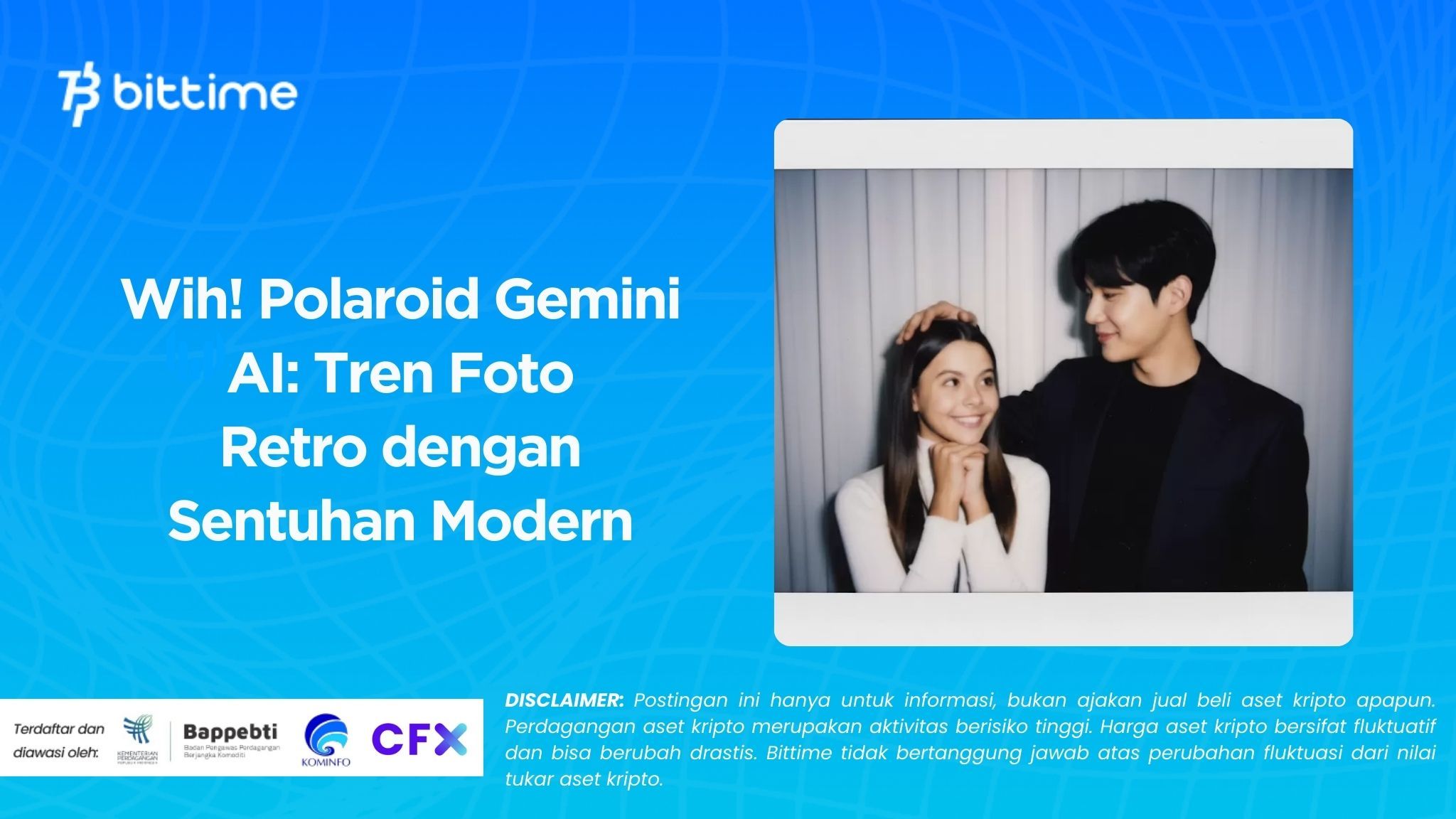
Recently, social media has been filled with Polaroid-style photos that aren't actually taken with instant cameras. These photos are the result of the creativity of Google Gemini AI users. This trend is known as Gemini AI Polaroids.
Many people love the results because they offer a classic feel yet are done in a modern way. Simply by typing a prompt, a Polaroid-style photo can be created in seconds.
We'll discuss the Polaroid Gemini AI, from its definition, how to create it, examples of prompts, and tips for more aesthetic results. Let's dive right in.
Read Also: 7 Effective Crypto Trading Methods for Beginners, Complete with Tips and Tricks
What is Polaroid Gemini AI?
Polaroids were once known as instant cameras that printed photos instantly with their iconic white frames. Now, that trend is making a comeback thanks to artificial intelligence technology. Polaroid Gemini AI isn't an official product, but rather a popular term for Polaroid-style photos created with Gemini AI.
Gemini AI is a sophisticated platform developed by Google that can generate images from text. With user creativity, simple prompts can be transformed into aesthetically pleasing Polaroid-style photos. As a result, Polaroid nostalgia is revived in the digital age.
This trend isn't just a style, but also a form of artistic exploration. With the Polaroid Gemini AI, people can create vintage photos without the need for a camera or film. It's practical, affordable, and accessible to anyone. This is what's making the Polaroid Gemini AI so popular.
Why is the Polaroid Gemini AI Trend Going Viral?
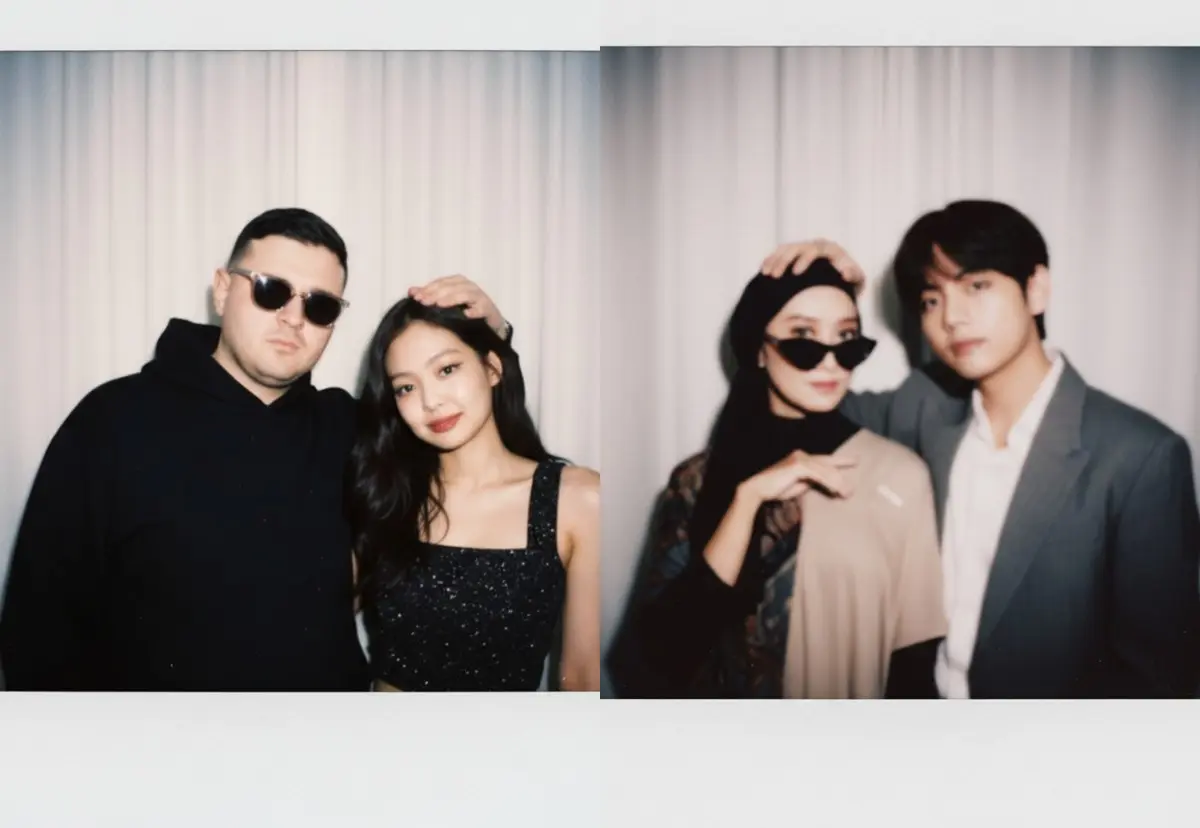
Social media is full of AI Polaroid posts for several reasons. First, the retro feel is timeless. Many people long to relive the 80s or 90s. Photos with soft tones and faded colors evoke a warm sense of nostalgia.
Second, convenience. No need for expensive instant cameras. Simply access Gemini AI, type a prompt, and the results appear instantly. This allows anyone to create Polaroid photos without the hassle.
Third, limitless creativity. Users can combine old styles with modern concepts. For example, Polaroids with cyberpunk, anime, or even game characters in them. This combination is what made the Gemini AI Polaroids quickly go viral and become a favorite among many.
How to Make Polaroid Photos Gemini AI
Creating Polaroid photos with Gemini AI is incredibly easy. Even beginners can try it. First, open the Gemini AI app or website. Make sure the image generation feature is enabled.
Second, prepare an idea or concept. For example, a beach scene at dusk, a candid moment in a cafe, or a casual pose with a vintage feel. Third, provide a clear prompt. For example: "aesthetic polaroid photo of a boy smiling under the sunset, vintage tones, film grain."
Fourth, adjust additional details, if needed. Some versions of Gemini AI offer lighting, color tone, or resolution settings. Fifth, click generate and wait for the results. Finally, save the digital version of the Polaroid photo and share it on social media.
Contoh Prompt Polaroid Gemini AI
Indonesian Prompt
- “Turn this photo into a classic polaroid style with a white frame, warm tones, and a grain effect.”
- "Edit this photo in polaroid style, add twilight, faded colors, and retro effects."
- “Make this photo look like an old-school Polaroid with old film textures and pastel tones.”
English Prompt
- “Polaroid-style portrait of a young woman in a cozy cafe, soft pastel tones, vintage look.”
- “Retro polaroid of two friends at the beach during sunset, film grain effect.”
- “Polaroid photo of a coffee cup on a wooden table, warm lighting, nostalgic vibe.”
With a variety of prompts, the resulting photos will look more natural and closer to the original Polaroid.
Tips for Making AI Photos Look Natural and Aesthetic
Using prompts is important, but visual details are just as important. Use keywords like "film grain," "vintage," or "faded tones" to create a more realistic Polaroid texture.
Try describing it candidly. Polaroid photos are synonymous with spontaneous moments, not stiff poses. Add detailed backgrounds like sunsets, cozy cafes, or city lights to make your photos more vibrant.
Don't be afraid to experiment. Polaroids are known for their soft colors, so use prompts like "warm pastel tones" or "soft light." If you have additional features, add a light blur effect or light leak to make it more like an instant camera.
Advantages and Disadvantages of Polaroid Gemini AI
Advantage
- Fast and convenient. Just a short prompt is all it takes.
- More cost-effective because there is no need for an instant camera.
- Unlimited creativity, can combine retro and modern.
- Easy to share on social media.
Deficiencies
- There is no sentimental feeling like holding the original photo.
- Sometimes the image details are not realistic if the prompt is not clear enough.
- It doesn't have the collectible value of a physical polaroid.
Read Also: 4 Meme Coins with the Highest Market Caps Right Now: DOGE, SHIB, PEPE, PENGU
Can the Polaroid Gemini AI Replace a Real Camera?
Many people ask whether Polaroid AI will replace instant cameras. The answer is, not completely. Polaroid AI is indeed practical for digital needs. However, a real Polaroid camera still has irreplaceable emotional value.
The experience of holding an instant photo, waiting for the print, and storing a physical Polaroid cannot be replaced by AI. Therefore, digital Polaroids and real Polaroids can go hand in hand. One for digital creative exploration, the other for tangible memories.
This trend demonstrates that technology can bring back the past in new forms. Nostalgia and creativity can now be achieved simply by typing a prompt into Gemini AI.

Conclusion
The Polaroid Gemini AI offers a modern take on a retro feel. With a simple prompt, instant-style photos can be created quickly and affordably. While it can't replace the feel of a real camera, these digital results still offer a unique and creative experience.
If you like experimenting with photo styles, the Polaroid Gemini AI could be an interesting choice. And if you want to go further in the digital world, you can also try trading the Bittime Exchange or read the latest news about crypto at Bittime Blog.
FAQ
What is Polaroid Gemini AI?
Polaroid-style photos created with the help of Gemini AI, not an instant camera.
How to make?
Simply open Gemini AI, write a prompt, set the details, and then generate.
What is an example of a good prompt?
Use keywords like “polaroid style”, “film grain”, “vintage look”.
Is it free to use?
Depending on Gemini AI access, some features may be paid.
Can it replace the original camera?
Not entirely, because physical Polaroid cameras still have emotional value.
Disclaimer: The views expressed belong exclusively to the author and do not reflect the views of this platform. This platform and its affiliates disclaim any responsibility for the accuracy or suitability of the information provided. It is for informational purposes only and not intended as financial or investment advice.

.png)