Google Bubble Level: How to Turn Your Phone into a Bubble Level
2026-08-10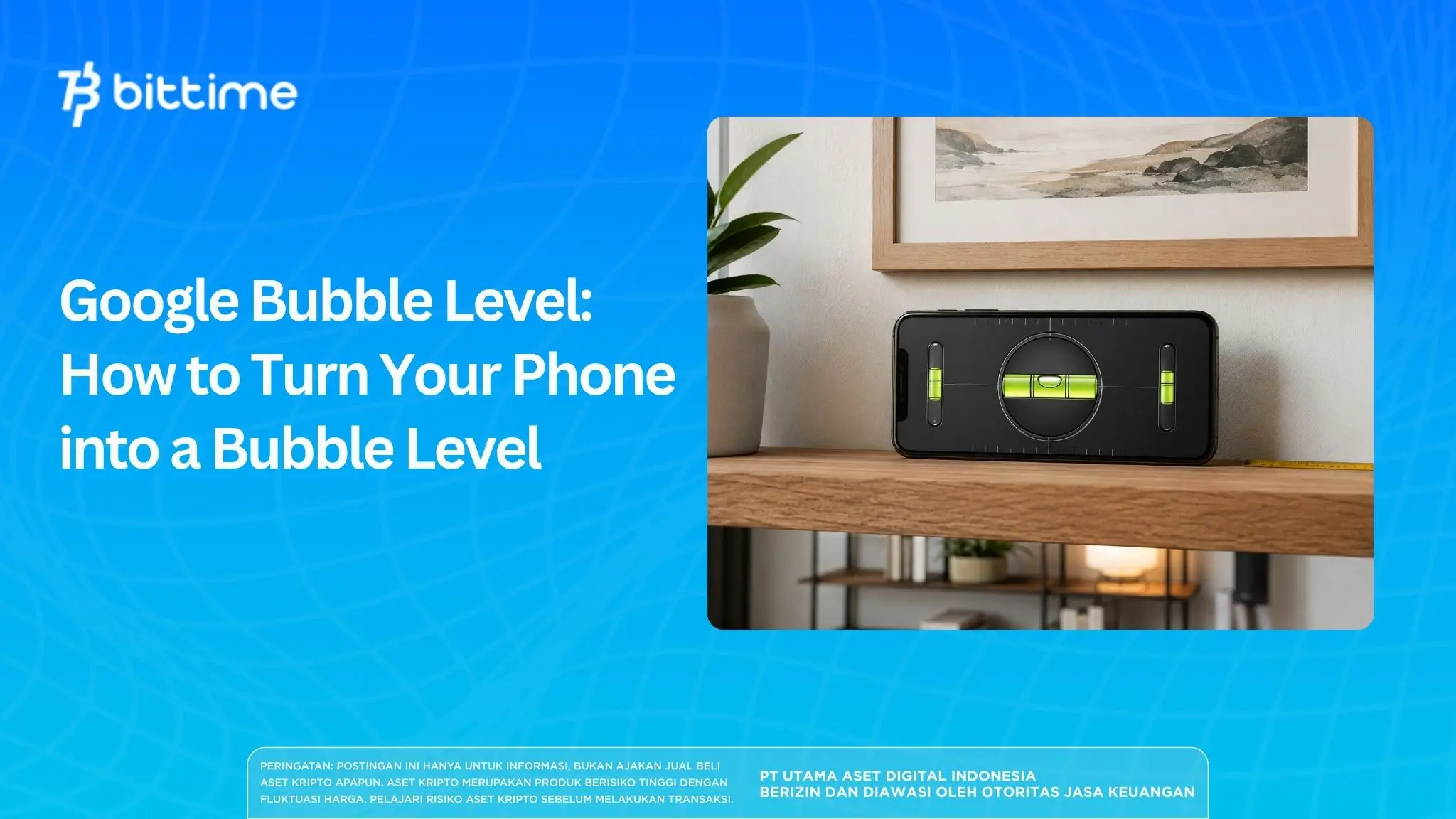
Have you ever set up a shelf, picture frame, or table and wondered if it was perfectly level? You don't always need a physical spirit level.
Smartphones can utilize their motion sensors to help check whether a surface is level, tilted, horizontal, or vertical.
One of the most practical ways is to useGoogle Bubble Level, measuring tooldigital that can be accessed via Google Search on mobile devices.
With just a simple search, your cellphone can function like a spirit level or waterpass for light measuring needs.
This feature utilizes sensors on the smartphone to read changes in the device's position.
Key Takeaways
Google Bubble Level Turn your smartphone into a digital waterpass by utilizing the device's motion sensor.
Users can search for words“bubble level”via Google Search on your cellphone without having to install special applications.
This tool is practical for light work, but a physical waterpass is still more appropriate for construction work or measurements that require high precision.
What Is Google Bubble Level?
What is Google Bubble Level?This is a digital spirit level tool that can appear directly through Google Search on mobile devices.
Its function is similar to a conventional waterpass, namely helping to determine whether an object or surface is in a level horizontal or vertical position.
Instead of using a tube filled with liquid and air bubbles like a traditional waterpass,bubble level Google utilizing smartphone sensors.
The device orientation data is then translated into a digital indicator so users can see whether the phone is level or still tilted.
Draft bubble level on cell phones actually it's nothing new.
Google has introduced the feature bubble level in mobile search results since 2015, and reports of the tool's existence still appear in newer tech publications.
Read Also:Similar to AI Tracking, Here Are Recommended OSINT Tools for Tracking Digital Footprints
How Can a Bubble Level on a Cell Phone Measure Inclination?
This capability comes from sensors embedded in smartphones. Two sensors that often play a role in reading a device's position and movement are the accelerometer and gyroscope.
An accelerometer can detect acceleration and orientation relative to gravity. A gyroscope helps the device detect changes in orientation and rotation.
With this sensor data, the application or servicebubble level onlinecan estimatethe tilt of the smartphone to a certain surface.
Android itself provides the ability for applications to read device sensor data in real-time.
This means that smartphones do have the technical foundations that enable functions such as motion detection, screen rotation, inclinometer, and digital level.
However, the type and quality of sensors may vary between devices.
Therefore, two smartphones placed on the same surface will not necessarily produce completely identical readings.
Read Also:What Is AI? James Dooley's Digital Twin for SEO and Business
How to Use Google Bubble Level on Your Phone
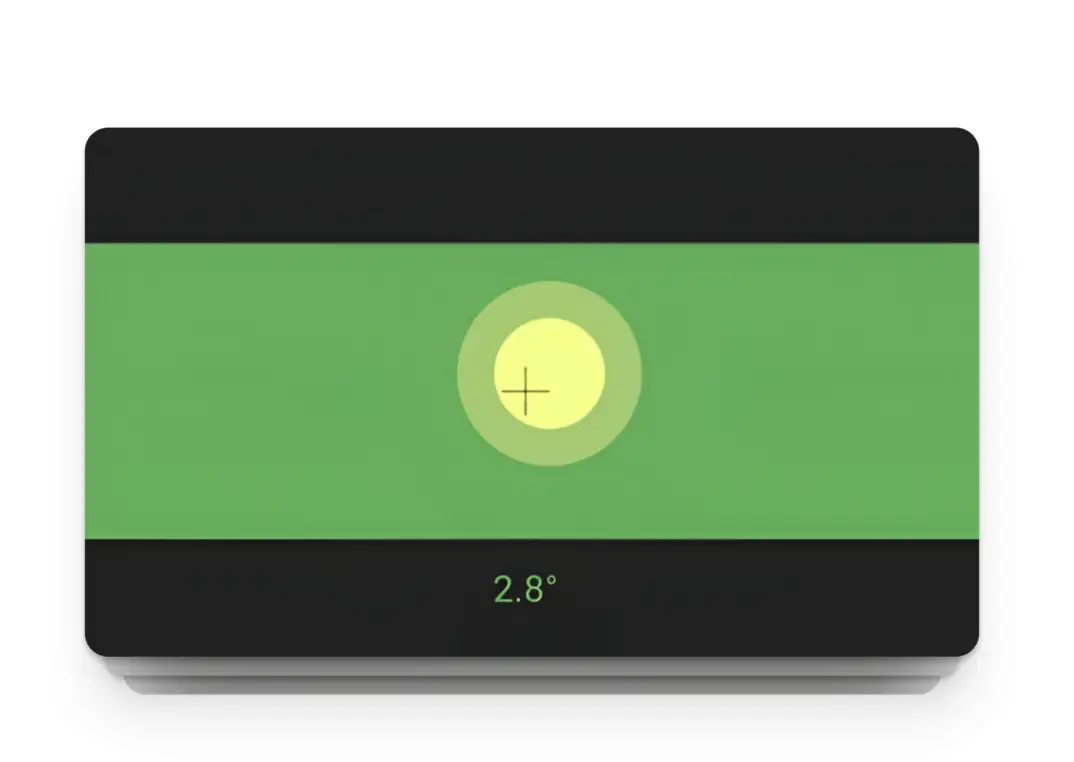
Source: link-assistant.com/news/google-bubble-level.html
How to use Google Bubble Levelquite simply because it doesn't requireapplication installation process first.
Open Google Chrome or Google Search via smartphone.
Type “bubble level”in the search field.
If the feature is available on your device and your search results, Google will display a digital bubble level tool.
Place the phone on the surface you want to check.
Pay attention to the indicator on the screen to see if the surface is level.
To check a horizontal surface such as a table, the cellphone can be placed horizontally.
To inspect vertical objects such as the side of a cabinet or a pole, position the side of the device along the plane you wish to inspect.
In useGoogle waterpass, avoid pressing the device too hard becauseHand pressure can change the position of the phone.
Place the smartphone firmly and wait a moment until the sensor readings are relatively consistent.
Read Also: 11 Best AI Detector Tools
What are the uses of Google Waterpass?
Google Bubble Level makes the most sense to use for everyday work that doesn't require very tight measurement tolerances.
For example, you can use it when installing small shelves, straightening picture frames, checking tables, or making sure household appliances aren't tilted too much.
Similar tools are also commonly used to help set up camera tripods and check the tilt of furniture.
Android bubble level apps usually even support horizontal, vertical, and tilt angle measurements based on smartphone sensors.
The main advantage is accessibility. The phone is almost always within reach,so that how to use Google bubble levelcan be a quick solution when a physical waterpass is not available available.
If you also follow the development of technology and the digital asset ecosystem, you can Register to Bittime to start exploring the available crypto assets.
How Accurate Is Google Bubble Level?
Accuracy is the ultimate limitimportant ofGoogle Bubble Level Indonesiaanduse of similar features in other countries.
Measurements depend on the quality of the sensor, the calibration conditions of the smartphone, the surface of the case, and how the device is placed.
A phone case that is too thick or asymmetrical can also cause the smartphone body to not be perfectly aligned with the internal sensor.
If you want more consistent results, remove the uneven casing and take several measurements from different positions.
Sources discussing Google Bubble Level also emphasized that sensor calibration issues could cause slight inaccuracies.
Therefore, smartphone-based digital tools are more suitable for quick checks than professional work that requires high precision.
Read Also: What Is Serus AI? Definition, How It Works, and Digital Privacy Focus
Google Bubble Level vs Physical Waterpass
Traditional water levels still have advantages for construction, material installation, precision carpentry, and other technical work.
The physical instrument is specifically designed for level measurement, so the body shape, reference plane, and reading mechanism are designed for that purpose.
In contrast, smartphones are versatile devices. The sensors inside them aren't solely designed for construction measuring purposes.
Advantages bubble level online lies in practicality.
You don't need to bring tools.additional and can perform simple checks with just the device that is already in your pocket.
What If Google Bubble Level Doesn't Appear?
There is a possibility that searching “bubble level” does not display the same tools on every device.
The appearance of Google Search may change based on device, browser, region, or Google product changes.
If the feature is not available, Android users can choose a spirit level app from Google Play.
Some applications offer additional functions such as calibration, inclinometer, measurement in degrees, and sensitivity settings.
For simple needs, there is no reason to install applications that ask for excessive permissions.
Check the developer, data safety, and application permissions before using third-party tools.
Conclusion
Google Bubble Level shows that smartphone sensors can be used for more than just screen rotation or navigation.
With the search “bubble level”, a mobile device can function as a digital waterpass to help check the slope of a surface.
This feature is most useful for quick checks such as posting photos, arranging furniture, or level the shelves.
However, don't assumebubble level on cell phoneas a full replacement toolprofessional measurement, especially when an error of a few degrees or millimeters can impact the outcome of the work.
Simple technologies like this show how digital devices can have functions far beyond their primary use.

Bittime is a licensed and regulated Digital Financial Asset Trader (PAKD) supervised by Indonesia’s Financial Services Authority (OJK) — where you can buy Bitcoin in Indonesia and hundreds of other crypto assets starting from just Rp10,000. The registration process is fast, secure, and you can get started today.
Track USDT to IDR conversions and monitor your favorite crypto assets in real time. Everything is available in one crypto investment app that you can download for free on the Play Store
Ready to start? Register now on Bittime and execute your investment strategy with a platform trusted by millions of users in Indonesia.
FAQ
What is Google Bubble Level?
The Google Bubble Level is a digital spirit level accessible through Google Search on mobile devices. This tool utilizes smartphone sensors to help detect whether a surface is level or tilted.
How to use Google Bubble Level?
Open Google Search on your cellphone, search“bubble level”, then use the tool that appears and place the smartphone on the surface you want to inspect. The digital indicator will adjust to the device's orientation.
Is Google Bubble Level free?
Google Bubble Level, which appears as a Google Search feature, doesn't require an in-app purchase. Users simply access Google Search through a compatible mobile device.
Is the bubble level on your phone accurate?
It's quite useful for light inspections, but the results depend on the quality and calibration of the smartphone's sensor. For construction work and high-precision requirements, a dedicated water level remains a better choice.
Why is Google Bubble Level not showing up on my phone?
The Google Search feature's appearance may vary from device to device and may change with service updates. If the tool doesn't appear, an alternative is to use a bubble level or spirit level app available for Android.
Can Google Bubble Level replace a water level?
For installing frames, checking shelves, or simple household tasks, a Google Bubble Level can be a practical alternative. However, for professional work requiring high accuracy, use a physical level designed for measuring.
Disclaimer: The views expressed belong exclusively to the author and do not reflect the views of this platform. This platform and its affiliates disclaim any responsibility for the accuracy or suitability of the information provided. It is for informational purposes only and not intended as financial or investment advice.

.png)