How to Install Trust Wallet Extension in Browser
2026-05-30
Bittime - Trust Wallet is a wallet crypto self-custody which supports over 100 blockchains and 10 million digital assets. In addition to the mobile app, Trust Wallet is now available as a browser extension for Chrome and Brave.
With the Trust Wallet extension, you can access Web3 directly from your browser, swap tokens, play games, manage NFTs, and connect to thousands of dApps without having to open the mobile app.
This article will guide you on how to install the Trust Wallet extension in your browser.
Key Points
Trust Wallet extension is available for Chrome and Brave– Download from the official extension store. Sync with the mobile app or create a new wallet.
Support 100+ blockchains– Access Ethereum, BNB Chain, Solana, Polygon, Bitcoin, and more directly from your browser.
Full features– Buy crypto, swap tokens, stake, manage NFTs, and connect to dApps. Secure with private key encryption.
Register at Bittime now and start trading crypto with a fast, safe, and easy process in the app.
What is Trust Wallet Extension?
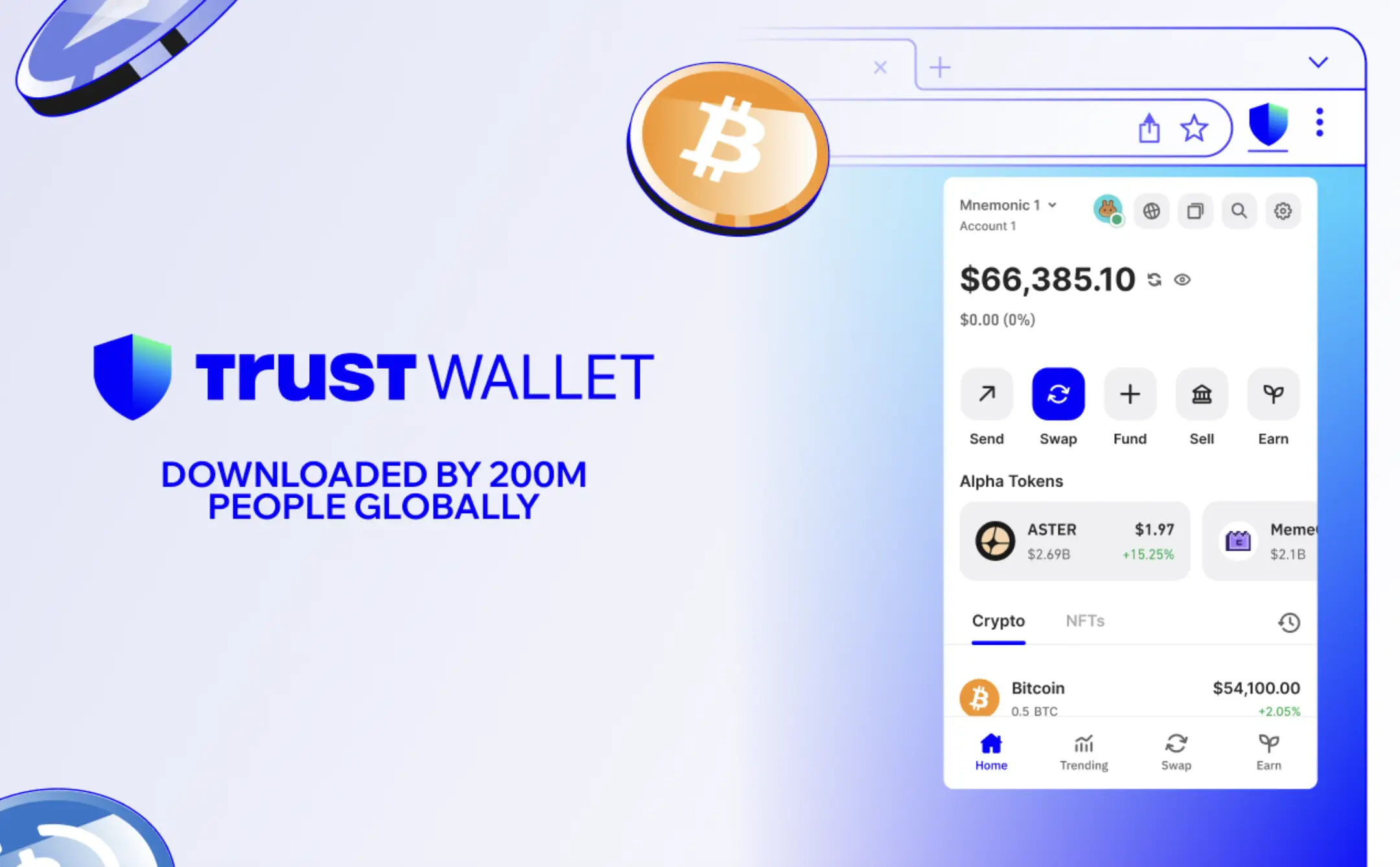
Trust Wallet is a self-custodial crypto wallet. This means that only you own your private keys and digital assets.
No third party controls your funds.
The Trust Wallet extension is a browser version of the popular wallet, which has been downloaded by over 200 million mobile users. With this extension, you can:
Browsing Web3 from the desktop
- Connect to dApps (DeFi, games, NFT marketplace) without scanning QR codes
- Swap tokens between networks
- View and manage NFTs
- Buying crypto with a credit card or Apple Pay/Google Pay
Trust Wallet extension is available for Chrome and Brave (Chromium-based) browsers.
How to Install Trust Wallet Extension on Chrome/Brave
Follow these steps to install the Trust Wallet extension.
Step 1: Open Browser Extension Store
For Chrome: go to the Chrome Web Store. For Brave: go to the Brave Web Store (or Chrome Web Store, as Brave is compatible).
Step 2: Search for "Trust Wallet"
Type "Trust Wallet" in the search bar. Make sure the developer is "Trust Wallet" and the download is official.
Step 3: Click "Add to Chrome" or "Add to Brave"
Read requested permissions. The extension requires access to read and modify data on the website; this is necessary for interacting with dApps.
Step 4: Open Extension
Click the puzzle icon in the top right corner of the browser, then pin Trust Wallet for quick access.
Step 5: Select Setup Method
There are two options:
Option A: Create a new wallet. Click "Create a new wallet." Create a strong password. Save the 12-word recovery phrase in a safe place (offline, don't photograph it). Confirm the recovery phrase.
Option B: Import an existing wallet (synced with the mobile app). Click "Import an existing wallet." Enter the 12-word recovery phrase from your Trust Wallet mobile wallet.
Step 6: Done. The extension is ready to use.
Read also:How to Read and Analyze Crypto Data on Glassnode: A Complete Guide for Traders & Investors
Trust Wallet Extension Feature Highlights
Trust Wallet is a top choice because of its features:
Multi-chain: Supports Ethereum, BNB Chain, Solana, Polygon, Bitcoin, Avalanche, Arbitrum, Optimism, Base, and 100+ other blockchains.
Beli crypto: Buy directly with credit/debit card, Apple Pay, Google Pay via providers such as MoonPay.
Swap token: Swap 10,000+ tokens through DEX aggregator directly in the extension.
Staking:Earn yield by staking BNB, ATOM, SOL, DOT, TRX, and 20+ other assets.
NFT gallery:View and manage your NFT collection.
Security: AES encryption on private keys, biometric authentication (on mobile), and a Security Scanner that detects suspicious addresses.
Read also:The Best Crypto Wallets of 2026 to Secure Your Assets!
Trust Wallet Extension Security
Trust Wallet is a secure wallet, but its security primarily depends on user behavior.
Here are some safety tips:
Never share your 12-word recovery phrase. No one, including Trust Wallet support, will ask for it.
Use a strong password for the extension.
Update your browser and extensions to the latest versions.
Be careful with phishing:Make sure you download the extension from the official store.
Enable all available security features:verify transactions, scan addresses, and use hardware wallets for large assets (Trust Wallet extension supports connection to hardware wallets such as Ledger).
Read also:Phantom Wallet: A Guide to Creating a Crypto Wallet Account
How to Connect Trust Wallet to dApps
Once the extension is installed, connecting to dApps (DeFi, games, NFT marketplace) is very easy.
Go to the dApp site you want to use (e.g. Uniswap, OpenSea, PancakeSwap).
Click "Connect Wallet" or "Connect".
Select “Trust Wallet” from the list of options (if it doesn’t appear, select “WalletConnect” and scan the QR code, but the Trust Wallet extension is usually detected automatically).
Confirm the connection in the extension pop-up.
Done. You are now connected.
Read also:Multiple Crypto Wallets: A Safe Strategy to Avoid Losing Assets
Conclusion: Trust Wallet Could Be the Right Choice for Beginners
Trust Wallet is a great wallet for beginners because its interface is simple but still provides advanced features like staking and DeFi access.
With the browser extension, you can manage assets from anywhere, mobile (app) or desktop (extension).
If you're serious about managing your crypto assets, install the Trust Wallet extension now. Remember: keep your recovery phrase safe. Never share it.

Bittime is a licensed and regulated Digital Financial Asset Trader (PAKD) supervised by Indonesia’s Financial Services Authority (OJK) — where you can buy Bitcoin in Indonesia and hundreds of other crypto assets starting from just Rp10,000. The registration process is fast, secure, and you can get started today.
Track USDT to IDR conversions and monitor your favorite crypto assets in real time. Everything is available in one crypto investment app that you can download for free on the Play Store
Ready to start? Register now on Bittime and execute your investment strategy with a platform trusted by millions of users in Indonesia.
FAQ
What is Trust Wallet?
A self-custody crypto wallet supporting over 100 blockchains and 10 million digital assets. Available on mobile and as a browser extension.
How to install Trust Wallet extension?
Open the Chrome Web Store or Brave Web Store, search for "Trust Wallet," click add, then create a new wallet or import an existing one.
Is the Trust Wallet extension free?
Yes, this wallet is free to use. The only fee is for on-chain transactions (gas fees).
What browsers are supported?
Chrome dan Brave.
Is Trust Wallet safe?
Yes. Trust Wallet uses AES encryption on private keys. However, users must keep their recovery phrase secure.
Disclaimer: The views expressed belong exclusively to the author and do not reflect the views of this platform. This platform and its affiliates disclaim any responsibility for the accuracy or suitability of the information provided. It is for informational purposes only and not intended as financial or investment advice.

.png)