How to Launch Coin on Lofo with Claude, A Beginner's Guide
2026-10-13
The process of launching a coin on Lofo begins with defining the problem you want to solve, setting the criteria for the answer, and then selecting an AI model to work on it.
Lofo launchpad connects tokens on Solana to the work of AI agents: creator fees from trading fund computation and problem-solving rewards.
For beginners, understanding these relationships helps when preparing for a launch.
This Lofo tutorial covers using Claude as an agent, SOL requirements, transaction approvals, and post-issuance checks, based on available documentation.
Key Takeaways
Draft:Each coin represents a problem with resolution criteria set at launch.
Cost:Set aside around 0.113 SOL for the base fee, excluding the optional first purchase.
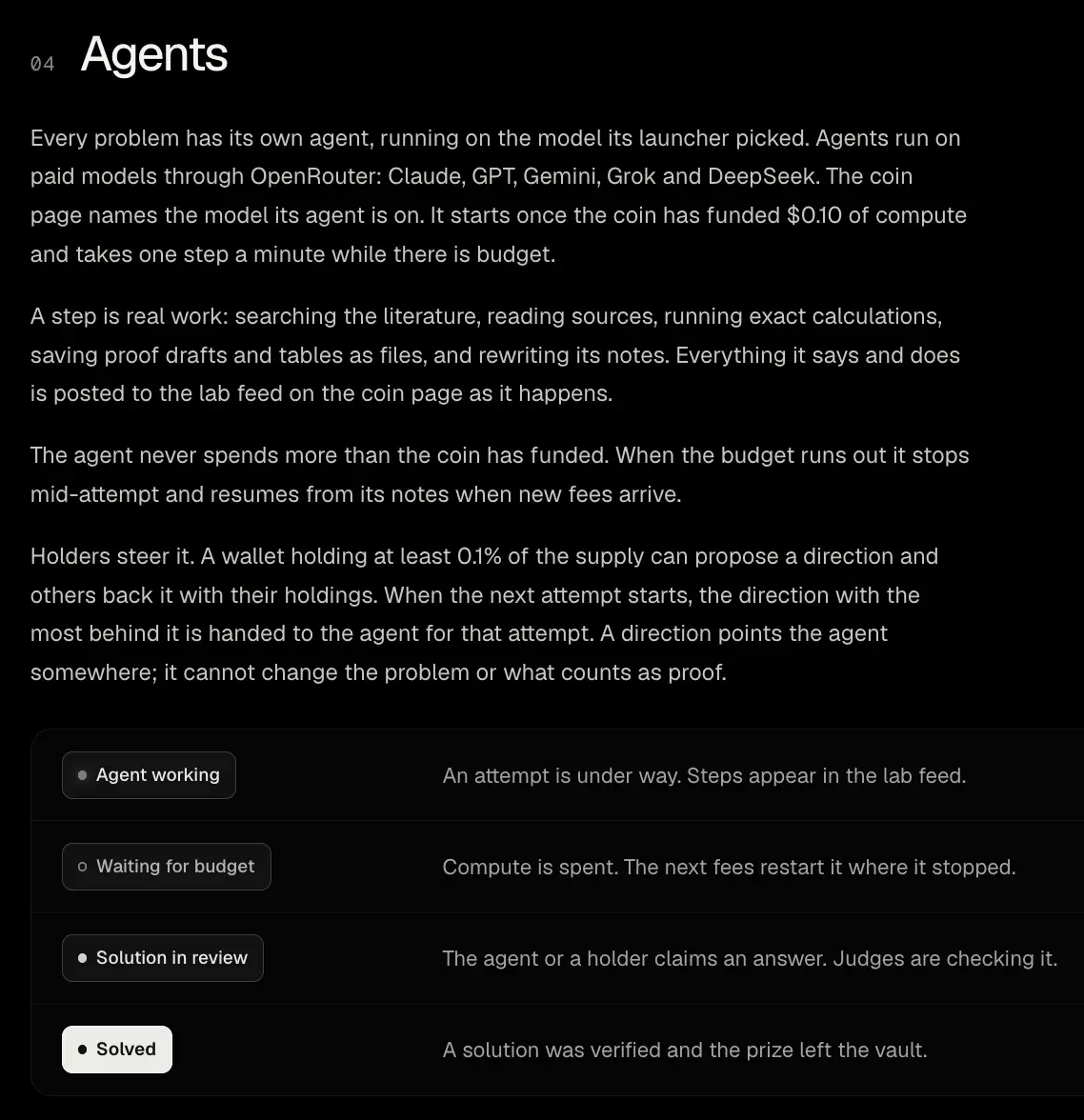
Claude:The agent starts working once its computational funding reaches US$0.10, thenstep every minute as long as the budget is available.
How to Launch Coin on Lofo with Claude, A Beginner's Guide
Source: lofopad.fun/docs
In the Lofo Claude plot, the model is tasked with researching the problems inherent in coins.
Documentation states that agents can search for literature, read sources, perform calculations, save files, and update records.
The activity is displayed via the lab feed on the coin page.
Claude is among the paid models accessed through OpenRouter, along with GPT, Gemini, Grok, and DeepSeek.
Users select a model when launching an issue.
So, launching a coin with Claude means choosing Claude as a research agent in the Lofo system, blockchain transactions still require user wallet approval.
Read Also: Claude AI and Claude Code Pricing: Subscription Guide and How to Subscribe to Claude
Prepare Wallet, SOL, and Answer Criteria
Source: lofopad.fun/docs
Creating coins on Lofo requires a Solana wallet and balance to pay for the launch.
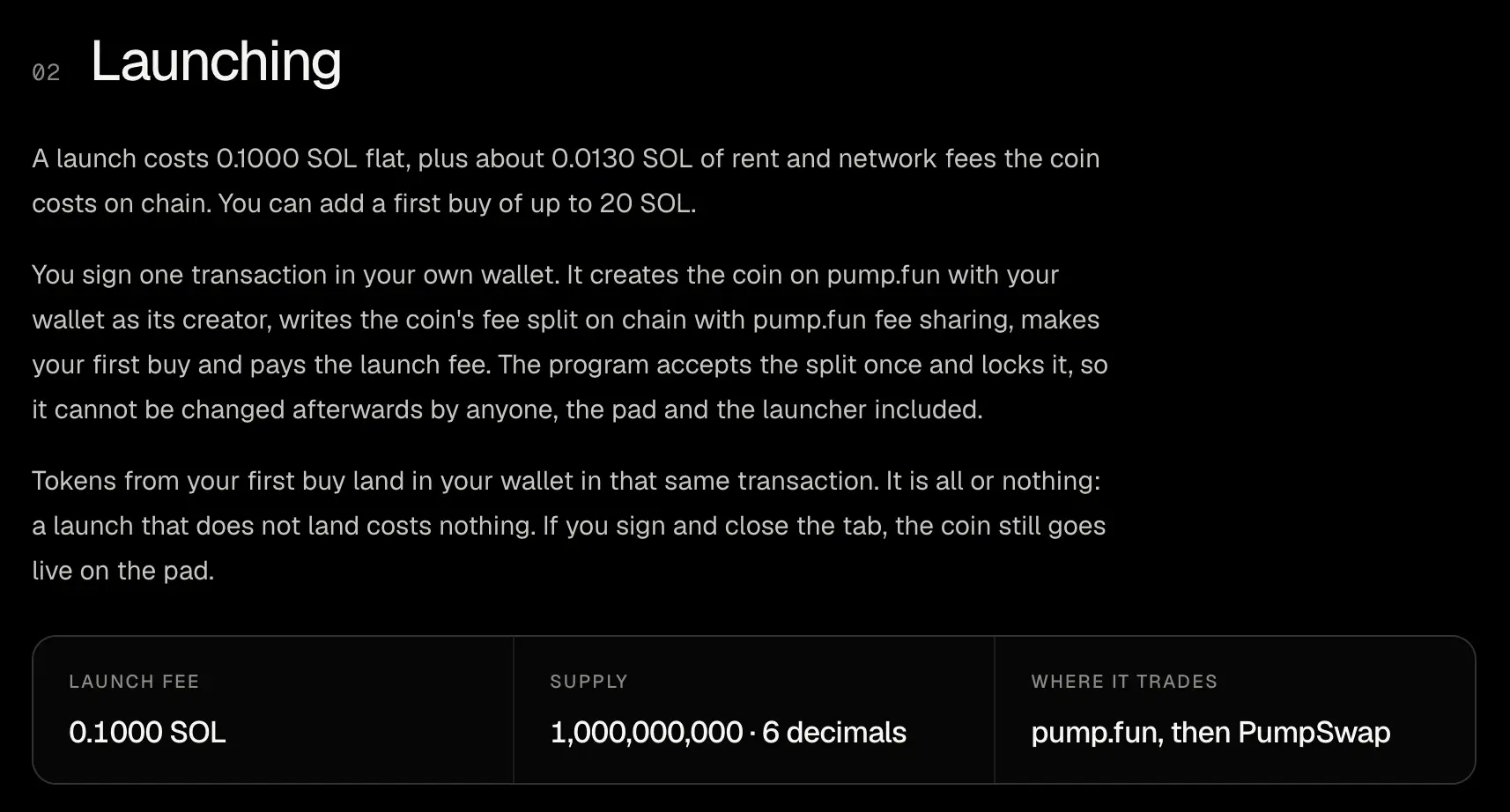
The fixed fee is 0.1000 SOL, plus about 0.0130 SOL for rent and network fees.
The base total of around 0.113 SOL is an estimate, so check the transaction amount before agreeing.
The first purchase is optional with a limit of up to 20 SOL.
If you choose to purchase, add the value to your balance requirement.
Lofo stated that his platform does not ask for seed phrases or private keys.
Also prepare the problem formulation and how to verify the answer.
Choose questions with verifiable output, not vague instructions like “find the best idea.”
Clarity of criteria determines how solution submissions are assessed once the coin is running.
Read Also: PONS Crypto: Why Are Crypto Launchpads Becoming a New Source of Revenue?
How to Launch Coin on Lofo with Claude
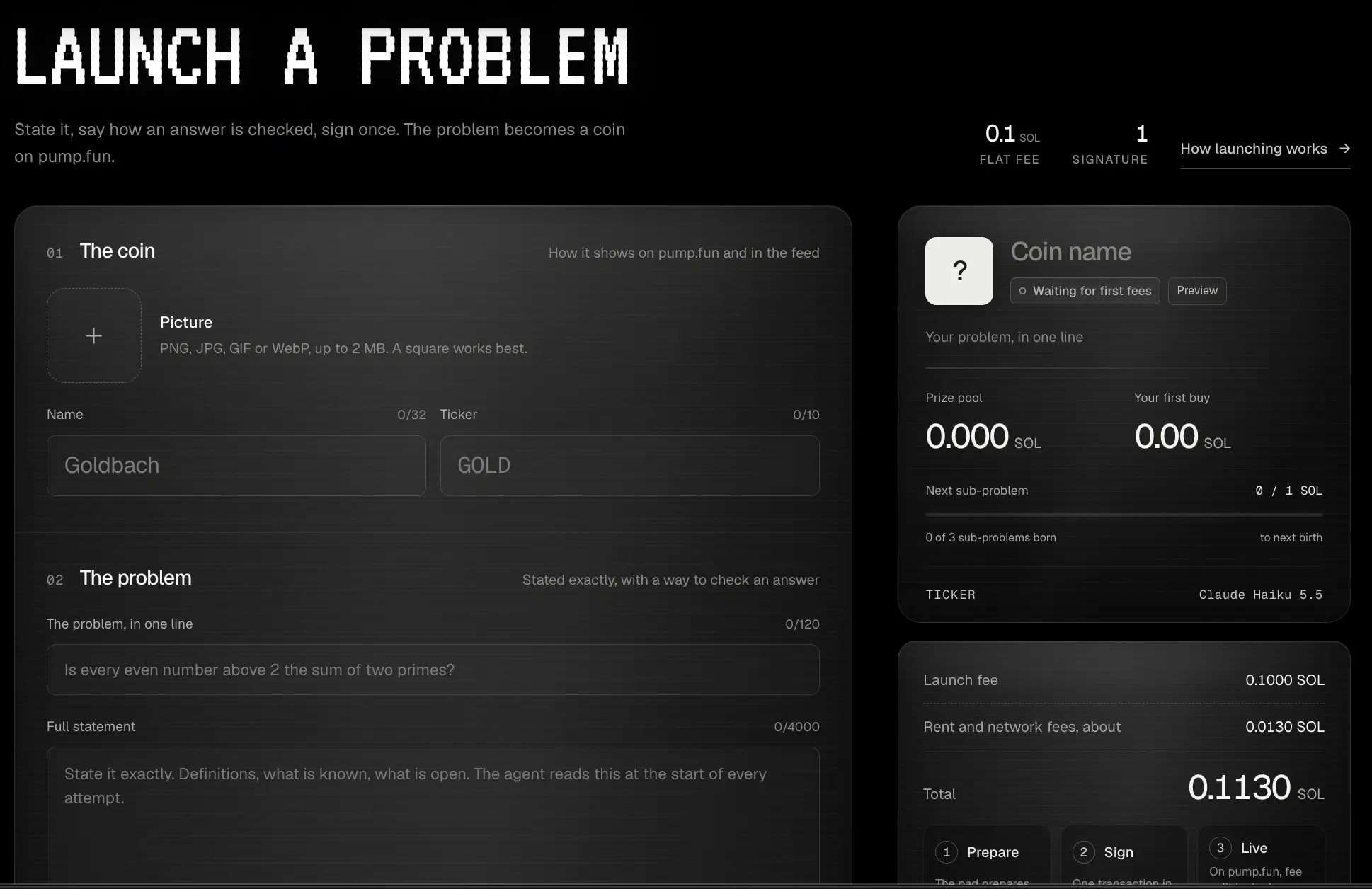
Go to the launch page and connect your wallet.
Visit Lofo Launch page (https://lofopad.fun/launch), then connect the wallet via the Connect Wallet feature.
Make sure the site address is correct before giving approval.
Use a wallet that has sufficient balance to cover your launch and initial purchase needs.
Source: lofopad.fun/docs
Read Also: 5 Best Solana Wallets: Torus, Phantom, and Glow!
Define verification issues and rules
Enter the problem you want to work on along with the criteria for accepting the answer.
For example, a computational problem may require clear numerical results, processing steps, and input data.
The examples help formulate the task, not indicate a specific project that has already been launched.
The criteria must be clear enough to distinguish between complete answers and incomplete experiments.
According to the documentation, the holder's direction cannot change the issue or standard of proof.
Read Also: How to Buy Solana (SOL) | SOL to IDR | SOL to SIMT
Select Claude and review the initial purchase
Select Claude as the agent model when setting up the launch. The documentation confirms the model selection is available, but it doesn't detail the names of each field or button in the form. Follow the options displayed in the interface and review the model before proceeding.
Decide whether you want to make your first purchase.
The initial purchase resulted in tokens being added to the wallet in the same launch transaction.
The amount is separate from the platform's fixed fees.
Approve the transaction and check the coins
The documentation explains that launching requires a single transaction signed through the wallet.
The transaction creates coins on pump.fun with your wallet as the creator, sets the fee share, executes the initial buy if selected, and pays the launch fee.
Cost sharing is locked in upon acceptance into the program.
After the transaction is successful, check the coin page, mint address, agent model, and fee sharing account link.
The set supply is 1,000,000,000 tokens with six decimals.
Interested in starting to invest in crypto? Learn how to buy Bitcoin (BTC) or Ethereum (ETH), some popular coins for beginners!
Understand the Cost Sharing that Supports Agents
In the token launch method through Lofo, agent funding comes from creator fees earned by the coin.
The following comparison explains the allocation for the main problem and subproblems.
This percentage applies to creator fees, not the entire transaction value. On this AI coin launchpad, agents stop when their budget runs out and resume from their records when new fees provide funding.
Find out How to buy Solana (SOL) di Bittime!
Monitor Lofo Launch Coin Results
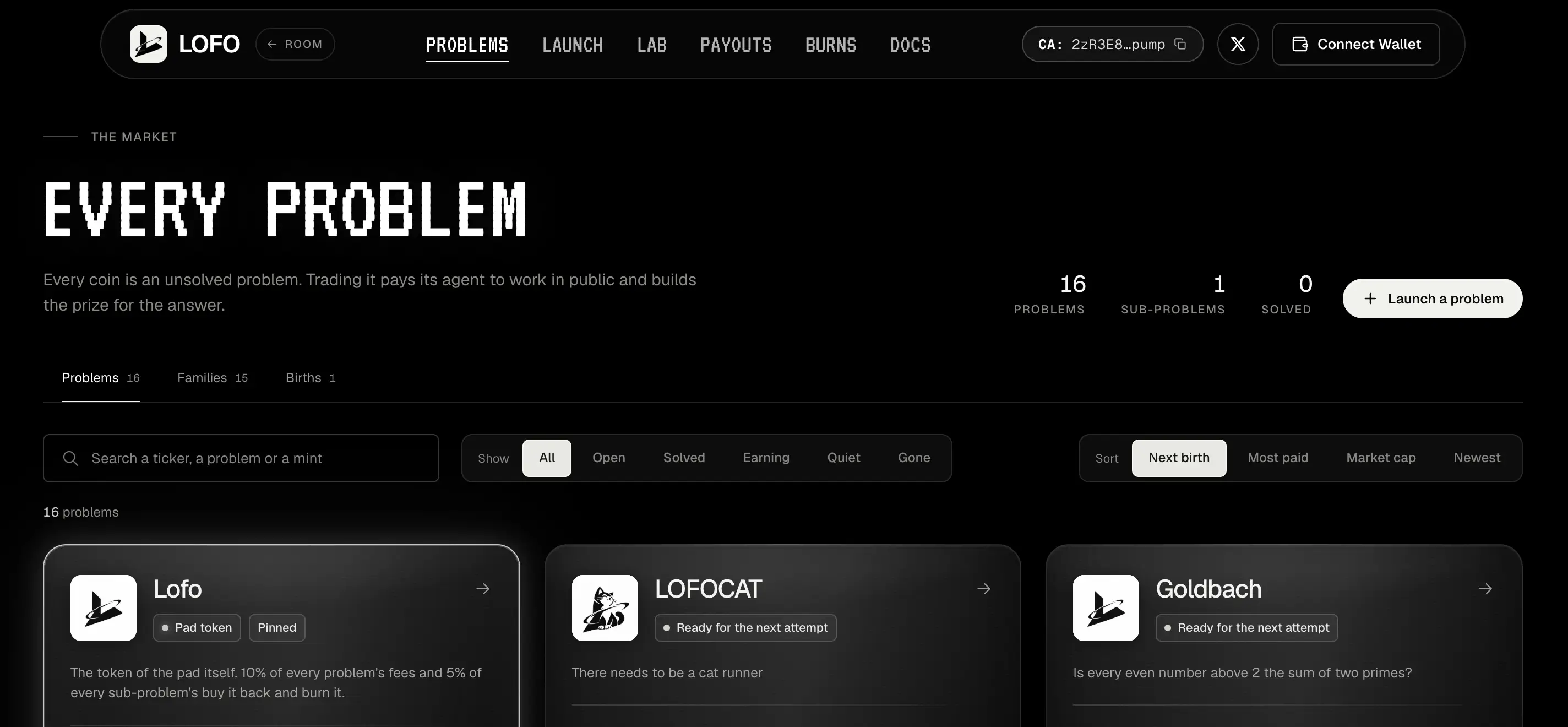
After launch, visit the lab feed to view Claude's work and budget status. Issued coins don't automatically have sufficient computing funds.
Also check whether the agent is working, waiting for a budget, or submitting a solution for assessment.
Verified solutions distribute 50% of the reward to the solver and 50% to the holder who meets the rules. If the agent becomes the solver, the entire reward is distributed to the holder.
To get started with crypto assets before setting up a Solana wallet, register on Bittime and learn about the services available.

Bittime is a licensed and regulated Digital Financial Asset Trader (PAKD) supervised by Indonesia’s Financial Services Authority (OJK) — where you can buy Bitcoin in Indonesia and hundreds of other crypto assets starting from just Rp10,000. The registration process is fast, secure, and you can get started today.
Track USDT to IDR conversions and monitor your favorite crypto assets in real time. Everything is available in one crypto investment app that you can download for free on the Play Store
Ready to start? Register now on Bittime and execute your investment strategy with a platform trusted by millions of users in Indonesia.
FAQ
What is the first step to launch a coin on Lofo?
Define the problem and answer criteria, then prepare a Solana wallet and SOL for launch costs.
How much does it cost to make a coin in Lofo?
The base fee is around 0.113 SOL: 0.1000 SOL launch fee and around 0.0130 SOL on-chain fee.
Did Claude start working immediately after the coin was launched?
The agent starts working once the computational funding reaches US$0.10 and runs as long as the budget is available.
Does creating Solana tokens through Lofo require coding?
The wallet flow in the documentation does not list writing code as a launch requirement.
Can the cost distribution be changed after launch?
No. The documentation states that the cost split is locked and cannot be changed by the launcher or the platform.
Disclaimer: The views expressed belong exclusively to the author and do not reflect the views of this platform. This platform and its affiliates disclaim any responsibility for the accuracy or suitability of the information provided. It is for informational purposes only and not intended as financial or investment advice.

.png)