How to Register for Bitcoin via Mobile: Easy and Fast!
2025-10-06
Want to start investing in Bitcoin but unsure how to register? Don't worry, you can do it directly from your phone without any hassle.
Currently, many crypto platforms provide easy services to register and purchase digital assets just via mobile phone, one of them isBittime Exchange, the official and trusted crypto platform in Indonesia.
In this article, we will discussHow to register for Bitcoin via mobile phone at Bittimewith simple and safe steps for beginners. Read this article to learn more!
Register Bitcoin via Mobile at Bittime
Before going into the steps for registering for Bitcoin via mobile, it is important to know why many people choose it to buy and sell Bitcoin.
Bittime is one of the local crypto exchanges that have officially registered with Bappebti, so user security is guaranteed.
In addition, Bittime has a lightweight and user-friendly mobile application, so you can register, verify, and make transactions anytime and anywhere just via your cellphone.
This platform also supports various crypto assets besides Bitcoin, and has an active customer support service that is ready to help 24/7.
Read Also: How to Trade Crypto in Indonesia for Beginners: A Complete and Easy Guide
How to Register for Bitcoin via Mobile at Bittime
Here is the complete guide How to register for Bitcoin via mobile phone at BittimeFor those of you who are trying digital asset investment for the first time:
1. Download the Bittime App on your phone
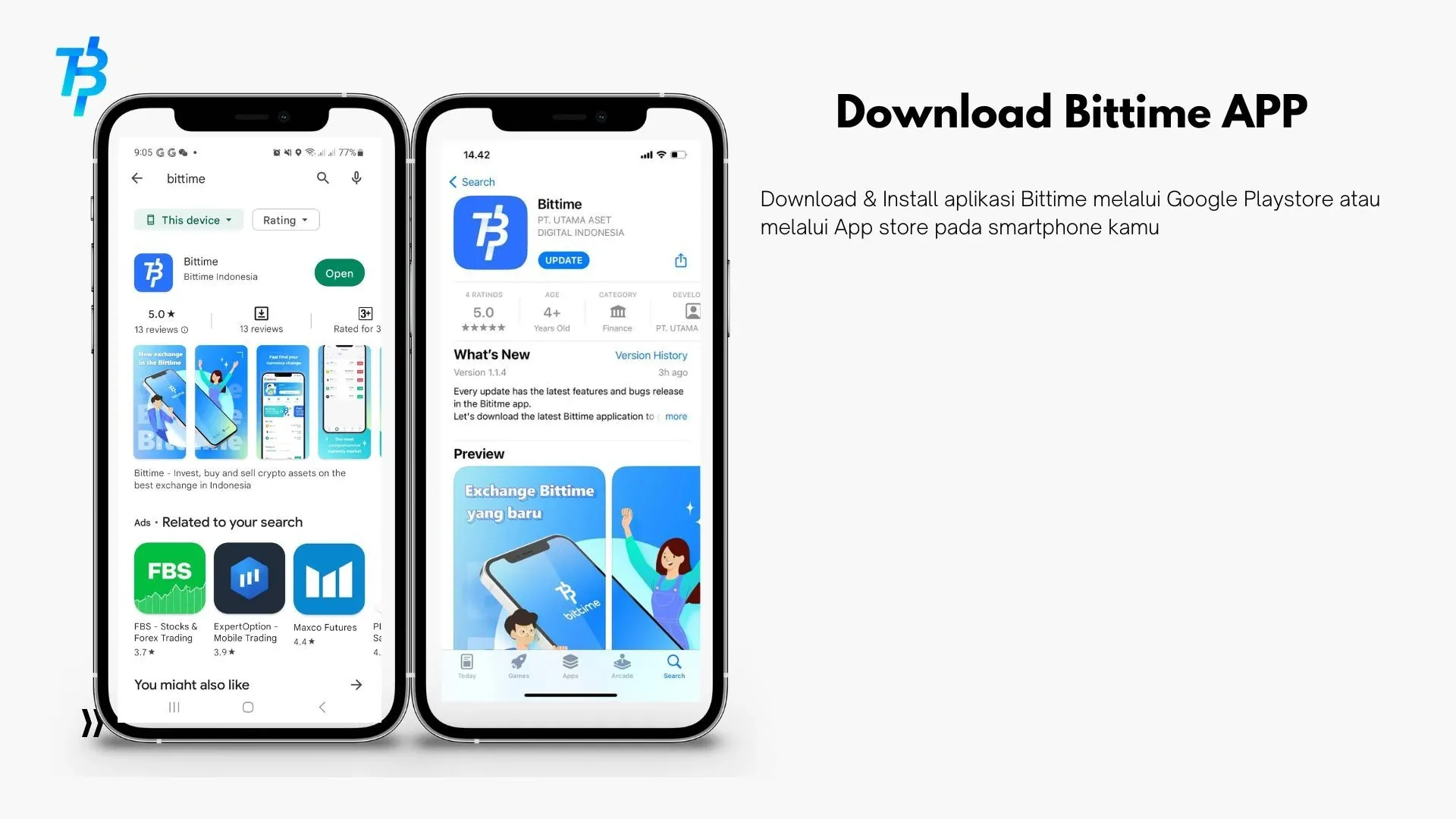
The first step of course is download the Bittime app through the official app store.
- For Android users, open Google Play Store and type “Bittime”.
- For iPhone users, open the App Store and search for the “Bittime” application.
After that, click “Download”and wait until the installation process is complete.
2. Create a New Account and Enter an Active Email
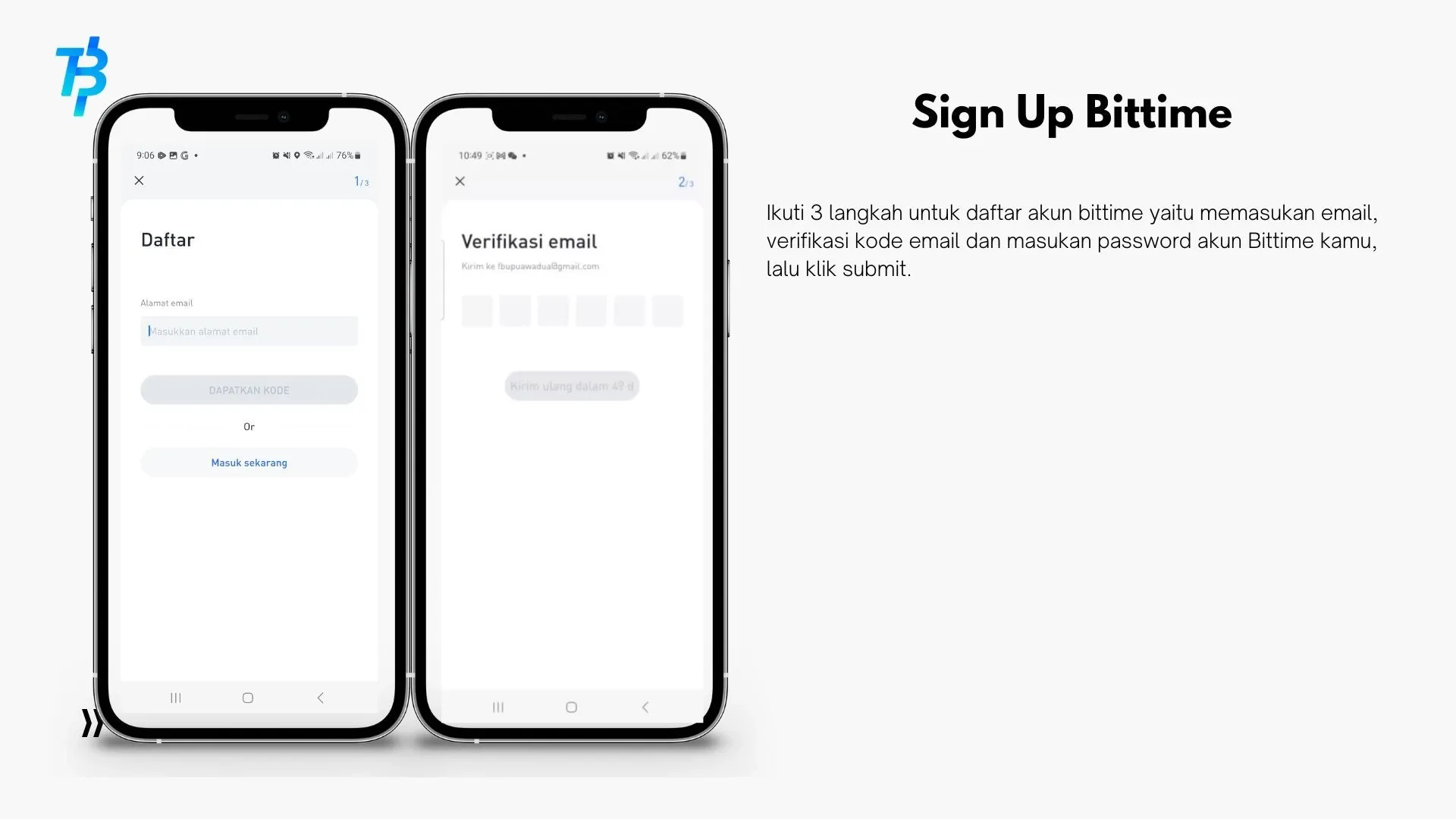
Once the application is installed, open the application then press the button “Register Now”. Enter your active email address, then click “Get Code” to receive verification code.
Check your email inbox and copy the code into the Bittime app. If the code hasn't arrived, you can click "Resending" to get the barcode.
3. Agree to the Policy and Complete the Registration
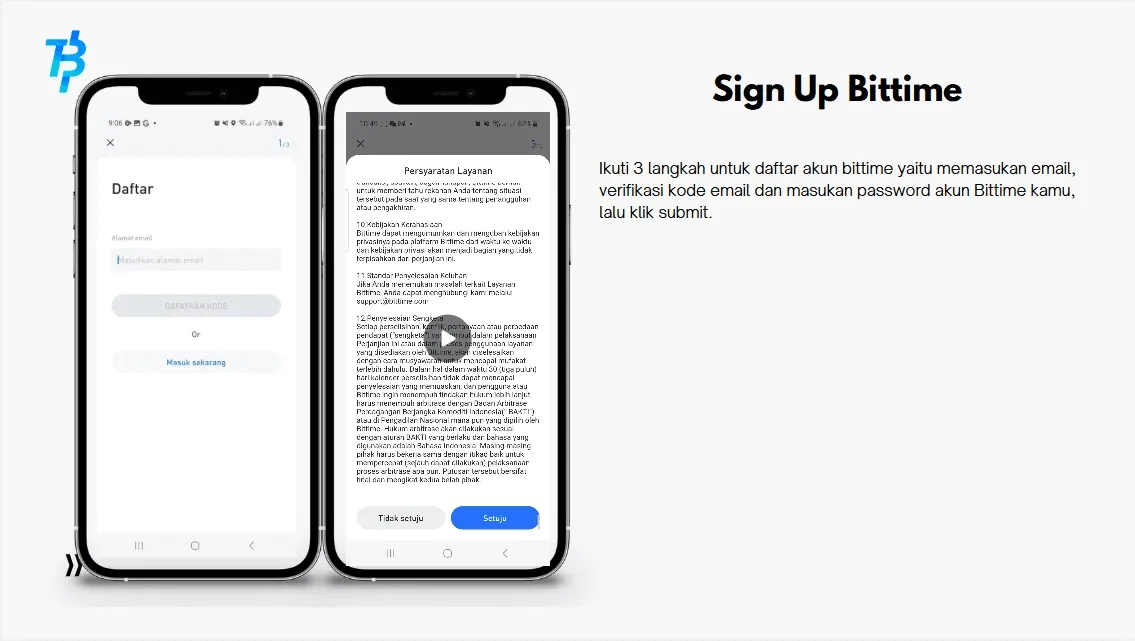
After email verification is complete, check the column “I agree to the privacy policy and terms of service” as a sign of agreement. Then click the button "List" to proceed to the next step.
Read Also: 5 Best Crypto Education Platforms for Beginners and Traders in 2025
4. Create an Account Password
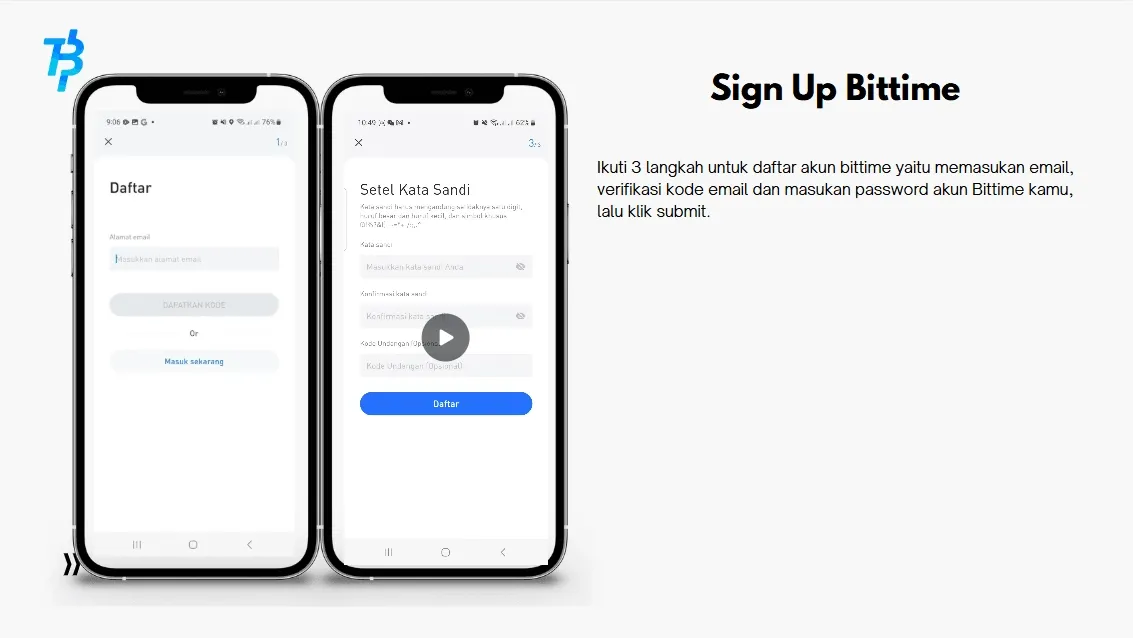
The next step is to make a password. For your account security, enter a strong password, combining uppercase and lowercase letters, numbers, and symbols for added security.
Repeat the password in the confirmation field, then click “Save”to complete the account creation process.
5. Identity Verification (KYC)
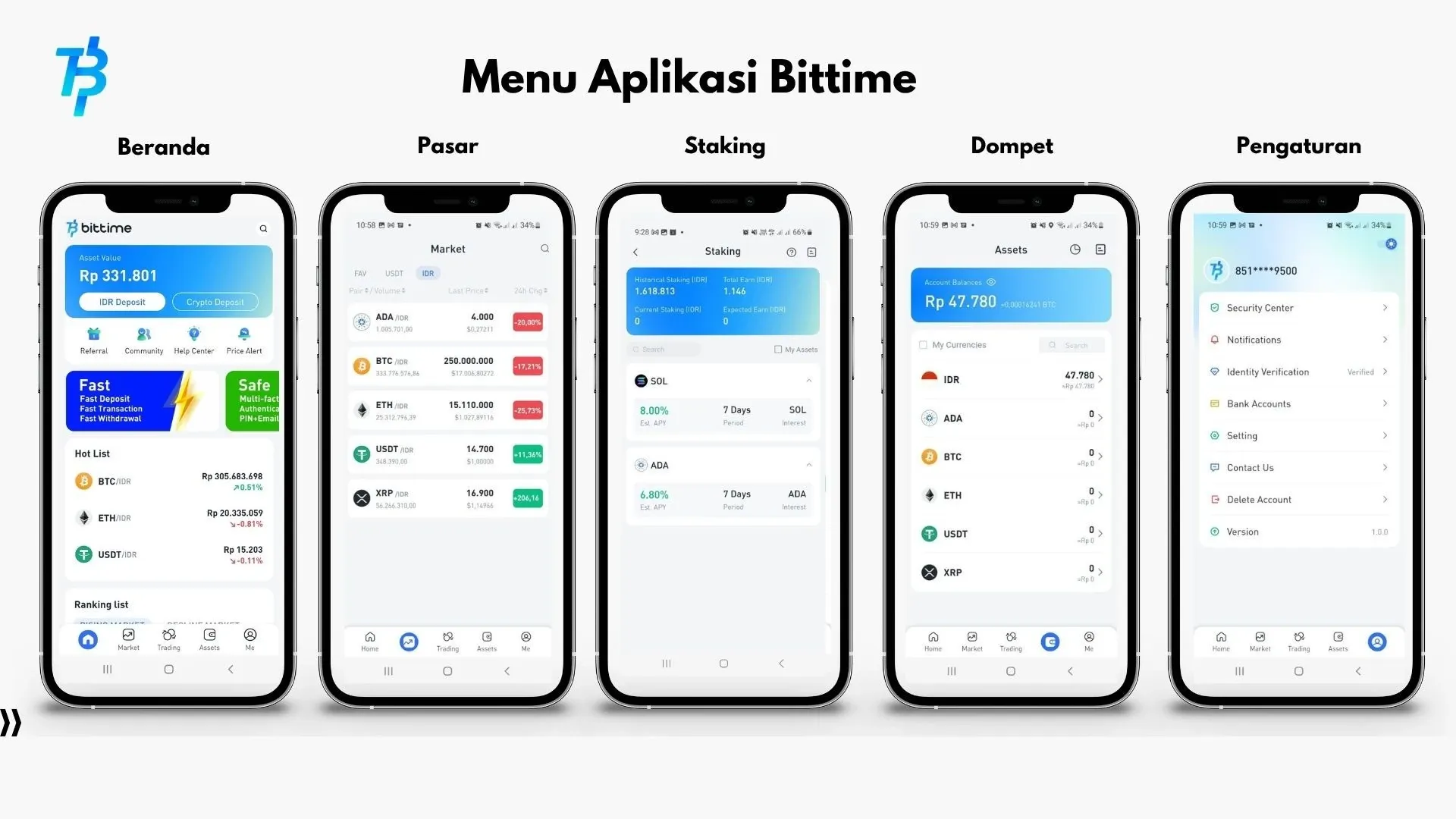
In order to start transactions such as buying and selling Bitcoin, you need to go through a process identity verification (KYC). This process must be carried out in accordance with regulations to ensure your account is secure and protected from illegal activity.
Here are the steps:
- Complete your personal data according to your KTP or official identity.
- Upload a photo of your ID card and a selfie while holding your ID card.
- Wait for the maximum verification process1×24 hours.
If verification is successful, your account will be fully active and ready to be used for crypto transactions.
6. Start Buying Bitcoin on Bittime
Once the account is active and verified, you can deposit Rupiah balance via bank transfer or an available e-wallet.
Next, go to the menu “Market” and search Bitcoin (BTC/IDR). Click “Buy”, enter the amount you want, then confirm the transaction.
Congratulations, you now officially own your first Bitcoin on Bittime!
Read Also: 7 Effective Crypto Trading Methods for Beginners, Complete with Tips and Tricks
Additional Tips to Register for Bitcoin
You already know how to register for Bitcoin via mobile at Bittime. Here are some additional tips for new users:
1. Use active email and cellphone number to make it easy to recover your account if you forget your password.
2. Always enable the feature two-step verification (2FA) for safety additional.
3. Never share your OTP code or account password with anyone.

Conclusion
How to register Bitcoin via mobile at Bittime is very easy and fast, even for beginners. You simply need to download the app, create an account, verify your identity, and make a deposit before you can start buying Bitcoin.
With comprehensive security features, a simple interface, and responsive customer support, Bittime is one of the best choices for those looking to start their crypto journey safely and securely.
How to Buy Crypto on Bittime
Want to trade sell and buy Bitcoins and easy crypto investing? Bittime is here to help! As an Indonesian crypto exchange officially registered with Bappebti, Bittime ensures every transaction is secure and fast.
Start by registering and verifying your identity, then make a minimum deposit of IDR 10,000. After that, you can immediately purchase your favorite digital assets!
Check the course BTC to IDR, ETH to IDR, SOL to IDR and other crypto assets to find out today's crypto market trends in real-time on Bittime.
Additionally, visit Bittime Blog to get various interesting updates and educational information about the world of crypto. Find trusted articles on Web3, blockchain technology, and digital asset investment tips designed to enrich your crypto knowledge.
Conclusion
FAQ
Is it free to register a Bittime account?
Yes, account registration on the Bittime app is completely free without any fees.
How long does the KYC verification process take at Bittime?
Usually the KYC process takes a maximum of 1×24 hours, depending on the completeness of the data you send.
Is it possible to buy Bitcoin without identity verification?
No, it's not possible. All users are required to complete identity verification (KYC) to make transactions on Bittime.
Is the Bittime app safe to use?
Yes, Bittime has officially registered with Bappebti and implements a multi-layered security system, including data encryption and two-factor authentication.
Can I register Bittime on more than one device?
Yes, as long as you use the same account and log in with the email and password registered in the Bittime system.
Disclaimer: The views expressed belong exclusively to the author and do not reflect the views of this platform. This platform and its affiliates disclaim any responsibility for the accuracy or suitability of the information provided. It is for informational purposes only and not intended as financial or investment advice.

.png)


