How to Buy BAN on Bittime: BAN Coin Guide, Listing, and Official Contract Address
2026-01-21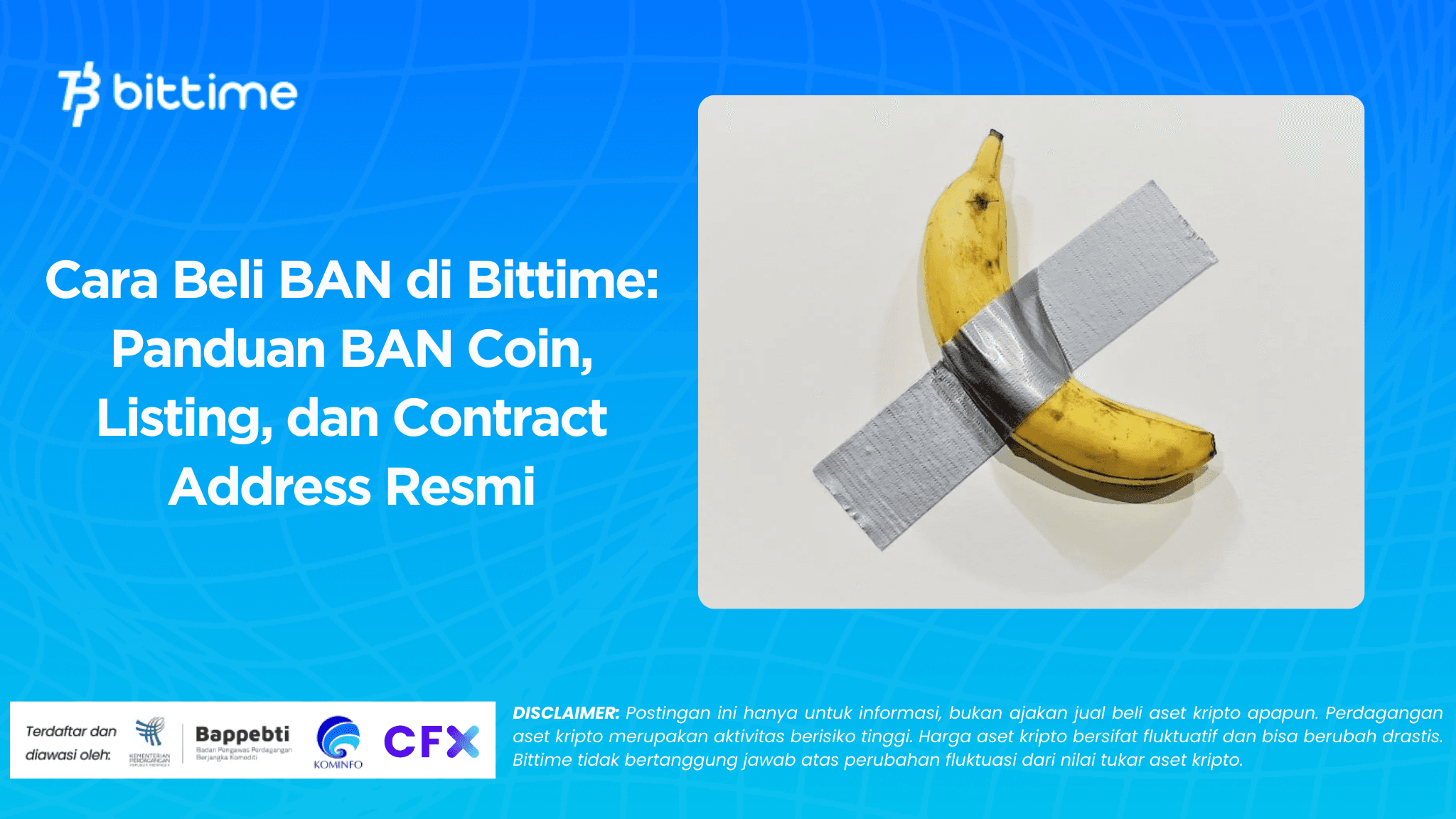
If you are looking forHow to buy BAN on Bittime, usually you need a quick and clear answer: is it? BAN listing by Bittime, how to buyBAN coinwith Rupiah, and how to make sure you don't get the wrong token.
In this article, we'll discuss everything in a light, yet concise manner. BAN itself is known as Comedian, a memecoin inspired by the work "Comedian," a banana stuck to a wall, and then brought to the crypto world as a satire on how value can be created through culture and attention.
Key Takeaways
- BAN or Comedian is a memecoin in the Solana ecosystem with a fixed supply of around 999.96 million tokens.
- The safest way to start is to check first.BAN listing by Bittime directly from the Market menu in the application.
- Verify contract address before transaction or transfer : 9PR7nCP9DpcUotnDPVLUBUZKu5WAYkwrCUx9wDnSpump.

Getting to Know BAN Coin: The Comedian's Story, the Community, and Why People Are Seeking It
BAN, listed on CoinMarketCap as Comedian with the ticker BAN, has garnered much attention for its unique narrative. It borrows ideas from the iconic conceptual artwork "Comedian" and transforms it into a symbol of internet culture.
In CoinMarketCap's explainer, BAN is described as a satirical memecoin that highlights speculative markets, while leveraging the speed of the Solana network for lightweight transactions.
The official website also emphasizes a similar idea. On the comedian.meme homepage, the community calls BAN the first "art meme" in its history, explaining that its project incorporates elements of irony, social commentary, and meme culture, which often amplifies value through trends, rather than complex technical utility.
Read also:How to Buy GNS on Bittime: Gains Network Coin Guide for Beginners
They also touched on efforts to build a community ecosystem, including apps and stores, with light activities like mini-games and digital content created to enliven the community.
On its official X account, Ban Community consistently conveys the message that BAN transforms culture into values, and humor is part of its community's history. This illustrates that BAN isn't a project promising complex technical features, but rather emphasizing cultural narratives, community, and momentum.
If you look at the summary data on CoinMarketCap, BAN is listed as being in the Solana ecosystem and has a circulating supply that aligns with the maximum supply, leading many to believe that the token supply has "bottomed out" and is not continuing to grow.
However, it's still important to consider BAN a high-risk asset, as memecoins are heavily influenced by market sentiment, community trends, and attention swings. Therefore, before diving into the "how to buy" steps, make sure you understand that volatility is part of the game.
Read also:How to Buy USUAL on Bittime: USUAL Coin Guide and Official Contract Address
How to Buy BAN on Bittime: Practical Steps for Beginners
Now we get to the heart of it:How to buy BAN on Bittime. Because you are also targeting keywords bittime listing BAN coinThe first step is always the same: ensure the BAN is available in the Bittime app when you purchase. The asset list is subject to change, so the safest way to check is through the app.
Here are the guidelines in an easy-to-follow list format:
- Open the Bittime app and log in
If you don't have an account, register first and then complete identity verification so that the transaction feature is open. - Check BAN listing on Bittime
Go to the Market menu, then type “BAN” in the search field. If the asset page appears, it means that BAN is listed on Bittime and available for trading. - Top up your Rupiah balance
Log in to your Rupiah wallet, then deposit using the method available in the app until the balance is credited. - Go to the BAN coin page
Go to the BAN page, look at the asset details, then select the buy option. - Determine the type of order you understand
If you want a fast transaction, you'll typically choose an order that directly follows the current market price. If you want to target a specific price, use an order with a price you set yourself. - Enter the nominal and confirm
Check the transaction summary, including the amount you received and the estimated total cost, then confirm. - Check BAN balance after transaction is complete
Make sure the BAN has been entered into your asset wallet on Bittime.
During this process, it's best to use a platform that prioritizes security and compliance. The Financial Services Authority (OJK) urges the public to conduct transactions through whitelisted providers and use official channels.
From a technological perspective, Bittime has also explained the use of security approaches such as MPC to help protect assets and access.
If you want to start cleanly, make your first BAN coin purchase on Bittime with a small denomination, while getting used to reading the order details. Open the Bittime app, search for BAN in the Market, and make your purchase according to your plan.
Read also:How to Buy ALCH on Bittime: Alchemist AI Coin Guide, Listing, and Official Contract Address
BAN Contract Address and How to Verify to Avoid Wrong Tokens
This part is often overlooked, but it's crucial. Since BAN is based on Solana, token identity is usually verified through the contract address or mint address. For BAN, the contract address referenced and displayed on CoinMarketCap is 9PR7nCP9DpcUotnDPVLUBUZKu5WAYkwrCUx9wDnSpump.
The comedian.meme site also displays the same address in its short history section and “Buy BAN” area, so you have a double reference from the project’s official source and a data aggregator.
You can do a simple verification method like this:
- Match ticker and name
Make sure what you see is really Comedian with the ticker BAN, not another token with a similar name. - Match the contract address exactly
Use copy paste to avoid typos : 9PR7nCP9DpcUotnDPVLUBUZKu5WAYkwrCUx9wDnSpump. - Check reference sources in at least two places
For example, CoinMarketCap and the project's official website. This helps reduce the risk of mispricing the token. - If you ever transfer, test it with a small nominal amount.
This is a safe practice that many beginners use to ensure the network and destination address are correct. - Be wary of links and promotions that feel too pushy.
The OJK also highlighted the need to be vigilant against promotions that lead to unofficial channels and the potential for fraud.
Finally, remember that BAN is a memecoin, with its value largely shaped by culture, community, and momentum. So, once you understand how to buy, the next step is risk management. Set spending limits, don't force yourself to invest when emotions are high, and always check official information before making any further decisions.
Read also:How to Buy CRO on Bittime: CRO Coin Guide, Listing, and Contract Address
Conclusion
How to buy BAN on Bittime starts with a very practical step: check firstBAN listing by Bittimevia the Market menu, top up your Rupiah balance, then buyBAN coinwith the type of order you understand.
After that, protect yourself with verification habits, especially ensuring the correct BAN contract address, namely 9PR7nCP9DpcUotnDPVLUBUZKu5WAYkwrCUx9wDnSpump . With this process, you can purchase BAN on Bittime with greater peace of mind and predictability.
How to Buy Crypto on Bittime?

Want to trade sell buy Bitcoins and crypto investment easily? Bittime is here to help! As an Indonesian crypto exchange officially registered with Bappebti, Bittime ensures every transaction is safe and fast.
Start with registration and identity verification, then make a minimum deposit of IDR 10,000. After that, you can immediately buy your favorite digital assets!
Check the exchange rate BTC to IDR, ETH to IDR, SOL to IDR and other crypto assets to find out today's crypto market trends in real-time on Bittime.
Also, visit the Bittime Blog for interesting updates and educational information about the crypto world. Find reliable articles about Web3, blockchain technology, and digital asset investment tips designed to enrich your crypto knowledge.
FAQ
What is BAN coin?
BAN is Comedian, a satirical memecoin inspired by the artwork “Comedian” and running on the Solana ecosystem.
How to check BAN listing on Bittime?
Open the Bittime app, go to the Market, and search for “BAN.” If it appears, it's available.
What is the official BAN contract address?
Contract address BAN is 9PR7nCP9DpcUotnDPVLUBUZKu5WAYkwrCUx9wDnSpump.
Why do I have to verify the contract address before a transaction?
So that you don't get the wrong token, because fake tokens can have similar names and tickers.
Is BAN suitable for beginners?
Yes, but memecoins tend to be highly volatile. Start small, understand the risks, and use disciplined verification measures.
Disclaimer: The views expressed belong exclusively to the author and do not reflect the views of this platform. This platform and its affiliates disclaim any responsibility for the accuracy or suitability of the information provided. It is for informational purposes only and not intended as financial or investment advice.

.png)