Free AI Passport Photo Recommendations: Turn Your Selfie into a Formal Photo in Seconds
2026-06-30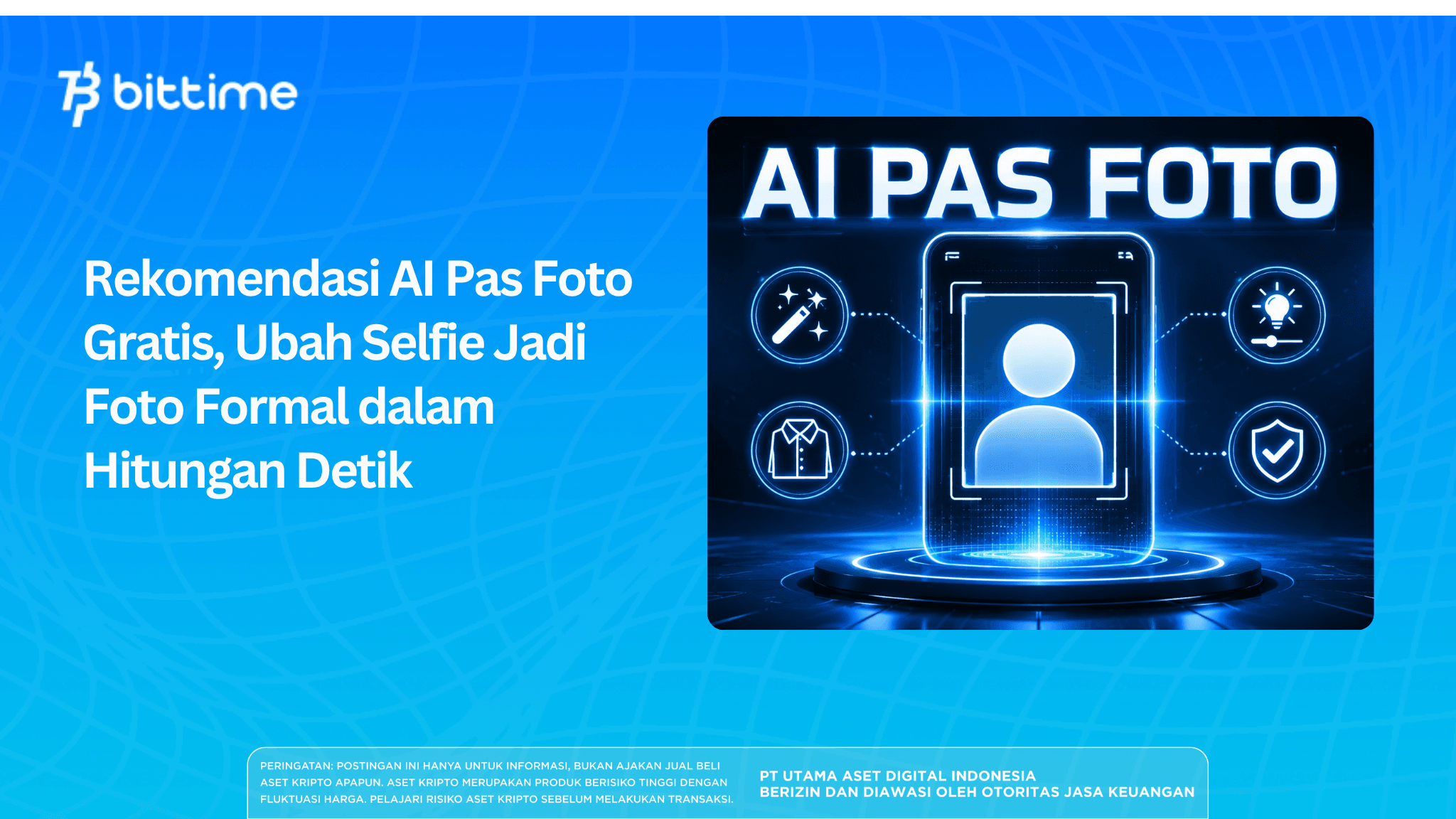
AI image-to-image and generative fill technology allows these tools to recognize your face, change the background to plain white or blue (according to passport photo standards), change your clothes to a formal suit or a neat shirt, improve lighting, and adjust expressions to look professional.
The results are often very close to studio photos, even faster and more economical.
Key Takeaways
- Free AI passport photo tools can turn selfies into professional photos in minutes.
- Choose tools with image-to-image, background removal, and native language prompt support.
- Ideal for LinkedIn and CVs, but not always accepted for official documents.
Register at Bittime now and start trading crypto with a fast, safe, and easy process in the app.
Why Are So Many People Turning to AI Passport Photos?
Making formal photos traditionally takes time.time and cost. You have to choose the right clothes, go to the studio, and wait for the print results. With ai passport photo maker, all these processes can be done from home with just a selfie and an internet connection.
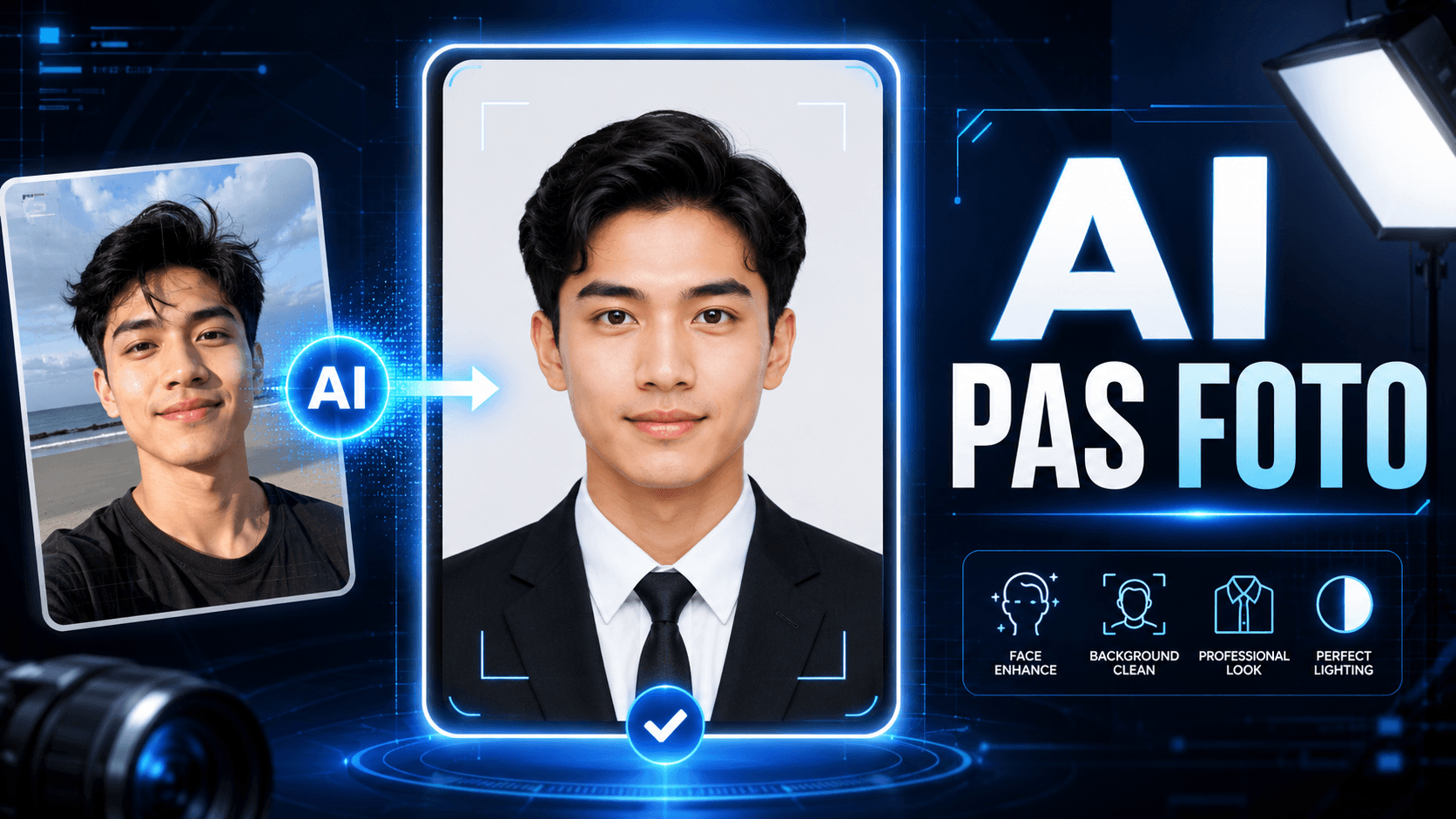
(Image source: AI Image Generated)
Its main advantages are speed, low cost, and the ability to repeat the process multiple times until the results are satisfactory. You can also customize details such as the background, clothing, and facial expressions to your liking.an.
The technology behind it typically combines automatic background removal, generative AI to fill in new details, and models trained on thousands of professional photos.
Read also: What Is Digen AI and How Do I Use It? Convert Images to AI Videos
How AI Passport Photos Work (Practical Steps)
Here are the general steps that apply to almost all tools:ai for passport photo:
- Take or choose a good quality selfie (sufficient lighting, clear face, not too busy background).
- Open the AI tool of your choice (either via the web or the app).
- Upload a selfie photo.
- Use the edit or generate feature: type a prompt like “convert to formal passport photo with plain white background, wearing a black suit, neutral expression, studio lighting”.
- Adjust the size if needed (many tools have a 3x4 cm or 4x6 cm preset).
- Download the results in high quality JPG/PNG format.
This process usually takes 10–60 seconds to complete depending on the tool and your internet speed.
Read also:11 Best Free AI Photo Editing Websites with Professional Results in 2026
7 Best Free AI Passport Photo Editors for 2026
Here's a selection of the most suitable tools for transforming selfies into formal photos. I prioritized those with adequate free tiers, user-friendly interfaces, and the ability to produce realistic results.
1. MyEdit
MyEdit is one of the best choices due to its fully Indonesian language interface and comprehensive AI editing features, including upscaling, object removal, and image-to-image. It's perfect for beginners in Indonesia who want fast, natural results.
Simply upload a selfie and have AI transform it into a formal photo with a plain background. Up to five images per day are free. The advantage is sharp results that are easily adaptable for CVs or LinkedIn. The downside is a limited daily quota if you need a wide variety.
2. Canva Magic Studio
Canva is already very familiar, and its Magic Edit and generative fill features are very powerful for changing outfits, removing backgrounds, and adding formal elements. Simply upload a selfie, select "Edit with AI," and then type in your desired prompt.
The AI feature is free up to 50 times per month. The advantage is the ease of advanced design—you can instantly create a CV or LinkedIn banner from the same photo. The downside is that the AI process can be a bit slow during high traffic.
3. Microsoft Copilot (Designer)
Microsoft's Copilot is free for up to 15 images per day and supports Indonesian language prompts quite well. The resulting images are realistic and suitable for professional headshots. Simply type the prompt while uploading a selfie.
The advantages are easy access without additional installation and integration with Microsoft accounts. The downside is that facial details are sometimes less perfect than dedicated photo editing tools.
4. ChatGPT Image Generation (GPT-4o)
With ChatGPT, you can upload a selfie and have the AI transform it into a formal photo instantly. Its strength lies in facial consistency and the ability to make revisions via chat ("change the suit to blue").
It's perfect if you're already using ChatGPT. Its advantages include high revision flexibility. The disadvantages are limited free data and the need for an account.
5. Fotor AI
Fotor offers a wide range of visual styles and features for converting photos into professional illustrations. It's perfect if you want a slightly more artistic yet formal result. Up to two images per day are free.
Its advantage is its negative prompt, which helps avoid undesirable outcomes, such as a smile too wide for passport-sized photos. Its disadvantage is its smaller free quota compared to other tools.
6. Adobe Firefly
For high professional quality, Adobe Firefly is a superior choice. The results are safe for commercial use and integrate with Photoshop Express. About 10 images are free. Its advantages include high aesthetic standards, making it suitable for LinkedIn or portfolio photos. The downside is the relatively small free quota.
7. NanoBanana Pro / Gemini Image
This tool excels at producing ultra-realistic human portraits. The free version is limited to three images per day. It's perfect for those who want results that closely resemble real photos with perfect studio lighting. The advantage is high visual quality. The downside is a stricter quota than other tools.
Read also:What Is Moonlake AI? Understanding World Modeling for Physical AI
AI Photo Tool Comparison Summary
Here's a quick comparison between the tools in a more readable format:
- MyEdit It's perfect for Indonesian beginners due to its comprehensive Indonesian language interface and powerful editing features. It offers free access to around five high-quality, realistic images per day. The main drawback is the limited daily quota.
- Canva Magic Studio The most flexible if you also need to design a CV or other visual content. It has the largest free quota (50 times per month) and is easy to use. The AI process can be a bit slow when there are many users.
- Microsoft Copilot Ideal for those who want quick, hassle-free access. 15 images are free per day and support for Indonesian language prompts. The results are quite good for headshots, although facial details can sometimes be a bit less sharp.
- ChatGPT Image Generation It offers the highest revision flexibility through conversations. It's ideal if you already have a ChatGPT subscription. The downside is the limited free data quota.
- AI Photo Great for slightly more artistic results. Two images are free per day and they have helpful negative prompts. The quota is smaller than the others.
- Adobe Firefly Provides the highest professional quality and is safe for commercial use. Up to 10 images are free. Highly recommended for LinkedIn photos or serious portfolios.
- NanoBanana Pro / Gemini Image Produce the most realistic portraits. Free, limited to about three images per day. Perfect for those who prioritize resemblance to the original photo.
Read also:What is Kolivo AI? KOL Relevance vs. Popularity: A Key Difference for Brands
Tips for Getting the Best AI Passport Photo Results
In order for the results as headshot your formal photos are satisfactory, please note the following:
- Use selfies with good front lighting and your face facing the camera directly.
- Write specific prompts: mention “plain white background”, “formal attire black suit or white shirt”, “neutral expression or slight smile”, “high resolution”, “Indonesian passport photo style”.
- Take advantage of the “remix” or “variation” feature if the first result isn’t quite right.
- After generating, do a little manual editing (brightness, contrast) in the same tool or Canva.
- Save multiple versions with different backgrounds (white, light gray, blue) as needed.
Read also:Astra AI Review: AI Tutor Besides BelajarnAI
Important Things to Note
Although practical, there are some notes important when using a professional photo:
- For official documents such as passports, visas, ID cards, or driving licenses, many agencies still require photos from official studios with strict standards. AI-generated images are typically accepted for internal company use, LinkedIn, or non-official online applications. Always check the latest requirements of the relevant agency before using them.
- The quality of the free version is limited. Paid versions typically offer higher resolution and no watermark.
- Be mindful of data privacy. Don't upload sensitive photos to tools with unclear privacy policies.
- AI results can sometimes appear "too perfect" or contain small artifacts. Always check carefully before using them for critical purposes.
Conclusion
Free AI passport photo tools have become a practical and time-saving solution for anyone who needs a formal photo quickly. With tools like MyEdit, Canva, or Copilot, you can turn an ordinary selfie into a polished, professional photo in just seconds—without having to leave home or pay for a studio.
Choose the tool that best suits your needs and preferences. For the best results, combine clear prompts with a little manual touch-up. Remember, AI is a powerful tool, but always verify that the results meet the requirements of the institution or company you’re applying to.
Bittime is a licensed and regulated Digital Financial Asset Trader (PAKD) supervised by Indonesia’s Financial Services Authority (OJK) — where you can buy Bitcoin in Indonesia and hundreds of other crypto assets starting from just Rp10,000. The registration process is fast, secure, and you can get started today.
Track USDT to IDR conversions and monitor your favorite crypto assets in real time. Everything is available in one crypto investment app that you can download for free on the Play Store
Ready to start? Register now on Bittime and execute your investment strategy with a platform trusted by millions of users in Indonesia.
FAQ
Is AI free passport photo really free forever?
Most tools offer a free daily or monthly quota, which is sufficient for personal use. If you use them frequently, there's usually a paid upgrade option for a larger quota and higher quality.
Can AI generated passport photos be accepted for official documents like passports?
Many agencies still require photos from official studios. AI-generated images are generally safe for LinkedIn, internal company resumes, or informal online applications. Always check the agency's latest requirements before using them.
Which tool is most recommended for beginners in Indonesia?
MyEdit and Canva are the best choices because their interfaces are in Indonesian, they are easy to use, and the results are quite satisfactory for everyday use.
What's the best way to upload a selfie to get good AI results?
Use photos with even front lighting, faces clearly facing the camera, and a clear background. Avoid photos that are too dark or blurry.
Are there any size or format restrictions for AI-generated passport photos?
Most tools allow you to set the size (e.g., 3x4 cm or 4x6 cm) and JPG/PNG format. Some even have presets specifically for official documents.
Disclaimer: The views expressed belong exclusively to the author and do not reflect the views of this platform. This platform and its affiliates disclaim any responsibility for the accuracy or suitability of the information provided. It is for informational purposes only and not intended as financial or investment advice.

.png)