VEED IO: Definition, Features, and How to Use It
2026-09-10
A good recording isn't necessarily ready to air right away. Excessive pauses, distracting background noise, and difficult-to-read subtitles can detract from the viewing experience.
VEED IO provides tools to process these parts through a browser, while also offering artificial intelligence technology to assist in video production.
For creators, teachers, and business owners, understanding the function of each tool is more useful than simply trying all the effects.
The following explains the meaning, features, and steps for using it so that the editing process has a clear direction.
Key Takeaways
VEED IO is an AI-powered online video creation and editing platform.
Its features include a video editor, automatic subtitles, recording, and sound and visual creation.
The usage flow starts from preparing the material, editing, checking the results, then exporting the video.
What is VEED IO?
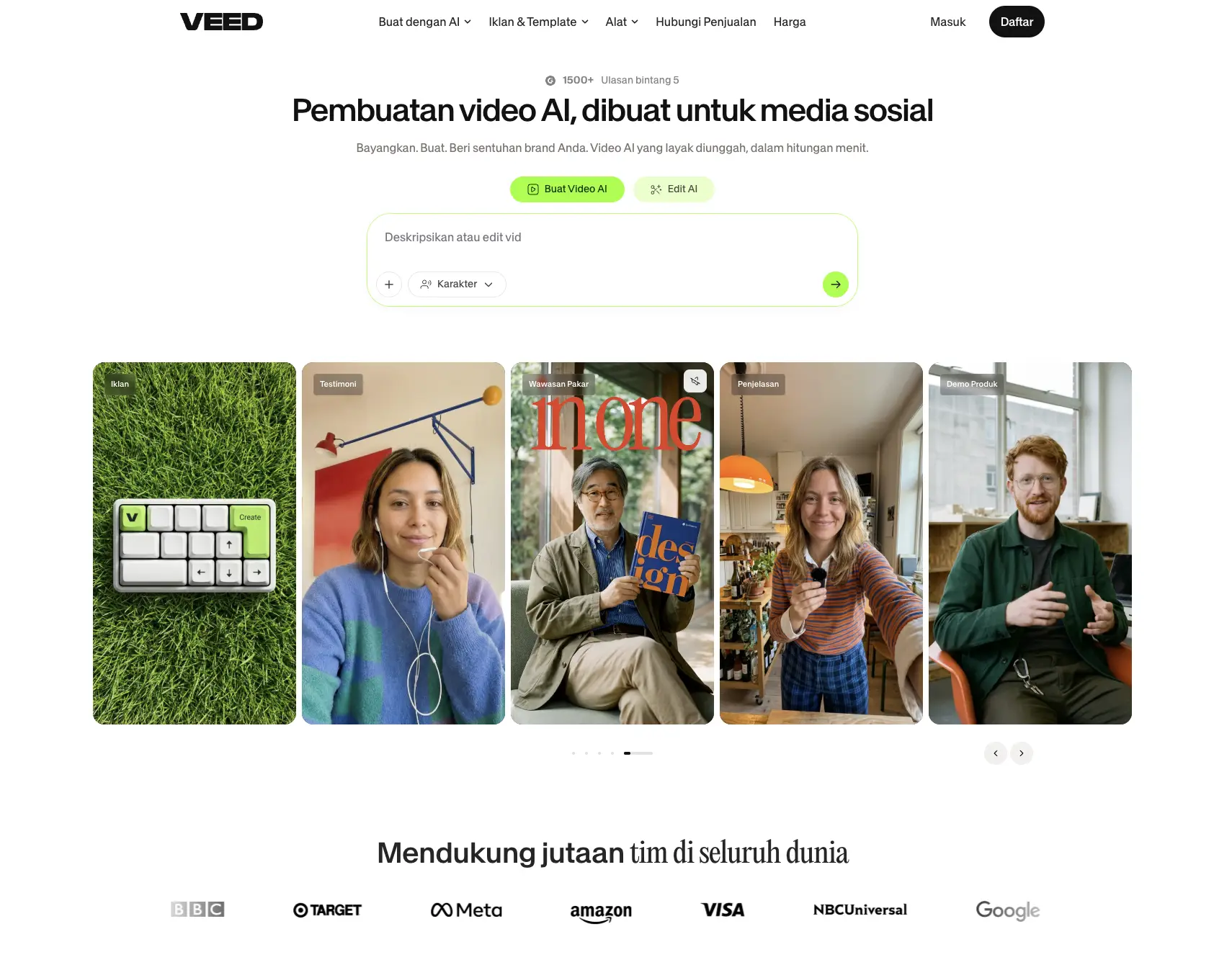
Source: veed.io
VEED IO is a web-based platform for creating, editing, and preparing videos in one working environment.
Users can edit their own recordings or utilize AI tools to generate new content. The official website also offers an Indonesian-language page.
If the question is “what is VEED IO in everyday activities?”, imagine an editing room opened through a browser.
A teacher can prepare an explanation of the material, while a business owner can process a product demonstration.
Their needs are different, but both require an easy-to-understand sequence of images, sound, and text.
Read Also: How to Create AI Agents and Their Functions
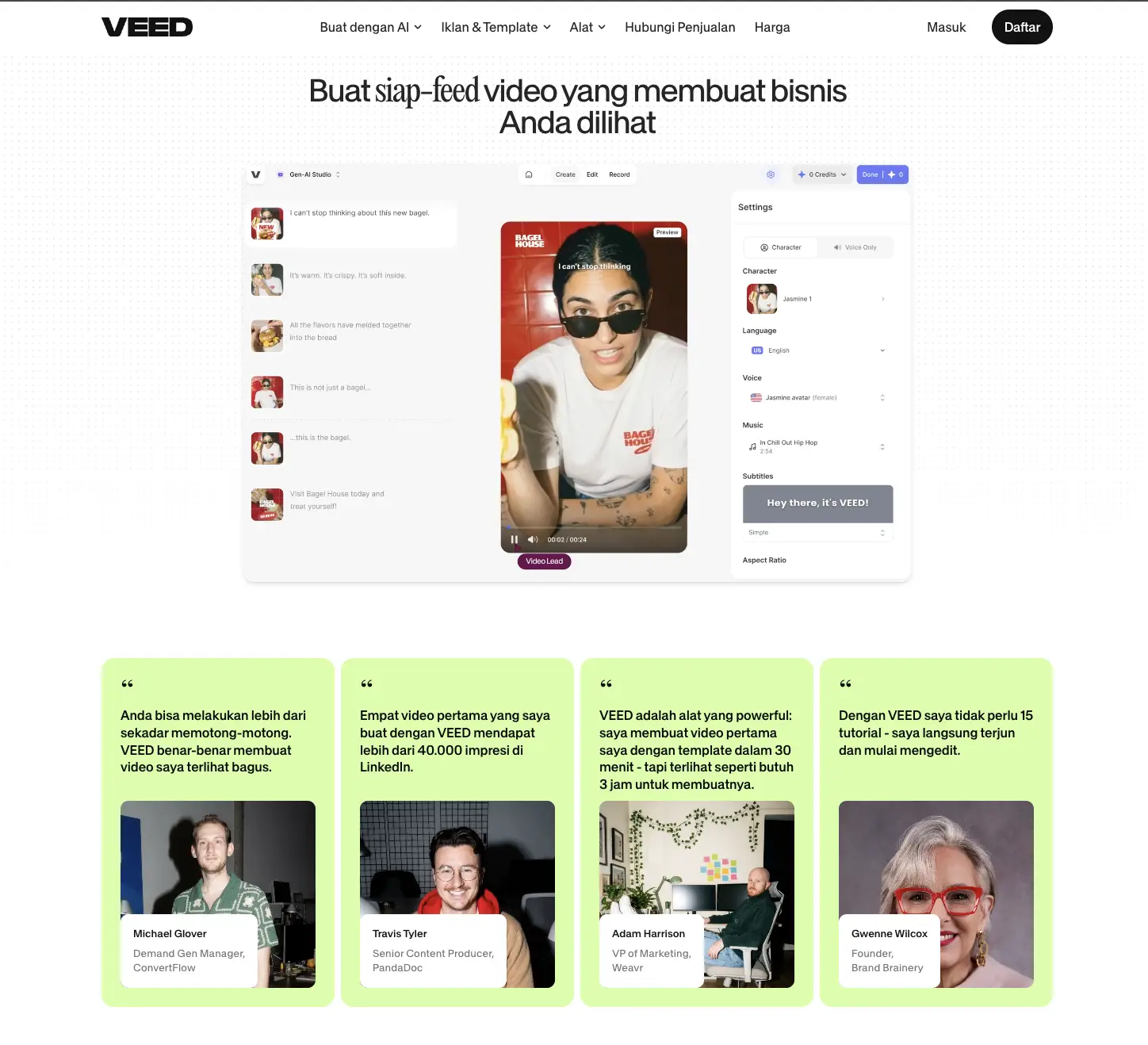
VEED IO Features for Creating Video Content
Source: veed.io
Clip Editing and Format Adjustment
VEED's editor allows users to trim, split, merge, and resize videos. Text, logos, music, and transitions can be added to enhance the message.
Ratio options such as 16:9, 1:1, and 9:16 help adapt the composition to the viewing purpose.
For example, a horizontal product demonstration might need to be re-arranged into a vertical video. Check the positioning of objects and text after changing the ratio to ensure that important information doesn't get out of frame.
Automatic Subtitles and Translation
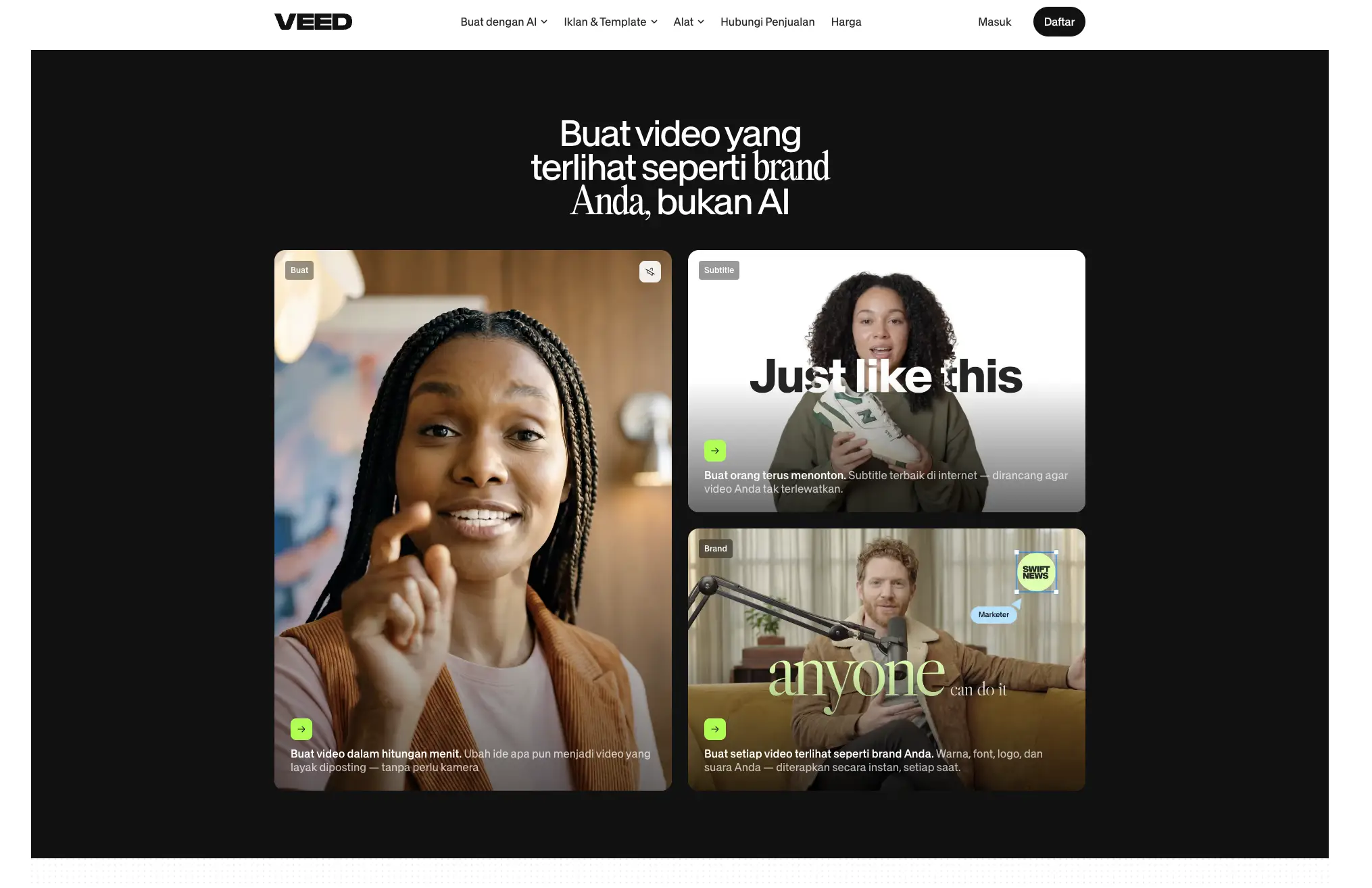
The automatic subtitle feature converts speech into text that can be checked and edited.
Users can also customize the appearance and take advantage of support for various languages, including Indonesian.
Subtitles are useful when viewers play videos without sound.
However, people's names, technical terms, and overlapping phrases should be double-checked to ensure their meaning remains accurate.
Read Also:AI Prompt for Crypto Trading for Beginners
AI Video, Avatar, and Voice Creation
VEED offers video creation from text or images, AI avatars, and text-to-speech conversion. It also offers tools to help reduce audio noise.
This function can be used according to production needs, for example adding narration to an explanatory video.
Screen and Camera Recording
Screen and webcam recorders are available for creating demonstrations or presentations. This feature is relevant for users who need to demonstrate application usage steps while providing explanations.
Read Also:7 Creative Ideas for Free AI Photo Editing with Gemini
How VEED IO Works from Material to Finished Video
Source: veed.io
How VEED IO works combines editing via browser with online media processing.
Users insert material into the project, arrange the clip order, and then add supporting elements.
In automatic subtitles, speech recognition helps generate text which the user then checks.
Distinguish this process from generative video creation.
When using your own footage, the user edits existing material; when using an AI generator, instructions are input to generate new visuals.
Both still require human judgment regarding message accuracy.
Register at Bittime and explore the educational materials as a starting point before composing the video.
How to Use VEED IO for Beginners
1. Prepare Materials and Open the Project
Visit the VEED website, log in or create an account if prompted, then open the editor. Upload the video you want to edit. The editor supports common formats like MP4, MOV, and AVI.
Before you begin, define a goal for your video. For example, explaining one product function in a short amount of time will help you focus on your scene selection.
2. Arrange Clips and Clarify Information
Arrange the footage on the timeline, trim unnecessary sections, and add text or music. Adjust the frame to suit the target platform.
Prioritize readability: use short text, maintain contrast, and avoid music that overshadows the narrative. Replay each scene transition to check for continuity.
3. Add Subtitles and Check Results
Use the automatic subtitle generator, then correct the words and their timing. Make sure the text doesn't obscure faces or other key objects. This check helps maintain a match between spoken and visual information.
4. Export Video
Once the preview is complete, select the available export settings and download the results. Also, review the downloaded file before publishing. Free exports include a watermark; unwatermarked results require a corresponding paid plan.
Read Also:How to Make AI Videos with Google Veo 3 on Gemini

Bittime is a licensed and regulated Digital Financial Asset Trader (PAKD) supervised by Indonesia’s Financial Services Authority (OJK) — where you can buy Bitcoin in Indonesia and hundreds of other crypto assets starting from just Rp10,000. The registration process is fast, secure, and you can get started today.
Track USDT to IDR conversions and monitor your favorite crypto assets in real time. Everything is available in one crypto investment app that you can download for free on the Play Store
Ready to start? Register now on Bittime and execute your investment strategy with a platform trusted by millions of users in Indonesia.
FAQ
What is the use of VEED IO?
VEED is used to edit footage, add subtitles, create narration, and generate video material with the help of AI.
Is VEED IO free?
Free access to certain features is available. Usage limits, AI tools, and export options vary by plan.
Does VEED IO support Indonesian subtitles?
Yes, Indonesian is a supported language option. Please check spelling and special terms after subtitles are generated.
How to remove VEED IO watermark?
Use a paid plan that includes export without watermark, then re-export the project.
Does VEED IO need to be installed?
The web editor can be used through a browser without installing the desktop application. An internet connection is required to access the service and process projects.
Disclaimer: The views expressed belong exclusively to the author and do not reflect the views of this platform. This platform and its affiliates disclaim any responsibility for the accuracy or suitability of the information provided. It is for informational purposes only and not intended as financial or investment advice.

.png)