NeoSoul DNA Airdrop: Check Allocation Before October 22nd
2026-10-20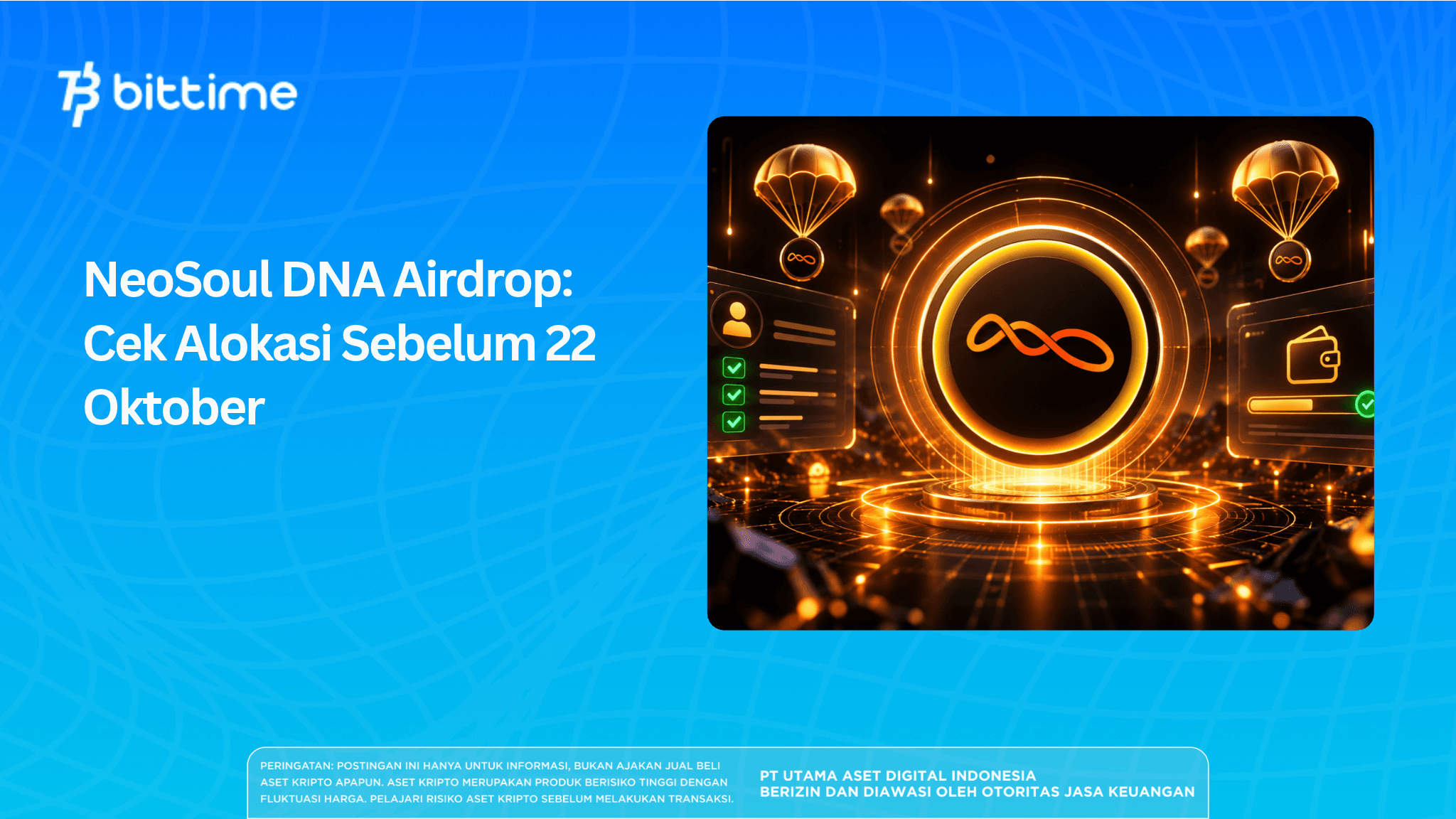
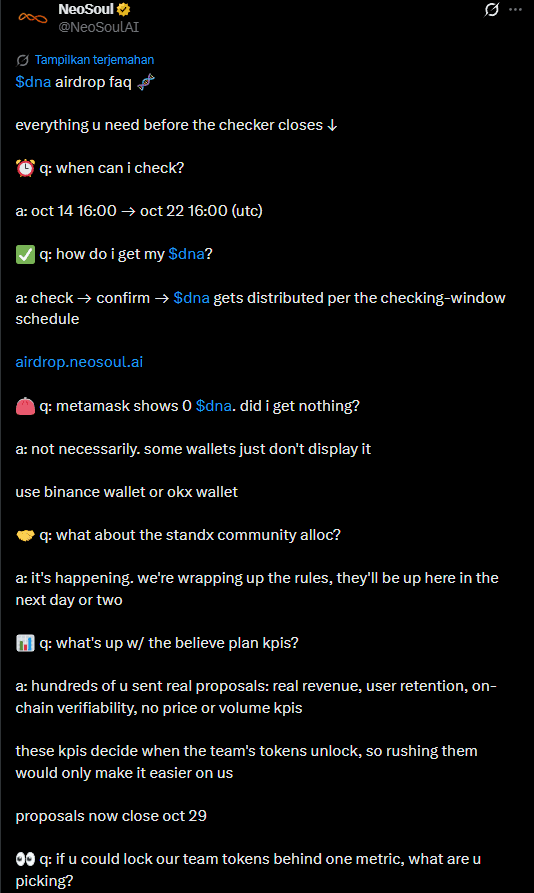
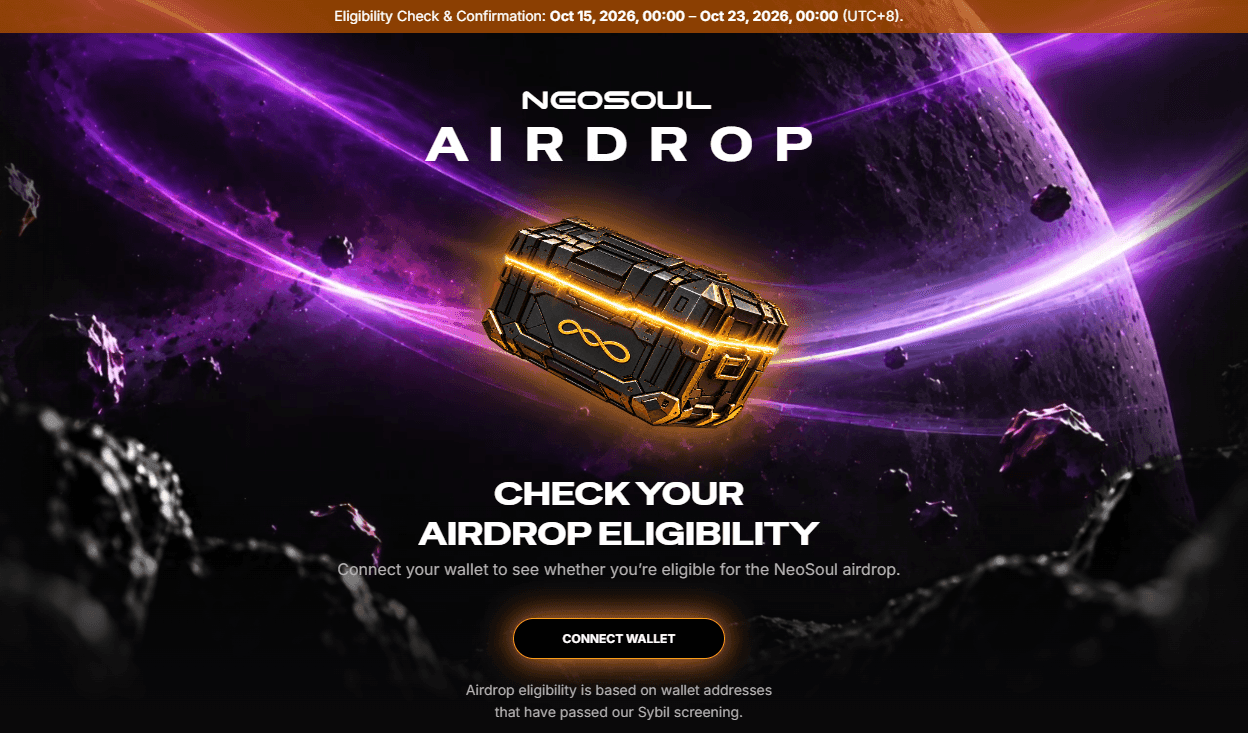
NeoSoul DNA airdrop has a checker window open until October 22 at 23:00 Western Indonesian Time (WIB). According to the project's latest FAQ, participants need to check their status and complete confirmation before tokens are distributed according to the schedule for their checking period.
If your DNA balance in MetaMask still shows 0, do not immediately conclude that you did not receive any tokens. The announcement also addresses wallet display issues, developments in the StandX allocation, and the Believe Plan proposal deadline, which differs from the checker schedule.
Key Takeaways
- The checker window runs from October 14 to October 22, opening and closing at 16:00 UTC, or 23:00 WIB, on those dates.
- The announced airdrop process is checking, confirmation, and then distribution according to the schedule for the checking period.
- A DNA balance of 0 in MetaMask does not necessarily mean there are no tokens, while StandX allocation rules are still awaiting an update.
NeoSoul DNA Airdrop Checker Schedule and Link
NeoSoul's FAQ lists the following checking window:
- Opening: October 14 at 16:00 UTC, or 23:00 WIB.
- Closing: October 22 at 16:00 UTC, or 23:00 WIB.
- Checker portal: airdrop.neosoul.ai.
These dates define the checker window; they do not mean that all participants will receive tokens at the same time. The FAQ does not yet provide a specific receipt date for each wallet.
Check the domain spelling before opening the portal. Avoid links in private messages claiming they can increase your allocation or speed up distribution.
How to Check Your Allocation and Confirm the NeoSoul Airdrop
Use the following guide to check your status without missing important information. Button names and wallet connection requirements should follow the portal's current interface.
1. Open the Portal Listed by the Project
Visit https://airdrop.neosoul.ai/ and read the checking instructions. Make sure the page you open corresponds to the airdrop program you want to check.
Do not enter your seed phrase or private key. This information is not needed simply to prove ownership of your wallet address.
2. Use the Relevant Account or Wallet
Follow the checking method requested by the portal. If the process is wallet-based, use the address associated with your activity or participation in the program.
Choosing the wrong address can produce an unexpected result. Match the full address, especially if you have multiple wallet accounts.
3. Read the Check Results
Review your eligibility status, allocation amount if displayed, and any additional notes. Checker results help you understand the next step, but do not automatically prove that tokens have arrived in your wallet.
If the page fails to load, do not immediately assume that you are ineligible. Distinguish a technical error message from a result explicitly stating that you do not qualify.
4. Complete Confirmation as Instructed
The FAQ describes the stages as check → confirm → distribution. After viewing your result, check whether any confirmation action is still required.
Read every approval request before proceeding. Save any available status or confirmation evidence so you can compare it with distribution updates.
5. Monitor Distribution Information
After confirmation, follow the distribution schedule applicable to your checking period. Do not assume that delivery is instant simply because the checker has displayed a result.
If transaction evidence is available, match the recipient address and network used. This check is more useful than repeatedly refreshing the balance display.
Read also: How to Claim the Pharos (PROS) Airdrop: Check Requirements and Deadline
How Are DNA Tokens Distributed After Confirmation?
The announcement from NeoSoul states that DNA is distributed according to the schedule for the checking period. However, the FAQ screenshot does not specify delivery times for individual participants or explain whether the entire allocation is sent at once.
To interpret your status correctly, distinguish between these three stages:
- Allocation recorded: the checker displays a participant's entitlement or token amount.
- Confirmation completed: the participant has completed the requested confirmation step.
- Distribution completed: the tokens have been sent or credited according to the program's mechanism.
These three statuses should not be treated as identical. The allocation display shows the check result, while receipt of tokens requires evidence of distribution.
If confirmation is complete but the tokens are not visible, check the latest announcements before repeating the process. Do not pay anyone who promises faster delivery.
Read also: Brasil 22 Token (B22) Airdrop: Requirements, How It Works, and Risks
Does a DNA Balance of 0 in MetaMask Mean You Did Not Receive the Airdrop?
Not necessarily. NeoSoul's FAQ explains that some wallets do not display DNA, so a balance of 0 in the MetaMask interface is not enough to conclude that there are no tokens.
The announcement suggests Binance Wallet or OKX Wallet for checking the display. This suggestion does not mean participants must send assets to a new address or repeat the entire airdrop process.
Perform the checks in order:
- Match the wallet address against the address used during the check.
- Review the checker result and confirmation status again.
- Check whether distribution for the relevant participant has been announced.
- Make sure the network you are viewing matches the project's information.
- If distribution has taken place, verify the balance or transfer using a blockchain explorer for that network.
If you need to add the token to your wallet display manually, use a contract address verified through official channels. The DNA name and symbol alone are not enough to establish the token's identity.
Keep in mind that a wallet display issue also does not prove that every participant is guaranteed an allocation. Eligibility and receipt still need to be checked through each participant's individual status.
Read also: ARKT Airdrop #2 Is Officially Open: How to Participate and Earn Rewards
DNA Allocation Update for the StandX Community
NeoSoul states that the allocation for the StandX community will still go ahead. In the shared FAQ, the team says the rules are being finalized and an update is planned within one to two days after the post was published.
This statement does not yet explain all recipient criteria, token amounts, or the distribution schedule. Community membership therefore does not automatically prove eligibility.
StandX participants need to wait for information answering the following questions:
- Who qualifies to receive an allocation?
- Which activities or contributions are assessed?
- How can eligibility be checked?
- Is additional confirmation required?
- When will distribution take place?
Do not equate the main checker deadline with the StandX allocation deadline without an announcement linking the two. Each distribution channel may have different terms.
Read also: River S6 Airdrop: How to Check Eligibility and Claim RIVER
Is the NeoSoul Checker the Same as the Binance Alpha Program?
NeoSoul was on Binance Alpha on October 16, 2026. This information provides context about the platform's program and needs to be distinguished from the project's checker.
Eligibility for one program does not automatically apply to another. NeoSoul checker participants must check their status through the project portal, while Binance Alpha campaign terms follow the relevant event page.
The same applies to the schedule. The date a token appears on a platform should not be used as a universal claim date for all DNA recipients.
Believe Plan Update: Proposals Due by October 29
In addition to the airdrop, NeoSoul's FAQ states that the Believe Plan proposal deadline has been extended to October 29. The discussion covers KPIs such as actual revenue, user retention, and verifiable on-chain results.
The team emphasizes that these KPIs do not focus on token price or trading volume. The indicators discussed relate to the conditions for unlocking team tokens.
October 29 is not an extension of the airdrop checker deadline. Keep the following two schedules separate to avoid taking the wrong action:
- October 22 at 23:00 WIB: the end of the checker window listed in the FAQ.
- October 29: the Believe Plan proposal deadline, with no closing time stated in the screenshot.
For airdrop participants, the Believe Plan update provides context about the project's development. It does not replace allocation checking and confirmation steps.
Read also: Doppler Finance XDP Airdrop: How to Claim, Requirements, and Eligibility Checks
What to Consider Before Proceeding
Make Sure Wallet Requests Match Their Purpose
Connecting a wallet, signing a message, and approving asset spending are different actions. Read the request so you understand the access you are granting.
If a page asks you to transfer assets to unlock an allocation, first compare that requirement with official announcements. The FAQ screenshot does not mention paying third parties to receive DNA.
Do Not Treat an Allocation as Guaranteed Profit
The recorded token amount is not the same as the value you can realize. Market prices, liquidity, transaction costs, and distribution terms can affect the final outcome.
Avoid making decisions based on estimated airdrop values that are not supported by clear prices and selling mechanisms.
Keep Evidence of Your Check
Record the address used, the checking time, and confirmation status. This evidence can help when you need to compare changes in the display or explain an issue through official support channels.
If you also want to learn about crypto asset trading, you can consider signing up for Bittime after understanding its services and risks. Signing up for Bittime is separate from checking or receiving the NeoSoul airdrop.
Conclusion
The NeoSoul DNA airdrop offers a checker window until October 22 at 23:00 WIB. Use the portal listed by the project, review your results, and complete confirmation as instructed before waiting for distribution.
A DNA balance of 0 in MetaMask needs to be checked alongside delivery status and the wallet address. Meanwhile, StandX participants need to follow subsequent rules, and the Believe Plan deadline of October 29 should not be confused with the checker schedule.
Bittime is a Digital Financial Asset Trader (PAKD) platform licensed and supervised by Indonesia's Financial Services Authority (OJK), where you can buy Bitcoin in Indonesia and hundreds of other crypto assets starting from IDR 10,000. Registration is fast and secure, and you can get started today.
Track the USDT to IDR exchange rate and the price movements of your favorite crypto assets in real time. Everything is available in one crypto investment app that you can download for free from the Play Store.
Ready to get started? Sign up for Bittime now and put your investment strategy into action on a platform already trusted by millions of users in Indonesia.
FAQ
When does the NeoSoul DNA airdrop checker close?
NeoSoul's FAQ lists October 22 at 16:00 UTC, or 23:00 WIB, as the end of the checking window. This deadline is not automatically the completion time for all token distributions.
Where is the NeoSoul DNA checker link?
The address listed in the project's FAQ is https://airdrop.neosoul.ai/. Check the domain spelling and follow the page's instructions before confirming.
How do you receive DNA after checking?
The announced process is checking, confirmation, and then distribution according to the schedule for the checking period. Make sure you do not miss any confirmation step after your allocation result appears.
Why does my DNA balance in MetaMask still show 0?
The FAQ explains that some wallets do not display the token. Match the address, network, checker result, and distribution status before concluding that you did not receive DNA.
Does the StandX community receive a DNA allocation?
NeoSoul states that the StandX community allocation will go ahead. However, the recipient rules and full mechanism were still being finalized when the FAQ was published.
Disclaimer: The views expressed belong exclusively to the author and do not reflect the views of this platform. This platform and its affiliates disclaim any responsibility for the accuracy or suitability of the information provided. It is for informational purposes only and not intended as financial or investment advice.

.png)