Connecting Hamster Kombat to TON Wallet for Airdrop Tasks
2024-07-11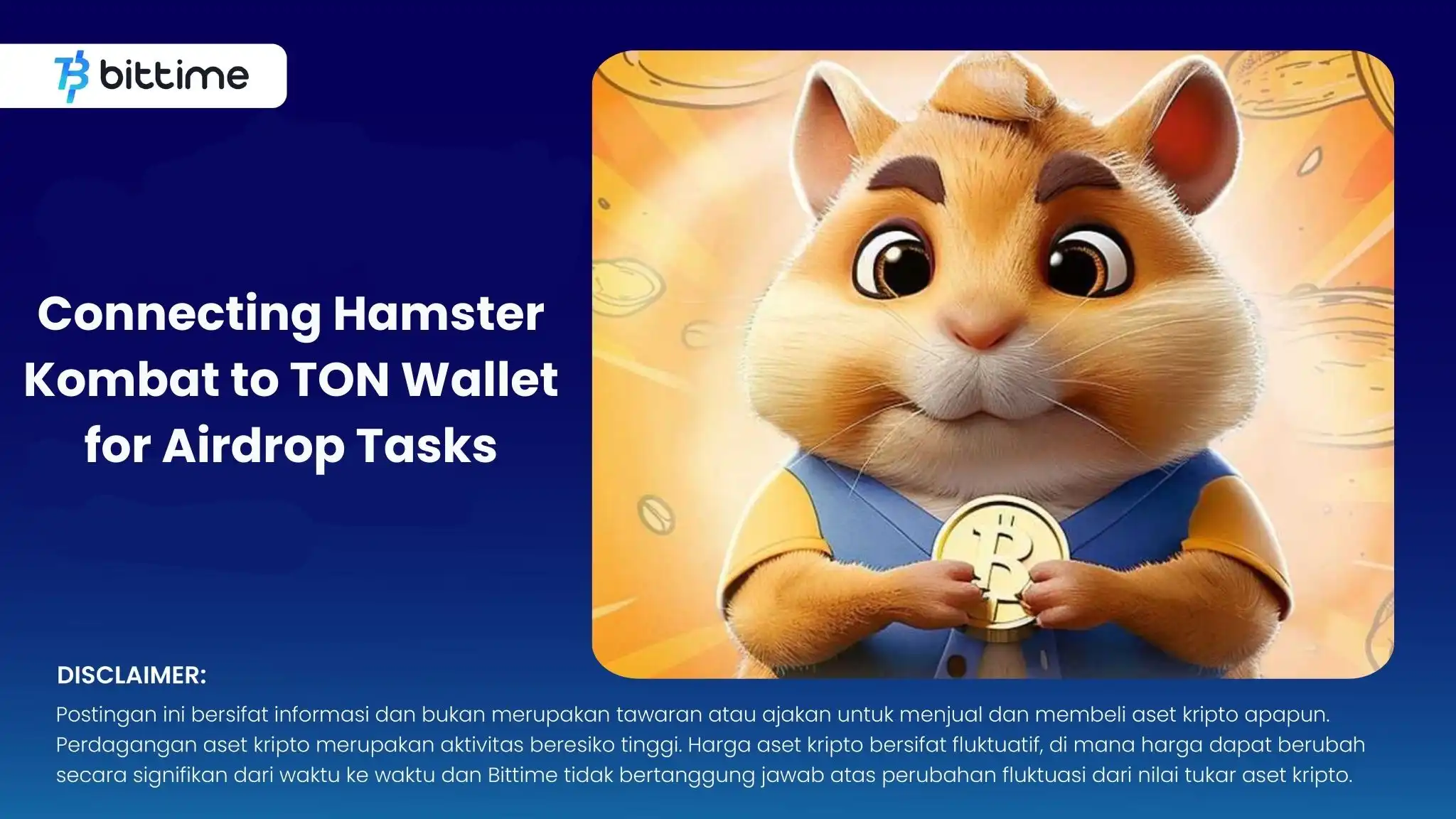
Bittime - Learn how to connect Hamster Kombat to your TON Wallet and earn profitable airdrop tasks. The following article discusses how to connect TON Wallet to Hamster Kombat.
What is Hamster Kombat?
Hamster Kombat, a Telegram-based hamster fighting game, has captivated crypto enthusiasts and gamers with its unique gameplay and NFT system. Connecting your TON Wallet is essential to participate in airdrop tasks and earn exclusive rewards.
Check Crypto Market Today:
What is Airdrop and Why Should You Participate as a Hamster Kombat Player?
Airdrop distributes project tokens for free to wallet addresses, to promote the project and expand its user base. By connecting your TON Wallet to Hamster Kombat, you can participate in airdrop tasks and get unique in-game items and tokens.
Airdrops offer the opportunity to get involved with new blockchain projects and earn rewards without investing. For Hamster Kombat, airdrop tasks might include completing in-game challenges, referring friends, or participating in community events.
Active participation enhances your gaming experience and offers exclusive rewards.
Also Read How To Buy Crypto:
Creating a TON Wallet
Follow these steps to set up a TON Wallet for Hamster Kombat:
Download the official TON Wallet app from Google Play Store.
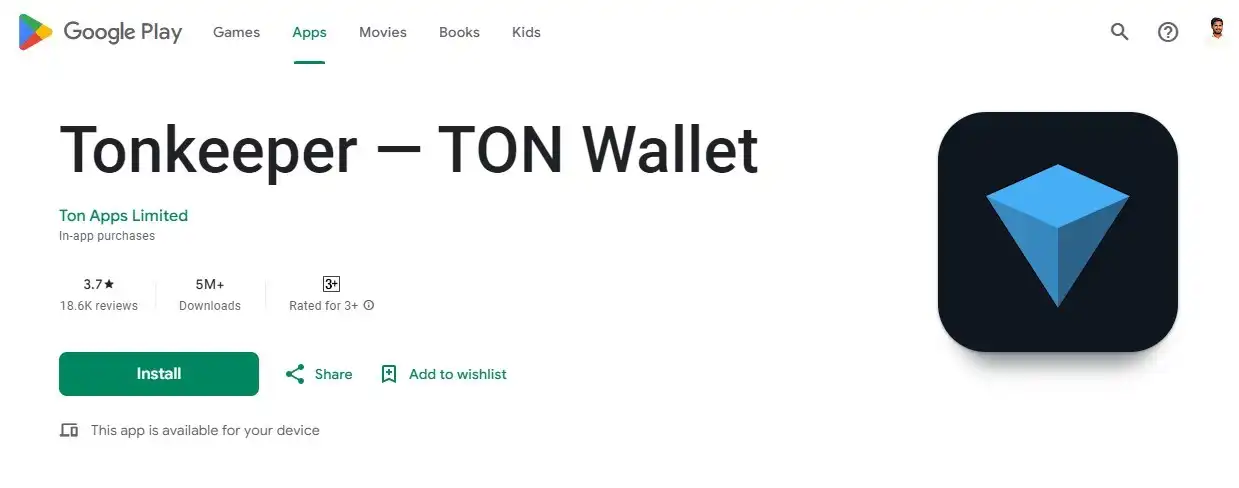
Open the application to start the wallet creation process.
Click "Create New Wallet."
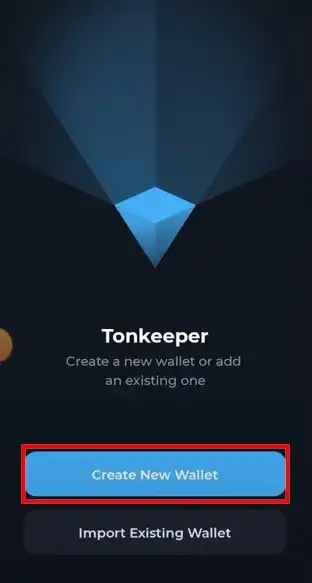
Create and confirm a new access code.
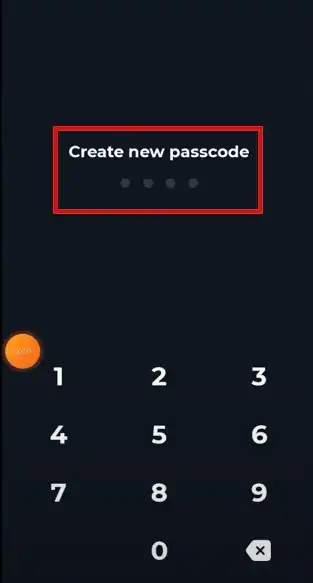
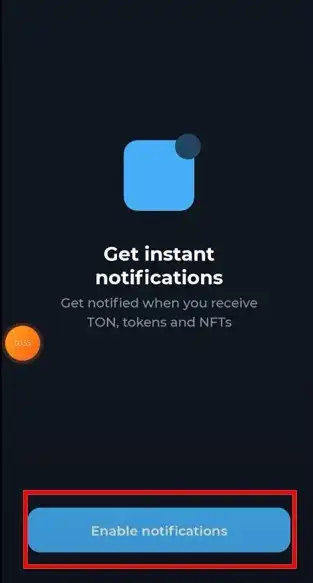
Enable notifications for token, TON, and NFT alerts.
Click "Suggest wallet recovery phrase" and keep it safe.
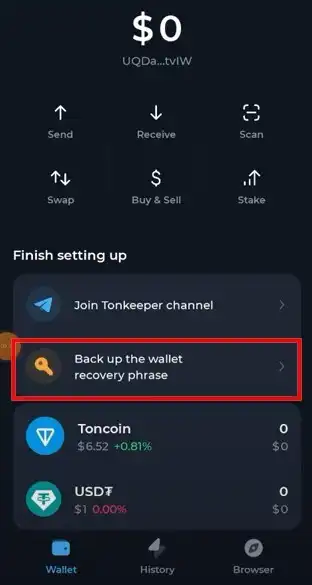
Congratulations! Your TON wallet is ready.
Connecting Hamster Kombat to TON Wallet
Once your TON Wallet is set up, follow these steps to connect it to Hamster Kombat:
Open Hamster Kombat and navigate to the “Airdrop” section.
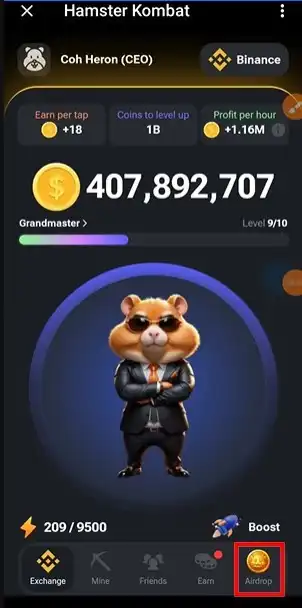
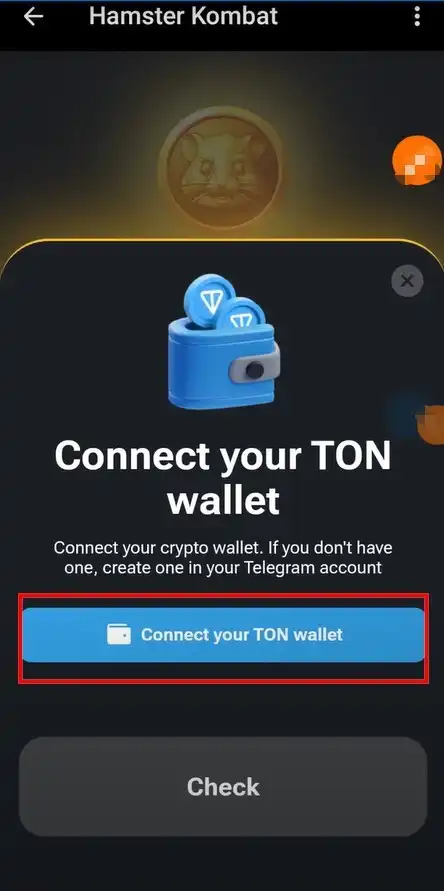
Select “Connect your TON wallet” from the task list.
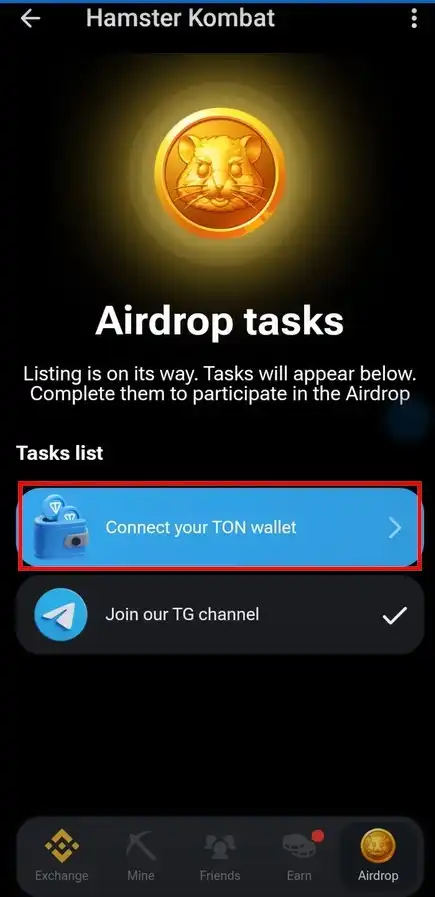
On the new page, select “Connect your TON wallet” again.
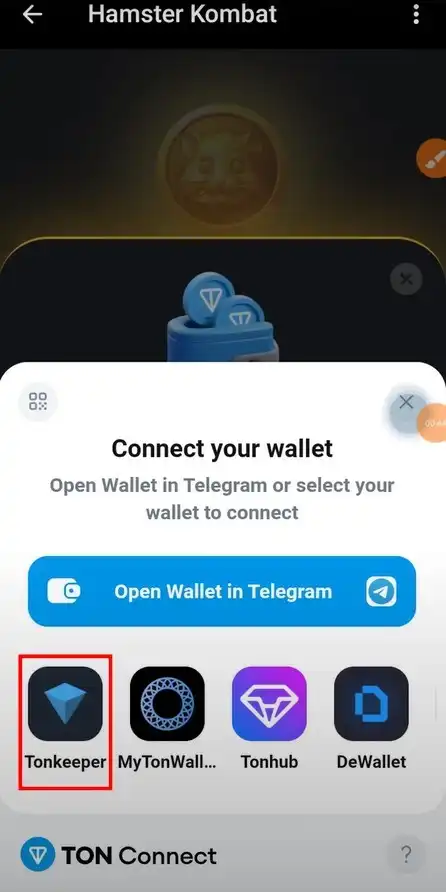
Select the “Tonkeeper” App from the list. Allow access to your TON Wallet.
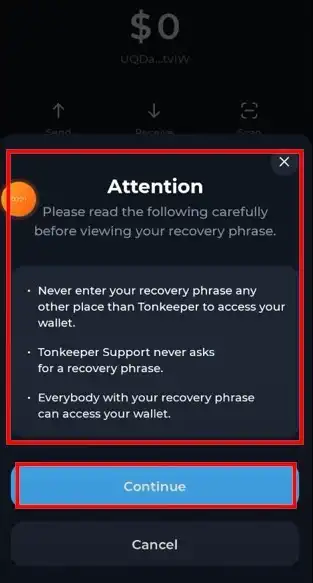
Your TON wallet is now connected to Hamster Kombat.
Follow airdrop tasks, get rewards and enjoy the game.
Conclusion
Connecting your TON Wallet to Hamster Kombat opens up lucrative opportunities and immersive gameplay. Follow this guide to create a TON Wallet, connect it to Hamster Kombat, and start earning from airdrop tasks. Stay updated on new tasks and events to get maximum rewards.
Credit Dnyaneshwar Mahajan
How to Buy Crypto from Bittime
You can buy and sell crypto assets easily and safely through Bittime. Bittime is one of the best crypto applications in Indonesia that has been officially registered with Bappebti.
To be able to buy crypto assets on Bittime, make sure you have registered and completed your identity verification. Also, make sure you have sufficient balance by depositing some funds into your wallet. Just so you know, the minimum asset purchase on Bittime is IDR 10,000. After that, you can make crypto asset purchases in the application.
Monitor the price chart movements of Bitcoin (BTC) , Ethereum (ETH) , Solana (SOL) and other cryptos to find out today's crypto market trends in real-time on Bittime.
Disclaimer: The views expressed belong exclusively to the author and do not reflect the views of this platform. This platform and its affiliates disclaim any responsibility for the accuracy or suitability of the information provided. It is for informational purposes only and not intended as financial or investment advice.

.png)