How to Stake PENGU on Bittime in 4 Easy Steps
2025-11-19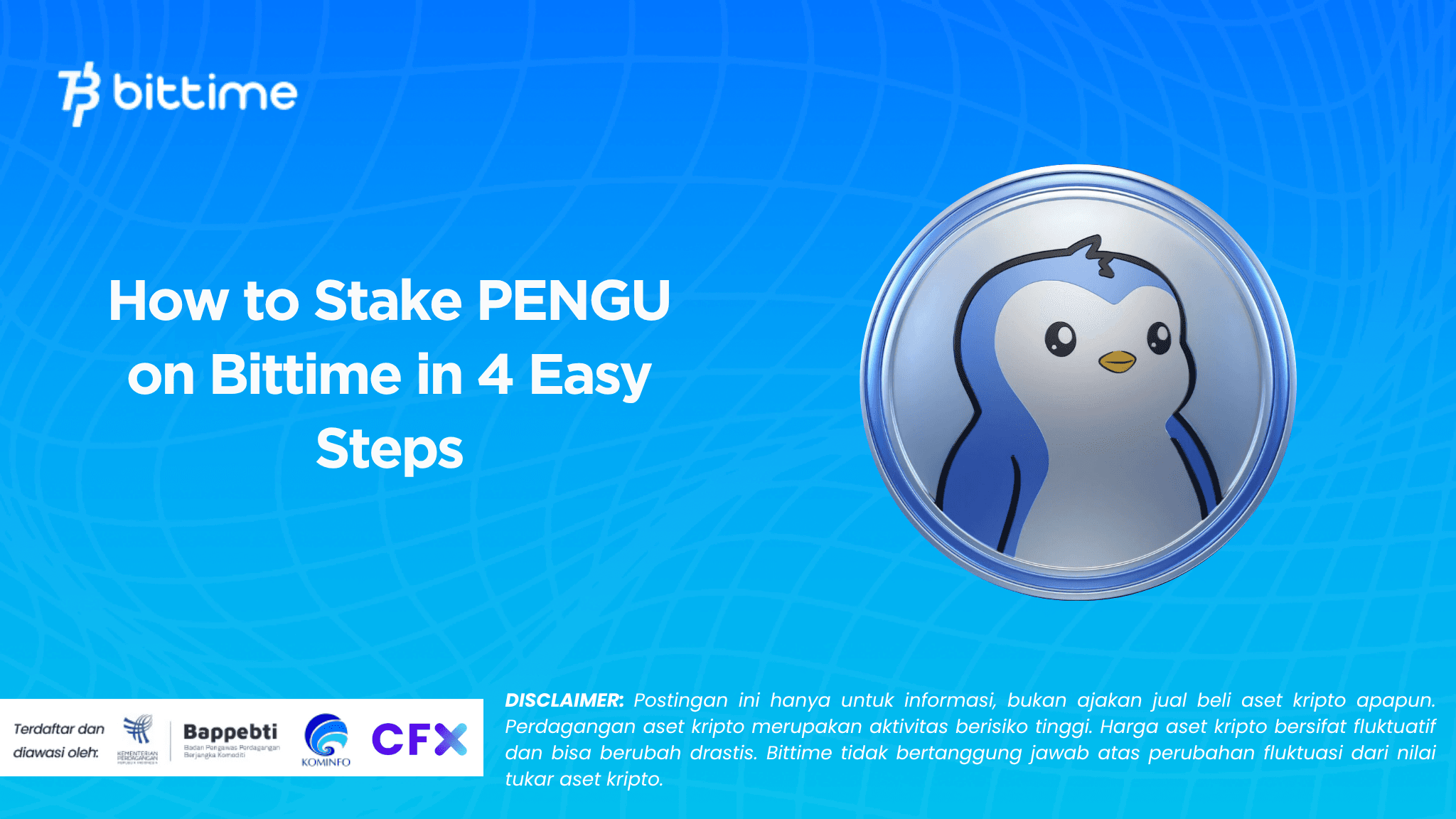
PENGU has become one of the most prominent meme tokens in recent months, especially since the Pudgy Penguins community has seen a steady increase in activity.
Many token holders are starting to look for ways to maximize their assets through the token staking feature.
At Bittime, the PENGU staking program comes with an eight percent annual return and a seven-day lock-up period, offering a passive income option without complicated technical processes.
The following guide summarizes how to stake PENGU based on the latest appearance of the Bittime app.
What is PENGU and why is staking popular?
PENGU comes from the Pudgy Penguins ecosystem, one of the fastest growing NFT communities.
These tokens move rapidly following market dynamics and community sentiment, so holders often look for ways to keep their portfolios productive while waiting for the next price momentum.
Staking is a fairly rational choice because it provides a fixed return in the short term, especially when there are programs like the one offered by Bittime with an APY of eight percent.
The seven-day lock-in mechanism is also relatively light, making PENGU staking suitable for both short-term strategies and as a temporary volatility hedge.
PENGU staking program details on Bittime
Bittime features a PENGU staking program with easy-to-understand parameters: an estimated eight percent yield, a seven-day period, and a minimum staking of 264.72 PENGU and a maximum of 2,646,894.8 PENGU.
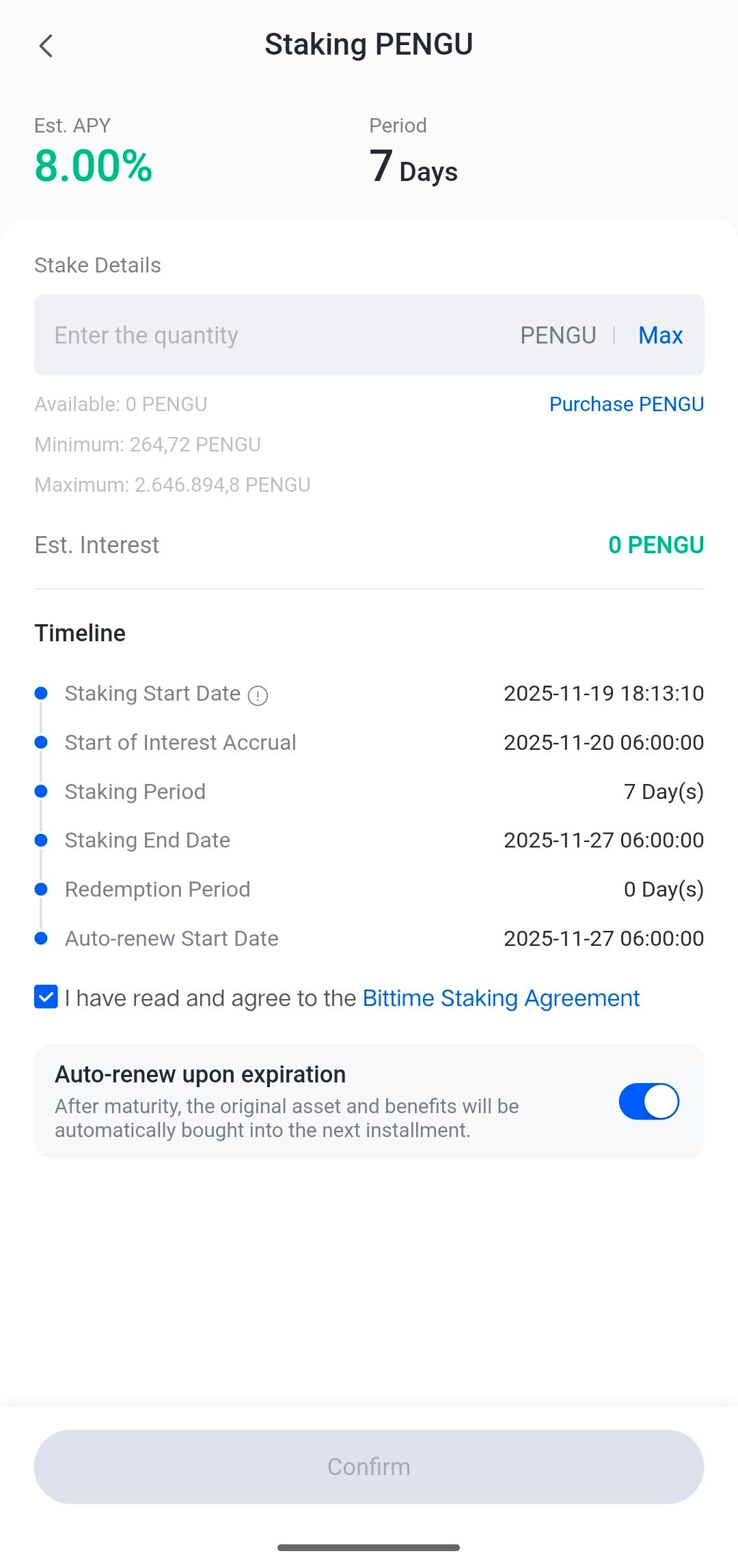
Rewards will begin calculating at 6:00 a.m. WIB the following day after the stake is placed. This seven-day period ends with a zero-day redemption period, allowing immediate withdrawal or rollover of assets.
Bittime also provides an auto-renew feature to automatically extend staking to the next cycle, so users don't need to reactivate it manually.
How to Top Up IDR to Buy PENGU on Bittime
Top Up Via Bank
Top up Bittime IDR very easy, follow these steps:
- Make sure your Bittime account is verified.
- Open Bittime App, open deposit IDR on the Home page or open the wallet menu and select IDR deposit
- Select a Virtual Bank account, copy one of the bank VAs you will transfer to.
- Make sure you transfer using a real-time/online transfer method so that your deposit can be credited immediately.
- Minimum deposit starts from 10,000 rupiah.
- The funds you transfer will be credited to your IDR wallet.
Top Up IDR Via E-wallet
Top up IDR on Bittime is very easy, follow these steps:
- Make sure your account is verified.
- Open the Bittime App, go to IDR deposit on the homepage or open your wallet and choose IDR deposit
- Select Ewallet such as OVO, DOKU and follow the instructions to top up IDR
- Make sure you transfer using a real-time/online transfer method so that your deposit can be credited immediately.
- Minimum deposit starts from 10,000 rupiah.
- The funds you transfer will be credited to your IDR wallet.
How to Stake PENGU on Bittime in 4 steps
Here's an easy way to stake PENGU on Bittime:
1. Open the Bittime App
Start by opening the Bittime app. Log in with your registered account. If you don't have an account, register now orsignupThe registration process is short and required to access the staking features.
Or download the Bittime appand register on Bittime with your email address and set a strong password to secure your account.
2. Select the Staking Menu
Open the Staking menu in the app.Search for PENGU in the product list and select the program.with an APY of eight percent and a seven-day period.
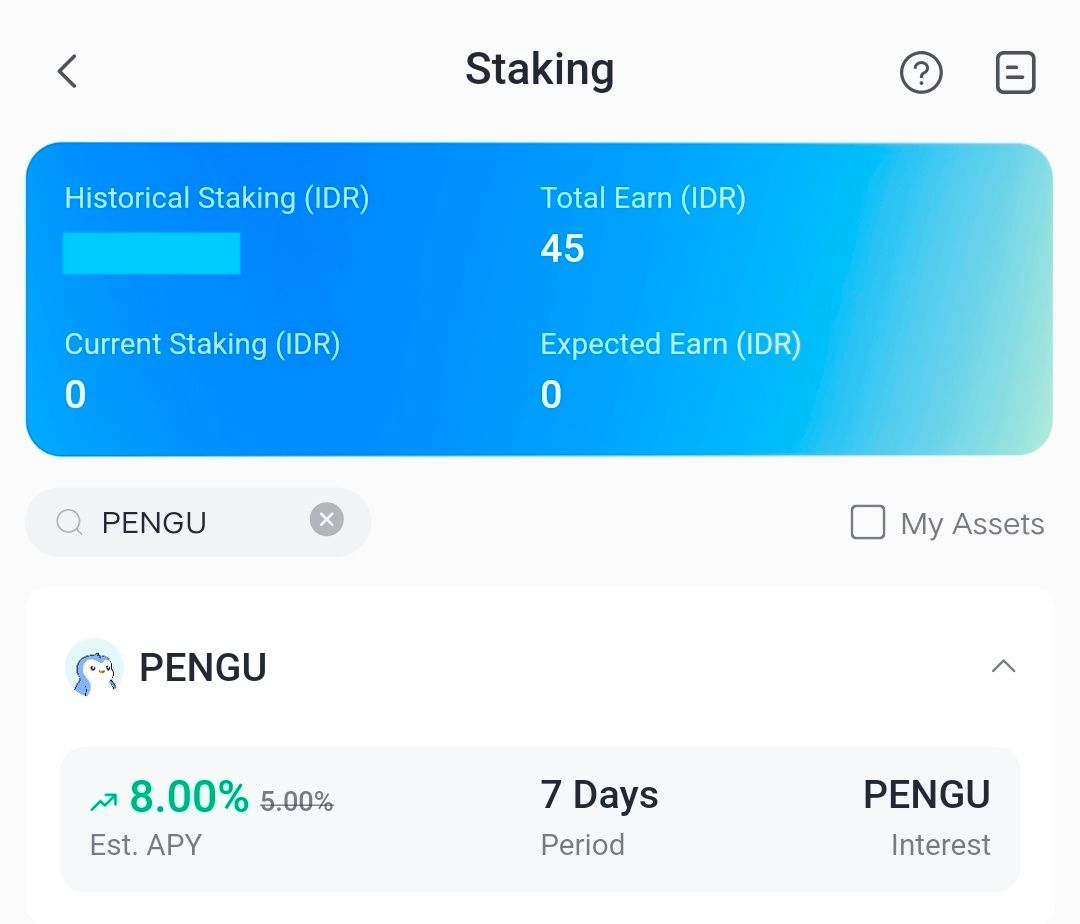
Ensure there's a PENGU balance in your account. Users can purchase PENGU on the Bittime spot market or deposit from another wallet.
3. Start Staking PENGU
Enter the staking amount.The app displays the estimated reward, minimum 264.72PENGU, as well as the maximum limit that can be locked. Also check the accrual start and end dates.
4. Confirmation
Enable auto renew if needed.Check the service agreement, then press the confirm button to complete the process. Your staking position will then appear on your account dashboard.
How to Check Staking Assets
- Login akun Bittime.
- Select the Assets menu on the Homepage.
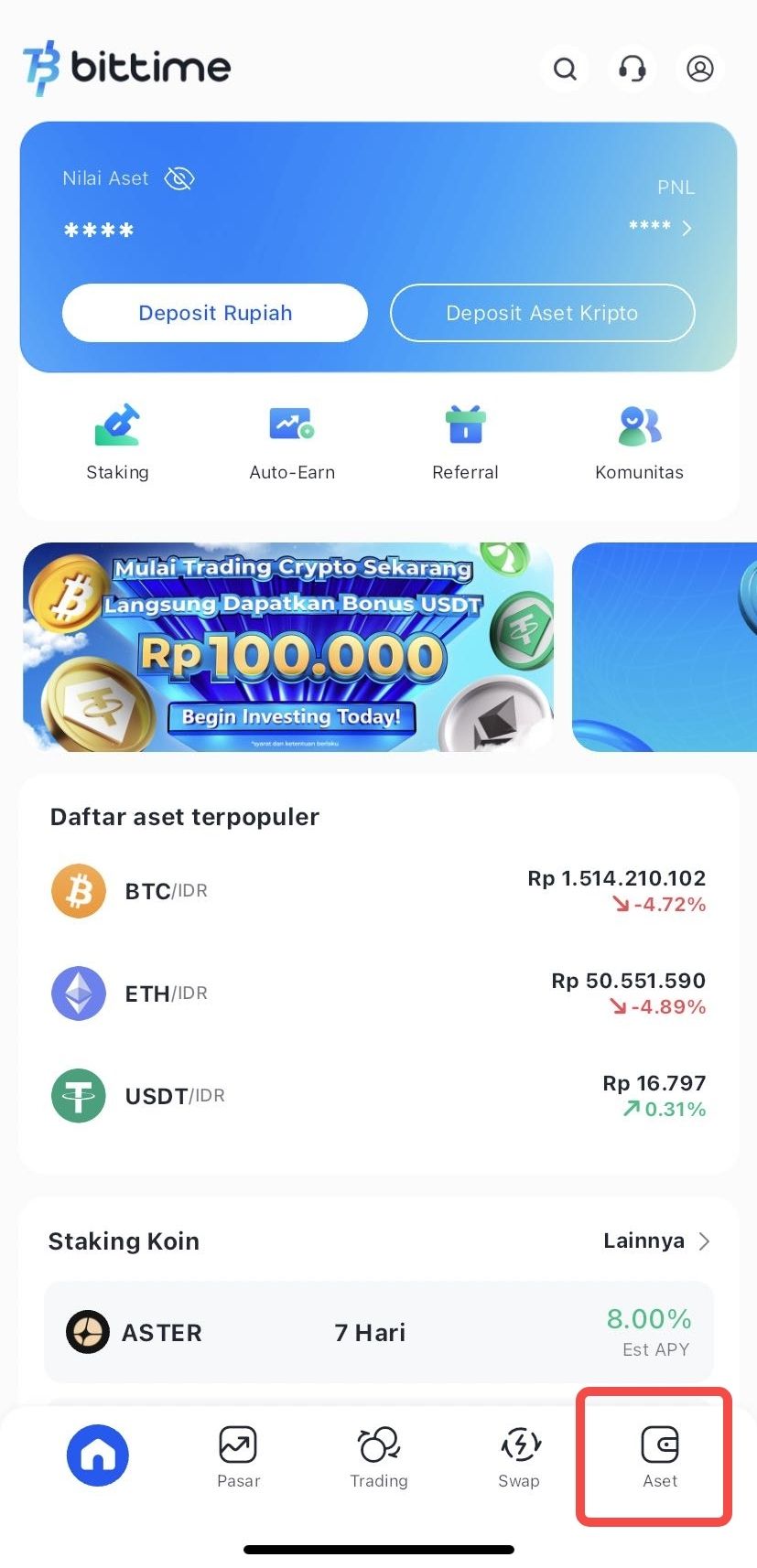
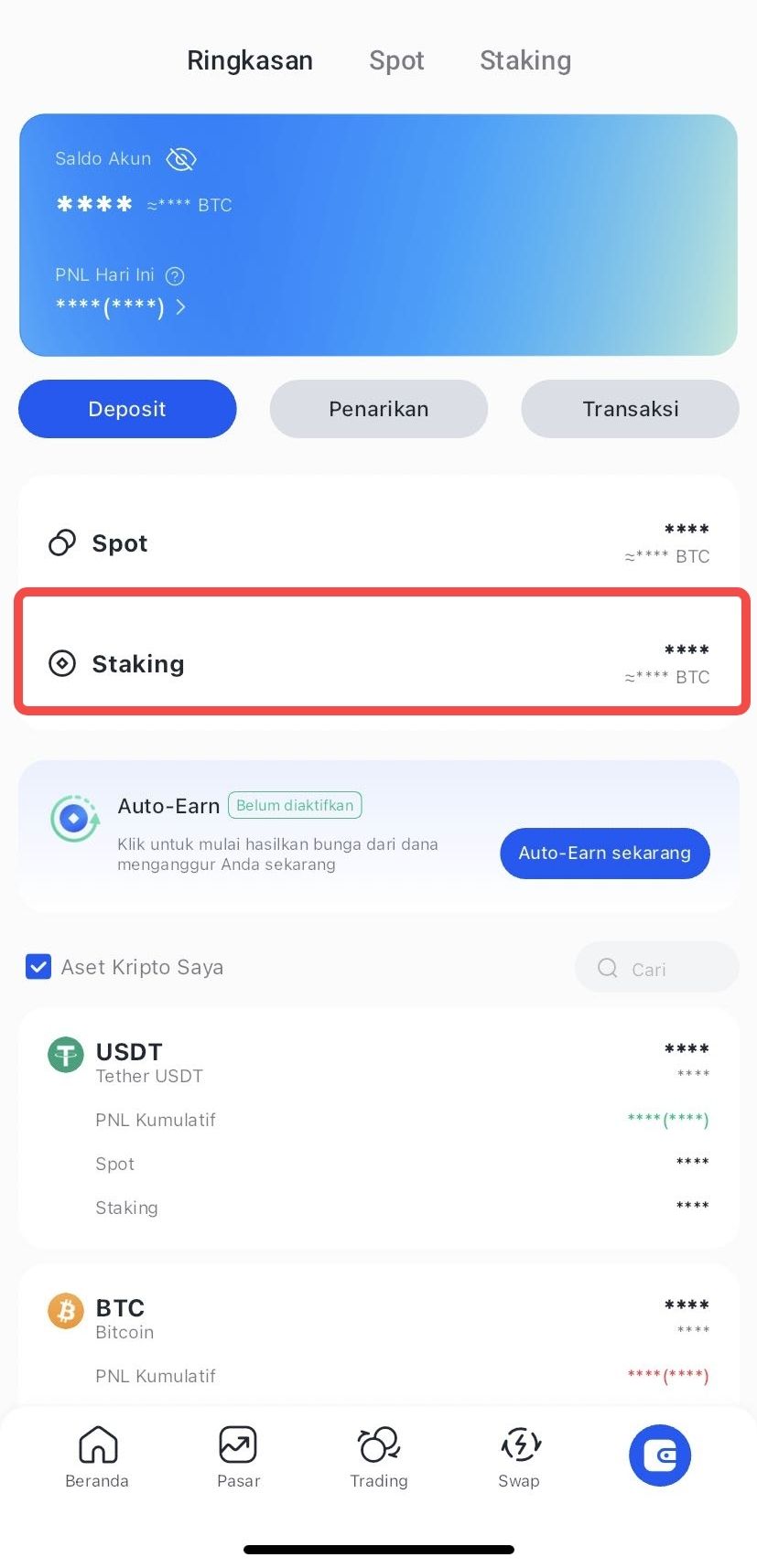
- Click Staking to see the amount of your staking assets.
How to Do Early Redeem Staking
- Login Bittime account.
- Select the Assets menu on the Homepage.
- Select the crypto asset you wish to redeem.
- Click Choose Early Redeem
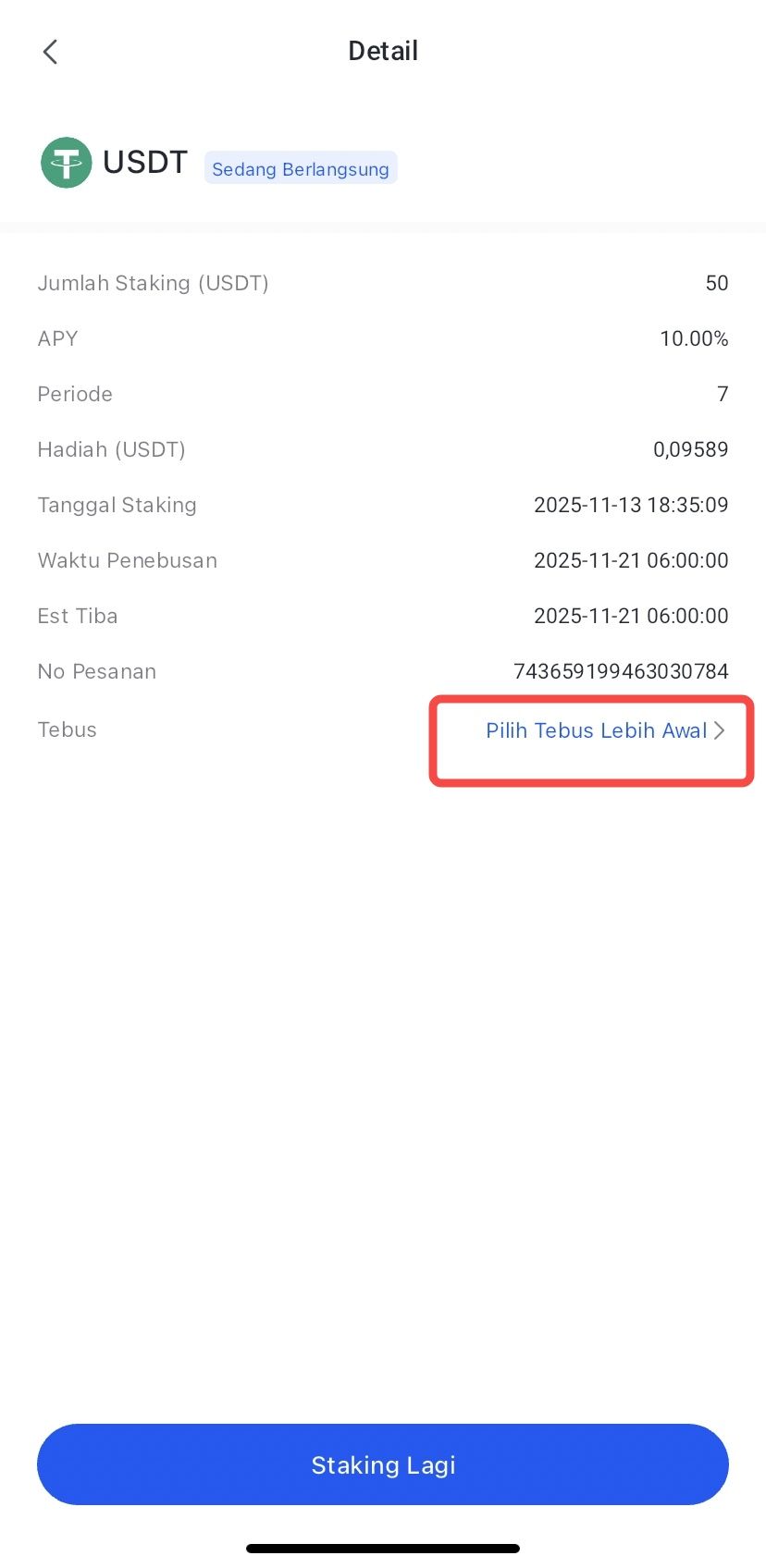
- Confirm by clicking Redeem.
- The redemption process has been completed, and your crypto asset funds will be processed according to the arrival time.
Conclusion
Staking PENGU on Bittime offers a fast and convenient way to earn passive income from a meme token with a large community.
With an APY of eight percent and a term of just seven days, this program is suitable for users looking for a return option without a long-term commitment.
As long as you understand PENGU's volatility and manage risk wisely, staking can be a helpful way to maintain portfolio productivity.
FAQ
What is the APY for staking PENGU on Bittime?
The current APY for the PENGU staking program on Bittime is eight percent per annum with a seven-day lockup period.
What is the minimum PENGU staking?
The minimum that can be locked is 264.72 PENGU according to the latest Bittime app view.
When do rewards start to be calculated?
Reward calculation starts at 06.00 WIB the next day after the staking transaction is made.
Is there an auto renew feature?
Yes, users can activate auto-renew so that staking automatically enters the next cycle after maturity.
Can assets be withdrawn immediately after the period is over?
Yes, since the redemption period is zero days, assets can be withdrawn as soon as the seventh day ends.
Disclaimer: The views expressed belong exclusively to the author and do not reflect the views of this platform. This platform and its affiliates disclaim any responsibility for the accuracy or suitability of the information provided. It is for informational purposes only and not intended as financial or investment advice.

.png)