How to Buy LUNA: Complete Guide for Beginners in Indonesia (2025)
2025-11-19
Bittime - Interested in buying Luna coins easily? Well, at Bittime, you can buy LUNA starting from just IDR 10,000. Follow this article for an easy tutorial!

What is LUNA?
Terra (LUNA) is a cryptocurrency launched in 2022. It currently has a supply of 1,004,262,701, with 367,846,716.014429 in circulation. Terra's last price was USD 0.40796877, down -0.69% in the last 24 hours.
Terra is currently traded on 132 active markets with a trading volume of $15,148,327.79 in the last 24 hours. More information can be found at https://terra.money/.
Read also: Terra Luna 2.0: A Complete Explanation of the Future of Stablecoins
Why Buy LUNA Coin?
Here are the main reasons why many Indonesians buy LUNA Coin:
Decentralized Governance: LUNA holders can vote on protocol and ecosystem changes.
Staking: LUNA can be used for staking, so holders can earn rewards for securing the network.
Interoperable Architecture: Terra 2.0 is built with the Cosmos SDK, enabling interoperability with other blockchains.
DeFi Focus: Terra v2 focuses on decentralized finance (DeFi) applications, no longer on algorithmic stablecoins like Terra Classic used to.
Dynamic but Measured Supply: There is a total of 1.18 billion LUNA according to CoinMarketCap, and the supply can be regulated through community decisions.
Growth Potential: As the ecosystem is being rebuilt (“rebooted”), there is potential for growth if DeFi projects on Terra thrive again.
Read also: Terra (LUNA) Coin Price Analysis: Why Is It Soaring?
How to Buy LUNA in Indonesia (Step by Step)
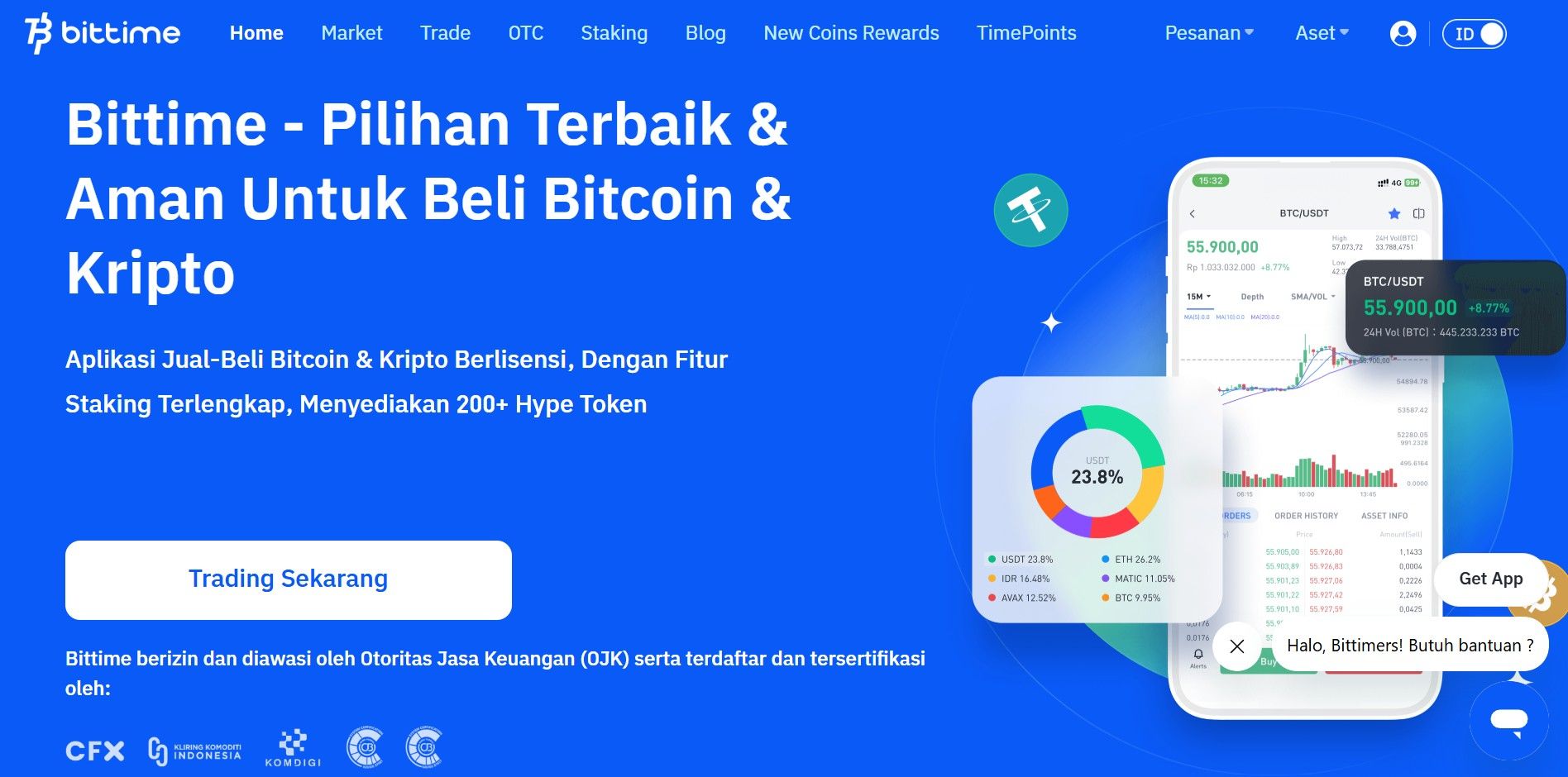
Step 1: Choose an Official Platform
Step 2: Account Verification (KYC)
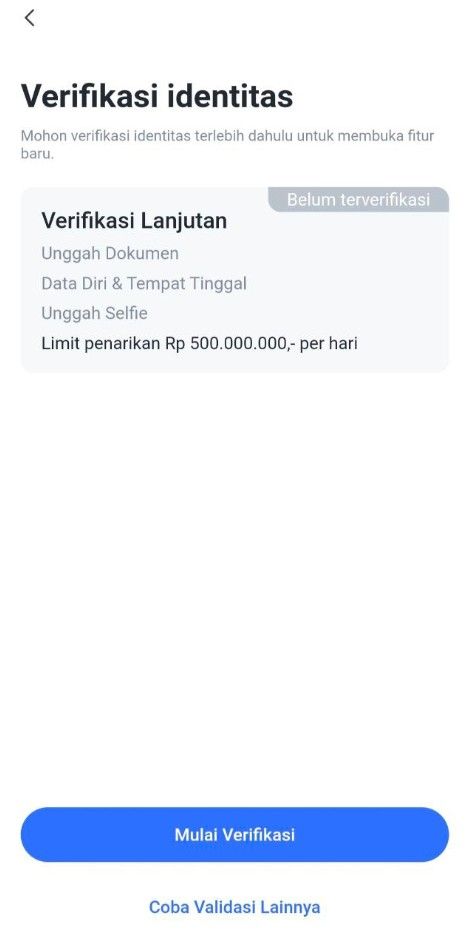
1. Access the Verification Page
Option 1: On the login page, select Step 2: "To KYC Verify".
Option 2: Click the "Me" menu, then select "ID Verification" and click the "Start Verification" button.
2. Verify Phone Number
The system will ask you to verify your phone number first.
Enter your phone number, then follow the instructions to receive an OTP (One-Time Password) code via SMS.
Enter the OTP code into the app to complete phone number verification.
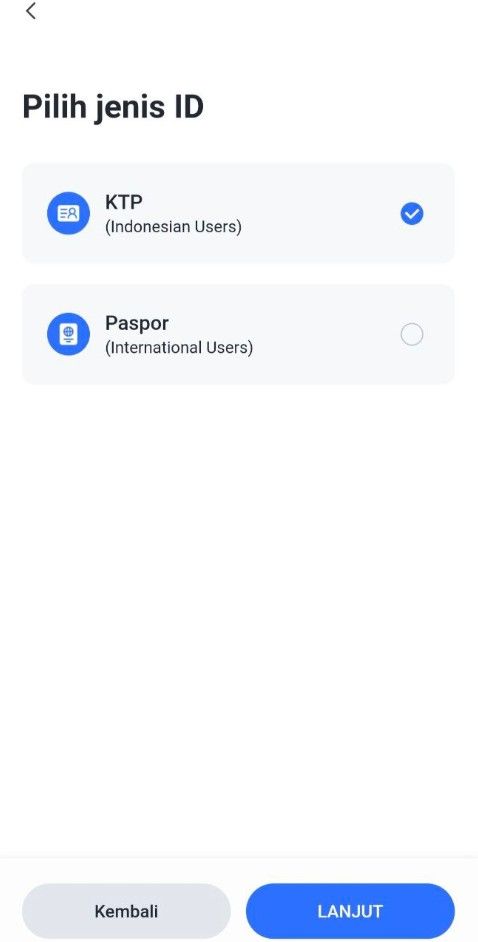
3. Select Identity Type
Select the type of identity document to be used:
KTP (Resident Identity Card) or
Passport / KITAS (For Foreign Citizens Only)
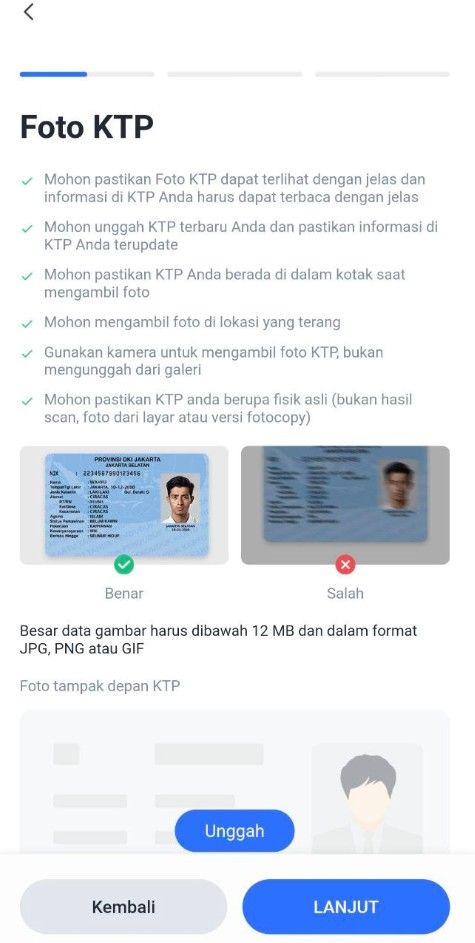
Upload a photo of your identity document:
Make sure the document photo is clear and complete.
There are no cut off or blurry parts.
4. Verify and Edit Personal Data
After the document is uploaded, the system will display your data.
Check and ensure the following data is correct:
Full name
ID card/passport number
Date of birth
Place of birth
Work
If the LUNA data is not correct, edit it directly on the page.
If the data is correct, click the "Next" button to proceed to the next step.
5. Upload a Selfie Photo
Take a selfie using your device's camera:
Make sure the face is clearly visible.
Do not use accessories such as sunglasses or masks.
Once completed, click the "Submit" button to send your data and documents to the Verification Service.
6. Verification Process
Verification requests will be processed in a queue.
Estimated verification time is 1x24 hours.
You will receive a notification once the process is complete.
Step 3: Deposit Funds
Common payment methods:
Step 4: Buy LUNA
You can buy Terra with Rupiah by following this tutorial:
Open to your Bittime account.
Select menu Market or click the icon with a graphic image.
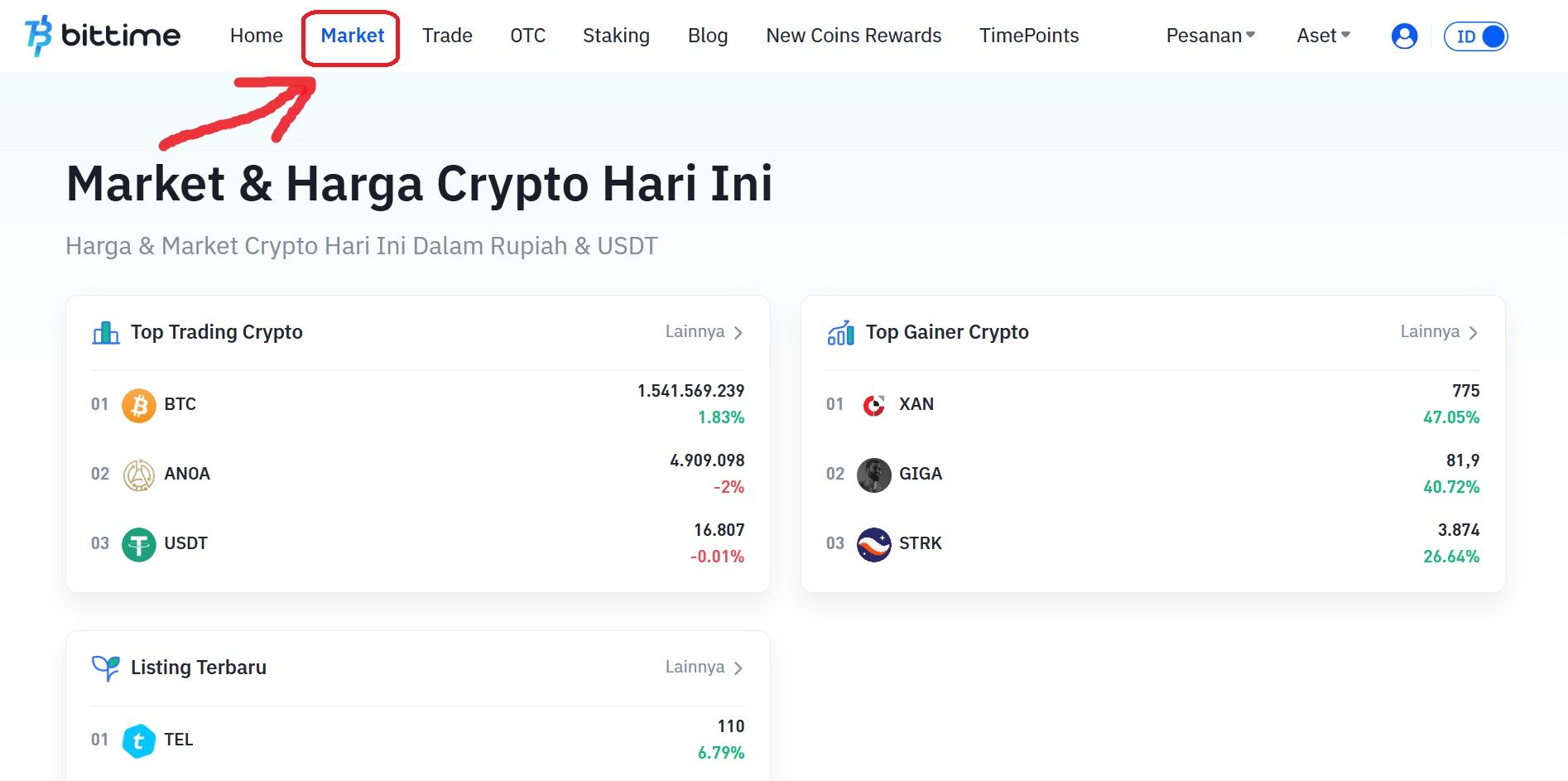
Select the currency pair you want to use. Select IDR if you want to buy Terra (LUNA) with Rupiah.
Scroll down and click ‘Buy’.
Select the order type you want to use. Limit orders, market orders, and stop orders are available.
Enter the rupiah amount you want to buy LUNA. The minimum purchase of crypto assets on Bittime is IDR 10,000.
Click the 'Buy LUNA' button.

A pop-up notification will appear. Read it carefully and click 'Confirmation’.
Enter the six-digit Transaction PIN.
The application will display a successful order notification.
Your order will appear in the open orders section if you select a limit order.
Then if the purchase is successful, you can check it in the order history.
As soon as the order is successfully executed, you can see Terra (LUNA) available in the Assets menu or the wallet icon.
Step 5: Save Your LUNA
You can:
Store in exchange wallet (easier for trading)
Transfer to personal wallet such as MetaMask, Trust Wallet, Ledger
Read also: What Is Terra (LUNA): A History of the Journey from Terra Classic to Terra 2.0
Safe Tips for Buying LUNA
Use official Bittime Exchange & regulated
Never buy through unofficial Telegram/WhatsApp groups
Enable 2FA (Google Authenticator)
Beware of scamsdiscount LUNA
Where Can I Buy LUNA?
Bittime is the best platform to buy and sell LUNA with competitive prices and local payment methods.
Buy directly using IDR
Low transaction fees
Spot & Futures Trading Support
The application is available at iOS & Android
➡ Starting now: Buy LUNA in seconds
FAQ
Who owns Terra Luna?
Terra Luna was founded byDo Kwon dan Daniel Shinin 2018 through their company, Terraform Labs in South Korea.
Why did Terra Luna collapse?
Terra-Luna's collapse operates on a two-coin protocol without traditional collateral. This collapse likely triggered by an attack on its liquidity pool and exacerbated by structural weaknesses in the framework blockchain basically.
How much is 1 moon?
Conversion price for 1 Terra (LUNA) token today is Rp1,356.08.
Will Luna Terra recover?
A full recovery to pre-crisis levels is highly unlikely.without major fundamental changes. While short-term rallies can occur if trading volumes increase, long-term recovery requiresreal development on the protocol.
Disclaimer: The views expressed belong exclusively to the author and do not reflect the views of this platform. This platform and its affiliates disclaim any responsibility for the accuracy or suitability of the information provided. It is for informational purposes only and not intended as financial or investment advice.

.png)