How to Buy HAEDAL with Rupiah: Steps, Fees, and Beginner Tips
2026-10-28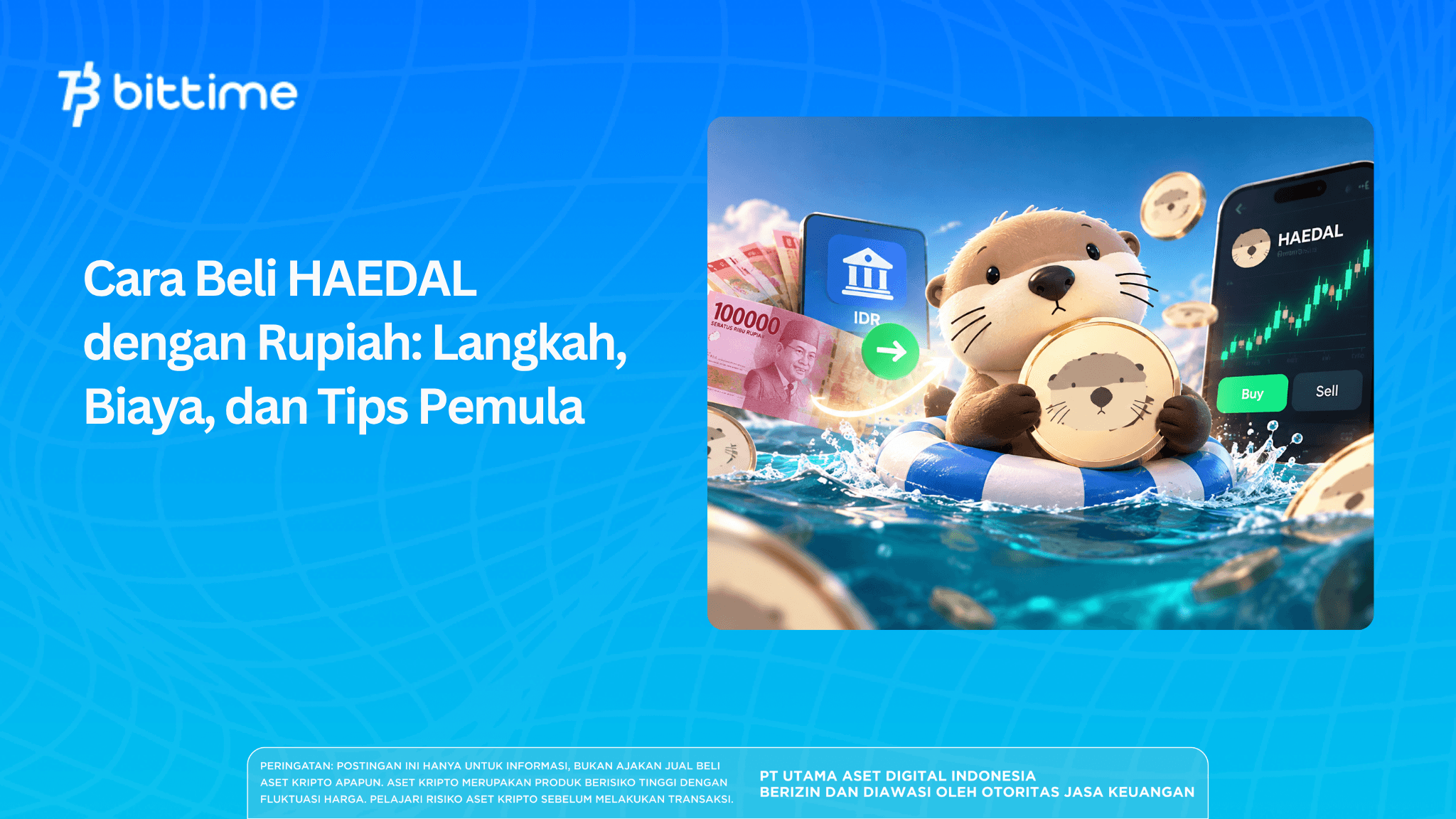
How to buy HAEDAL with rupiah starts with preparing a verified account and an IDR balance. Next, open the HAEDAL/IDR market, check whether trading is available, and then determine the purchase amount and order type that best suits your needs.
Before clicking the buy button, there are two things you need to understand: the displayed price is not necessarily the final transaction price, and a submitted order may not be filled immediately. This guide covers the buying process, from preparing your account to checking your balance, including the fees you need to calculate.
Key Takeaways
- Prepare a verified account and a rupiah balance before checking whether HAEDAL purchases are available.
- Choosing a market or limit order affects how your order is processed and the purchase price.
- Check the fees, order status, and number of tokens received to verify the transaction results.
Getting to Know Haedal Protocol and the HAEDAL Token
Haedal Protocol is a liquid staking protocol on the Sui network. Users who stake SUI through this service receive haSUI, which can be used with DeFi services that support it.
Meanwhile, HAEDAL is listed as a Haedal Protocol asset on crypto market data pages. Match the project name and ticker when searching for an asset to avoid selecting a different token.
Buying HAEDAL is not the same as staking SUI. Holding HAEDAL tokens does not automatically entitle you to receive haSUI or earn returns from the staking service.
Read also: How to Buy KieDex KDX: Presale Price, Whitelist, and How to Participate
What Should You Prepare Before Buying?
Prepare an active email address, phone number, identity document, and funds to deposit into your rupiah balance. Bittime's KYC guide covers phone number verification, identity document uploads, personal information checks, and a selfie.
Use a clear photo of your identity document and check the spelling of your name and your identification number before submitting it. Inconsistent information may require you to make corrections during the review process.
Also, set a spending limit for your purchase in advance. Leave room for deposit and transaction fees so your available balance is sufficient when you place an order.
To keep your account secure, use a password that is different from those you use for other services. Never share your OTP, transaction PIN, or account access with anyone offering to help you make a purchase.
Read also: How to Buy TMG Coin with Rupiah (IDR): A T-Mac DAO Guide
How to Buy HAEDAL on Bittime with Rupiah
The following steps follow the general process outlined in Bittime's official guide. Adjust them to match the latest app interface and the options available in your account.
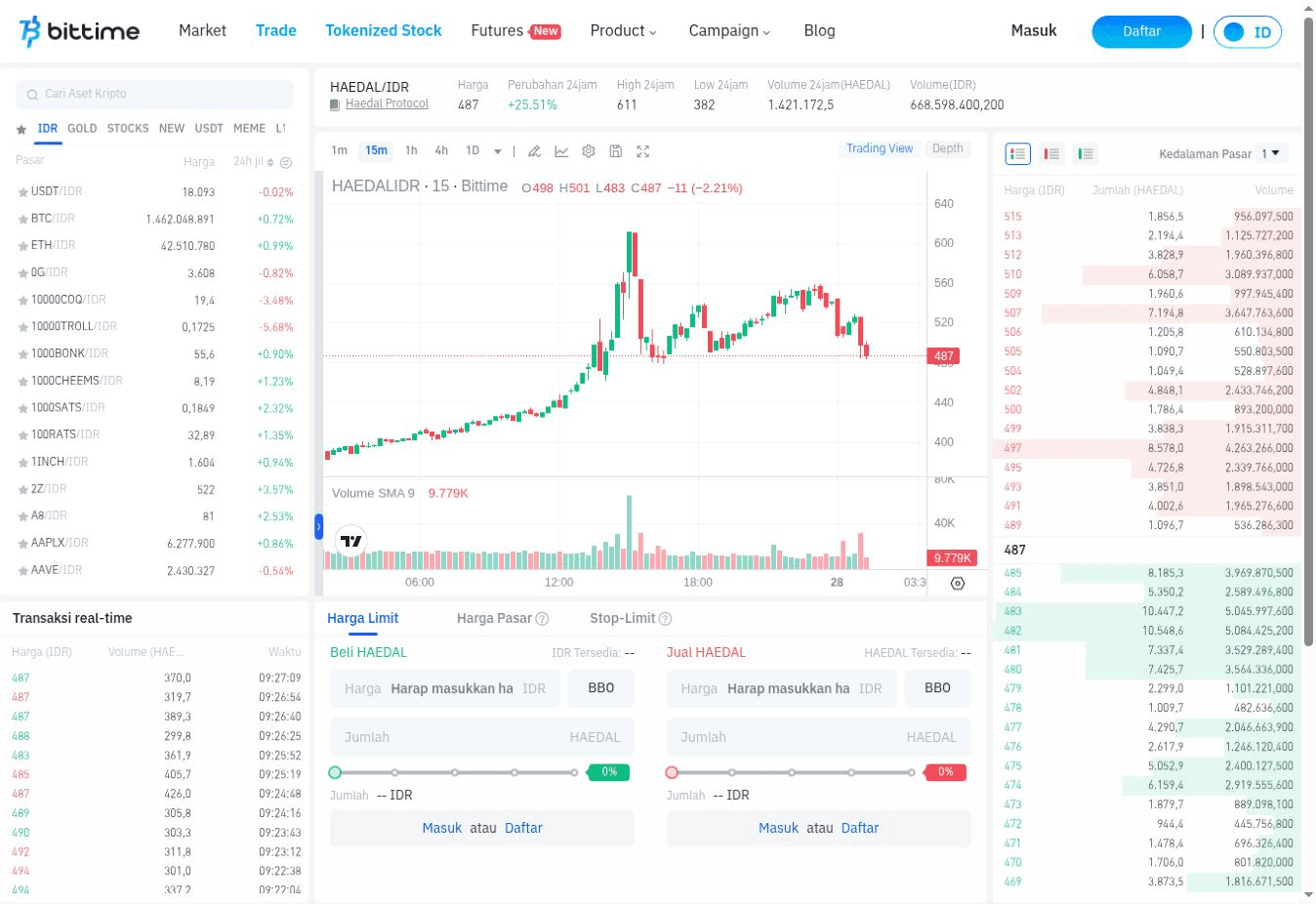
1. Create an Account or Log In to Bittime
Open the official Bittime app or website. If you do not have an account yet, follow the registration process using your email address, complete the verification, and then create a password.
Existing users can log in to their current accounts. Make sure you can access the linked email address and phone number before proceeding.
2. Complete Identity Verification
Open the account verification section and follow the instructions. Indonesian users should prepare their KTP, check the extracted information, and then submit a selfie as requested.
Wait for the verification result notification. Submitting your documents is only an application step, so you still need to confirm that your account has been approved before using services that require verification.
3. Add a Rupiah Balance
Select the IDR deposit feature and review the available payment methods. Follow the amount, payment destination, and deadline specified in the instructions.
After making the payment, check your deposit history and rupiah balance. If the funds have not arrived, check the payment status before making another deposit.
Deposit fees may reduce the amount credited to your account. Therefore, calculate your purchase budget based on the balance that has actually arrived in your account, rather than the amount you transferred.
4. Open the HAEDAL/IDR Trading Pair
Search for HAEDAL in the market list or open the HAEDAL/IDR page. The IDR trading pair is the page to check when buying with rupiah.
Make sure the ticker and trading pair are correct, then check whether the purchase form is available. If a service restriction notice appears, read the explanation before proceeding.
5. Choose an Order Type
Bittime's spot trading guide explains the market and limit order options. Use the order type available in that market and understand the differences before entering an amount.
Market order uses the available offers when the order is processed. This option prioritizes execution, but the final price may change depending on the number of tokens and the conditions in the market order book.
Limit order allows you to set a maximum purchase price. The order may remain pending if no seller is willing to sell at that price.
For example, a buy limit set below the lowest asking price will not immediately acquire tokens. The order can be filled only when a matching offer becomes available, provided the order remains active.
6. Enter the Amount and Review the Fees
Enter the rupiah amount or number of tokens in the relevant field. Double-check the price, HAEDAL quantity, order type, and fees before confirming.
If you use a limit order, distinguish the price-per-token field from the token quantity field. Entering the wrong number can make the order value significantly different from your original plan.
Do not rush when prices are moving quickly. Make sure the total transaction amount remains within the spending limit you set in advance.
7. Confirm and Check Your Order History
Follow the confirmation steps shown in the app. After submitting your order, open your order history to review the result.
Bittime's guide explains how to check open orders and order history. Compare the information with the change in your HAEDAL balance.
Read also: How to Buy Bitway (BTW) with Rupiah: A Complete Guide
How to Read HAEDAL Prices Before Buying
During a check on October 28, 2026, at around 08:14 WIB, CoinMarketCap displayed a reference price of Rp518.87 for HAEDAL. This figure is aggregated market data, not a confirmed transaction price for the HAEDAL/IDR pair on Bittime.
When buying, check the price and estimated transaction details on the market page you are using. The last price reflects a previous transaction, while a new purchase depends on the offers that are still available.
Also pay attention to the difference between the buying and selling prices, known as the spread. A wide spread increases the cost of entering and exiting a position, even before transaction fees are taken into account.
If the actual purchase price differs from your initial estimate, the difference is called slippage. This can happen when prices move quickly or the available offers near the current price are insufficient.
Therefore, the reference price is useful for comparison. To determine how much money you need, use the order details shown in your account and review them again before confirming.
Read also: Buy Crypto Through a Telegram Bot: MahaWallet Supports Rupiah Deposits via QRIS
How Much Does It Cost to Buy HAEDAL?
Bittime's fee schedule, updated on October 27, 2026, lists total fees for IDR market purchases at 0.105% for makers and 0.205% for takers. These rates represent the total fee components shown in the official table.
A maker order adds liquidity to the market order book. A taker order immediately matches an offer that is already available.
A limit order does not automatically qualify for the maker fee rate. If its price immediately matches an existing offer, the transaction may be processed as a taker order.
As a calculation example, a Rp100,000 purchase would incur a fee of Rp105 at the 0.105% rate or Rp205 at the 0.205% rate. This example excludes deposit fees and does not represent an actual transaction.
The listed minimum deposit starts at Rp10,000, while OVO and DOKU Wallet have a minimum of Rp20,000. Deposit service fees are deducted from the deposit amount according to the payment method used.
To find the minimum HAEDAL purchase amount, check the limit shown in the order form. The minimum deposit and minimum transaction amount are two separate requirements.
Why Has My HAEDAL Balance Not Increased?
The first step is to check whether your order has been filled. An order that is still open means the purchase has not been completed in full.
With a limit order, your specified price may not have matched a seller's offer yet. If only part of the order is matched, you may receive some tokens while the remaining amount stays pending.
Also check your available balance and any funds currently committed to active orders. Do not immediately place another purchase before understanding the status of your previous order.
If you want to cancel or modify an order, use the options available in the app. Check the latest status first, as an order may be filled while the market is moving.
If your history shows a completed transaction but your balance is incorrect, contact official support and provide the transaction details. Never send your password, OTP, or PIN to support staff or anyone else.
Read also: How to Buy NXPC (Nexpace) with Rupiah: A Beginner's Guide
Risks to Understand After Buying
HAEDAL's price may fall after you buy, even if it had been rising beforehand. A recent price increase does not reveal the project's entire situation or guarantee future price movements.
Liquidity also determines how easily you can sell the asset again. If there are few buy orders, selling a large amount may result in a lower average price than the displayed figure.
In addition to price movements, research the project's development and token distribution. User demand, changes in supply, and overall crypto market conditions are factors that should be assessed together.
If you want to transfer HAEDAL to a personal wallet, check which networks are supported by both the sending and receiving platforms. Do not choose a network solely because it has the lowest fee without confirming compatibility.
Conclusion
Buying HAEDAL with rupiah involves preparing your account, depositing funds, choosing an order type, and checking the transaction results. Before confirming, the most important things are to verify the trading pair, ensure the amount is correct, and understand the fees.
If you want to follow this guide, you can register for Bittime, complete the required verification, and then check access to the HAEDAL/IDR market. After purchasing, keep a record of the transaction so you can easily track the number of tokens and your average purchase price.

Bittime is a licensed Digital Financial Asset Trader (PAKD) platform authorized and supervised by Indonesia's Financial Services Authority (OJK) — where you can buy Bitcoin in Indonesia and hundreds of other crypto assets starting from Rp10,000. Registration is quick and secure, and you can get started today.
Track the USDT to IDR conversion rate and monitor your favorite crypto assets' prices in real time. Everything is available in one crypto investment app that you can download for free from the Play Store.
Ready to get started? Register on Bittime now and put your investment strategy into action with a platform trusted by millions of users in Indonesia.
FAQ
How Do I Buy HAEDAL with Rupiah?
Prepare a verified account and an IDR balance, then check the HAEDAL/IDR market on Bittime. If purchases are available, choose an order type, enter the amount, and review the details before confirming.
Is Identity Verification Required to Buy HAEDAL?
Bittime's guide instructs users to complete identity verification before proceeding with transactions. Follow the requirements displayed in your account and make sure your application has been approved.
What Is the Minimum HAEDAL Purchase Amount?
Check the minimum amount shown in the HAEDAL/IDR purchase form. The specific minimum for this trading pair could not be confirmed from the publicly accessible page.
How Much Are the Transaction Fees for Buying HAEDAL on Bittime?
The official fee schedule lists total fees for IDR market purchases at 0.105% for makers and 0.205% for takers. Check the details in your account, as deposit fees are calculated separately.
Does a Market Order Guarantee the Displayed Price?
No. A market order uses the offers available when it is processed, so the average purchase price may differ from the last price you see.
Disclaimer: The views expressed belong exclusively to the author and do not reflect the views of this platform. This platform and its affiliates disclaim any responsibility for the accuracy or suitability of the information provided. It is for informational purposes only and not intended as financial or investment advice.

.png)