What Is Gemini Spark and How Does It Work?
2026-07-31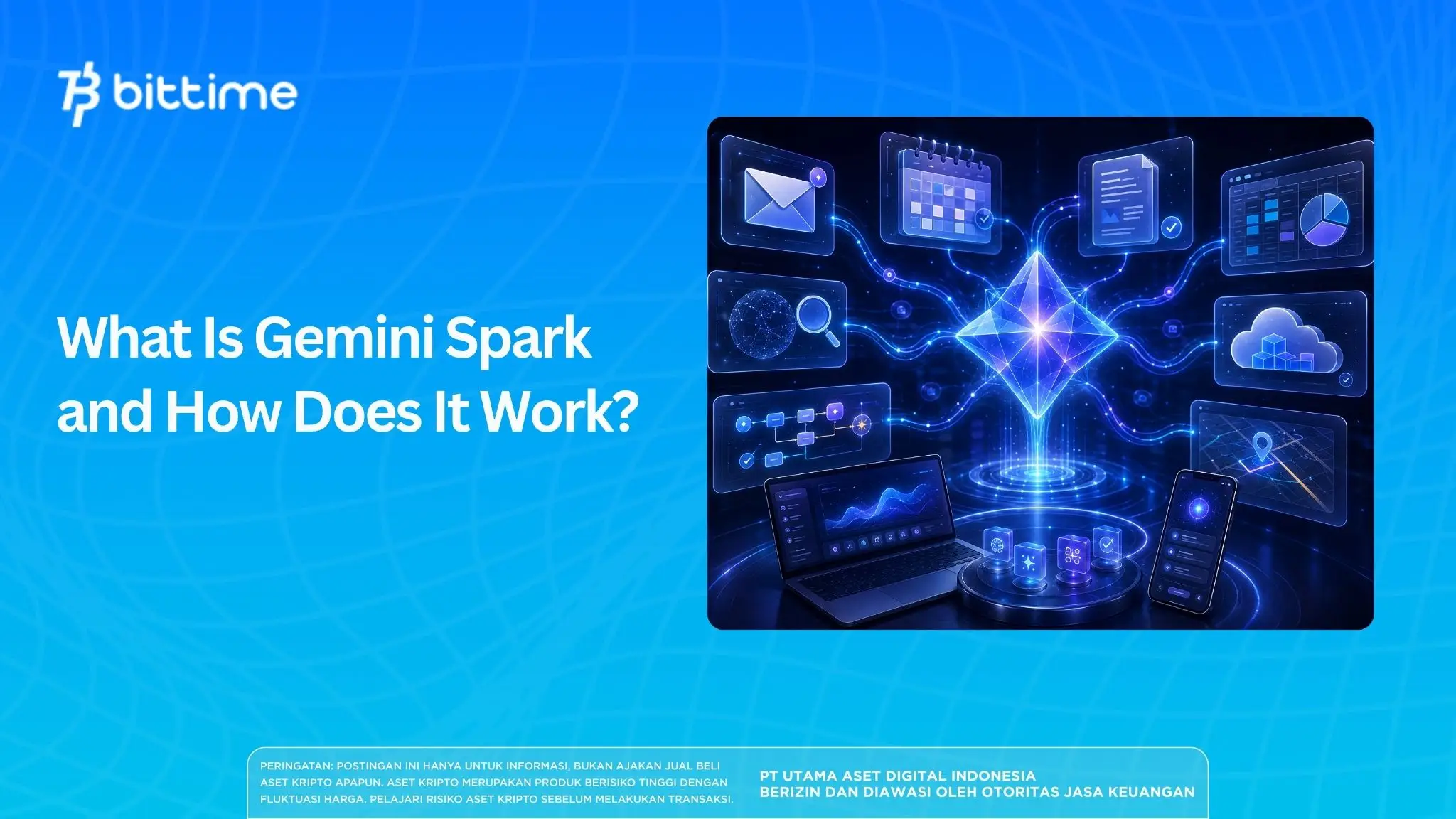
Google officially introducesGemini Spark in Indonesiaon July 29, 2026. Different fromA chatbot that waits for questions and then provides answers, Gemini Spark is designed as a personal AI agent that can proactively execute a series of tasks based on user instructions.
This agent can manage digital tasks in the background, including when the laptop is closed or the phone is locked.
Spark also connects with Google services like Gmail, Drive, Docs, Sheets, Calendar, and Search, enabling you to move information from one app to another in a workflow.
PresenceGoogle AI AgentThis marks a significant change in the use of artificial intelligence.
Users can not only ask AI to write or summarize, but can also task it with monitoring information, creating schedules, updating documents, and preparing follow-up actions.
Key Takeaways
Gemini Spark is an AI agent that can plan and execute step-by-step tasks, rather than simply providing answers.
Spark can work with Gmail, Docs, Sheets, Drive, Calendar, Search, Maps, and other Google services with user permission.
Users should still monitor the results of their work as Gemini Spark is still experimental and may require human confirmation or intervention.
Explore digital asset opportunities with ease. Register at Bittime Now.
What is Gemini Spark?
Gemini Sparkis a personal AI agent feature daIn the Google Gemini ecosystem, this feature can accept a goal, break it down into steps, select the required applications, and then automatically execute the task.
For example, a user can have Spark look for a trip confirmation email, retrieve ticket and hotel details, enter them into a Google Sheet, and then add the itinerary to Google Calendar.
Without AI agents, the work would have to be done by opening multiple applications and moving information manually.
Gemini Spark is powered by Gemini 3.5 Flash, a Google model designed for agentic tasks and incremental workflows.
The model can maintain context while executing longer tasks, using tools, and performing some actions under user supervision.
In Indonesia, Spark has been made available to Google AI Pro and Google AI Ultra customers, with support for both Indonesian and English.
The rollout is being gradual, so the Spark menu may not appear simultaneously on all eligible accounts.
How Gemini Spark Works in Indonesia
To understandHow Gemini Spark works in Indonesia, imagine Spark as a workerdigital that follows five stages: accepting goals, developing a plan, requesting access, executing actions, and then reporting progress.
1. The user describes the desired outcome.
Instructions can be one-time tasks, event-based tasks, or routine work with a specific schedule.
2. Spark compiles the work steps.
For example, to audit monthly bills, agents can search transaction emails, group subscription services, compare the amount with the previous month, and then create a summary in a document.
3. Spark uses authorized applications and information sources.
Services available include Gmail, Calendar, Docs, Drive, Keep, Sheets, Slides, Tasks, Google Search, Finance, Flights, Hotels, Maps, and YouTube.
4. TTasks are executed through cloud infrastructure or a browser.
In certain situations, Spark can use a remote browser to open a site and interact with the page.
If a site requests a login, identity verification, payment, or other sensitive action, the process may be paused until the user takes over.
Finally, users can check progress, files read or modified, active schedules, and completed steps through the work panel. Tasks can also be paused, resumed, modified, or stopped.
Google Personal AI Agent Features
One of Google's personal AI agent featurethe most useful is the ability to makeautomatic schedule.
Users can ask Spark to run tasks daily, weekly, on a specific date, or after an event occurs.
For work, Spark can scan potential customer questions in Gmail, draft answers based on their needs, and then save them for review before sending.
For personal activities, Spark can search for weekend events, compile recommendations in Google Docs, and add the best choices to Calendar.
Spark also supports the concept ofskills, which is a collection of instructions that can be reused.
A user, for example, can create an email writing skill that explains style, structure, word choice, and communication rules.
The skill is then used every time Spark prepares a new draft.
While capable of working independently, Spark should not be considered to have unlimited freedom.
Users determine which applications are allowed to connect and can disable the feature.
Google also states that Spark is designed to require consent before high-risk actions, such as sending email or spending money.
Read Also:Top 5 AI Cryptocurrencies in 2026: Which Ones Are Worth Buying?
How to Use Gemini Spark for Beginners
How to use Gemini Spark for beginnersstart by opening the Gemini appon mobile or access Gemini via the web.
After logging in with an eligible account, go to the main menu, select Spark, then type the task you want to manage.
Instructions should explain three things: the source of the information, the desired action, and the time of implementation. For example:
“Every Friday at 8:00 AM, search for tech events in Jakarta for the weekend, create a summary in Google Docs, then add up to two of the best events to your Calendar.”
Users can add files from their device, Google Drive, or Notebook as references.
After the task is submitted, check the work panel periodically to see if Spark requires any permissions, additional data, or browser takeover.
For the first task, choose a job that is easy to check, such as summarizing a newsletter or categorizing documents.
Avoid directly assigning work involving transactions, confidential data, or important decisions without supervision.
Read Also:How to Use AI to Get Free Crypto
The Difference Between Gemini Spark and Regular Google Gemini
Google Gemini is primarily used through conversations. Users send prompts, and Gemini generates answers, images, analyses, or documents.
Spark continues the process to the action stage. It can persist tasks, run schedules, use connected applications, monitor progress, and update results without having to receive new prompts at each step.
In other words, Gemini helps users think and produce content, while Spark is designed to help complete workflows.
However, both remain within the Google Gemini app and ecosystem.
Gemini Spark Privacy, Security, and Limitations
Spark can only use authorized applications and data.
Users can review connected apps, stop tasks, clear remote browser data, and turn off Gemini Spark through the settings menu.
When Spark is shut down, tasks and schedules are paused, while browser data and certain remote executions are deleted.
However, risks remain. Google calls Gemini Spark an experimental feature that is still in its early stages.
User supervision is required to prevent erroneous actions or undesired results.
Spark also has usage limits based on compute capacity and subscription plan. A maximum of 15 tasks can run simultaneously.
The scheduled task will not be executed once the limit has been reached.
Chrome's auto-browsing integration is also not yet widespread globally. Google stated that the Chrome auto-browse feature was initially launched in the United States before expanding to other regions.
Therefore, the capabilities available on Indonesian accounts may differ from product demonstrations in other countries.
Read Also:Cursor AI: Definition and How to Use It for Coding
Conclusion
Gemini Spark is Google's AI agent designed to turn instructions into real-world actions. It can read information, create plans, use connected apps, run scheduled tasks, and work in the background.
For Indonesian users, Spark can help reduce administrative work such as managing email, organizing agendas, updating spreadsheets, and preparing documents.
However, users should still set permissions selectively and check the results before taking any important actions.
A guide to Gemini Spark and its capabilities can start with a simple principle: assign clear tasks, limit access as needed, and then monitor every step that has financial, communication, or privacy impacts.

Bittime is a licensed and regulated Digital Financial Asset Trader (PAKD) supervised by Indonesia’s Financial Services Authority (OJK) — where you can buy Bitcoin in Indonesia and hundreds of other crypto assets starting from just Rp10,000. The registration process is fast, secure, and you can get started today.
Track USDT to IDR conversions and monitor your favorite crypto assets in real time. Everything is available in one crypto investment app that you can download for free on the Play Store
Ready to start? Register now on Bittime and execute your investment strategy with a platform trusted by millions of users in Indonesia.
FAQ
What is Gemini Spark?
Gemini Spark is a personal AI agent from Google that can execute incremental and scheduled digital tasks according to user instructions.
Is Gemini Spark available in Indonesia?
Yes. Google announced Gemini Spark in Indonesia on July 29, 2026, for Google AI Pro and Ultra customers, with access rolling out gradually.
Can Gemini Spark work when the device is turned off?
Certain tasks can continue through cloud infrastructure or a remote browser even when the device is closed. However, some processes may stop if they require login, permission, or direct user action.
What apps can Gemini Spark be used with?
Spark works with a number of Google services, including Gmail, Drive, Docs, Sheets, Slides, Calendar, Tasks, Search, Maps, Flights, Hotels, Finance, and YouTube.
Can Gemini Spark send automated emails?
Spark can create drafts and help manage emails. For sensitive actions like sending emails, the system is designed to require user consent first.
Is Gemini Spark free?
The Indonesian launch was announced for Google AI Pro and Google AI Ultra customers. Plan availability and features are subject to change at Google's discretion.
Is Gemini Spark safe to use?
Spark offers permission settings, progress monitoring, remote browser data deletion, and job termination controls. However, because it's still experimental, users should still review results and avoid leaving critical decisions entirely to AI.
Disclaimer: The views expressed belong exclusively to the author and do not reflect the views of this platform. This platform and its affiliates disclaim any responsibility for the accuracy or suitability of the information provided. It is for informational purposes only and not intended as financial or investment advice.

.png)